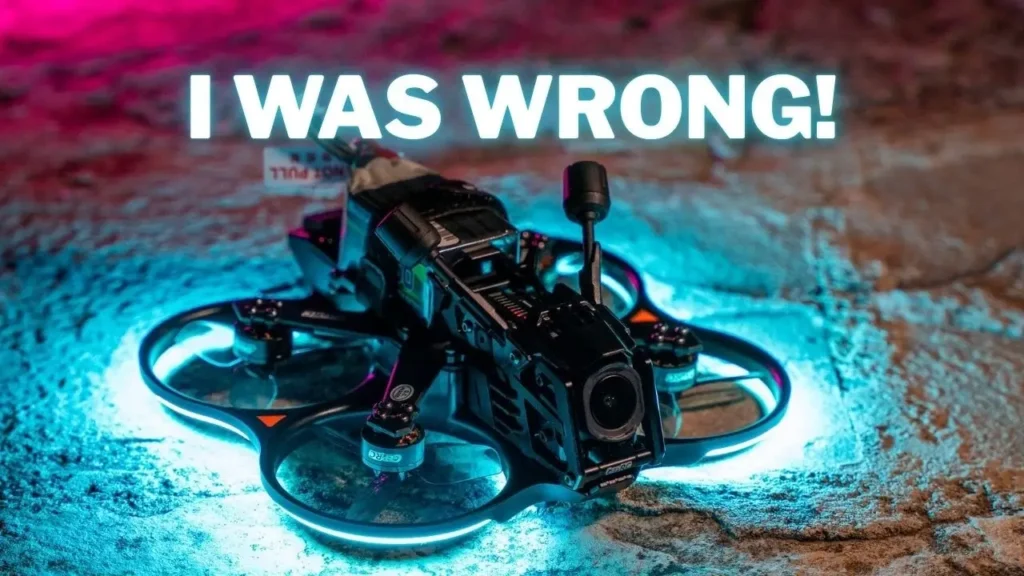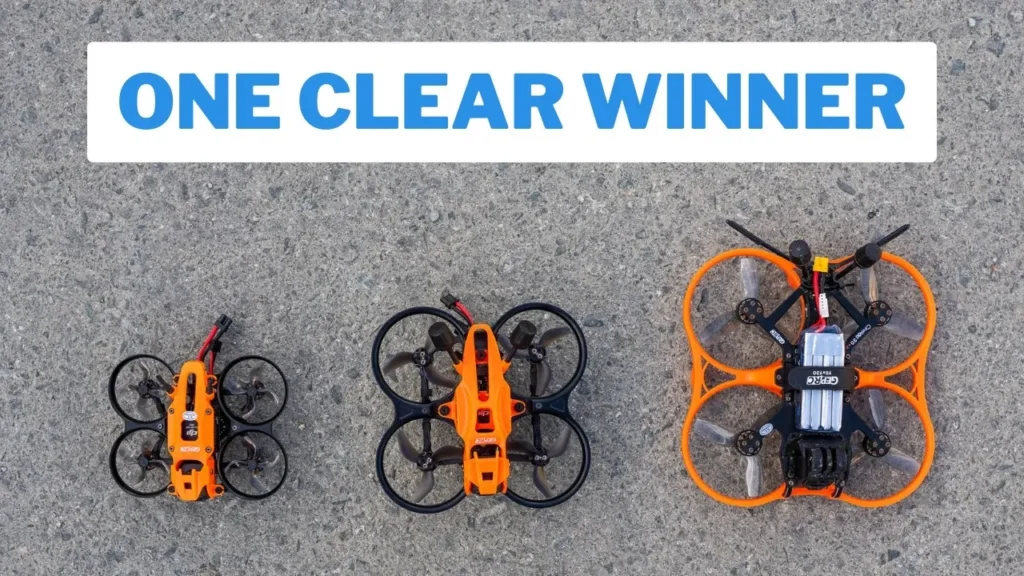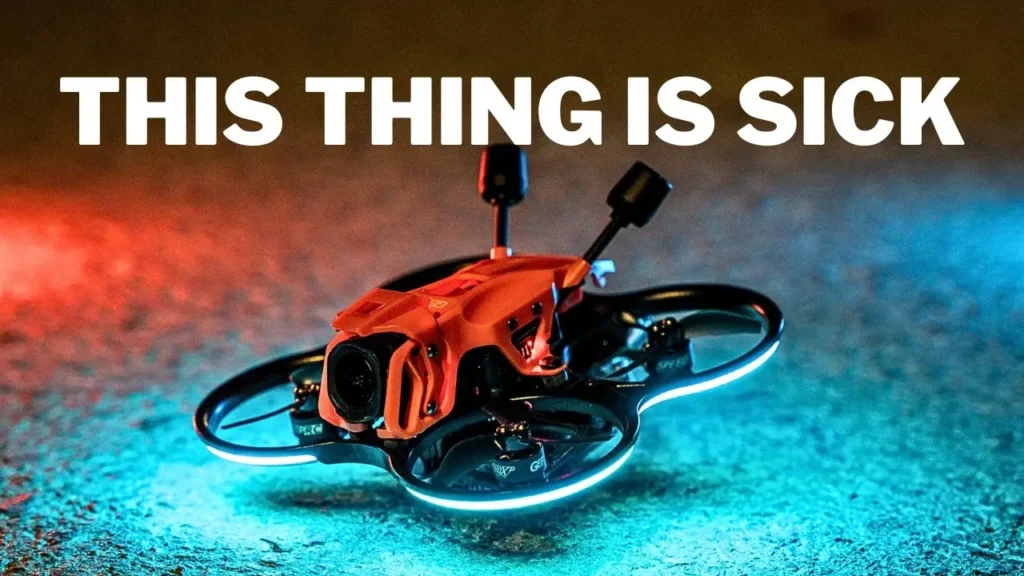

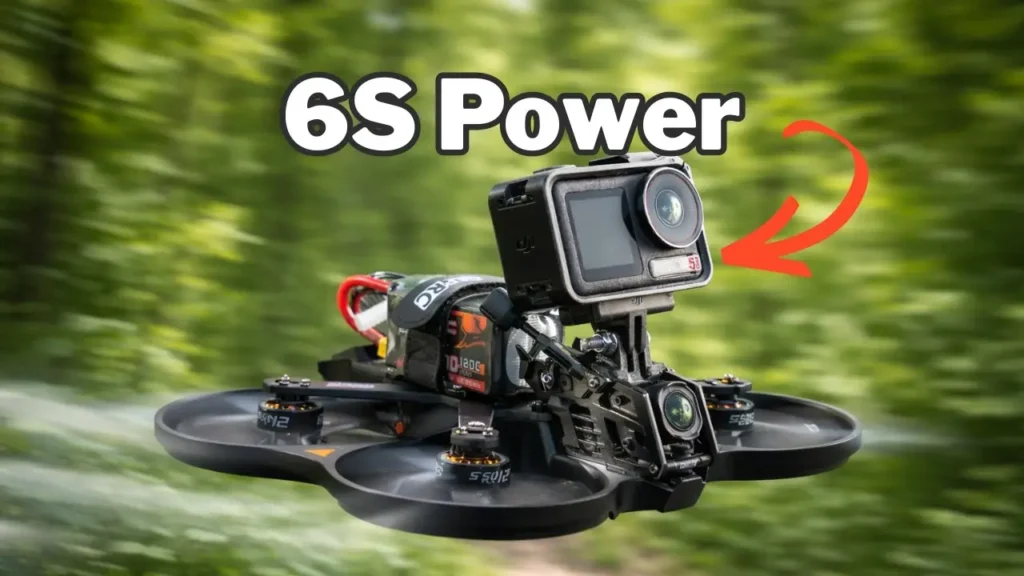
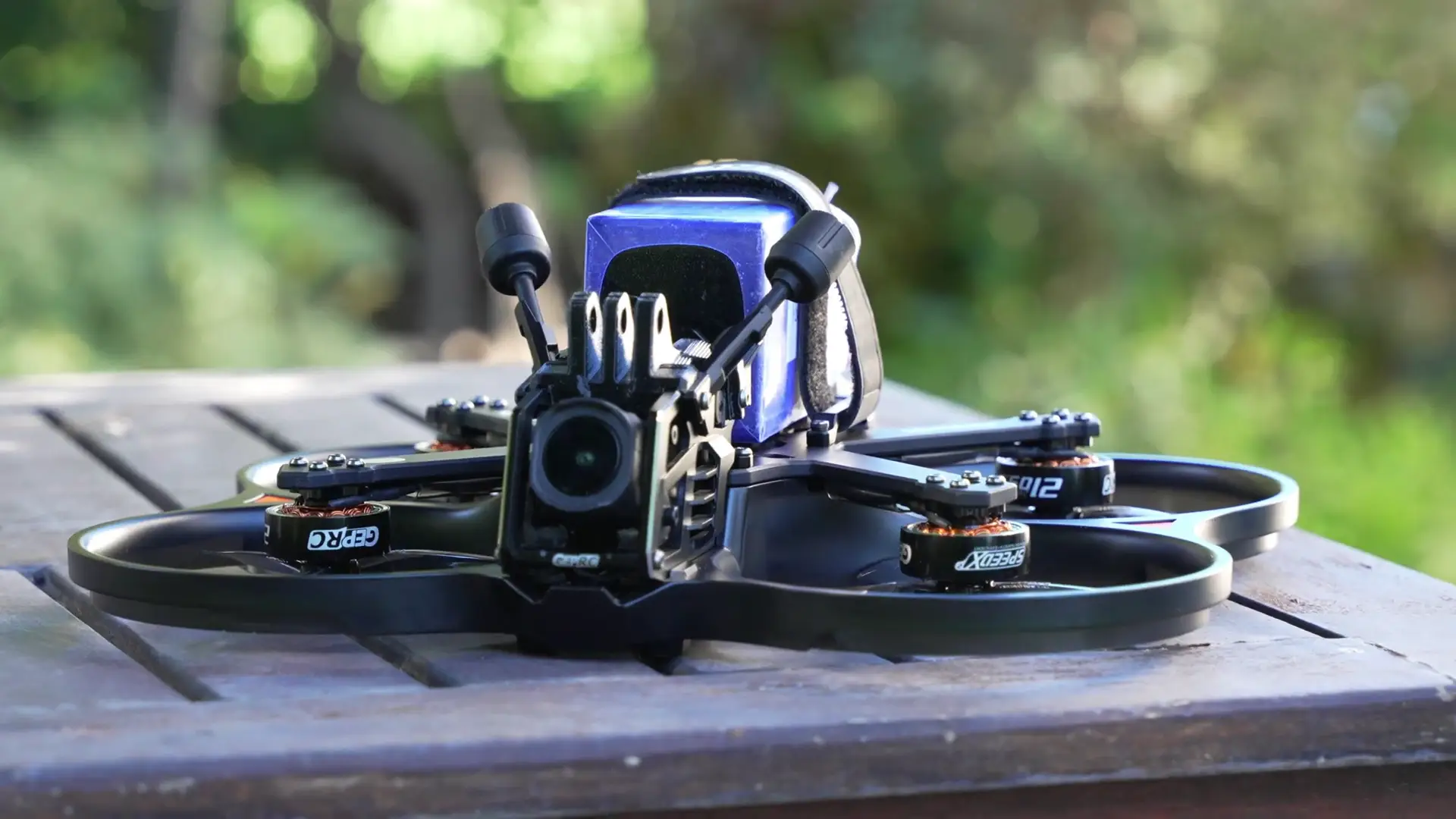
This is the GEPRC Cinebot 25, and this is the removable O4 Pro camera module. Place that here, and just like that, we have the GEPRC brand new Cinebot 35, a 6S powerhouse designed to carry a full action camera that is rich in features with two PID tunes. But before diving into that, let me show you the maiden flight.
Maiden Flight Impressions
Let’s go up the hill. We have a nice cruising speed of around 50 km/h. It is fairly loud, but I am also in a quiet place. It is so controllable. Look at how controllable this is for a 6S drone. So far, loving this. This is very smooth. A lot of people are going to be very happy with this.
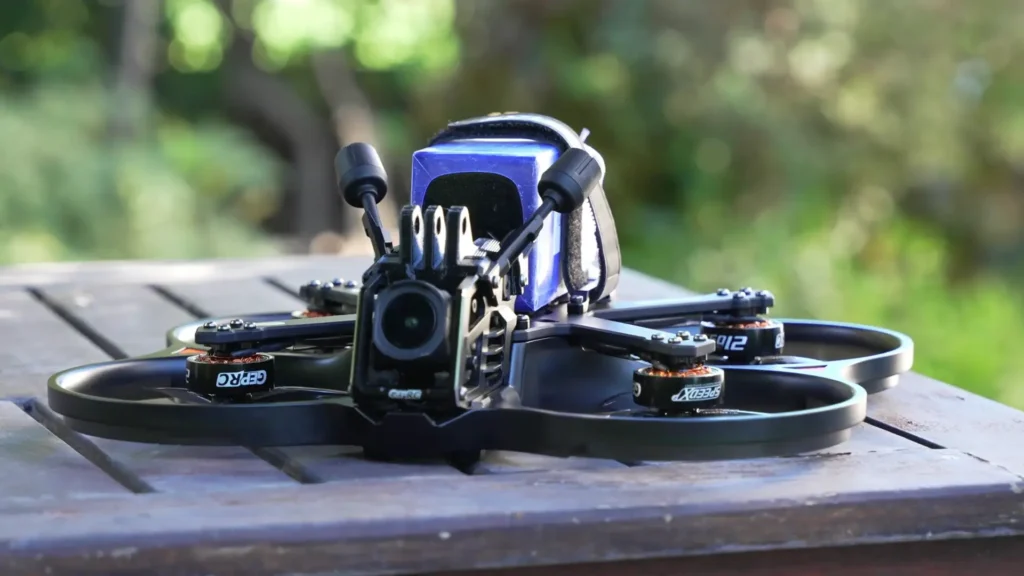
Just want to say a big thanks to GEPRC for sending me the Cinebot 35 to test out. They are not paying me for this review and they do not get to see this video before it goes live, so you are getting my honest thoughts.
The Modular Camera System
The GEPRC Cinebot 35 is GEPRC’s second drone using the camera module system that they created. It is a six-point dampening system, and it is really cool because it minimizes jello. It is built rock solid as well. The great thing is, if you already have the Cinebot 25, you can just get the Cinebot 35, unscrew four screws and a cable, move it across, and you have a completely new drone. You can just switch between the two, which is fantastic. This saves you a lot of money.
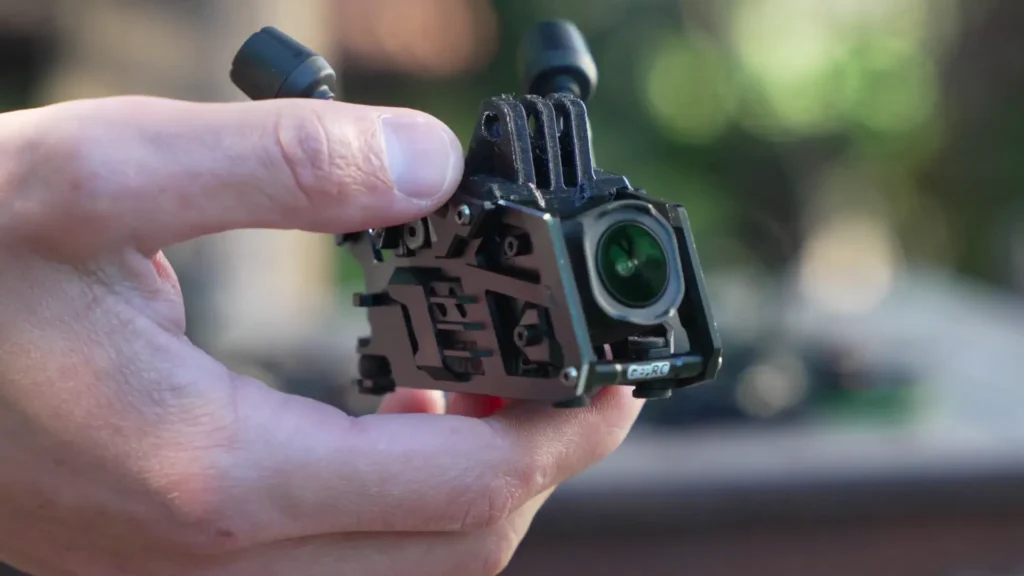
The O4 Pros are not cheap, and that is if you can even find them in stock. I do not know what it is like in the US, especially with the ban that is still ongoing, but here in Europe it is so hard to find. There is maybe one store at a time, and I am on so many waiting lists just trying to find them. So having this camera module system is great, especially in current times when it is hard to find the O4 Pro. You can just switch between the two drones.
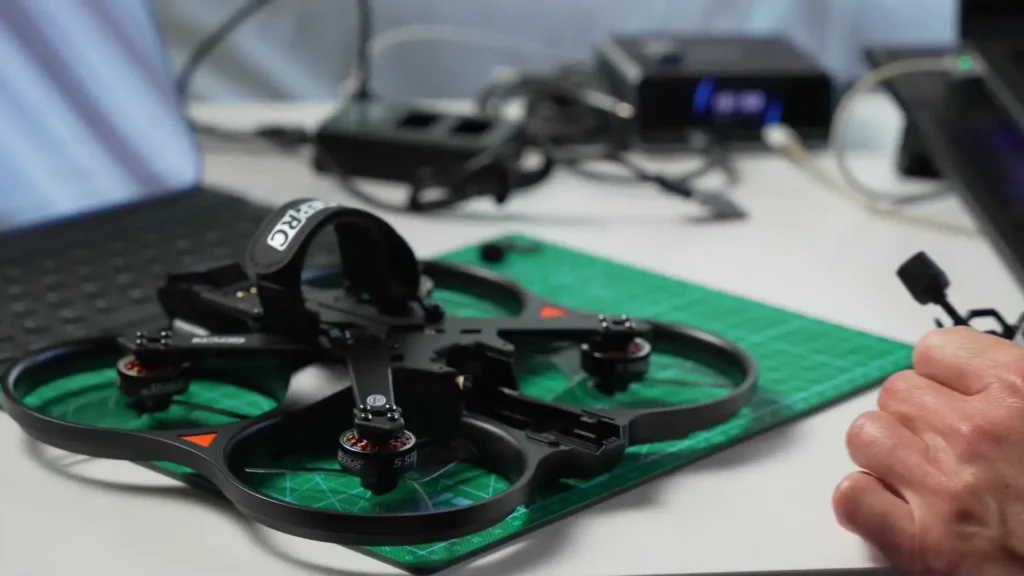
I really like this design as well, and I will talk about that later in the Article where we deep dive on the actual frame. Here is a buying tip though. It might actually be cheaper to buy the O4 Pro version of the Cinebot 25 and then get the non-O4 Pro version of this drone. Let me know in the comments below or I will put the prices up on screen.
GEPRC have also told me that they have more drones coming that will use this modular camera unit. So this is fantastic. We are going to have more drones, and we will just be able to move the module from one to the other. All it essentially is, is a cable and four screws. I am not entirely sure how I would feel about it if it were a dedicated bando basher, but for cinewhoops or long range drones, this setup is really handy and practical.
Packaging and What is in the Box
When I first started buying GEPRC drones, they were packaged decently. But over the years, from purchasing them myself and having them sent out to me, the packaging has actually improved quite a bit and you get quite a lot in the box as well. Things like spare props, spare screws, and straps. You have a decent amount of kit and it is very generous. I am really happy with it.
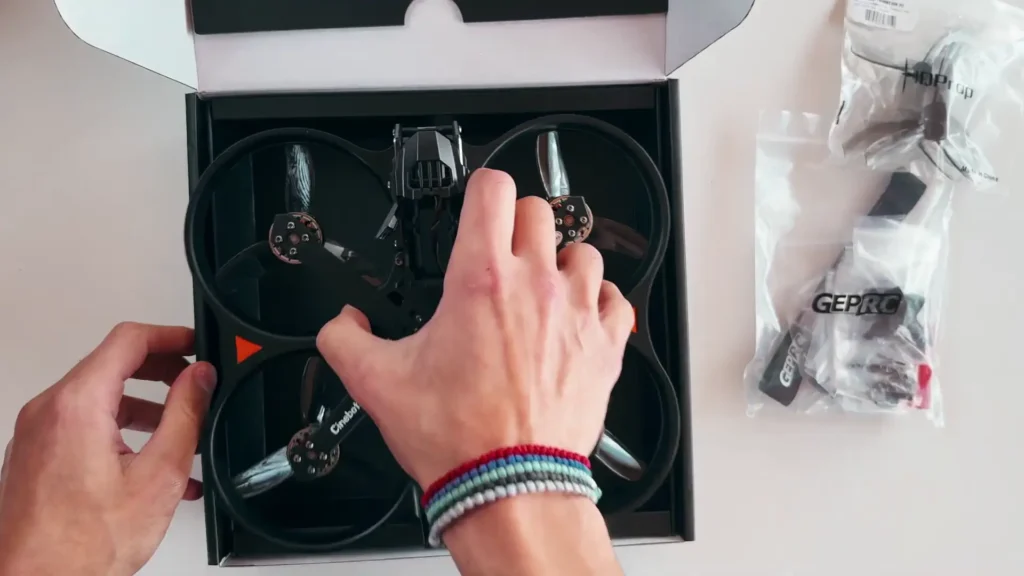
They have not been providing keychains lately, and I wish they would start putting them back in or at least something else, just a small little gift. It is a token of appreciation and it helps with branding too. I also really like the fact that with the Cinebot 35, because it is bigger and more powerful, they did include the TPU mount for the GoPro, even the hardware for it.
This is very good because in the earlier days I would open up a drone and realize I had the wrong TPU mount or did not have the right screw, which was really frustrating. I have built my kit up over time now, but I am really happy they included that from the start.
Read More: GEPRC Cinebot25 V2 Review
Flight Performance
I want to talk a little bit about the flight performance of the GEPRC Cinebot 35 because it flies really well. As a 6S drone, I am probably cruising around 25 to 30 percent throttle, which is great and very efficient. However, it has got plenty of power because of the 6S setup and less voltage sag as well. So if you want to do some freestyle or some punch outs, it can absolutely do that.
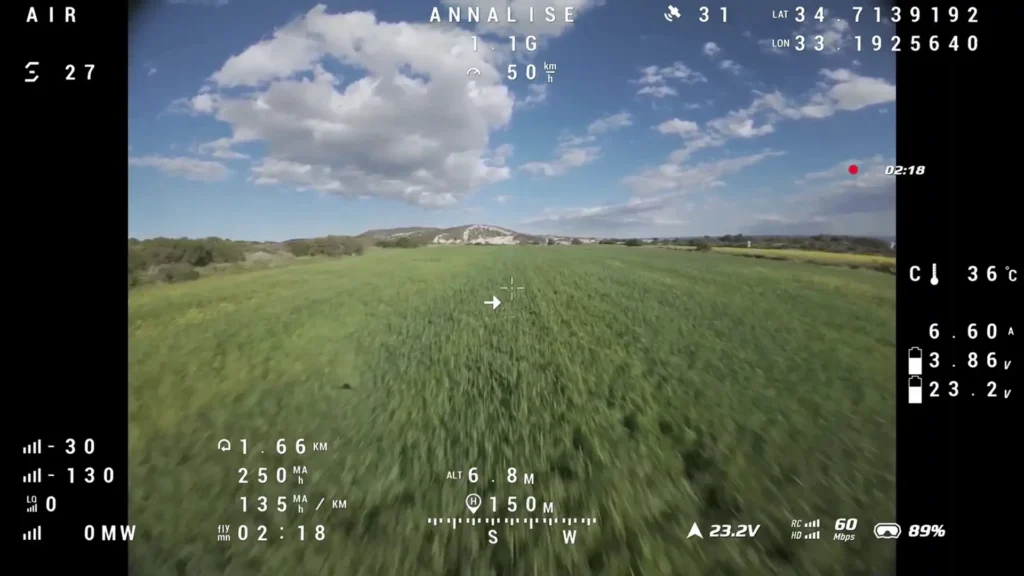
Because of the extra power, it can carry a full size action camera with no problem. Whether you are flying a GoPro, DJI Action 5, or DJI Action 6, the GEPRC Cinebot 35 will handle it no problem. During my testing, there were some high winds towards the end of my flying session, and I did notice that the drone was wiggling a little bit.

That is nothing out of the ordinary. It happens with most drones when winds and gusts pick up. Even though the goggle footage looks a little wobbly, the actual drone footage came out perfectly fine.
Two PID Tunes
GEPRC have actually included two PID tunes with the Cinebot 35, and this is a first for me. Normally I just fly with the stock tune, but they decided with the Cinebot 35 to give you two modes. There is an acro mode and a juicy mode. That is what they have labeled them.
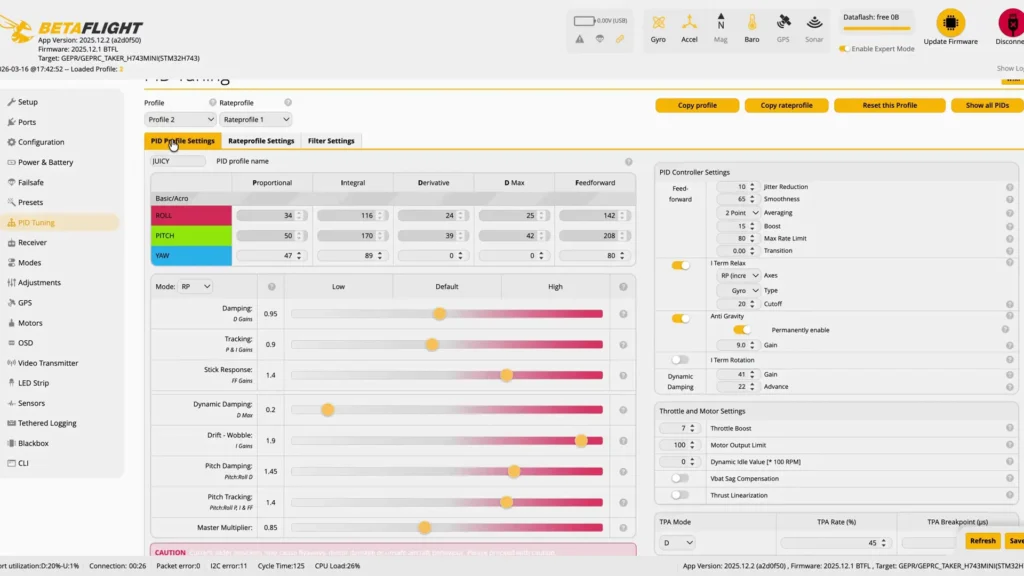
You can change these when you plug the drone into Betaflight and simply pick which profile you want to use. However, if you do not have a laptop out in the field, which most people do not, there is another way. Because I have the test version of this drone, the SpeedyBee app does not have this flight controller yet since it is brand new.
Until SpeedyBee updates that, I cannot connect via Bluetooth. However, you can switch between the two profiles using your radio controls. I cannot remember the exact combination off the top of my head, but I believe it is throttle down and pitch left for rate profile one, and throttle bottom right for rate profile two. I will put it on screen to double check. That is how you can switch between the two without having to plug the drone in at all, which is really convenient.
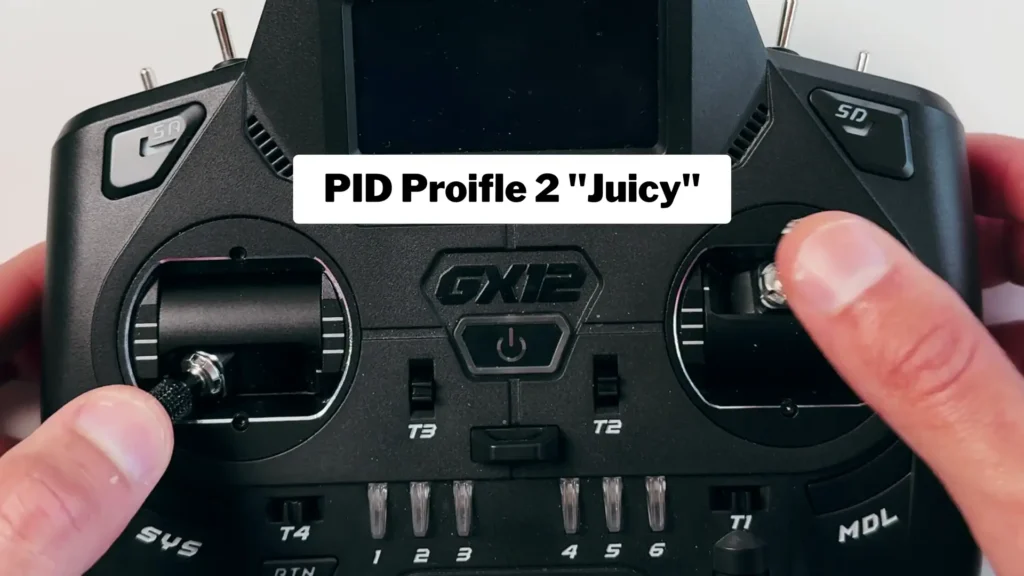
With the juicy mode, especially without an action camera attached, it is definitely more free flowing and more responsive compared to acro mode, which is a little bit tamer and designed for cinematic footage. Honestly, they should have just called it cinematic and juicy instead of acro and juicy, but that is just a minor naming thing.
Flight Times
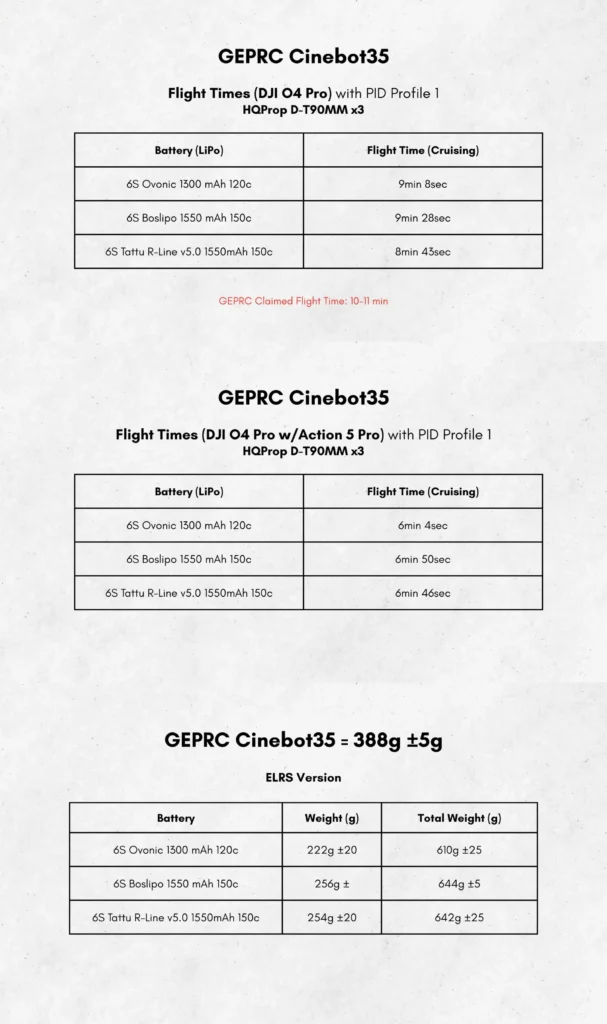
I will put the flight times I recorded up on screen, including testing with both a 1550 and a 1300 mAh battery. That covers results with and without an action camera attached. During these tests, I was essentially just cruising. I was not doing anything drastic. I wanted to see how much flight time I could squeeze out of each battery, which is probably unrealistic for most use cases, but it helps see the maximum possible flight times and whether I could get close to or past GEPRC’s claims.
Out in the Field
It is very smooth. Very smooth. I am shooting full auto right now and will add ND filters later when I do further testing. This is a new spot close by, which is nice. We have construction over there but these massive open fields and the clouds today look absolutely awesome.
Even in the acro tune, it is actually pretty good at freestyle. I wanted to see how it handles prop wash. It is very floaty with very little prop wash as well. That is quite impressive. When you go straight into the wake it does get a little rough, but that is completely normal and actually not that bad at all for a drone of this size.
GPS Rescue Testing
I also wanted to test how GPS rescue works. What I did was customize one of the buttons to act as a failsafe so it literally just pretends I have lost control, even though I had GPS rescue working. I pressed GPS rescue first, and it seemed to be working correctly, so I disabled it and went back to normal.
Then I tried an actual failsafe over the field to see what happens, and GPS rescue did kick in. The issue was just the reaction to the throttle. There is literally just one setting you need to change in Betaflight for it to work the way I like it to.
Otherwise, very smooth overall. I have a feeling the GEPRC Cinebot 35 is going to be a very popular quad. Very popular. I also cannot wait to stick some ND filters on. I am genuinely surprised by how good the footage looks even without them. Those clouds looked absolutely epic.
Frame Design and Build Quality
GEPRC have made a really solid drone here. The quality is amazing. It is rigid and strong. It is going to take quite a bit of a beating. The Cinebot 35 is essentially a carbon copy of the Cinebot 25, just bigger and better. Everything about the design and layout is just done really well.
You have good access from the bottom and good access from the top. You have the modular camera unit, the GPS mount at the back which is removable, a mount for your ELRS receiver, an LED light, access to the DJI O4 port at the bottom, and the SD card slot at the top.
Compared to some of GEPRC’s older drones, the accessibility here is on another level. Maybe I should do a comparison video because with the Cinebot 25 I had, getting easy access to things was a bit of a handful. Here, they have just designed it so well. It is actually brilliant.
Internals and Electronics
The FC stack is a Taker 8743 Mini, which is actually similar to the one in the MOS 7, just miniaturized for this build. The flight controller is rated at 60 amps continuous, which is plenty of headroom, and it can peak at 75 amps. So the internals of this drone are seriously impressive for the price range.
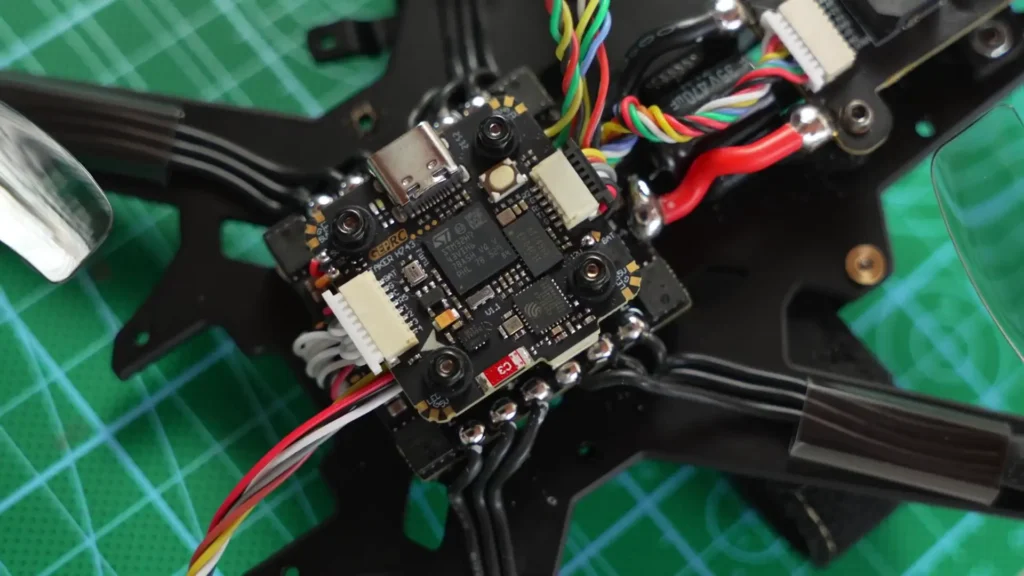
When you take the covers off inside, it is really easy to service as well. Even though this was a PNP drone, GEPRC left a pre-soldered cable for you to install an external ELRS receiver. You do not really need to do any soldering other than connecting the cables to the ELRS receiver that you buy. I went with the RadioMaster XR1 and got that from FPV Drone Racer. I will put all the links down in the description below.
Just remember, if you are going from PNP using DJI and switching to an external receiver, you need to remove the cable for your DJI O4 Air Unit because it overrides the setup. It is literally just taking one cable out, installing the ELRS receiver, and then toggling one switch to crossfire rather than SBUS, and then you are good to go.
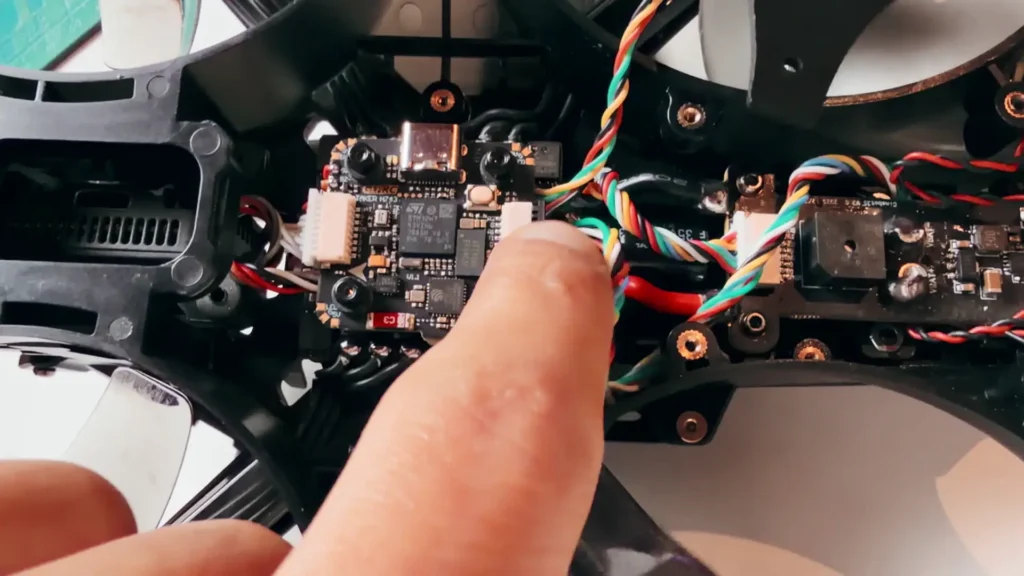
The GEPRC Cinebot 35 is also loaded with additional goodies. It has an anti-spark system to protect your electronics, a buzzer, LED beeper, a USB tuning port at the back which is brilliant, and it comes with GPS that also has a compass built in. This is a fully loaded drone that is really well specced and well tuned. I am genuinely happy with it.
Compass Calibration
The one thing I did notice during testing is that because this drone has a GPS with a compass, my home arrow was pointing the wrong way. Luckily for me, I know my orientation during testing and knew where to fly back. Even though GPS rescue worked, the home arrow was incorrect.
So I did a little bit of digging and found an article from Oscar Liang, which I will link down below. Essentially, you need to calibrate the GPS and make sure it is set to the right orientation. Oscar’s page has a lot of information on this.
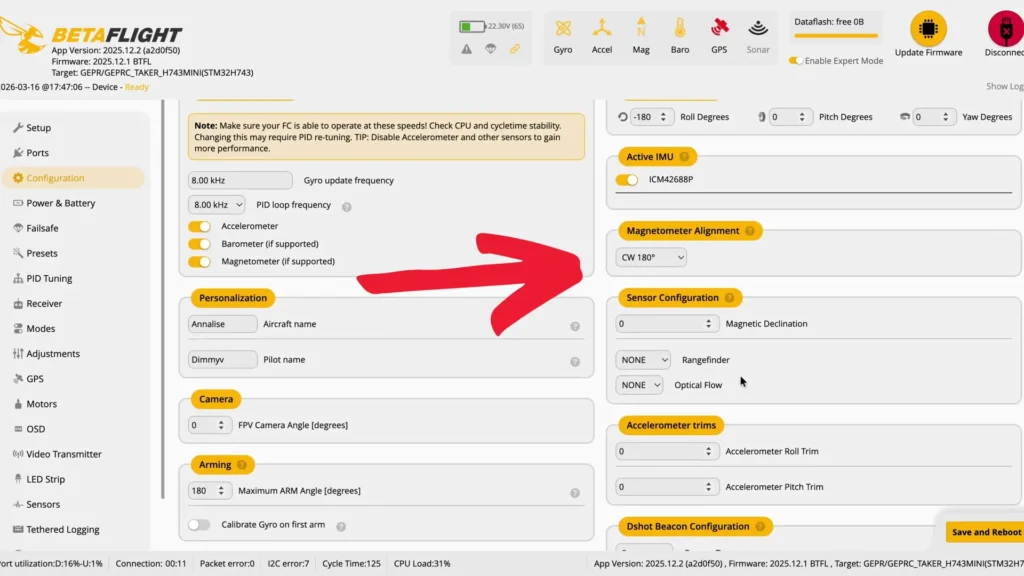
You also need to plug it in with the battery connected and make sure GPS is active for the magnetometer alignment to show up, because if you plug it in without the battery, that setting simply does not appear. You also need to do a sensor configuration for magnetic declination based on your actual magnetic north. Again, Oscar’s page explains everything clearly.
Once you do all of that, it fixes your home arrow, and then you just need to calibrate it again using the radio sticks from within Betaflight. This was a first for me because other drones I have flown have not had a compass built into the GPS. Normally your home point sorts itself out the moment you fly in one direction.
But the compass overrides that completely. So if you have issues with that, just check out that page and it will fix everything. After going through the process, my home arrow is now pointing in the right direction, so the compass calibration is fully sorted.
Read More: GEPRC DarkStar 22 Review
How Loud Is the GEPRC Cinebot 35?
During my testing of the GEPRC Cinebot 35, doing laps around the field trying to get flight times, I did notice that this drone is louder compared to other GEPRC drones that I have flown. It is not the end of the world because this is not a sub 250 gram drone. If you are going to be flying near people or doing crowded events, you would be using something much lighter than this anyway.
This drone is designed for chasing action. Think cars, motocross, bikes, or rally events. This drone is perfect for that kind of work, and cars are already loud, so the extra noise can be insignificant in context. But it is something to take note of. If you are flying near rural parks where there are nearby houses, this drone might generate a little noise, but when you send it away it is not that bad at all.
This drone is also obviously not small, so you are not going to be flying it indoors like its smaller counterpart, the Cinebot 25, or something even smaller like the Darkstar 22.

Receiver Installation Tips
Since this was a PNP drone, I went ahead and installed an external ELRS receiver. GEPRC made it very straightforward by leaving a pre-soldered cable ready to go. I went with the RadioMaster XR1.
You do not need to do much soldering at all. The main thing to remember is that if you are switching from DJI to an external receiver, you need to unplug the cable for the DJI O4 Air Unit because it will otherwise override your setup. After that, it is just one toggle switch in the settings from SBUS to crossfire and you are done.
Battery and Shipping Notes
If you do decide to pick up batteries for the GEPRC Cinebot 35, please note that GEPRC can only ship two batteries per drone due to international shipping restrictions. This has nothing to do with GEPRC themselves. It is simply the rules around shipping lithium batteries internationally. Something worth keeping in mind when you are planning your purchase.
Noise Levels and Use Case Suitability
As mentioned earlier, the Cinebot 35 is noticeably louder than smaller GEPRC drones. This is to be expected given its size and power. For the use cases this drone is designed for, that louder sound signature is generally not a concern.
Action sports filming, car chasing, and rally events are all inherently loud environments where the drone noise will blend right in. For quieter environments, you might want to plan your flying sessions accordingly and consider how close you are to residential areas.
Specification
| Spec | Details |
|---|---|
| Model | GEPRC Cinebot 35 |
| Power System | 6S |
| Flight Controller | Taker 8743 Mini |
| Continuous Amperage | 60A Continuous / 75A Peak |
| Camera System | Modular O4 Pro (removable) |
| Dampening System | 6-Point Dampening |
| GPS | Yes (with Compass) |
| Receiver | PNP (External ELRS Compatible) |
| Cruising Speed | ~50 km/h |
| Cruising Throttle | 25-30% |
| PID Profiles | 2 (Acro & Juicy Mode) |
| Compatible Cameras | GoPro, DJI Action 5, DJI Action 6 |
| Battery Compatibility | 1300mAh / 1550mAh |
| Anti-Spark System | Yes |
| Buzzer | Yes |
| LED | Yes |
| USB Tuning Port | Yes |
| Estimated Price | ~$500 USD |
Table of Contents
Final Verdict
Here is my final verdict on the GEPRC Cinebot 35, and I think it is great. I genuinely cannot think of any meaningful flaws. It has a modular camera unit which you can swap with the Cinebot 25. It is built solidly. It is feature rich. The only real challenge I encountered was calibrating the compass, and even that was not particularly difficult once I found the right resource.
I am not sure on the exact price because it is a pre-release unit at the time of writing this, but if we look at the Cinebot 35’s likely positioning relative to the Synolog 35 which it essentially replaces, it is going to be around the 500 US dollar mark. Whether you pick up the O4 Pro version or without, I have left an affiliate link in the description box below. It is much appreciated if you purchase through that link as it helps support the channel. You also get 5 percent off through that link as well.