
The Antigravity A1 is a groundbreaking drone that provides a completely new experience for drone fans and content creators. Made by Antigravity, a company that emerged from the success of Insta360, the A1 combines state-of-the-art 360-degree camera technology with user-friendly flight controls.
This isn’t just any drone; it offers a fresh way to fly and capture remarkable footage. But does it meet expectations? Let’s explore this detailed review to see how the A1 performs in real-world conditions.
Table of Contents
Design and Build Quality
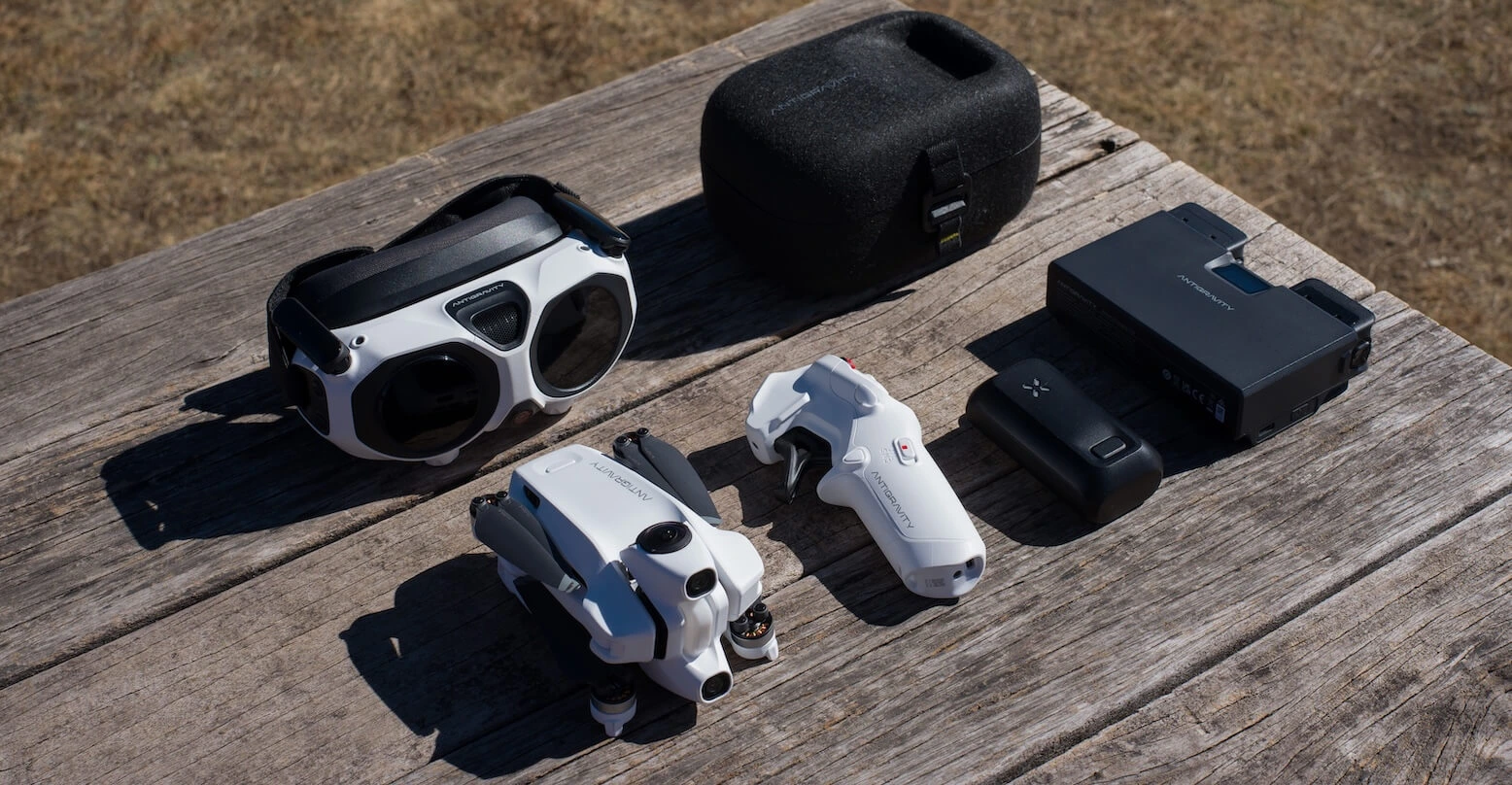
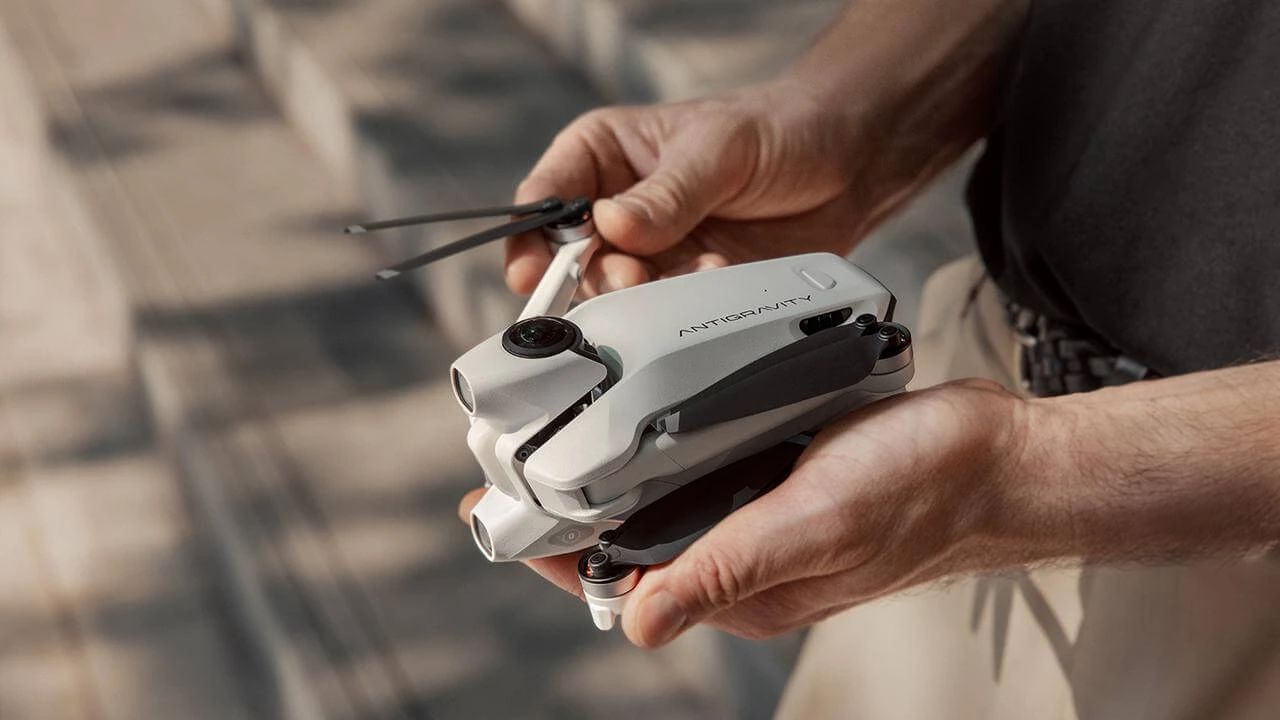
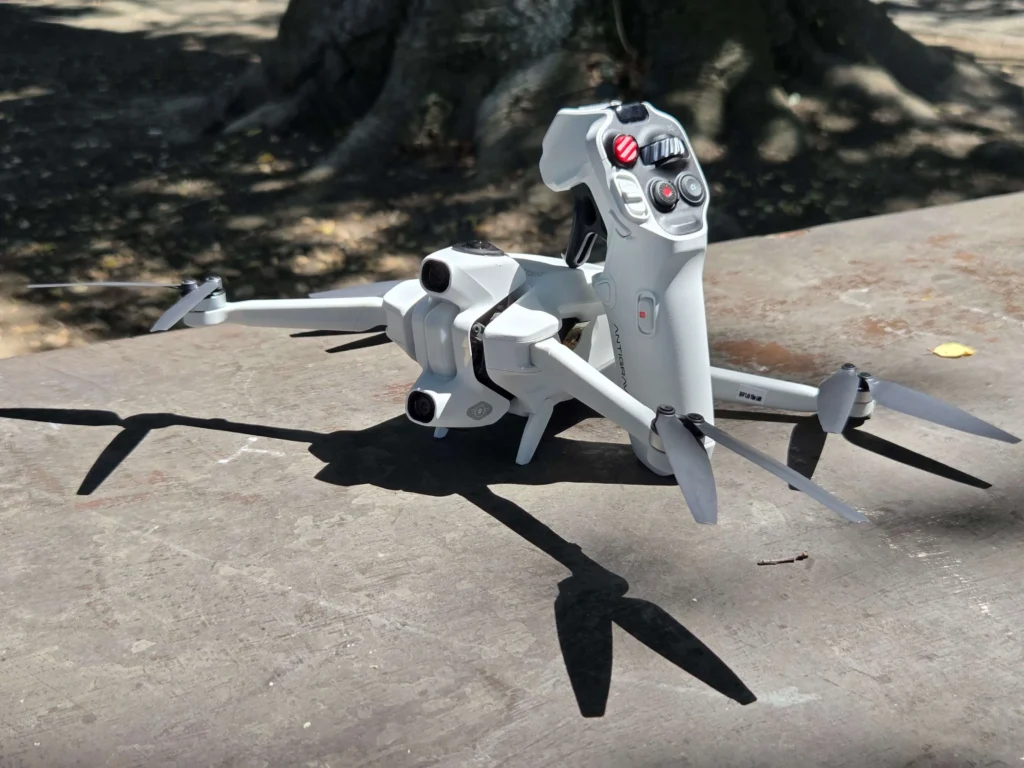
The Antigravity A1 is a small, lightweight drone that weighs only 249 grams. This weight makes it exempt from FAA registration in many areas. Even with its light design, the A1 feels strong. It is made from high-quality plastic that is both durable and easy to handle. Its compact, foldable design allows for easy storage and transport, and it conveniently fits into the included carrying case.
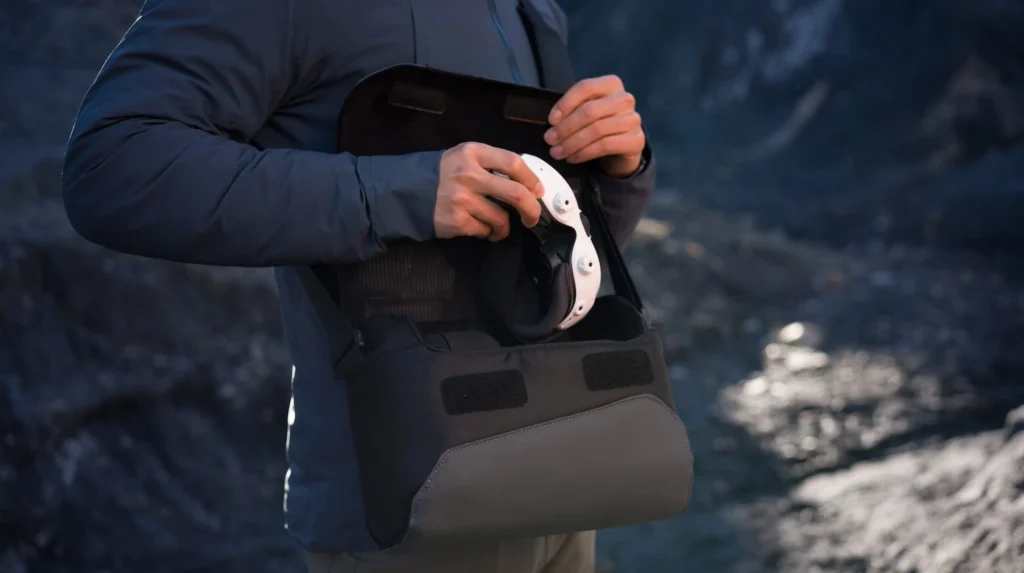
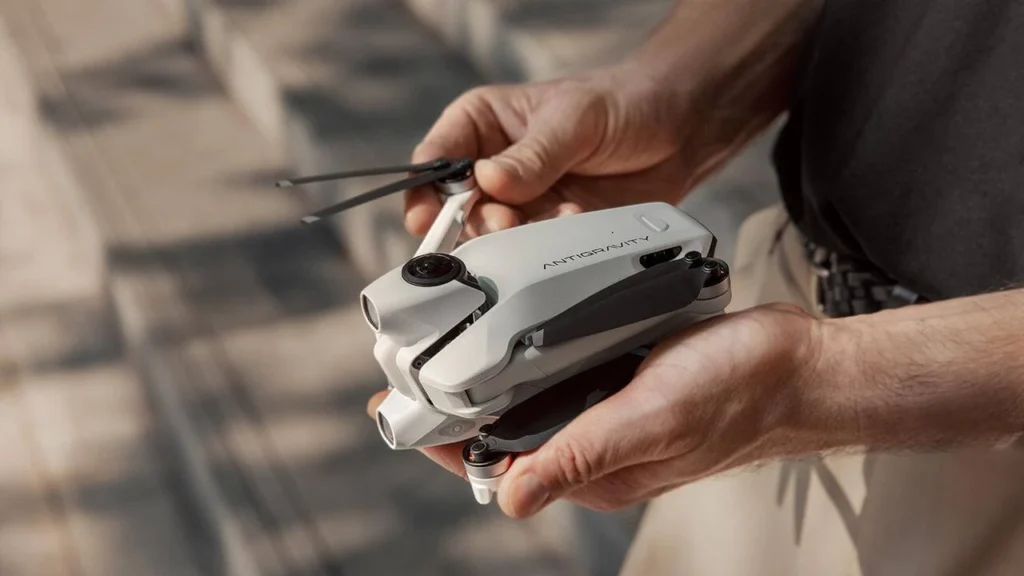
A standout feature is the A1’s retractable landing gear. These legs lower automatically when the drone is getting ready to land. This protects it from possible propeller damage.
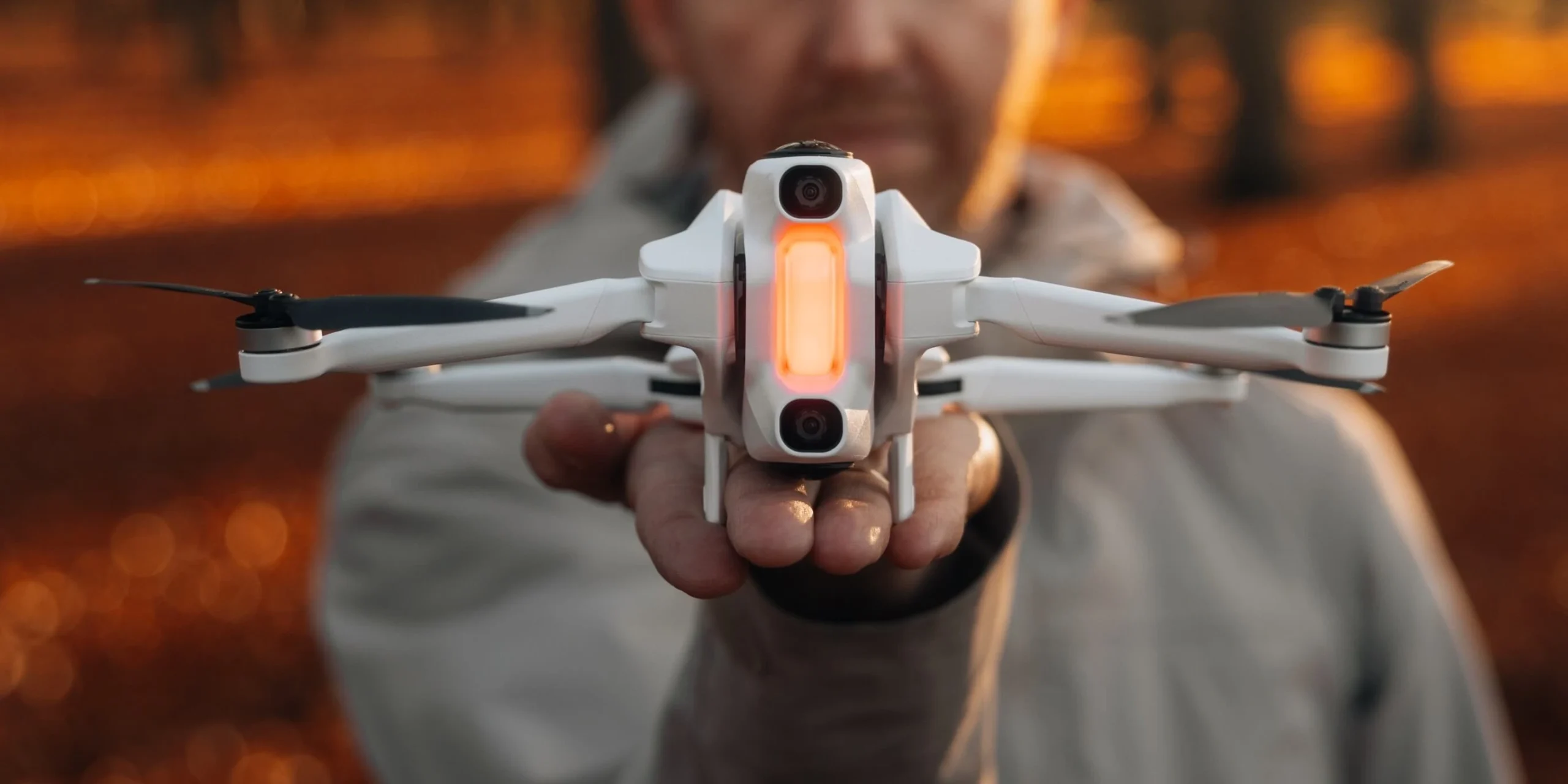
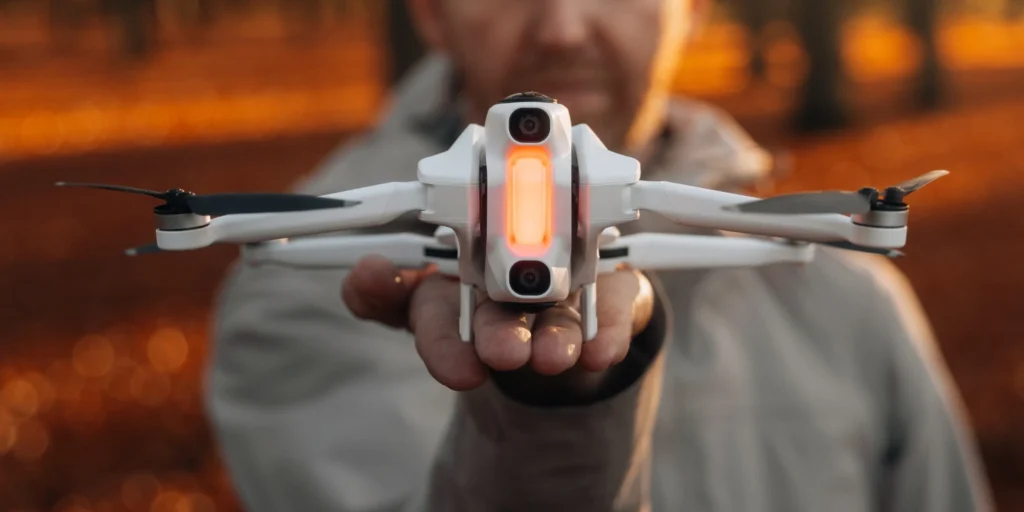
However, you must manually retract the legs before takeoff. This is a small but necessary step. The drone has two 360-degree camera lenses on the top and bottom, providing full spherical coverage during flight. Additionally, optical sensors on the drone’s body assist with avoiding collisions.
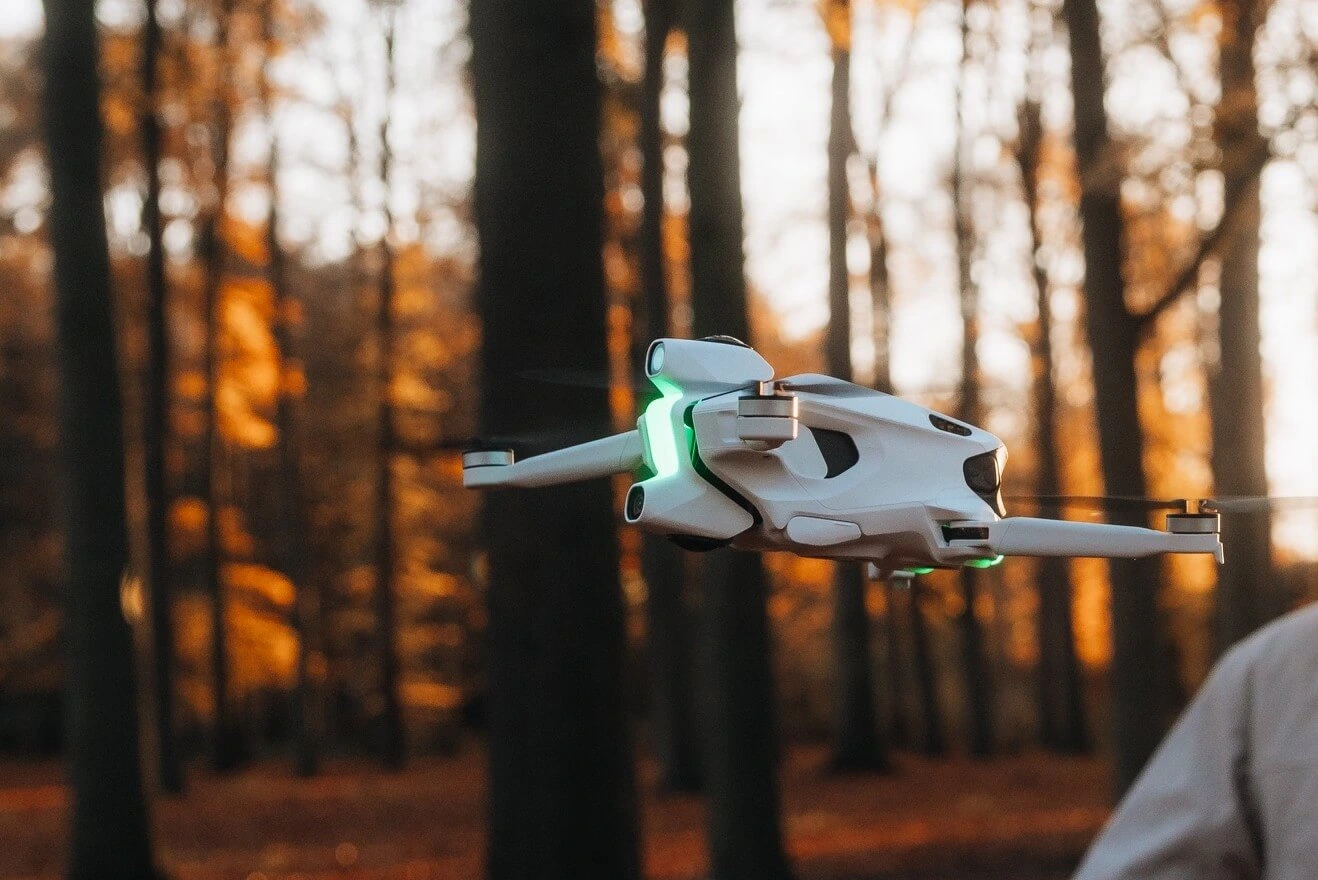
The A1’s lightweight design, combined with a well-thought-out layout, offers a seamless flying experience. Its propellers are protected by sturdy guards, and its overall build suggests that Antigravity took the time to create a drone that feels professional, solid, and ready for serious use.
Camera Capabilities
The Antigravity A1 features a 360-degree camera system. It has two lenses, one pointing up and the other down, to capture a complete 360-degree view around the drone. Users can record 8K video at 30fps, 5.2K at 60fps, or 4K at up to 100fps. This gives a flexible range of options based on the video quality needed.
The 1/1.28-inch sensor, paired with an f/2.2 lens aperture, allows the A1 to perform well in different lighting conditions. For photos, the A1 can capture 55MP RAW images, producing high-quality results even in tough settings. This mix of high-definition video and still images makes the A1 a useful tool for both hobbyists and professionals.
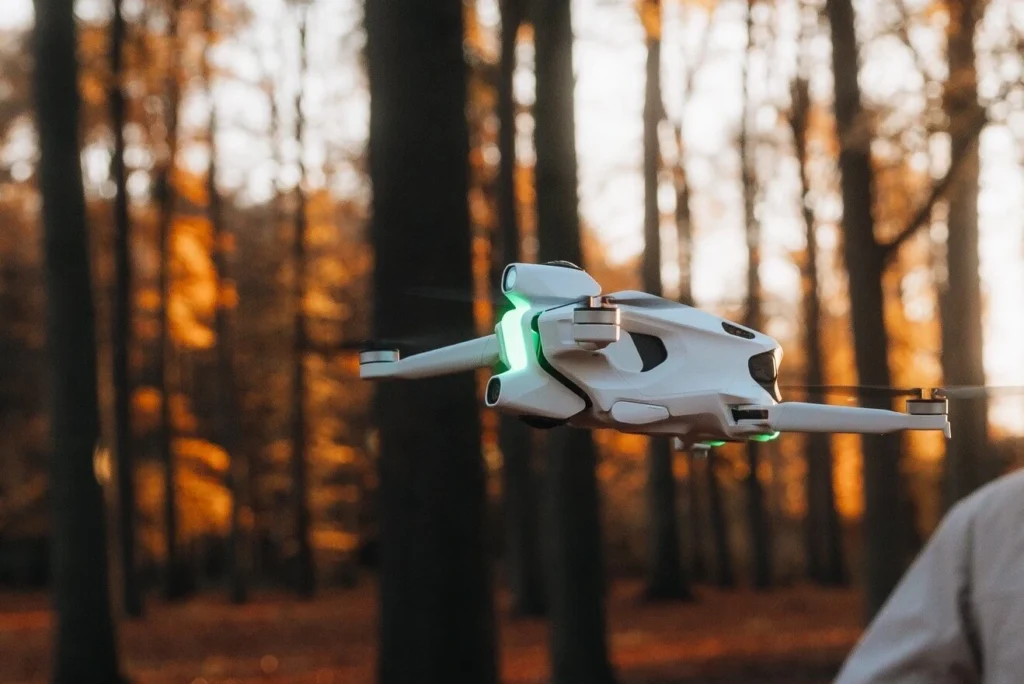
What makes the A1 different from other drones is its “fly first, frame later” feature. With the 360-degree camera, you can reframe your shots during editing. This lets you change your view to focus on certain details in your video.
The 360-degree system is ideal for capturing dynamic, immersive footage. Still, there is a downside: zooming in too much on faraway subjects can lower video quality due to digital zoom and stitching issues. However, the camera excels in wide-angle shots and smooth pans.
Performance
The A1 delivers a smooth and responsive flight with easy-to-use controls. In Sports mode, the drone can hit speeds of up to 36 mph (58 km/h), which meets the needs for most aerial footage. However, it does not compete with some rivals, such as the DJI Avata 2, which can reach 60 mph. Still, the A1 offers a stable hovering experience and responsive controls, making it simple to fly.
The A1 has a maximum transmission range of 6.2 miles (10 km) in ideal conditions. In real life, the range may be shorter due to environmental factors and interference. The drone has strong obstacle avoidance features. It uses a mix of infrared sensors and binocular vision to help avoid obstacles in its way. However, it has trouble with thin branches, so be extra careful when flying in wooded areas.
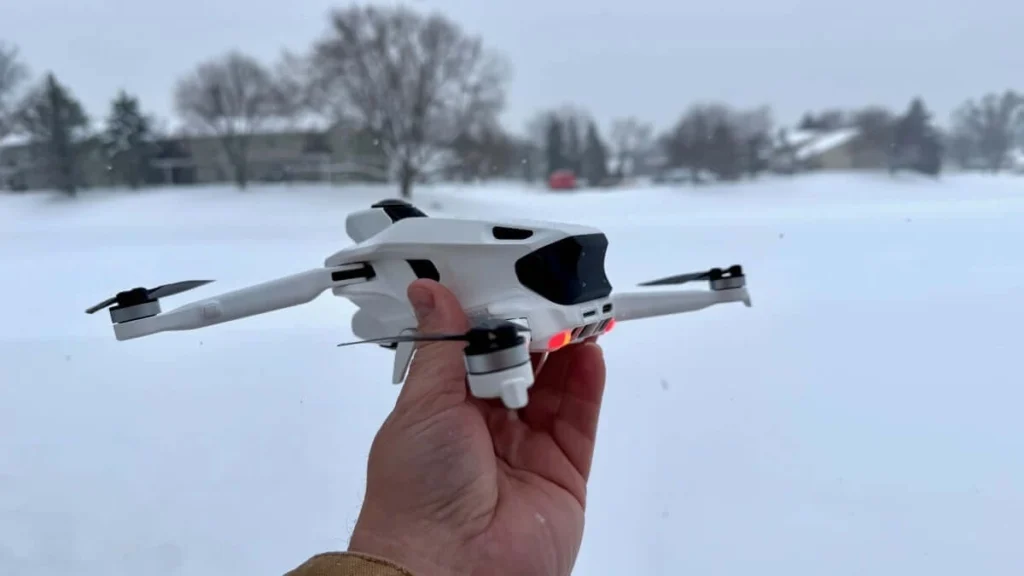
Battery life is one of the A1’s standout features. The standard battery lasts up to 24 minutes of flight time. The high-capacity battery extends this to around 40 minutes. However, recording in heavy 8K video can significantly cut down flight time. You might want to keep extra batteries handy if you plan to film for long periods.
Features
The A1 has many features that improve its appeal, particularly for people who want unique aerial shots. The standout feature is its 360-degree camera. This camera lets you capture every angle in one go. Its “fly first, frame later” capability gives users the freedom to be creative when editing. This way, they never miss a shot.
The A1 also includes several smart flight modes. Sky Path lets you set predefined flight routes for the drone to follow automatically. Sky Genie offers preset cinematic maneuvers like spirals and orbits. These features help creators capture dynamic footage without needing skilled piloting. DeepTrack is another useful feature that locks onto a subject and keeps it centered in the frame as the drone moves.
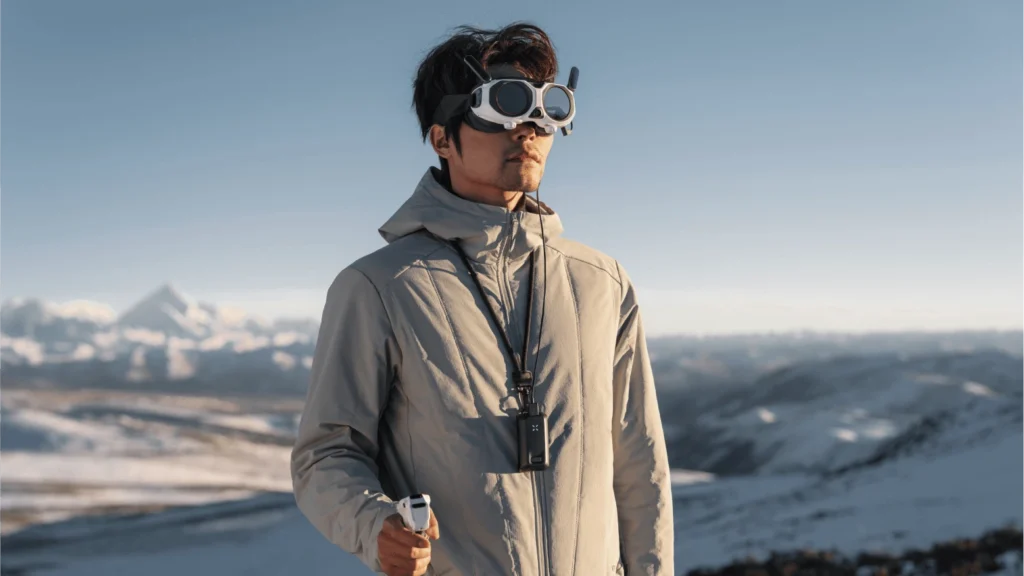
The A1’s virtual cockpit mode makes flying more enjoyable. It lets users feel like they are riding a dragon. This fun feature adds excitement and freshness, enhancing the overall experience.
However, the A1 does have some drawbacks. The wide-angle lenses can sometimes make faraway subjects look too small. This means you need to fly closer for better framing. Still, the A1’s features are noteworthy and allow users to capture unique footage in various settings.
Controller and Goggles
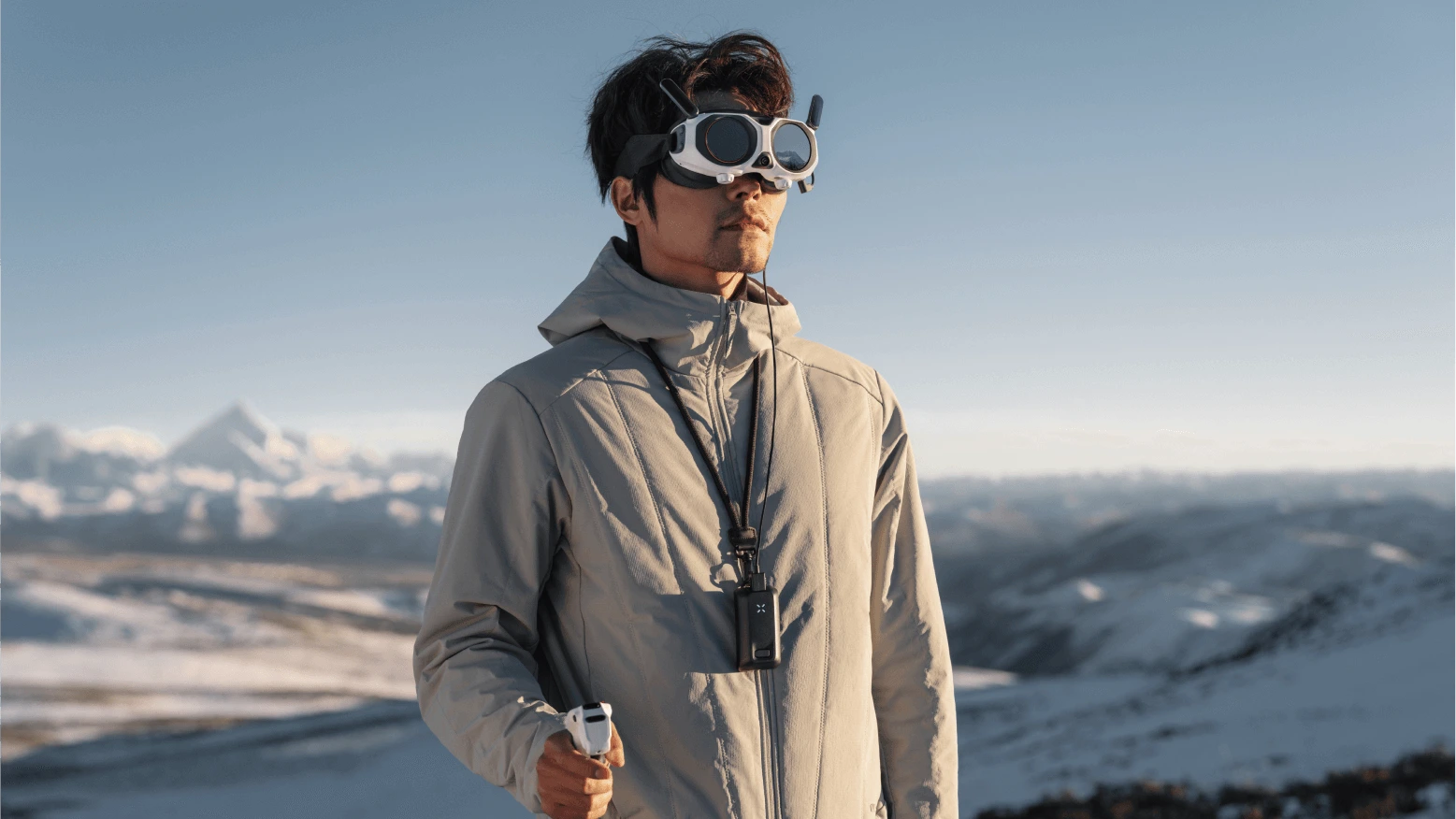
The Vision Goggles have two 1-inch Micro-OLED displays, each with a resolution of 2,560 x 2,560. The A1’s control system is one of the most unique features of the drone. Unlike traditional drones that use dual-stick controllers, the A1 uses the Grip Motion Controller.
This device lets users control the drone by pointing it in the direction they want to fly. This motion-based system makes flying simple. When combined with the immersive Vision Goggles, it creates an experience that feels like you are truly piloting the drone.
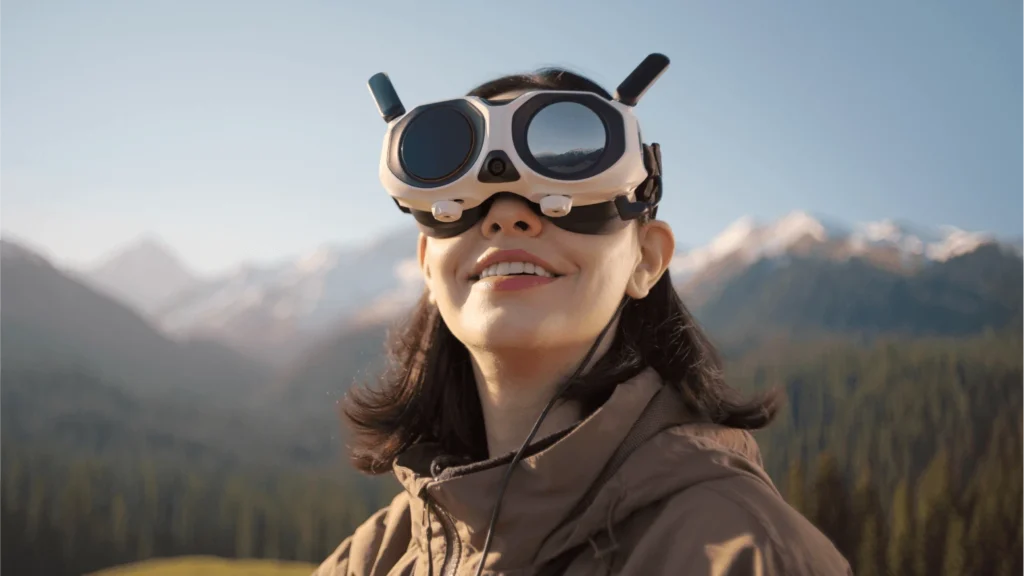
The Vision Goggles offer a clear view of the drone’s 360-degree footage, allowing users to look around in any direction while flying. They also come with built-in adjustable diopters, making them suitable for users who wear glasses.
While the goggles provide an outstanding visual experience, they can feel a bit bulky at first. Users may need time to get comfortable with the controls and menus inside the goggles. The external screen is a cool feature that lets bystanders see what the pilot sees, but it might also be distracting and not very practical during flight.
Pricing
The Antigravity A1 is a high-end drone, starting at $1,599 for the standard package. This package comes with the drone, goggles, controller, and one battery. For those wanting to enhance their flying experience, Antigravity provides two premium bundles: the Explorer Bundle for $1,899 and the Infinity Bundle for $1,999. These bundles offer extra batteries, a charging hub, and other accessories.
The A1 costs more than some other drones, but it justifies the price with its unique features, like a 360-degree camera and engaging flight controls. If you prefer a standard drone with simpler features, you might look at other choices. However, if you like the A1’s creative design and interactive experience, the price fits what it provides.
Final Verdict
The Antigravity A1 is different from any other drone on the market today. Its unique mix of 360-degree camera technology, easy-to-use flight controls, and impressive features makes it a top choice for content creators and drone fans seeking something fresh. The drone can capture stunning footage from every angle, and its simple motion controls and immersive goggles provide a flying experience that is both thrilling and captivating.
While the A1 has some drawbacks, such as occasional issues with video stitching and a difficult learning curve with the goggles, its overall performance and features make it an appealing choice for anyone looking for a unique drone experience. If you want to capture stunning aerial footage or just experience the excitement of flying in a new way, you should consider the Antigravity A1.
Read More: Antigravity A1 vs DJI Mini 5 Pro Which Should You Buy?