
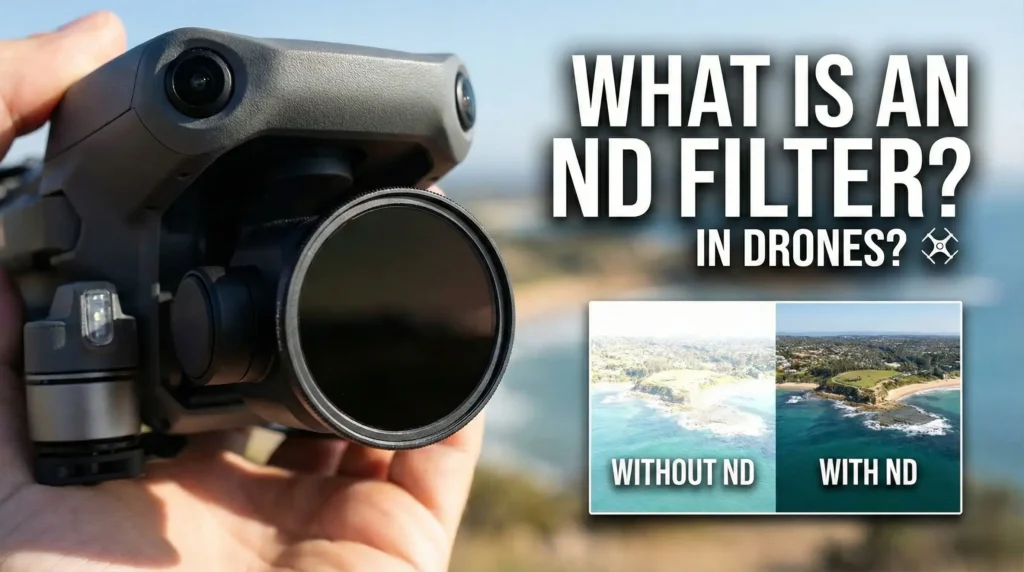
A Neutral Density (ND) filter is a lens filter that reduces the amount of light entering the camera. You can think of it as sunglasses for your drone’s camera. It helps control exposure without affecting the colors in your images. ND filters are widely used in drone photography and videography to achieve smooth, cinematic footage, especially in bright conditions.
How Does an ND Filter Work?
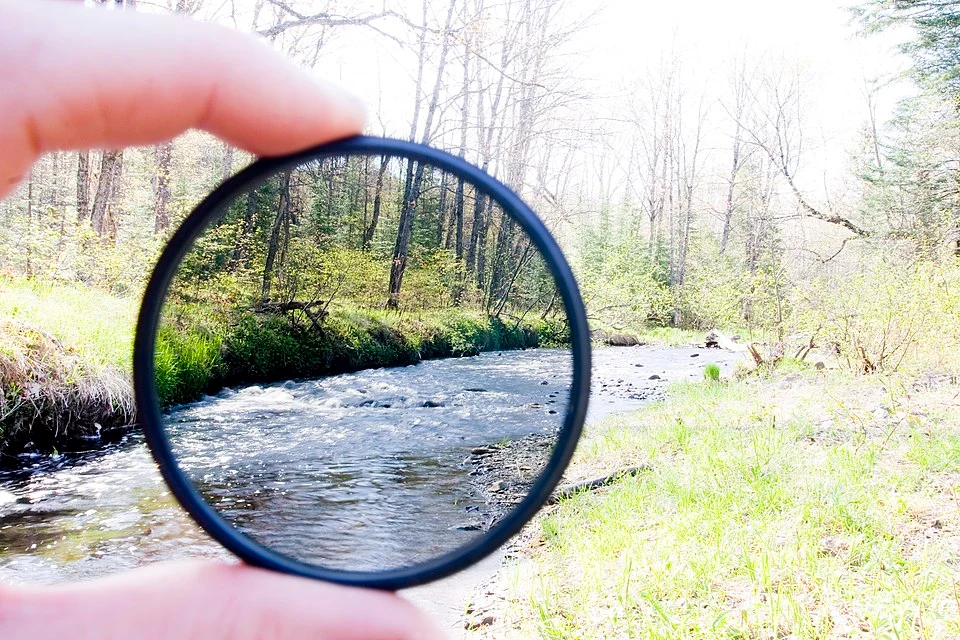
An ND filter lowers the amount of light that hits the camera’s sensor. It does not alter the color or tone of the image, but it makes the scene appear darker. ND filters are available in various strengths, indicated by numbers like ND4, ND8, and more. Higher numbers block more light, giving you better control over settings such as shutter speed and aperture.
Read More: Best Freewell ND Filters for Drone
When to Use ND Filters on Drones?
On Bright Days
In strong sunlight, ND filters are essential for preventing overexposure. They reduce the light entering the camera and allow you to use a slower shutter speed. This prevents your footage from becoming too bright. It enables you to capture clear and well-exposed shots, even in intense daylight.
For Cinematic Video
ND filters are important for achieving a “cinematic look” in your drone videos. They let you slow down the shutter speed, creating a natural motion blur. This effect gives your footage a smooth, professional feel that filmmakers desire for a more fluid appearance.
For Long Exposure Shots
When you take long exposure photos with a drone, ND filters are very useful. They allow you to keep the shutter open longer without making your image too bright. This is great for capturing motion, such as moving clouds or flowing water. The smooth, blurred effect adds artistic value to your shots.
To Avoid the “Jello Effect”
In fast-moving drone shots, a high shutter speed can cause a shaky or distorted image known as the “jello effect.” ND filters help by letting you use a slower shutter speed, which reduces this issue. A slower shutter produces smoother and more stable footage, even during quick, dynamic movements.
How Do ND Filters Improve Drone Photography?
Controls Exposure: ND filters are particularly helpful in bright conditions because they let you control exposure. They lower the amount of light coming into the lens, which stops overexposure. This way, the right amount of light gets to the camera sensor, resulting in clear and balanced images.
Improves Motion Blur: When filming with a drone, getting the right amount of motion blur is important for making cinematic footage. Slowing down the shutter speed with ND filters creates a natural motion blur. This gives the footage a smooth, professional look. It’s essential for achieving fluid movement, especially in fast-action scenes.
Prevents Overexposure: In bright sunlight, ND filters help control the light reaching your drone’s camera sensor. They prevent overexposed areas in your photos. This lets you capture detail in both bright highlights and dark shadows. Your images stay balanced, and you won’t lose important information in harsh lighting conditions.
Maintains Depth of Field: By cutting down the amount of light that enters the camera, ND filters let you use a wider aperture. This gives you a shallower depth of field. It’s especially helpful when you want to separate a subject from the background. This creates a nice bokeh effect, making your subject stand out clearly against a blurred background.
How to Use ND Filters in Drone Photography?
Choose the Right ND Filter
The right ND filter depends on the lighting conditions. On bright, sunny days, use ND16 or ND32 to cut down on light significantly. On cloudier days, an ND8 filter might do the job. If you need to reduce light more, you can stack multiple filters to get the exposure you want.
Set Your Camera Settings
Once you have the ND filter on, adjust your camera settings. Set the shutter speed to double the frame rate for a cinematic motion blur; for example, use 1/60 for 30 fps. Set the ISO to the lowest setting to reduce noise. Adjust the aperture to control the depth of field and the light entering the camera.
Monitor Exposure
After setting up your ND filter, always check the exposure levels using your drone’s live feed or histogram. If the footage appears too dark or too bright, adjust your settings. You may need to switch to a lighter ND filter or make slight changes to the ISO to achieve the right exposure.
Experiment with Filters
The best way to learn how ND filters affect your footage is to try different filters in various lighting conditions. Test different combinations and take multiple shots to see how each filter impacts exposure, motion blur, and overall image quality. This hands-on approach will help you improve your skills and make the most of your ND filters.
Conclusion
ND filters are an essential tool for drone photographers and videographers. They help manage exposure, minimize motion blur, and provide a cinematic feel. By choosing the right ND filter for the conditions and adjusting your camera settings, you can capture impressive, professional-quality footage with your drone.
To know more about ND Filters visit Wikipedia.org
Table of Contents
Read More: Potensic ATOM 2 Long-Term Review