
If you have ever felt overwhelmed stepping into the world of FPV flying, you are not alone. Soldering, wiring, firmware tuning, it is usually a lot to deal with before you even get airborne.
The BETAFPV Pavo Pico 2 takes a very different approach. It is designed to be simple, modular, and as plug and play as FPV realistically gets. In this review, I am going to walk you through the design, the setup, the flight experience, and who this drone actually makes sense for.
Why the BETAFPV Pavo Pico 2 Stands Out
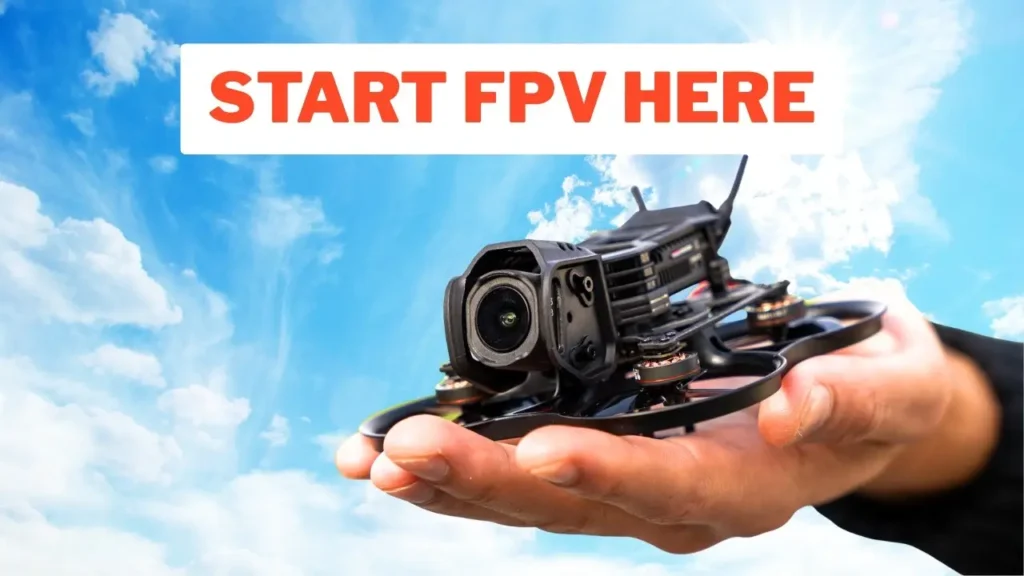
The BETAFPV Pavo Pico 2 is an ultra compact Cinewhoop that is perfectly suited for beginners and first timers getting into FPV. Beta FPV made some really smart decisions with this drone, and it becomes clear very quickly why so many people highly recommend it. The reason it feels so easy is not what you would expect. It is not just the size or the price. It is the overall approach to the design itself.
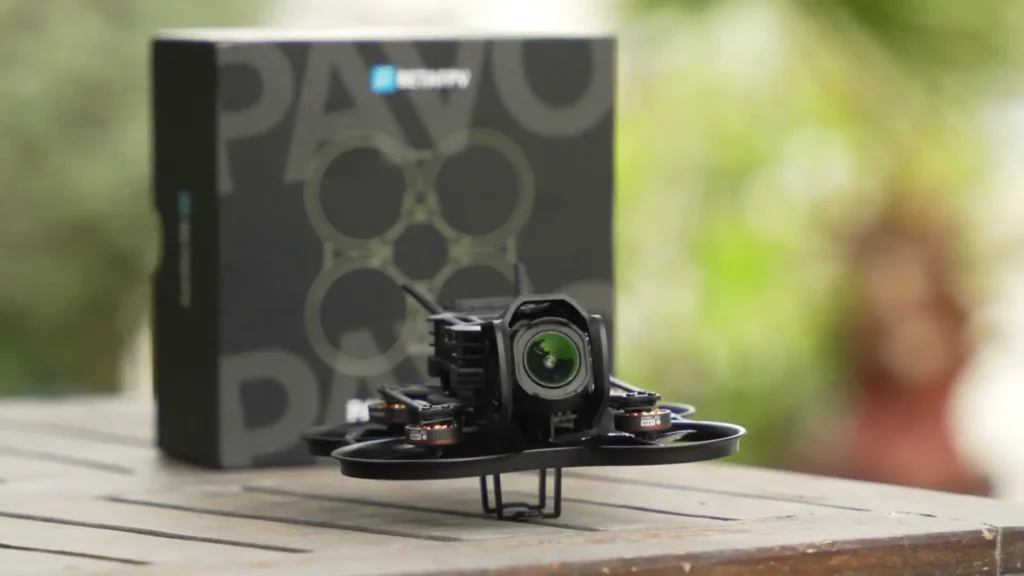
This really is one of the easiest FPV drones I have ever set up. Beta FPV even has a YouTube tutorial available if you still find it intimidating, but honestly, it is not that hard. Everything about the Pavo Pico 2 is built around reducing friction for the pilot, and it shows.
Design and Build Quality
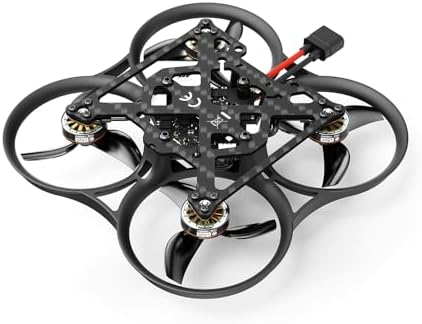
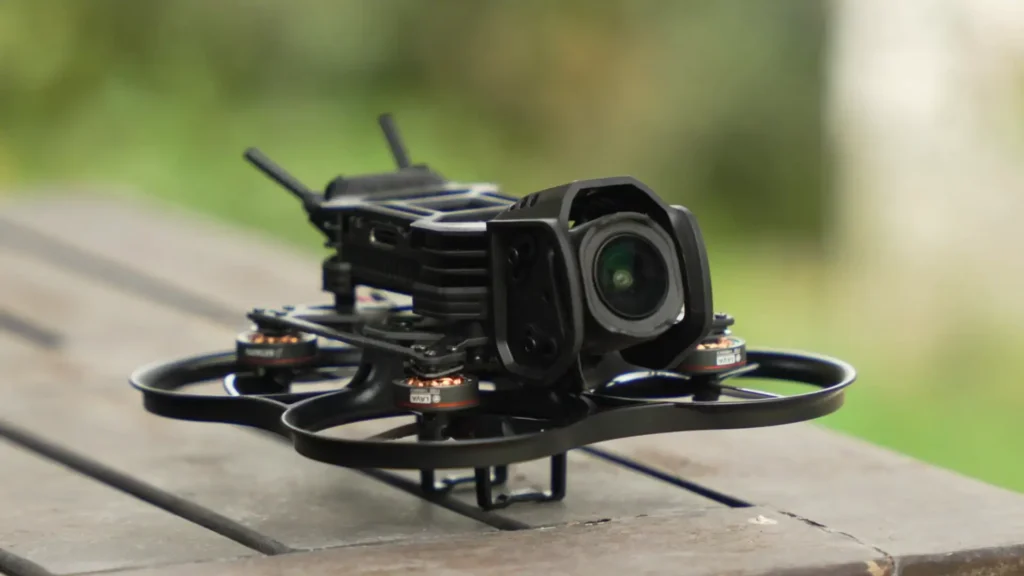
The BETAFPV Pavo Pico 2 is clearly designed around the DJI O4 system. It features a carbon fiber plate combined with an injection molded ducted frame. The canopy is mounted using four shock absorbing balls, which helps reduce vibrations and keeps footage smooth. Beta FPV offers both O4 Pro and O4 Lite canopies, which is a great option to have.
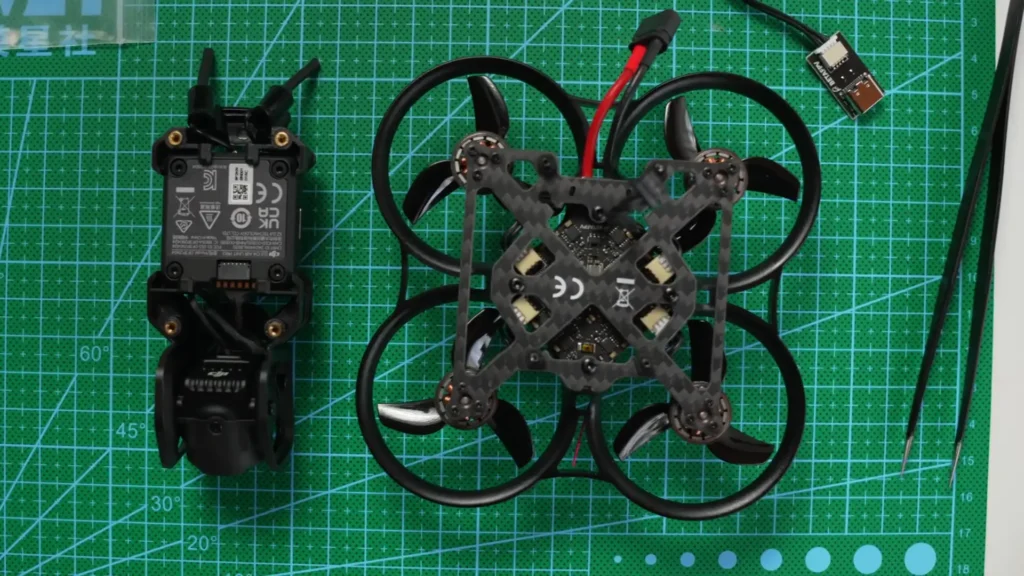
One of the standout features is the hot swappable canopy, which is shared across other drones in the Beta FPV lineup, including the Pavo 20 Pro. This kind of cross compatibility between products shows that Beta FPV is thinking about long term usability for their customers. The ducts also add extra protection, so you are less likely to destroy the props even when you crash, which is inevitable when you are learning.
When looking more closely during setup, the motors are completely plug and play with no soldering required. If soldering scares you or you just do not want the hassle, this is a great option. If you break a motor, you simply unplug it and replace it. That is exactly how FPV should feel at the start for beginners. Replacement parts are also affordable and easy to get directly from Beta FPV.
Read More: GEPRC DarkStar 22 Review
Specs and Technical Details
For those interested in the specifics, the BETAFPV Pavo Pico 2 is running an F420 amp all in one flight controller with Lava 1102 motors at 14,000 KV. It uses GF 45mm three blade props and comes in either ELRS or DJI receiver options. The battery connector is XT30, and to connect to Betaflight you need to use a four pin USB C adapter.
The weight comes in at 39.1 grams dry and 71.1 grams with the O4 Pro installed. There is a fixed battery tray which works well for specific packs, but it is something to be aware of if you are planning to use different battery types.
What Is Inside the Box
Beta FPV sent over the PMP version of the Pavo Pico 2, which means there is no VTX included with the drone. Here is what you get in the box. You get the Pavo Pico 2 itself along with a complete O4 mounting system that supports both O4 Lite and O4 Pro. There is a full set of spare GF45mm props, plus a Phillips screwdriver and hex wrench, so you genuinely do not need any extra tools to work on this drone.
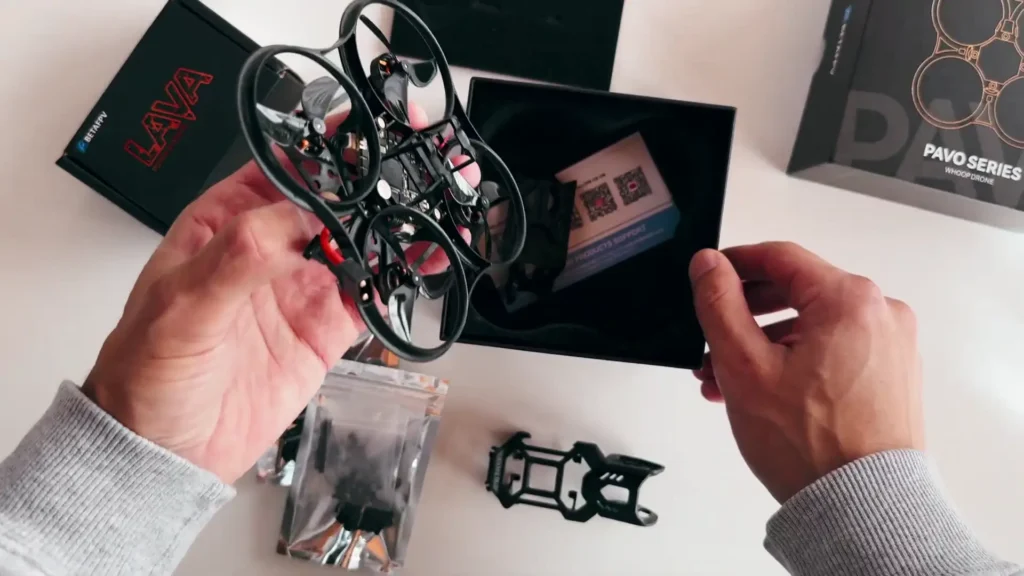
You also get multiple shock absorbing balls for both O4 mounting options and a good selection of screws. Beta FPV also includes a USB C adapter and cable so you can plug into Betaflight, along with two 5.8 GHz pigtail antennas with a rubber mounting adapter for when you install the O4 Pro.
There are no stickers or a branded keychain included, which would have been a nice touch, but that is not a dealbreaker. Overall, it is a small, well thought out kit that includes nearly everything you need. It would have been helpful to include a pair of tweezers for fitting those rubber grommets, but what matters more than what is in the box is how easy this drone is to fix when something goes wrong.
Setup Process
Installing the O4 Pro on the Pavo Pico 2 is straightforward. I chose the O4 Pro because it offers the best image quality. To save a bit of weight, I swapped the stock antennas for the included pigtails, which is very easy to do. Just be careful when removing and securing them.
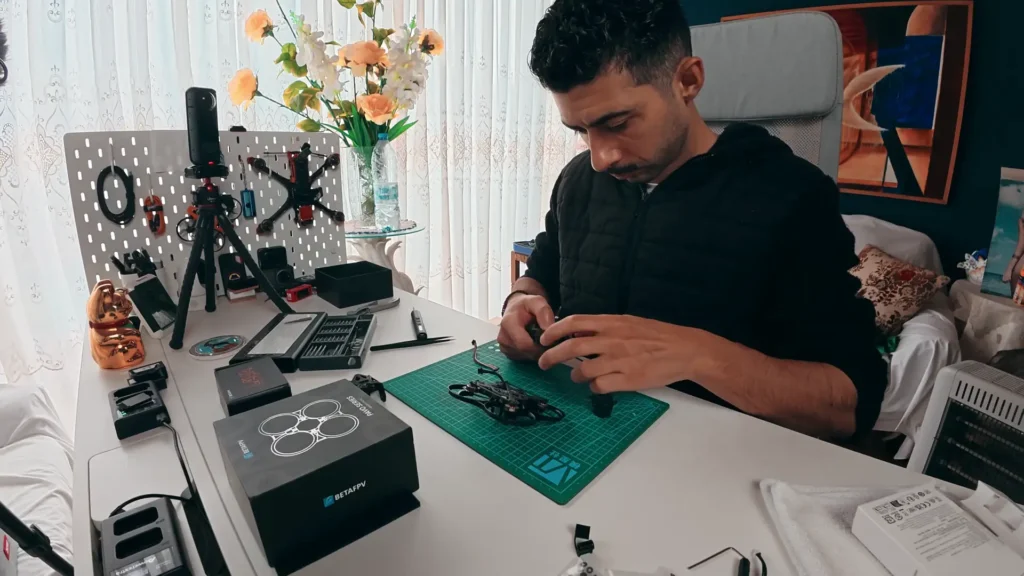
The air unit slides directly into the canopy clips, so no screws are required at that stage. You then use a pair of tweezers to fit four rubber grommets into the base plate, add four screws, plug in the O4 cable, and tighten everything down.
The only software step is plugging into Betaflight to configure your radio or change any OSD elements if you want to. That is genuinely it. For a drone in this category, that level of simplicity is impressive and something Beta FPV deserves credit for getting right.
Read More: BetaFPV Pavo 20 Pro Review
Video System Options
The BETAFPV Pavo Pico 2 supports both O4 Pro and O4 Lite, and I tested mine with O4 Pro because that is what I had available. However, I would recommend picking up Flywoo’s O4 Lite wide kit version, as I think this will be better suited for this drone overall. Beta FPV does sell an O4 Lite version ready to go, but the Flywoo kit makes more sense in terms of value and practicality.
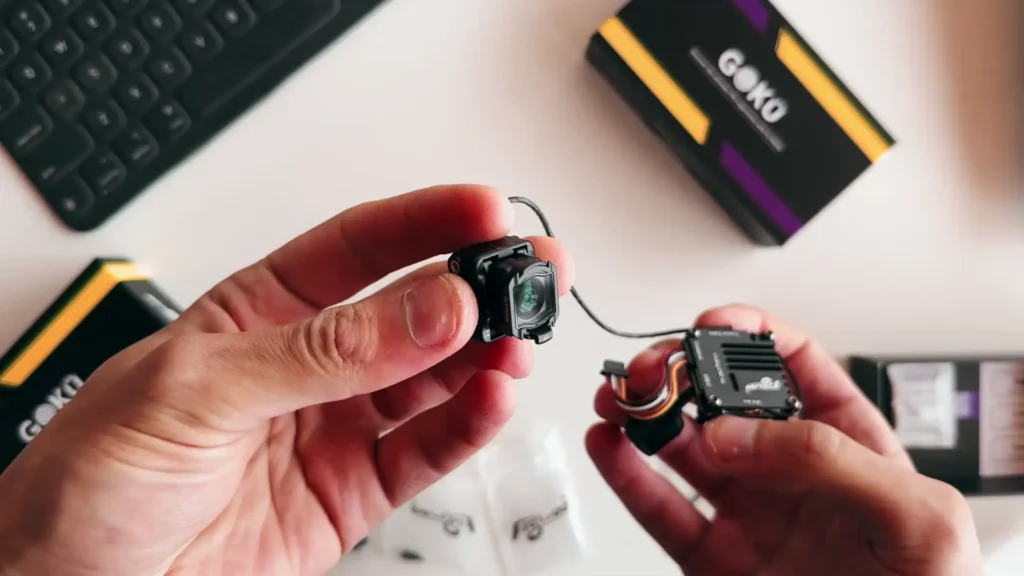
The nice thing is that you can technically own both the Pro and Lite versions since you get both canopies in the box. It is only four screws and a cable to swap between them. The O4 Pro gives you 10 bit D-Log M, up to 4K 120fps, a 155 degree field of view, and 4 GB of onboard storage.
Flywoo’s O4 Lite wide kit gives you a wide field of view but no D-Log M and no SD card slot. However, you do get 24 GB of internal storage, which is plenty for the flight times you get from this drone, and the weight saving is significant.
For beginners, the cheaper option makes a lot of sense. And realistically, how far are you flying this thing anyway? Just look at how small it is.
Battery and Weight Configurations
The BETAFPV Pavo Pico 2 is a 2S drone and the recommended batteries are around 450 to 580 mAh. The Lava 550 mAh lithium high voltage packs fit perfectly within the battery tray. If you already own other 2S batteries, you may need to modify the tray and use a strap. Personally, I would have preferred just a strap by default for more flexibility, and it is something I would probably modify first using a rotary tool.
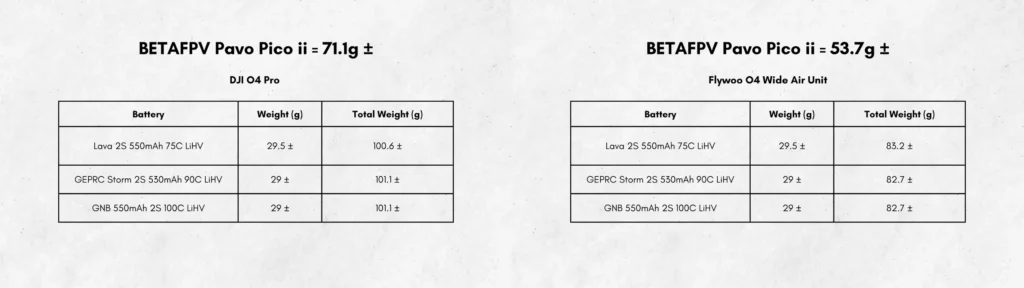
This drone comfortably sits well under 250 grams, closer to the 100 gram mark all in. You could run bigger packs, but the extra weight gives diminishing returns and translates directly into how it feels in the air. Keeping it light is the right call for a drone of this type and size.

Flight Experience
Beta FPV has a good reputation, and now it is easy to see why everyone highly recommends the BETAFPV Pavo Pico 2. It flies really smoothly and is great for park flying, close quarters practice, and even building your confidence as a pilot. Indoors, it feels safe and manageable. Outdoors it performs well in calm conditions, but any amount of wind will push it around and you will start to see it bobbing up and down. That is expected given the size of this little machine.
It is quiet, but it does have a high pitched sound, which is normal for small drones of this size. Once you send it further away, it becomes a lot quieter and you are not going to bother too many people nearby. Having a drone of this size just makes much more sense and is far more comfortable to fly around people, indoors, and in public spaces where you do not want to be intrusive.
Who Is the BETAFPV Pavo Pico 2 For?
The BETAFPV Pavo Pico 2 makes a lot of sense if you are new to FPV and want something simple to fly that does not break the bank and is easy to maintain. The PMP version comes in at $105, and if you want the O4 Lite version ready to fly, it is $225, which is really good value for what you get.
It is perfect if you want a bit of DIY without soldering, and the only real learning curve is setting up your radio in Betaflight. There are plenty of tutorials online, and Joshua Bardwell is a great source to start with. It is also great for building your flying hours, working on precision, and practicing in tighter spaces.
If you are chasing power, freestyle performance, or consistent outdoor flying in windy conditions, this is not the drone for that. It is not trying to be everything. It is trying to make FPV easier, and it does that really well.
| Spec | Details |
|---|---|
| Flight Controller | F420 AIO |
| Motors | Lava 1102, 14,000 KV |
| Props | GF 45mm 3-blade |
| Receiver Options | ELRS or DJI |
| Battery Connector | XT30 |
| Battery Size | 450 to 580 mAh (2S) |
| Weight (Dry) | 39.1g |
| Weight (with O4 Pro) | 71.1g |
| Video System | DJI O4 Pro or O4 Lite |
| O4 Pro Resolution | Up to 4K 120fps |
| O4 Pro FOV | 155 degrees |
| O4 Pro Storage | 4GB |
| O4 Lite Storage | 24GB Internal |
| Price (PMP Version) | $105 |
| Price (O4 Lite Version) | $225 |
Table of Contents
Final Thoughts
The Pavo Pico 2 is genuinely one of the smartest FPV designs available for beginners and first timers. What makes it stand out is how accessible the whole experience is. No soldering, minimal tools, smart modular design, a hot swappable canopy, and it is affordable, easy to work on, and genuinely beginner friendly throughout.
There are a couple of things that are not ideal. The USB adapter feels unnecessary, and a proper USB port directly on the board would have been a cleaner solution since adapters are easy to break. The fixed battery tray also feels like a missed opportunity, since straps would offer far more flexibility for different pack sizes.
That said, these are minor points, and if you are a beginner looking for your first serious FPV drone, the BETAFPV Pavo Pico 2 still comes highly recommended. It lowers the barrier to entry without cutting the corners that actually matter, and for a lot of people who are just getting started, that is exactly what they need.
Read More: DJI Avata 360 First Look & Honest Thoughts