
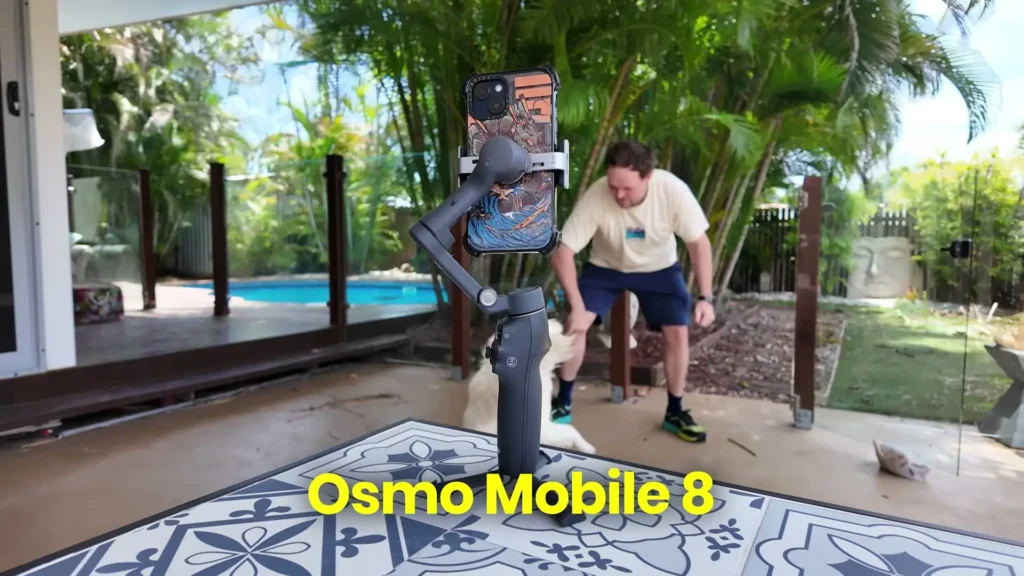
I wasn’t expecting another Osmo Mobile this soon, but we got the brand new DJI Osmo Mobile 8, and this is my full review of DJI’s latest smartphone gimbal. For full transparency, the Osmo Mobile 8 was provided by DJI for review purposes, and this video has been sponsored by the D1 Store. All opinions expressed throughout are entirely my own and have not been influenced by anyone.
Now, with the Osmo Mobile 8 arriving not long after those releases, I was not expecting too much. It is obviously not a massive upgrade given how close it sits to the previous release, but there are actually some notable features and improvements here that are worth talking about.
Table of Contents
First Impressions
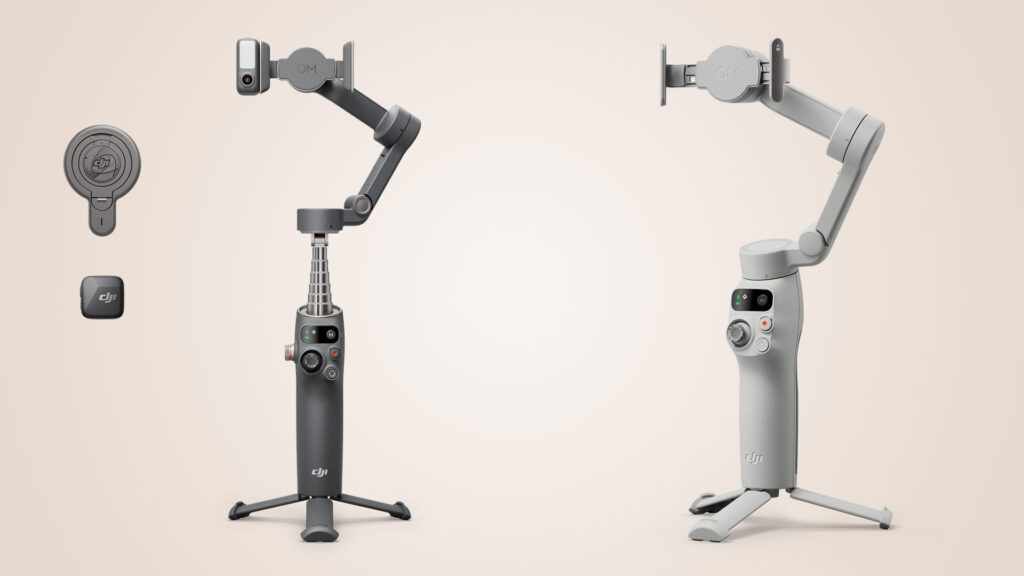
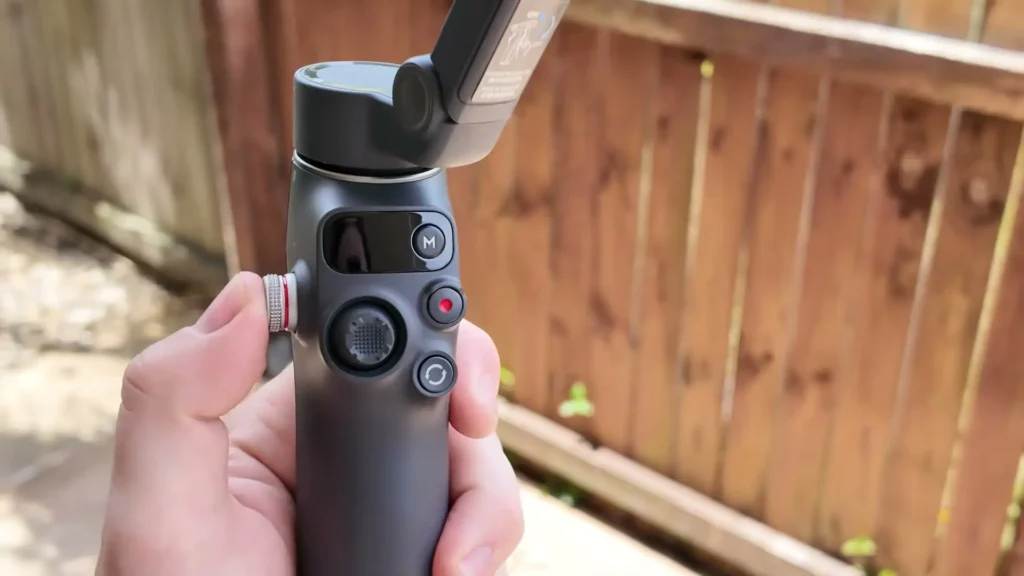
When it comes to the form factor, functionality, buttons, and overall build, the DJI Osmo Mobile 8 is pretty similar to what we saw before. It still carries that multi-functional module that was the big upgrade on the previous version. This module allows native in-house tracking using a built-in camera system, a built-in fill light, and all the same buttons we saw previously.
Looking at it just on face value, you are not really noticing anything dramatically different. It still has the little tripod feet that look practically identical, the selfie pole remains unchanged, and the front screen has not changed either.
Nothing stands out as hugely different at first glance. But once I started testing it more thoroughly, I noticed that a few of those notable upgrades actually made a significant difference in real-world use.

How Does the Osmo Mobile 8 Compare to the 7P?
I want to be straightforward here. If you are comparing the DJI Osmo Mobile 8 directly to the Osmo Mobile 7P, it is not a massive upgrade. There are a few really cool new features, but the way I see the Osmo Mobile 8 coming into the picture is this: if you have been holding off for a while, maybe you have the Mobile 6, the Mobile SE, or perhaps a completely different brand of gimbal, that is where the 8 comes in very, very strong.
Throughout this review, I will be focusing on the comparison between the Osmo Mobile 8 and the 7P, as that is the most relevant comparison for anyone thinking about upgrading right now.
What Is New With the DJI Osmo Mobile 8?
One of the biggest upgrades that we did not have on previous models is the full 360 degree seamless pan rotation. Previous Osmo Mobile models were limited with their panning. There was a locking point where it would simply stop. The gimbal could follow a subject for a period of time, but it always had that limitation.
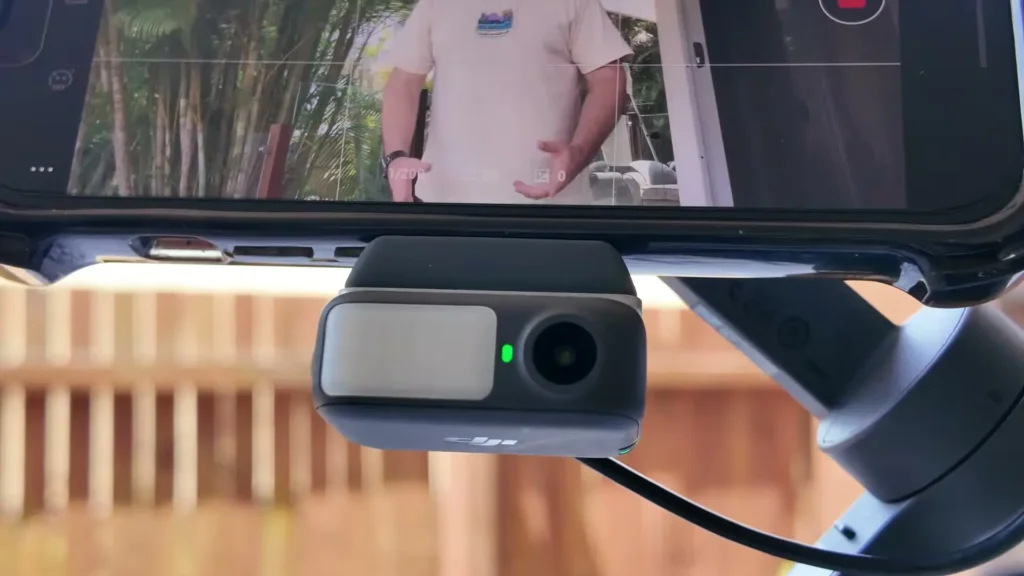
With the Osmo Mobile 8, that issue is completely gone. I was able to keep walking around and the gimbal kept up with me without ever stopping, slowing down, or struggling. It did not even seem to hit a locking point. It just kept going. This is a really welcome addition and something a lot of people want from a smartphone gimbal.
If you want to place the gimbal down and have it track you or follow people in the environment, it can now do that without you needing to reframe or set it up again. This feature has been available from some competitors on the market for quite some time, so it is great to finally see it come to the Osmo Mobile range.
Also Read: DJI Osmo Mobile 8P Review & Tested
Apple Dock Kit Integration
One of my favorite new features of the DJI Osmo Mobile 8 is the Apple Dock Kit integration. Apple is quite well known for not allowing other companies to build into their ecosystem, so it is exciting to see that DJI has established that connection with Apple to bring this feature to life.
The process is really simple. You literally just tap your phone on the side of the gimbal and it pairs up via Bluetooth. Once it is connected magnetically, it starts tracking immediately. The first time I did it took a little longer because of the initial setup, but after that it was incredibly quick.
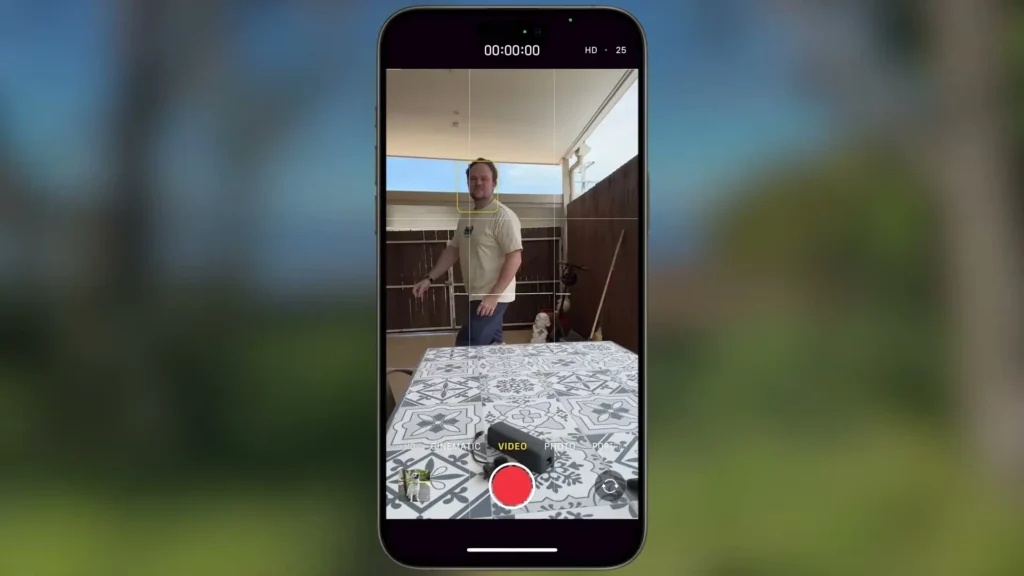
You tap, you connect, and you are ready to go. There are also new lights on the device itself to let you know it is in tracking mode. Once you fold it open, a few small lights illuminate on the motor section to confirm that the Apple Dock Kit connection is active. There is also an NFC sticker on the side, which is what you tap your phone onto for that instant connection.
Improved Pet Tracking
Another addition that is slightly changed here is the variety of tracking options now available. The DJI Osmo Mobile 8 can now track dogs and cats, or pets in general, much more easily than previous models. Previously, tracking seemed to be more people focused, but now with the multi-functional module, it is able to recognize cats and dogs and follow them with ease.
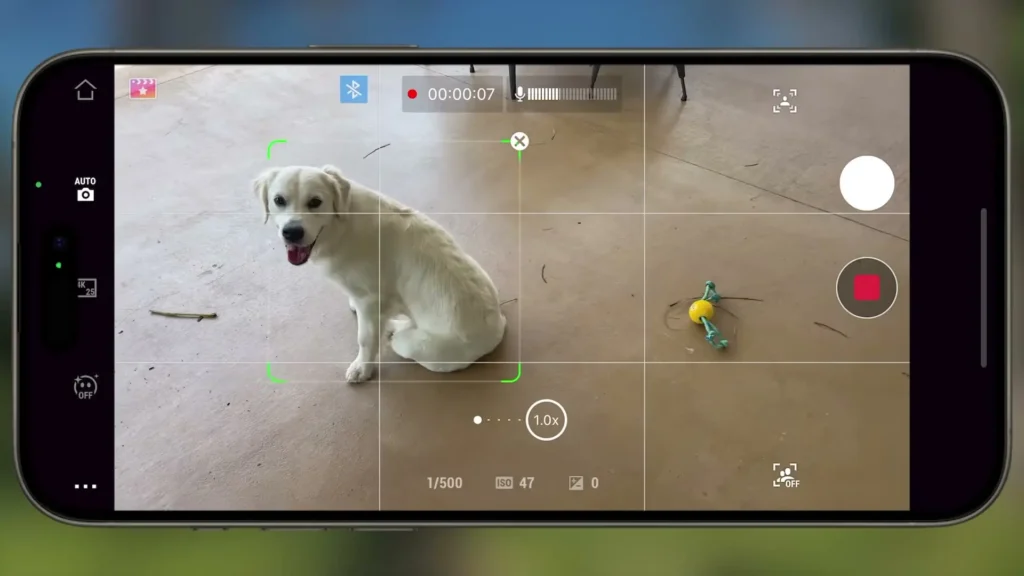
I tested this with our puppy and it worked really well without any stumbles or issues. It is a nice little bonus for anyone who wants to capture those everyday moments with their pets.
What Stays the Same?
In terms of the overall build and body, it appears to be essentially the same as the 7P. Everything else, from what I can see, is pretty much identical. Here is what carries over unchanged.
The native tracking with audio and lighting connected through the multi-functional module all works really nicely, and it does feel slightly more streamlined than when I was testing the 7P. That improvement is likely down to software updates and user feedback rather than any hardware change, but the setup process felt a little cleaner and tighter. It was not ever a challenge before, but the refinement is noticeable.
The extension rod and tripod are still included. Battery life remains at 10 hours with phone charging. It is still a three-axis gimbal. The Mimo application still offers excellent editing and tutorial options, and all of that feels very natural and seamless.
Active Track is still at version 7.0, so there is no improvement there. The fill light is still present. Wireless audio connectivity remains solid, with support for the Mic 3, Mic Mini, and Mic 2 all working seamlessly. The available shooting modes are the same as before, including PTF, FPV, PF, and Spinshot.
All the intelligent features are carried over as well, including time-lapse, panorama, dynamic zoom, one-tap editing, and shot guides. The button layout and functionality are unchanged, including the trigger on the back, the screen on the front, and the side wheel for controlling light intensity and zoom.
Gesture Controls and Tracking in Action
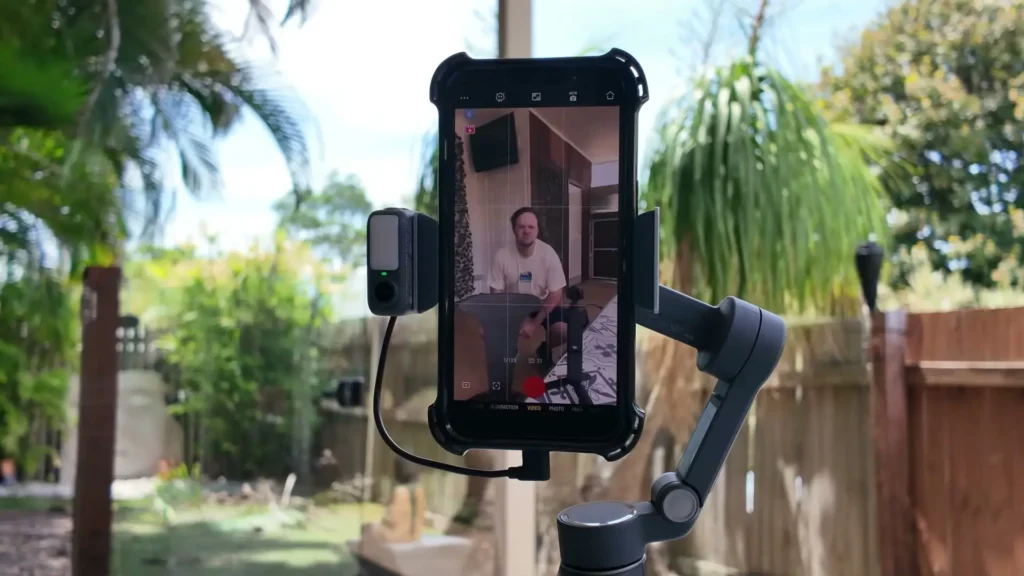
The gesture control system continues to work really well on the DJI Osmo Mobile 8. All I have to do is hold up a flat palm and it will turn red to let me know it has stopped following. Hold up the flat palm again and it turns green to confirm it is following once more.
If I want to reframe at any point, I hold up two L shapes, like an L and a reversed L, then repeat the gesture, and the light goes green to confirm I am back to a slightly reframed shot. All of this happens wirelessly through simple gestures.
With the Mic Mini wirelessly connected to the module, this opens up some seriously convenient vlogging opportunities as a solo content creator. It is incredibly easy to reframe, move around, and maintain wireless audio all at the same time.
Subject tracking also remains impressive. Natively, tracking can be used through the standalone camera application on an iPhone thanks to the Apple Dock Kit. The Mimo application offers its own tracking option as well. But perhaps the most impressive aspect is that tracking also works across completely different third-party apps, whether you are live streaming on Instagram, on a FaceTime call, or using any other application.
The gimbal continues to follow you because it is the camera on the multi-functional module doing the tracking, not the phone software. That works flawlessly across any application.
Within the Mimo app, there is also the option for software-based tracking, where you can draw a box around any subject, whether it is a person, an object, or even a tree, and that becomes the focus point as you move.
Osmo Mobile 8 vs. Osmo Mobile 7P
When comparing the DJI Osmo Mobile 8 to the 7P, the price point is slightly higher on the 8. The main differences come down to three areas. Apple Dock Kit is supported on the 8 but not on the 7P. Pet tracking functionality is expanded on the 8. And the 360 degree seamless pan rotation is new to the 8 and was not available on the 7P.
Beyond those differences, and the 8 weighing approximately 2 grams more than the 7P, everything else is essentially identical. Both share the multi-functional module, 10 hours of operating time, an extension rod, tripod, quick launch, Active Track 7.0, phone charging, shot guides, and AI editing tools.
Who Should Buy the DJI Osmo Mobile 8?
The DJI Osmo Mobile 8 is not really targeting people who already have a current-generation smartphone gimbal. If you have the 7P, it is not a huge leap forward unless you genuinely care about those three new features mentioned above. In that case, sticking with your 7P makes complete sense.
However, if you have the Osmo Mobile 6, the Osmo Mobile SE, a competitor’s gimbal, or no gimbal at all, this is where the 8 really stands out. Compared to older models, it has come a long way and now sits in a really solid position. It is a reliable smartphone gimbal with genuinely strong audio capabilities through the wireless microphone system, and that is probably its biggest selling point overall.
DJI’s microphones are excellent, and the way they connect seamlessly with the smartphone gimbal system is a real strength. Add in the fill light, the 360 degree seamless rotation, the Apple Dock Kit, and all the additional features, and you have a very reliable and well-rounded package, particularly if you are an iPhone user.
If you are an Android user, it is worth noting that the Apple Dock Kit makes no difference to you. In that case, the main new benefit you are getting is the 360 degree rotation. So whether the upgrade makes sense really depends on who you are, what you are using it for, what device you are on, and what gimbals you have used before.
Specification Table
| Feature | DJI Osmo Mobile 8 | DJI Osmo Mobile 7P |
|---|---|---|
| Gimbal Type | 3-Axis Smartphone Gimbal | 3-Axis Smartphone Gimbal |
| Pan Rotation | Full 360 Degree Seamless | Limited with Locking Point |
| Apple Dock Kit | Yes | No |
| NFC Pairing | Yes | No |
| Active Track Version | 7.0 | 7.0 |
| Battery Life | 10 Hours (with Phone Charging) | 10 Hours (with Phone Charging) |
| Multi-Functional Module | Yes (Built-in Camera + Fill Light) | Yes (Built-in Camera + Fill Light) |
| Pet Tracking | Yes (Dogs and Cats) | Limited |
| Wireless Audio Support | Mic Mini, Mic 2, Mic 3 | Mic Mini, Mic 2, Mic 3 |
| Shooting Modes | PTF, FPV, PF, Spinshot | PTF, FPV, PF, Spinshot |
| Intelligent Features | Time-lapse, Panorama, Dynamic Zoom, One-Tap Edit, Shot Guides | Time-lapse, Panorama, Dynamic Zoom, One-Tap Edit, Shot Guides |
| Extension Rod | Yes | Yes |
| Tripod Included | Yes | Yes |
| App Support | DJI Mimo + Third-Party Apps | DJI Mimo + Third-Party Apps |
| Weight Difference | Approx. 2g Heavier than 7P | Base Reference Model |
Final Verdict
The DJI Osmo Mobile 8 is a nice upgrade, but not a massive one if you are coming from the 7P. If you own the 7P, I would say stick with it. There is no compelling reason to upgrade immediately. But if you are coming from an older Osmo Mobile device, from a competitor’s gimbal, or if you are looking for your very first smartphone gimbal, this is an excellent point to enter.
Everything that was great about the 7P is still here, and the new additions, particularly the 360 degree seamless pan rotation and the Apple Dock Kit, push the experience forward in meaningful ways. It is future-proofed, it is reliable, and it has had enough time and refinement across the Osmo Mobile range to be in a really sweet spot right now. You can expect it to serve you well for quite some time.
Read More: DJI Osmo Pocket 4 Review