

If you are looking for the best beginner FPV kit currently on the market, the Beta FPV Aquila 20 HD kit might just be it. You get everything you need to get up and flying in one easy package, with three flight modes designed to take you from a complete beginner to somebody who can confidently fly in manual mode.
Now, there are cheaper beginner FPV kits out there, but this is the first from Beta FPV featuring their new digital video transmission system. At the time of recording, it is actually the cheapest digital beginner FPV kit out there, but only by one cent. I am going to start off by covering everything you need to know about the Aquila 20 HD FPV Kit.
Digital vs Analog
If you are new to FPV, there are two main camps of video system. There is digital and there is analog. Analog looks like a bad picture quality, staticky breakup, but it has always been the cheaper option for FPV systems. Digital, on the other hand, offers better video quality with no static breakup and just a nicer all-around flying experience, but usually that comes at a much higher cost.
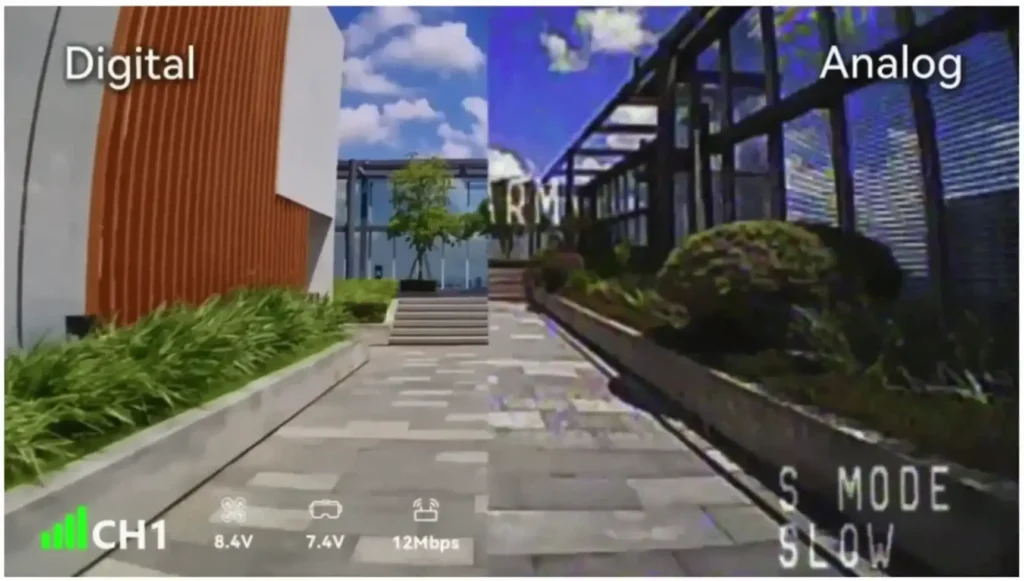
However, now that is not really the case. The new Aquila 20 HD FPV Kit has a digital FPV system on board, so the video quality is much better than the analog systems we usually see on kits like this. This kit does cost a little more than its analog counterpart, but you are getting a much nicer flying experience for that extra cost.
What Is Inside the Aquila 20 HD FPV Kit?
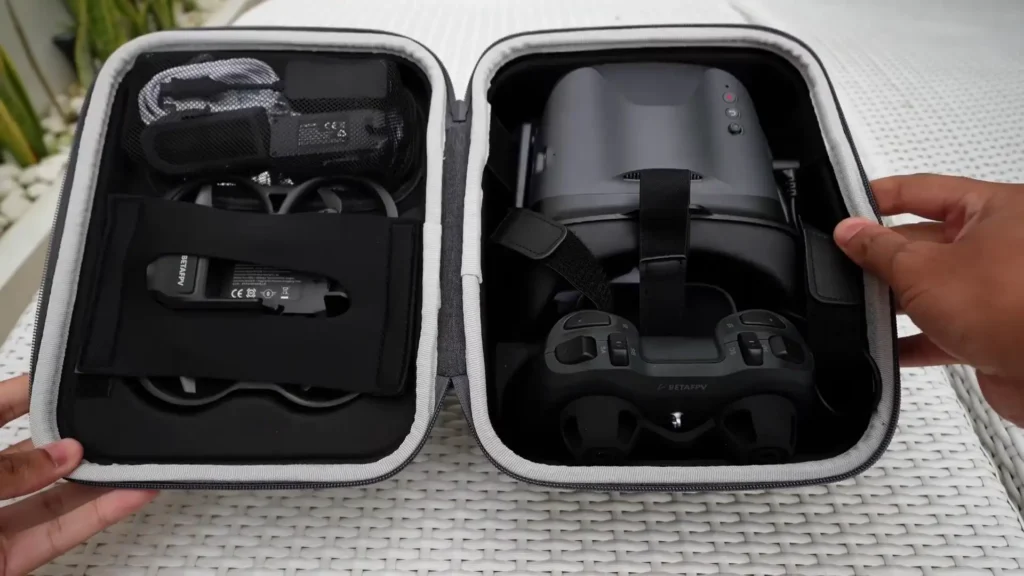
First off, everything comes packed in a really nice carry case, and it is all safely packed inside. Right from the start, Beta FPV has done a great job of making everything compact and easy to travel with. You just throw it all in the case, chuck it in the car, go fly, pack it away, and come back. It is a really nice compact package.
The VR04 HD Goggles
Inside the kit, you will find a set of the new VR04 HD goggles. The screen itself is nice and bright, clear, and easy to see. The menu buttons are okay to access, though I was sometimes struggling to hit the front two buttons because the antenna was in the way. When I changed my approach and came in from the front of the goggles, I found it a bit easier to actually find and hit those buttons.
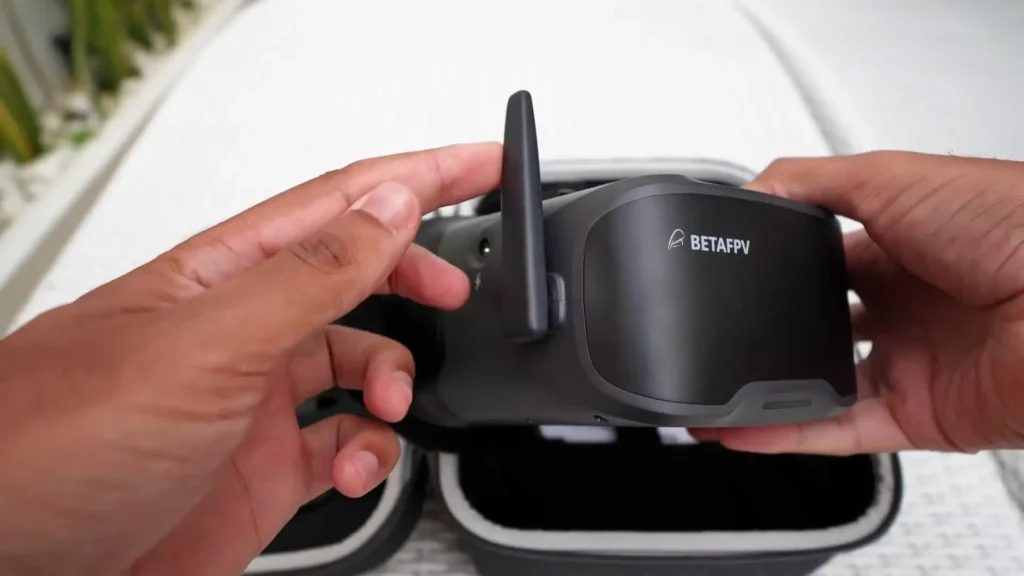
The VR04 HD Goggles also have an SD card slot in them, so you can put an SD card in there and use it to record your flights. That is actually how I have been showing you all of my flight footage throughout this video. Bear in mind that you are not going to see exactly what you see from the goggles.
All the on-screen display is going to be removed and you just get a clean video file. You do get the telemetry as a subtitles file, so you can overlay it if you want, but it is probably not really worth the hassle for most people. Just bear in mind it is only a recording of that goggles screen. You cannot use this footage and stabilize it later for cinematic purposes or anything like that.
The overall goggles user interface was way better than I was expecting. It is actually a really nice thing to flick around and navigate through, so really nice job there from Beta FPV.

The Light Radio 4SE Controller
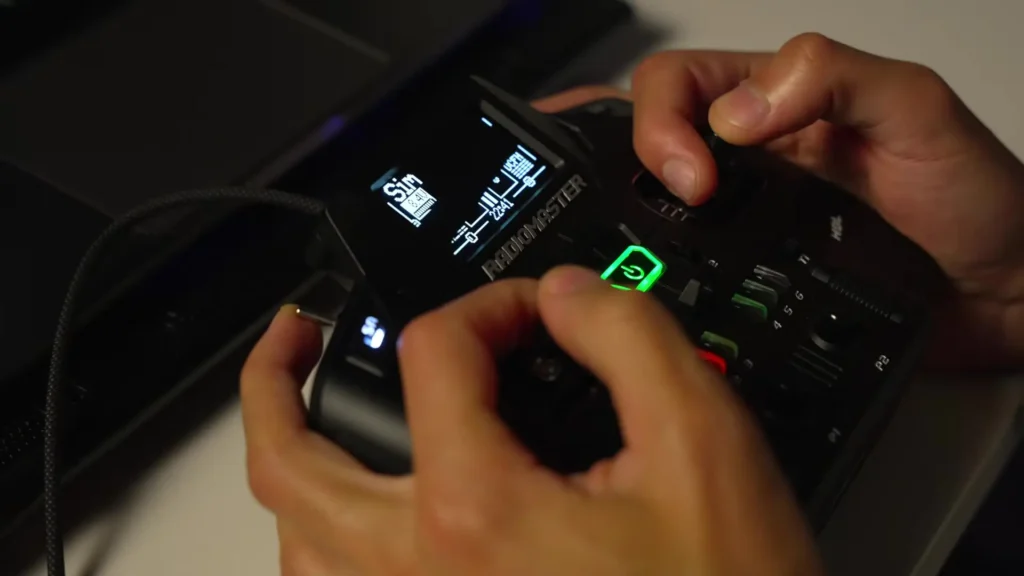
Also included is a Light Radio 4SE controller, which is using the ELRS protocol. ELRS is one of the best performing and most popular radio protocols out there, so it is really nice to see it here on the Aquila 20 HD FPV Kit. The controller has also got a little bit bigger compared to the previous Light Radios, which I am actually a big fan of. I have got really big hands, and this fits nicely in the hand. It is big enough to the point where it does not quite feel like a toy.

When it comes to the gimbals and switches, they are not of the highest quality. It is a cheap radio, but they are more than good enough to do exactly what they need to do. Everything works absolutely fine, and when it comes to the controller, I have got no complaints with it.
It does exactly what it says on the tin. Another bonus of the controller is that it is compatible with flight simulators, so you can plug it in via USB and practice flying manual mode in the simulator to give yourself a bit of a leg up when you come to fly in real life.
The Drone Itself
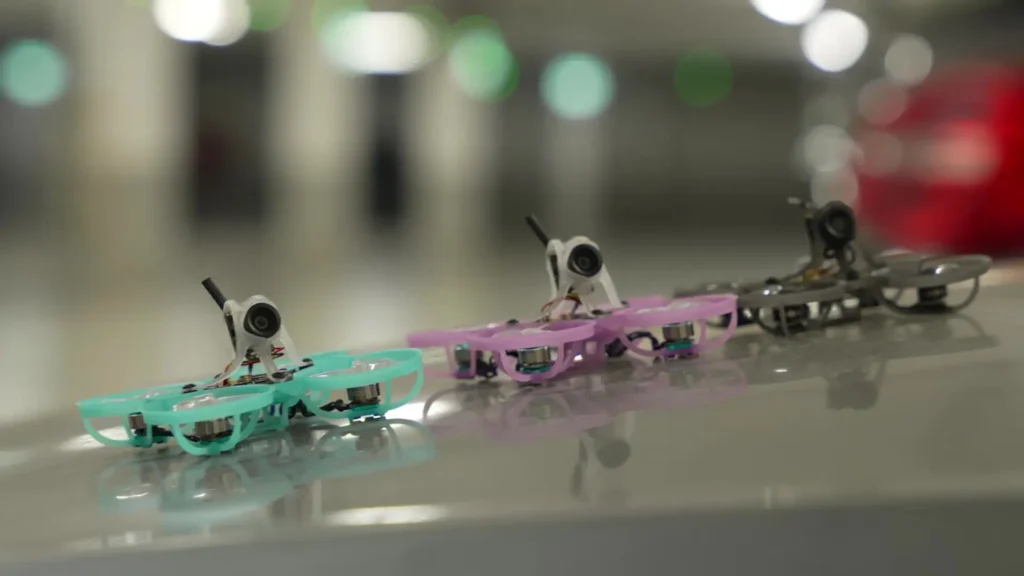
Then we have the drone itself. It is a fully plastic drone, really lightweight, and we will see just how durable it is a little bit later on. It is using 2-inch propellers and it also houses that new Beta FPV P1 digital video system inside.
Read More: BETAFPV Pavo Pico 2 Review
Kit Accessories
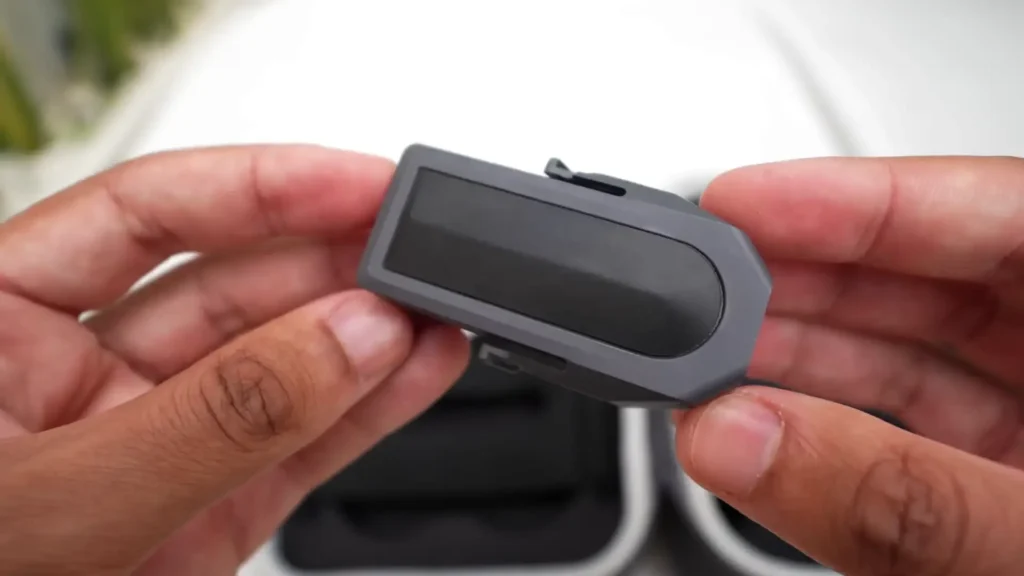
The kit also comes with two batteries. These are two-cell 1100 mAh lithium HV batteries claiming up to 10 minutes of flight time, and there is actually a little bit of technology baked into this battery, which I will get on to in just a moment. You also get a charger for that battery which just uses USB-C, a USB-C cable, and some other little bits like spare propellers and a propeller removal tool.
How to Charge the Batteries
The batteries are a little bit of a funny one to charge. Normally, when you charge something, you would just plug it in, plug the USB cable in, and it would charge. But with these, it is a bit different. You plug it in, you then have to turn the battery on by pressing and then pressing and holding, and then the charge is actually going to start. It is a bit strange.
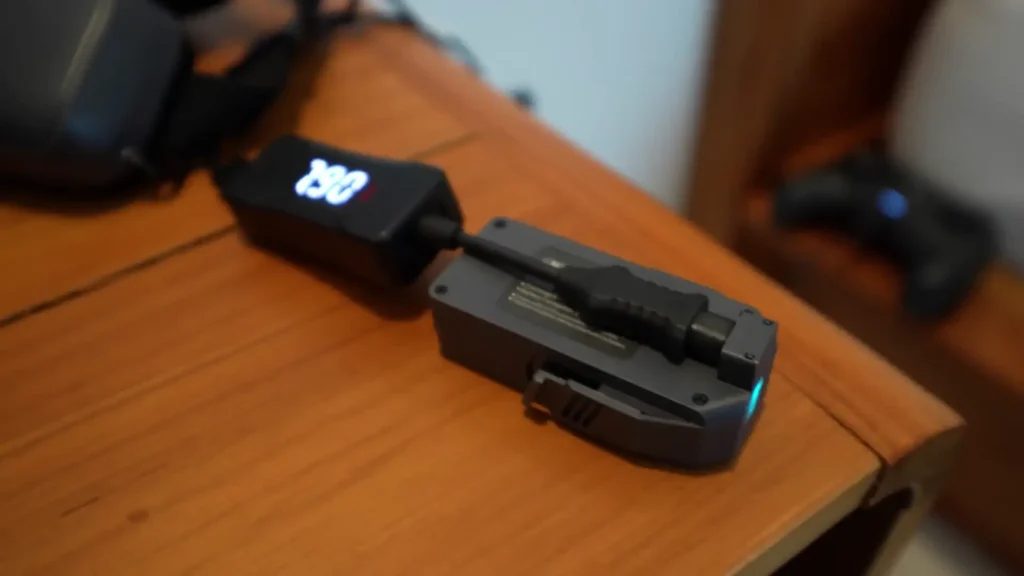
It will also run through and show you all the voltages, cell voltage, and all that good stuff. So if you are struggling charging your batteries, make sure you are following that process. To make things easier for you, it will automatically stop charging once the batteries are full.
First Test Flight
I came out to do the very first test flight with the Aquila 20 HD FPV Kit and wanted to record my initial raw impressions just to see how it went. I was excited to try the new digital system and see what it was like. There was a bit of a breeze coming in that day. It was pretty still earlier, but a very light breeze had picked up, so I was keen to see how it would hold up.
First off, the goggles did not feel like they had clipped very well. I pulled out the nose piece because it just felt like it was restricting a lot. There was a lot of light leak coming in from the nose area after that, but it was to be expected. Starting the recording, I went into normal mode first and tried pushing it up.
It should have altitude hold and position hold, and wow, it was very stable. Straight away, the image actually looked pretty good. Comparing it to analog, analog looks pretty terrible most of the time, but this actually looked way better than analog.
I picked up the speed and eventually put it on fast, pushing into the wind. As I got a little bit further away, the image got a bit worse, but it was still absolutely fine and flyable. It was doing a lot better than the Aquila 16. This is a 2S drone with bigger props, and that really helps to push through the weather a bit easier.
I then put it into sport mode to try that instead. Normal mode is good for ultra beginners because it gives you altitude and position hold, so you do not have to worry too much about what is going on with the sticks. Sport mode acts like angle mode for regular FPV drones, so it gives a little more control and hopefully prevents smashing into posts again.
I noticed a distance from home indicator in the display, which I was not expecting to see at all. I was not sure if it was doing that via signal strength or some other method, but it was a welcome surprise. I found that I could not change from sport to manual mode during flight. I had to land and then change flight modes, which is something to keep in mind.
Once in manual mode, it actually flew pretty well. It was smooth. Even on the fast rates I would have liked them to be a little bit faster, but that is okay. The image, now that I was flying around a bit and getting further away, was degrading slightly and looked kind of purple in the VR04 HD Goggles. I did think it still looked better than analog, and since it is just an early digital system, it is surely only going to get better over time.
Signal Testing
When it came to testing the signal strength and range, I tried flying behind a building, inside what looked like a warehouse area, and the signal held up far better than I expected. I pushed it further and further, going behind concrete structures and all sorts of obstacles.
The megabits dropped down to 11, then 3 megabits per second, but it was still flyable. When I came back, it recovered pretty quickly and the image returned to where it was when I was close by. I was genuinely shocked at how far I was able to push that system. A comparable analog system simply would not have gone that far. There is no way. That was very impressive.
Understanding the Three Flight Modes
Normal mode is really good for beginners. What the drone does here is it actually holds altitude and also holds position, and it does this remarkably well considering it does not have GPS on board. Even in some mild winds, it was still able to hold pretty good position. It achieves this using a combination of optical flow sensors and rangefinders.
Beta FPV have had this system in a few beginner kits throughout the years, and it is nice to see just how much they have refined it going from version to version. This is by far the best implementation of that technology I have seen from them so far.
Normal Mode
It is really manageable in normal mode. It flies really slowly, it is controllable, and it flies similar to a typical DJI Mavic-style drone. So if you have flown something like that before, the transition is going to be fairly smooth when you first start learning to deal with wearing the VR04 HD Goggles and all that kind of stuff. It is a really easy and forgiving mode to start with.
Sport Mode
Once you are comfortable with normal mode, you can then move on to sport mode. In sport mode, the drone behaves exactly like a regular FPV drone flying in angle mode. What that means is the drone no longer does altitude or position hold for you.
However, the drone will still self-level when you let go of the right stick. You now get full throttle control, so you have to learn throttle management here. You also get access to much higher flight speeds than you did in normal mode. It is just an incremental step up where you are now having to take over throttle control, but you can move around a bit faster and get a little bit more fine control of the drone.
Manual Mode
Once you have mastered sport mode, you can then move on to manual mode. This is equivalent to full acro mode on a regular FPV drone, where the drone no longer self-levels and you can do flips and rolls and all that kind of stuff. You are in full control of the throttle and full control of the attitude of the drone.
It does not bounce back to level. It is full manual control, and this is where the magic happens. This is where kits like the Aquila 20 HD FPV Kit can help you go from one step to the next step, all the way to learning to fly in manual mode.
Three Speeds Per Mode
Along with the different flight modes, there are also three speeds for each mode: slow, medium, and fast. The higher the speed mode, the faster the drone is going to move and respond, and basically the faster it is going to fly.
Once you are comfortable in each mode, you can keep pushing further with the speed settings, and then eventually move on to something like a bigger or slightly higher performance drone in the future.
Something to note with these flight modes is that whilst you are flying, you actually cannot change between different modes. You cannot go from normal to sport to manual in flight. You have to land and disarm before you can then change flight mode. Whilst you are flying, you can change the flight mode speed, but you cannot change the actual flight mode itself.

Video Quality and the Digital Experience
Whilst flying around, you are also going to be seeing the image coming in from the new P1 digital system, and I have to say I was actually pleasantly surprised at how good it actually was. The Aquila 16 kit use analog video, and the video quality on the Aquila 20 HD is so much better than it was there.
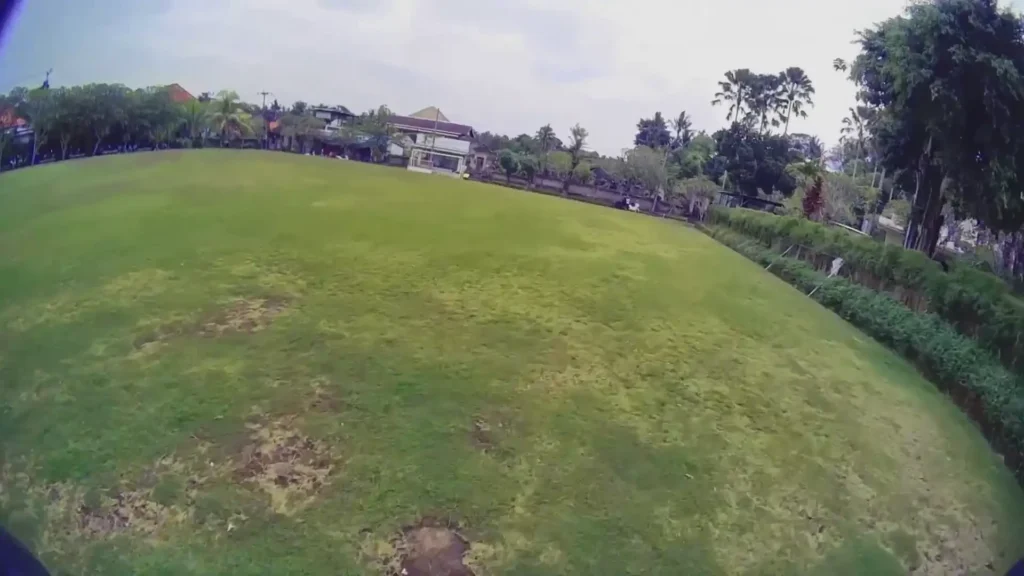
Along with that, the new onscreen display is also really nice, and the overall VR04 HD Goggles user interface was way better than I was expecting. It is actually a really nice thing to flick around and move between, so really nice job there from Beta FPV.
The camera itself is plenty good enough for flying around and enjoying the drone. It has a really nice big field of view and is nice and clear. I sometimes noticed a little bit of a bluish-purple tint to the footage in some situations, but to be honest, I am being pretty picky there.
It is a cheap digital beginner kit, so it is not going to be able to give you cinematic footage, and I just need to make sure expectations are managed here.
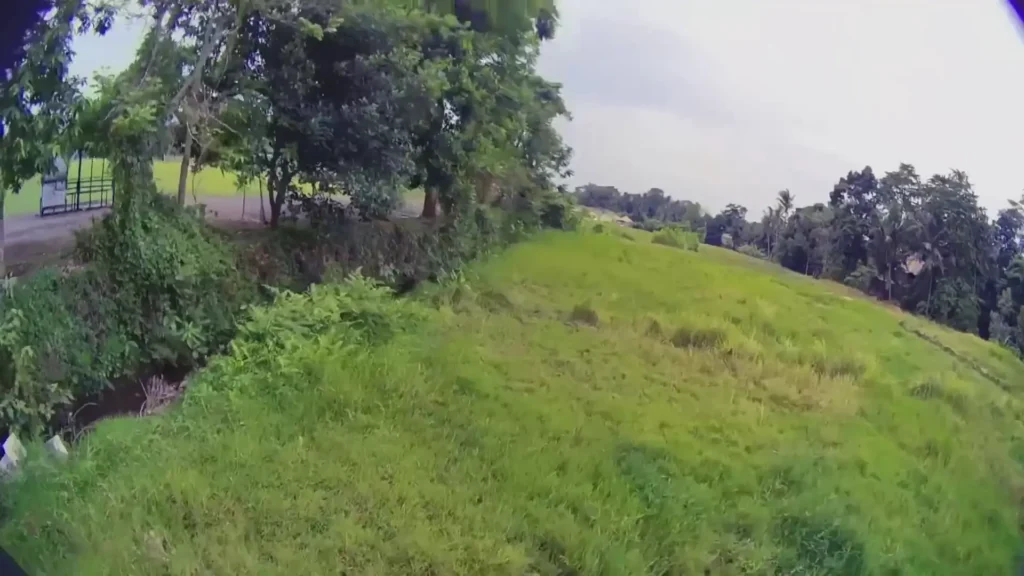
The camera actually also performs really well when it comes to dynamic range. A common issue on these cheaper kits is that the cameras can struggle in harsher lighting conditions, which can make it really hard to see in the shadowed sections of where you are flying.
This camera and this system does not struggle with that at all. It is completely fine and way better than the cheaper analog systems that I have tested in this sort of beginner kit field, so it is really nice to see.
The camera angle can also be tilted, so you can adjust it higher or lower depending on your desired flight style and flight speed. Just be aware that as you tilt it really high or really low, you are going to start to see some of the canopy of the actual drone come into view. It is only a little bit, but it is something you will notice.
Read More: Best FPV Simulator for Beginners
How Well Does It Hold Up?
This little drone is super durable. If Beta FPV knows one thing, they know how to make a drone that can survive a crash, and this one is absolutely no different. It should be completely fine and ready to go to take all the punishment you are about to throw at it.
Flight Performance
When it comes to the flying side of things, for a beginner kit, it actually flies pretty well. It is not the most high-performance whoop in the world and it is not a freestyle machine, but for learning and cruising around, it is completely fine.
If you do start to push it a little harder and try to do freestyle moves, sometimes when it is recovering from those maneuvers, it does a little bit of a nose dip. So that is something to bear in mind. But when you are just flying around during regular flight, it is smooth, controllable, and exactly what you would expect from a beginner kit like this.
Some of the other beginner kits, the smaller ones like the Aquila 16, are a little bit less powerful and they really do struggle when you take them outdoors. Whereas something like the Aquila 20 HD FPV Kit is much better. The bigger size, bigger weight, and overall more powerful powertrain comes in way more handy when you are trying to fly outdoors in bigger spaces.
Getting Yourself Out of a Crash
If you go ahead and crash this drone, which is going to happen because it is a beginner kit, the drone also has something called turtle mode. You can flick a switch on the right-hand side of the controller, and once you flick that switch, you can wiggle the right stick around and the drone is then going to flip itself the right way up so you can continue to fly again.
Turtle mode is really helpful if you crash in a slightly annoying place to go and pick up the drone. But do be careful using it in some situations, like if you are trapped in really long grass.
Do not use turtle mode there because the drone probably cannot flip over and take off again due to the situation it is in. If you are trying to turtle mode out of that kind of situation, you can overstress the electronics and potentially burn something out. So use it, but use it in the correct situations.

Battery Protection and Smart Features
There also appears to be some kind of battery protection measures programmed into this drone, which is something I have not seen before on a kit like this. As you are flying around and the battery gets low, you will see it flash in the VR04 HD Goggles saying low battery.
That is the warning letting you know that you should be coming back and making a landing. Your battery is getting low.
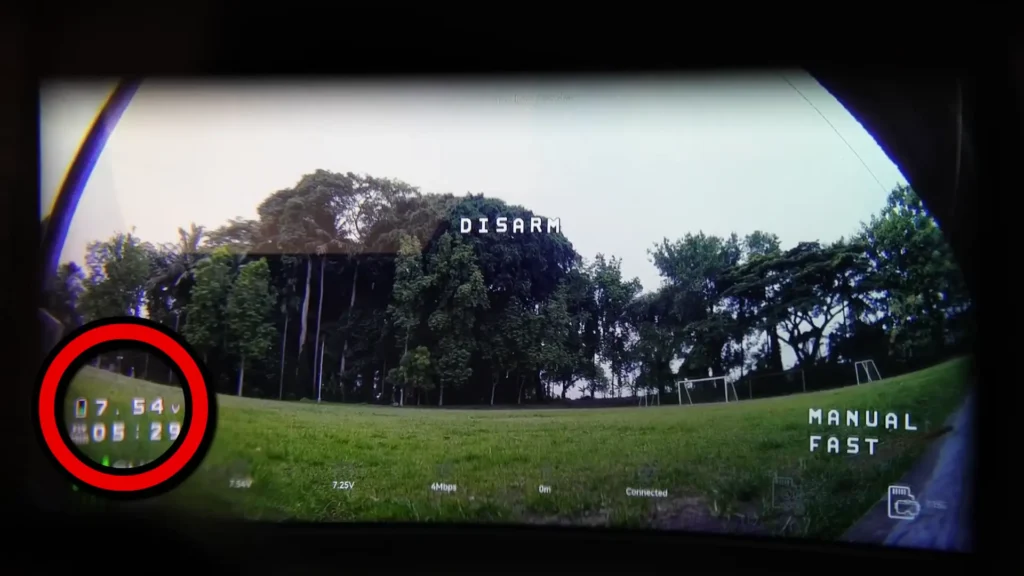
Something else you can use is the battery voltage indicator. You want to make sure that you land when the drone reaches around 7.0 volts. That is a safe cutoff level to make sure your batteries stay nice and healthy in the long run. But if you do keep flying past this level, I have noticed that as the battery gets lower and lower, it reaches a point where it does an auto landing.
When I was flying around in normal mode and let the battery get low, it got to a point where it hit a threshold in the software and the drone just stopped and auto-landed itself. Really impressive. I was not expecting to see that on a kit like this. There was still enough power in the battery to keep everything powered on and it did not auto power off at this stage, but it just did an auto landing, most likely to protect the battery.
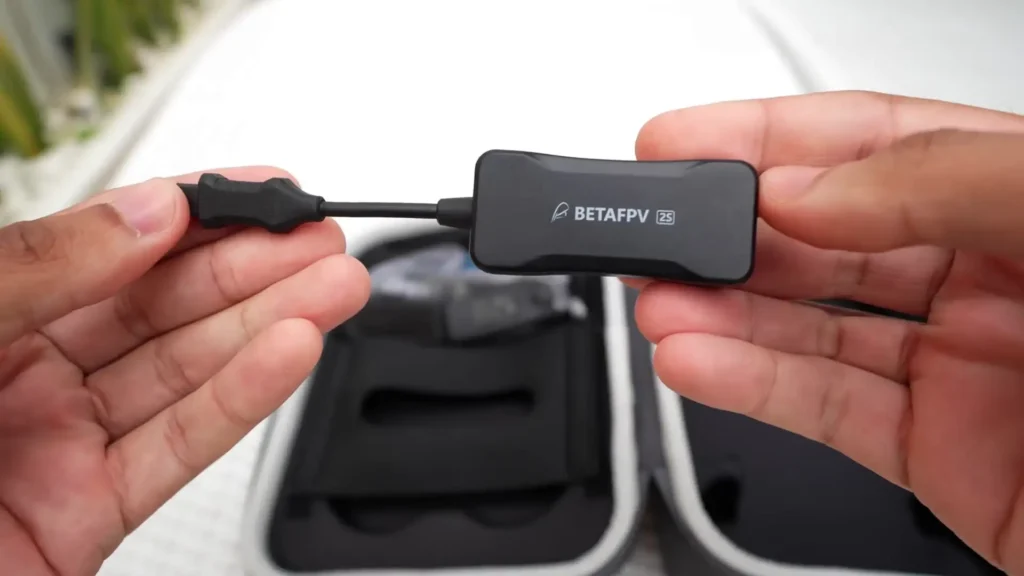
If that is programmed in there, that is a nice touch from Beta FPV. It is again just helping beginners to make their kits and their equipment survive a bit longer and get past some of these early mistakes that people tend to make.
If you are flying around in manual mode and the battery gets too low, what I noticed is that when you fly low and it senses the ground, it is going to disarm if it is at a threshold voltage. And if it gets super low, it is just going to disarm and power off to really try and save the battery. It is really good to see that there are some measures in here to prevent people from completely killing their batteries.
As a rule of thumb, when flying with these LiPo or LiHV batteries, you want to make sure that you land at 3.5 volts per cell. Because this is a two-cell battery, that is 7 volts total. You want to be landing when it is at 7 volts on the screen when you are just cruising around gently.
When you are flying and doing punch-outs, you will get the battery to sag below 7 volts, but when it is at 7 volts during gentle cruising, that is when you need to be landing. When it comes to flight time, I was getting anywhere from between six and nine minutes depending on how hard I was flying and which modes I was using. The flight time on this is actually really impressive.
A Closer Look at the P1 Digital System
Overall, the image quality of the P1 system was actually better than I expected, and it is actually quite surprising when you consider the cost of the whole system and the cost of the standalone air unit at around $38. The range and penetration, considering how low power this is, actually shocked me.
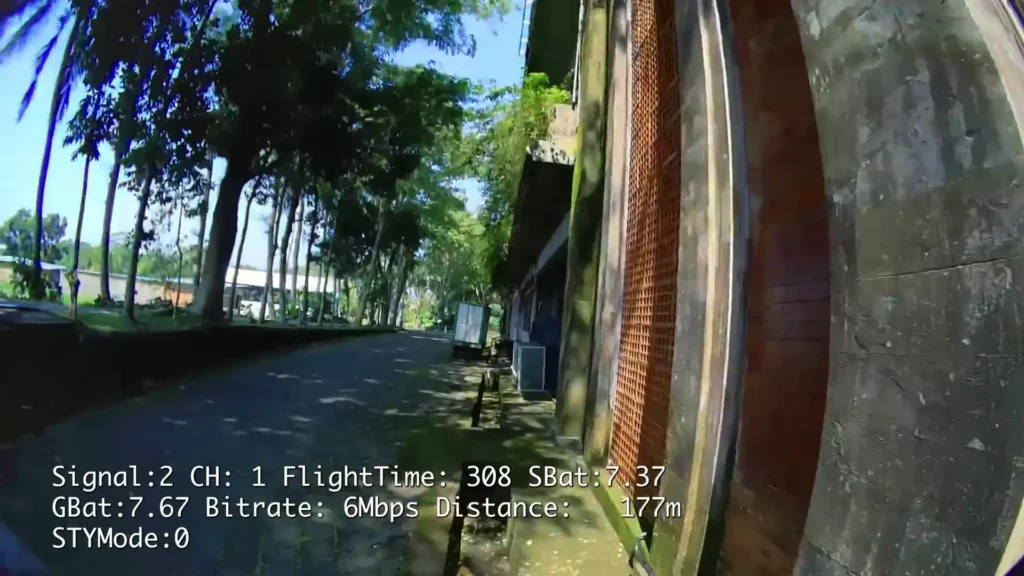
I could not believe it performed as well as it did. If I took a comparable analog beginner kit and put it in the same situation, there is no way it would have gotten as far as this system did. To be completely honest, I thought it would have been dropping out when I put the first building in the way, but it kept going with a building in the way, trees, and half of a multi-story car park in the way. I was so surprised.
The breakup was also really easy to manage. It is not as good as higher-end systems like DJI, but it is not really competing with those systems at this price point.
When it comes to latency, it is completely flyable. During my first flight, I did not really notice it much as I was focusing on a lot of other things, but as I got more flights in, I could start to feel the latency a little bit. It is acceptable and flyable, but it is not as good as other systems just yet. Other systems, apart from analog, are much more expensive than this.
For a beginner, the chances are you will not really notice the latency. I am used to flying DJI digital where the latency is much lower and much more consistent, but comparing it to DJI is not really fair due to the price difference and development difference.
But for people who are already flying FPV and are interested in the performance compared to a different system, that is just a reference point that a lot of you are going to have and something you can compare it to.
On the P1, the latency is fine, but for future generations of the system or potentially in future firmware updates, it would be nice to see some improvement there. For a first-generation product at this price point, it is honestly pretty impressive.
Bit Rate Settings in the Goggles
In the VR04 HD Goggles menu, there are lots of different settings, and there is also a bit rate setting which at first I was a little bit confused by. I asked Beta FPV about that, and it is actually related to the bit rate of the DVR recording that goes onto your SD card. I found 8 or 16 to be the best here in terms of performance and overall consistency of the goggles feed.
When you put it on the highest setting of 24, sometimes there was a quick stutter in the goggles feed. It was not very often and it was pretty rare, but it would just be nice knowing that is not going to happen. So just leave it on the default setting or set it to 8 or 16 and you are going to have a much more consistent video feed from the goggles. This might change in future firmwares, but at least for now, just leave it on 8 and you will be completely fine.
The Future of the P1 Ecosystem
Considering the cost of the P1 air unit, it is going to be really interesting to see where this goes in the future because digital FPV has never been this cheap. With these types of beginner kits, I normally expect people to buy the kit, learn to fly, and then pass it on to somebody else or sell it when they are ready to upgrade.
None of these kits really come with equipment that you would want to use on higher-end quads, and this is quite similar. But the difference here is that these goggles are currently the only goggles compatible with this new P1 Beta FPV digital system.
I do hope that as this ecosystem grows, and I really hope that it does, we get some higher-end goggles to go along with it. We also get some higher performance air units with onboard video recording, like maybe 4K recording. That would be great to see. Some of the options in the VR04 HD Goggles menu do make me think that is coming in the future, but we are going to have to wait and see. I really do hope that Beta FPV sticks with this and develops this system further into something that allows it to fulfill its full potential.
Specifications
| Spec | Details |
|---|---|
| Kit Name | Beta FPV Aquila 20 HD FPV Kit |
| Video System | Beta FPV P1 Digital Video System |
| Propeller Size | 2-inch |
| Battery Type | 2-Cell LiHV (Lithium High Voltage) |
| Battery Capacity | 1100 mAh |
| Claimed Flight Time | Up to 10 Minutes |
| Real-World Flight Time | 6 to 9 Minutes |
| Controller | Light Radio 4SE |
| Radio Protocol | ELRS (ExpressLRS) |
| Goggles | VR04 HD Goggles |
| Goggle Recording | SD Card DVR Recording |
| Charging Port | USB-C |
| Frame Material | Full Plastic |
| Flight Modes | Normal, Sport, Manual |
| Speed Settings | Slow, Medium, Fast (per mode) |
| Position Hold | Yes (Optical Flow + Rangefinder) |
| Altitude Hold | Yes (Normal Mode) |
| Turtle Mode | Yes |
| Auto Landing | Yes (Low Battery Protection) |
| Flight Simulator Compatible | Yes (via USB) |
| Spare Propellers Included | Yes |
| Propeller Removal Tool Included | Yes |
| Carry Case Included | Yes |
| Number of Batteries Included | 2 |
| P1 Air Unit Standalone Price | Approximately $38 |
Is the Aquila 20 HD FPV Kit Worth It?
For a quick roundup of the Aquila 20 HD FPV Kit, I do actually think that this is one of, if not the best, of this type of beginner kit currently available on the market, and it is also the cheapest digital version available. I actually have not tried its main competitor, which is the Caddx Peanut, but the general consensus is that the Aquila 20 and the P1 system is a little bit better than the Caddx option. So do with that information what you will.
I honestly think that if you are in the market for a kit like this, you cannot go wrong with the Aquila 20 HD FPV Kit. It is a great affordable way of seeing if FPV is going to be something you want to pursue further in the future, or if you just want to try it out and see if you like it.
Table of Contents
Read More: DJI Avata 360 Full Review Breakdown