
If you’re asking “what drones work with the DJI Smart Controller,” there’s a good chance you’re actually dealing with two different questions at once, and most articles online only answer one of them.
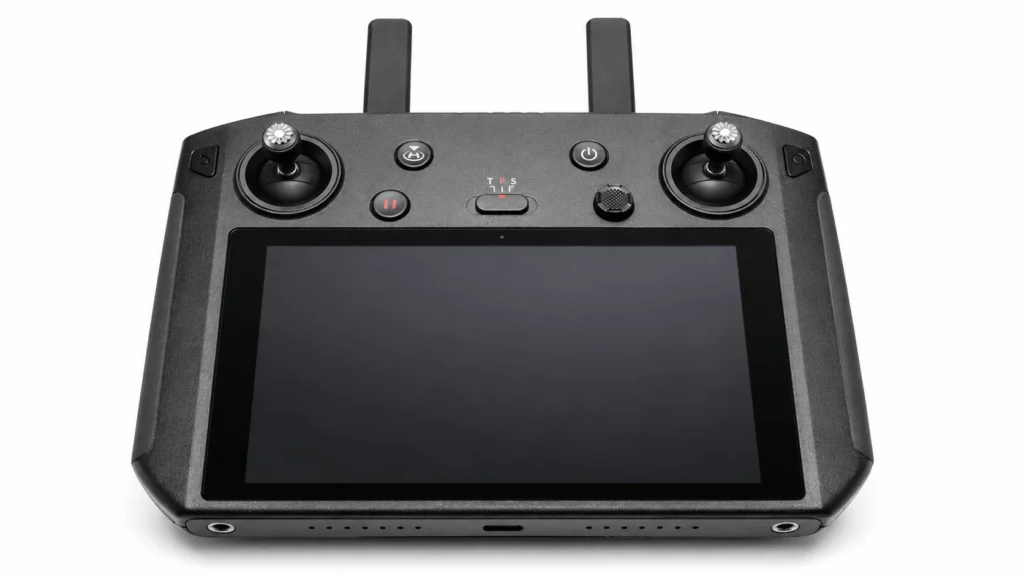
The first question is about the original DJI Smart Controller (model RM500), the standalone Android controller with a built-in 5.5-inch screen that DJI launched in January 2019. The second is about DJI’s current lineup of smart controllers: DJI RC, RC 2, RC Pro, and RC Pro 2, which people often search for using the same generic term.
This guide covers both, tells you exactly which aircraft pair with which controller, explains why DJI stopped selling the original Smart Controller new, and gives you realistic pricing if you’re buying one in 2026.
Aircraft Compatible With the Original DJI Smart Controller (RM500)
According to DJI’s own support documentation, the original DJI Smart Controller officially supports:
DJI Mavic 2 Pro
DJI Mavic 2 Zoom
DJI Mavic 2 Enterprise
DJI Mavic 2 Enterprise Advanced
DJI Mavic Air 2
DJI Air 2S
DJI Mini 2
DJI Phantom 4 Pro V2.0
That’s the full list, and it hasn’t grown since DJI stopped actively updating it. The common thread is the transmission system: every aircraft on that list uses OcuSync 2.0. If a drone doesn’t use OcuSync 2.0, the Smart Controller physically cannot bind to it, no matter what firmware you install.
A few compatibility notes worth knowing before you buy:
Mavic 2 series and Phantom 4 Pro V2.0 run through the DJI GO 4 app, which comes preloaded on the controller.
Mavic Air 2, Air 2S, and Mini 2 run through DJI Fly, which the controller switched to supporting via a firmware update after launch. The Smart Controller automatically detects which app to open based on the aircraft you bind it to.
The original Mavic Pro, Mavic Air (1st gen), and Spark are not compatible. Those use the older OcuSync 1.0 or Wi Fi/Lightbridge systems, which the Smart Controller doesn’t support at all.
Nothing released after the Mini 2/Air 2S generation, including Mini 3, Mini 4 Pro, Air 3, Air 3S, Mavic 3 series, or Mavic 4 Pro, works with this controller. DJI moved to O3, O3+, and O4 transmission on newer aircraft, and the original Smart Controller’s OcuSync 2.0 hardware can’t bridge that gap.
Why the Original DJI Smart Controller Is Discontinued
This is the part most articles skip, and it’s the single most useful thing you can know before spending money on one.
DJI pulled the original DJI Smart Controller from regular retail around August 2021. It wasn’t a recall or a failure; DJI simply moved its “screen built into the controller” concept into newer, purpose-built products (DJI RC, RC Pro, and eventually RC 2 and RC Pro 2) that pair with its current aircraft lineup. Because the Mavic 2 series and the rest of the OcuSync 2.0 generation are now several years old, DJI stopped manufacturing new units of the RM500 to go with them.
That means today, in 2026, there are really only three ways to get one:
DJI’s own refurbished stock. DJI occasionally lists a refurbished Smart Controller directly through its official store, sometimes priced in the $500 to $600 range when available, though it frequently shows as out of stock.
Third-party and marketplace sellers. Retailers such as SkyDronesUSA and Adorama still list the unit from time to time, with prices that have ranged anywhere from the high $300s to the mid $700s depending on stock and condition.
Used and renewed listings on Amazon and eBay. This is where most buyers end up, and prices swing widely.
DJI Smart Controller Price on Amazon (2026)
Because the DJI Smart Controller is no longer in regular production, Amazon doesn’t carry it as a standard new-in-box listing the way it does with current DJI products. Instead, you’ll typically find:
Renewed/Amazon Renewed: roughly $400 to $600. Amazon certified refurbished, usually includes a 90-day guarantee.
Used, third-party seller: roughly $300 to $500. Condition and included accessories vary a lot, so check for the spare control sticks and charger.
New old stock (rare): roughly $650 to $750 or more. Occasionally shows up sealed from smaller electronics resellers, closest to the original $649 launch price.
For comparison, DJI’s original 2019 launch price was $649 standalone, or bundled with a Mavic 2 Pro/Zoom for a few hundred dollars less than buying both separately (note that DJI raised the US price to $749 later in 2019 due to tariffs, so both figures show up depending on when a listing or review was written). Given the controller is now a legacy product, treat any listing well above launch price as overpriced unless it’s factory sealed. A well-reviewed renewed unit in the $400 to $500 range is generally the better buy.
Prices move constantly and vary by seller, so always check the current listing before buying rather than relying on a fixed number. Treat the ranges above as a general guide to where the market has tended to sit, not an exact quote.
DJI Smart Controller Specs (Quick Reference)
| Spec | Detail |
| Model | RM500 |
| Screen | 5.5″ built-in, 1920×1080, 1000 cd/m² brightness |
| Transmission: | OcuSync 2.0. DJI’s published range figures are 10 km under FCC rules and 6 km under CE, SRRC, and MIC rules; actual range varies by region and interference |
| Operating system: | Customized Android, supports DJI GO 4, DJI Fly, and third-party apps |
| Storage: | 16 GB internal plus microSD expansion up to 128 GB |
| Battery | 5,000 mAh, roughly 2 to 2.5 hours flight time, about 2 hours to charge |
| Ports | HDMI out, USB-C, microSD slot |
| Operating temperature | −20°C to 40°C (−4°F to 104°F) |
| Weight | approximately 630 g |
| Extras | Built-in mic and speaker, SkyTalk live streaming, GPS plus GLONASS |
Original DJI Smart Controller vs. DJI’s Current Controllers
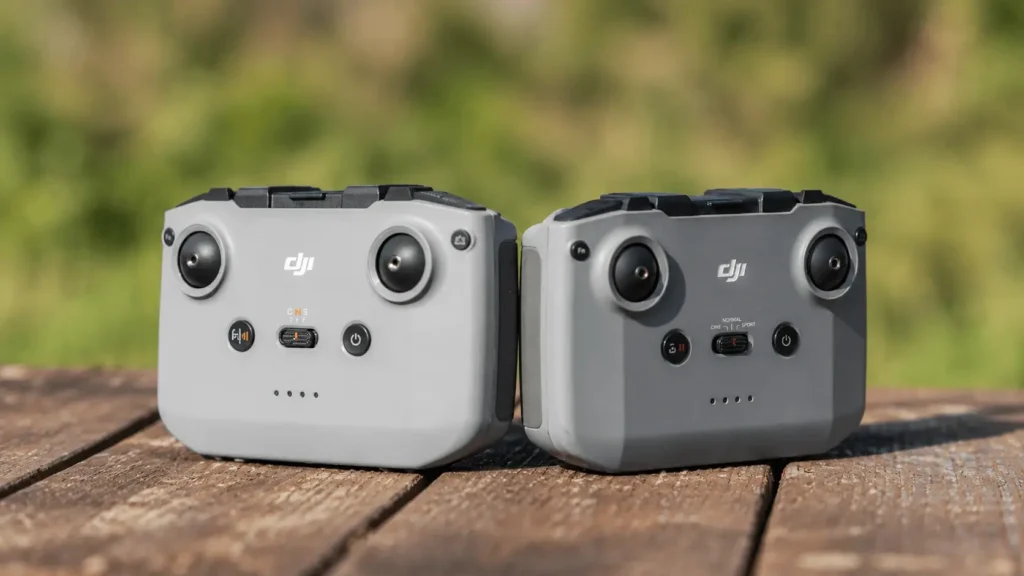
If the drone you’re actually flying is newer than a Mavic 2, Mini 2, or Air 2S, you don’t want the original DJI Smart Controller at all. You want one of DJI’s current screen-equipped controllers. Here’s how they map to what’s flying today:
- DJI RC N1 and DJI RC: no built in screen on the RC N1 (paired with your phone); the DJI RC does have a built in screen. Both are built for O3 aircraft such as the Mini 3 series, Air 2S, and the original Mavic 3 series.
- DJI RC N2 and RC N3: no built-in screen, pairs with your phone. These are O4 controllers, compatible with Mini 4 Pro, Air 3, Air 3S, Neo, Flip, and other current O4 aircraft. They are not compatible with the Mini 3 series, which uses O3.
- DJI RC 2: built-in screen, the modernized successor to the original Smart Controller concept. It covers Mini 4 Pro, Air 3, Air 3S, Mini 5 Pro, and other current O4 drones with a 5.5″ screen rated around 700 nits.
DJI RC Pro and RC Pro 2: the direct spiritual successor to the original Smart Controller, aimed at professional users. RC Pro 2 supports current O4/O4+ aircraft like the Mavic 4 Pro, Mini 5 Pro, Air 3, and Air 3S, with a brighter 7-inch Mini LED display and more onboard storage than the original RC Pro.
The important distinction: a controller’s screen and general shape don’t guarantee compatibility. DJI controllers are tied to a specific transmission generation (OcuSync 2.0, O3, O3+, O4, O4+), and the aircraft has to use the matching generation; sharing a similar name or look means nothing on its own. If you own a current-generation DJI drone, check DJI’s official compatibility chart for your exact model and firmware version rather than assuming any “smart controller” will pair with it.
Should You Still Buy the Original DJI Smart Controller in 2026?
It depends entirely on what you’re already flying.
It’s worth buying if:
- You own a Mavic 2 Pro, Mavic 2 Zoom, Mavic 2 Enterprise, Phantom 4 Pro V2.0, Mavic Air 2, Air 2S, or Mini 2, and you’re tired of clamping a phone into the standard remote.
- You fly commercially or in bright outdoor conditions where a 1000 cd/m² screen is a real usability upgrade over a smartphone.
- You want HDMI output for a client or director monitor on set, something the standard Mavic 2 remote never had.
- You can find a renewed or used unit in good condition for meaningfully less than what a comparable current-generation smart controller costs.
Skip it if:
- You fly anything released after the Mini 2/Air 2S generation. It simply won’t bind to newer aircraft.
- You’re comparing it against a brand new DJI RC or RC 2 for a current drone. Buying long-discontinued hardware for an aircraft it was never designed for is a waste of money.
- You need ongoing firmware support. DJI’s update cadence for this specific controller has slowed dramatically since the 2021 discontinuation.
Frequently Asked Questions
Does the DJI Smart Controller work with the Mavic 3?
No. The Mavic 3 series uses O3/O3+ transmission, which the original Smart Controller’s OcuSync 2.0 hardware doesn’t support.
Can I use the DJI Smart Controller with the Mini 3 or Mini 4 Pro?
No. Both use O3/O4 transmission systems introduced after the Smart Controller’s OcuSync 2.0 hardware was finalized.
Is the DJI Smart Controller the same as DJI RC or RC Pro?
No, though they solve the same problem (a controller with a built-in screen). The original Smart Controller (RM500) is an older, discontinued product for OcuSync 2.0 aircraft. DJI RC, RC 2, RC Pro, and RC Pro 2 are current products built for today’s O3/O4 aircraft.
Why is the DJI Smart Controller out of stock everywhere?
DJI discontinued new production around August 2021. What’s available now is refurbished stock, renewed units, or used listings from third-party sellers, not a manufacturing shortage of a currently produced item.
Can third-party apps run on the DJI Smart Controller?
Yes. It runs a customized Android OS, and DJI places no official limit on how many third-party apps you install, though DJI doesn’t provide support if a third-party app causes issues; you’d need to uninstall it or factory reset the controller.
Final Thoughts
The confusion around “what drones work with the DJI Smart Controller” usually comes down to which controller people mean. If you own a Mavic 2 Pro, Mavic 2 Zoom, a Mavic 2 Enterprise variant, Phantom 4 Pro V2.0, Mavic Air 2, Air 2S, or Mini 2, the discontinued RM500 is still a solid upgrade over flying off your phone. Anything newer simply won’t work. OcuSync 2.0 hardware can’t be updated into an O3, O3+, O4, or O4+ controller, so this is a hardware limit, not a firmware setting.
The safest approach is to work backward from your aircraft: check its transmission generation on DJI’s official compatibility chart, then match it to the right controller, whether that’s the original Smart Controller, DJI RC, RC 2, RC Pro, or RC Pro 2. A similar look or name doesn’t mean compatibility.
If you do buy the original Smart Controller, shop renewed or used listings with a return policy, confirm included accessories like the charger and spare control sticks, and treat any price near or above the original launch price as a red flag.
Read More: DJI FPV Remote Controller 3 Review: Is It Still Worth Buying?