

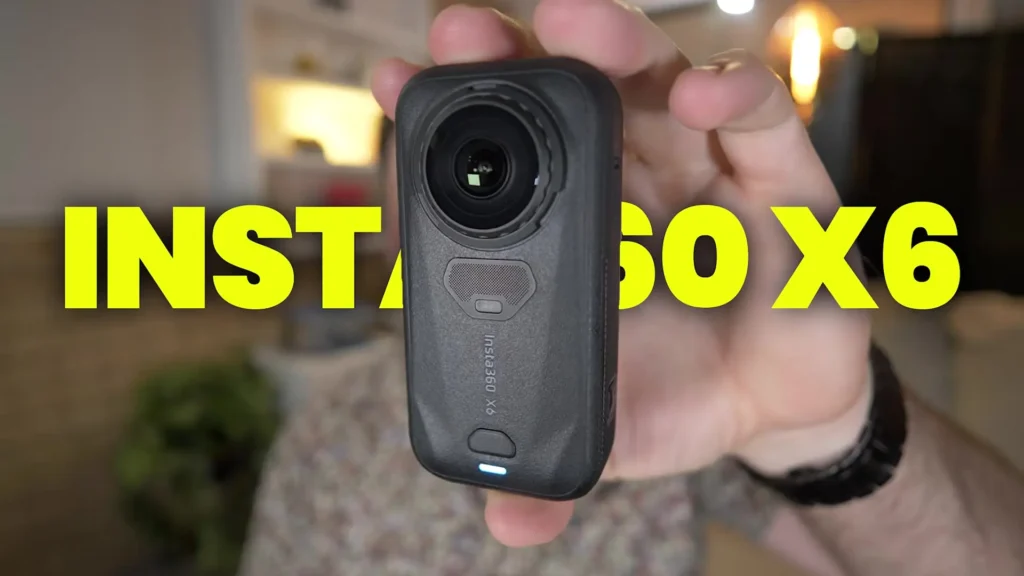
Insta360 has just released their latest flagship camera, the Insta360 X6, and it represents a significant evolution in the 360 camera space. With exciting new features, upgraded hardware, and a refined design, the X6 is clearly built to push the boundaries of what a 360 camera can do.
For full transparency, the Insta360 X6 was provided for review purposes, and this content has been sponsored by Insta360. That said, every experience and opinion shared here reflects genuine hands-on testing across multiple real-world scenarios.
Table of Contents
A New Form Factor That Finally Gets It Right
The first thing you will immediately notice about the Insta360 X6 is its form factor. It is a completely different shape compared to its predecessor. The X5 had a taller, more rectangular style, while the X6 is slightly more squared off. It still maintains that rectangular feel, but it is noticeably more compact, making it fit much more comfortably in a bag or a pocket.
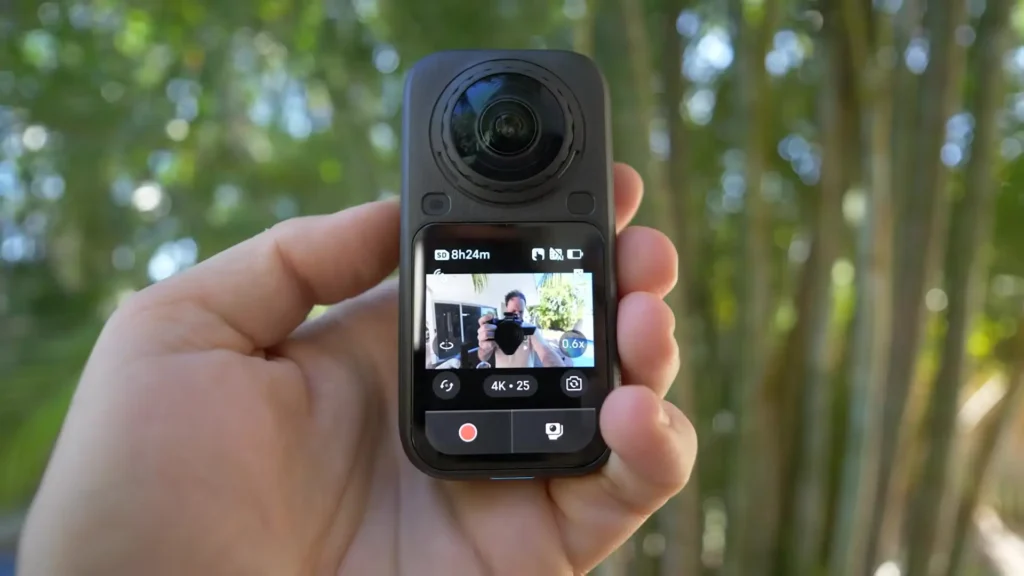
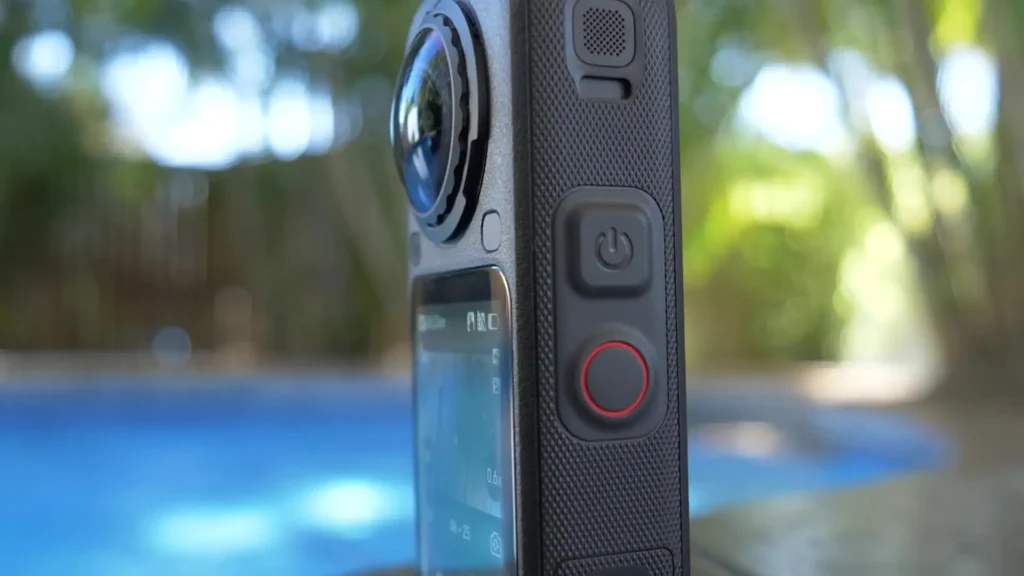
With this smaller design comes one notable change: there are no physical buttons on the front this time. Instead, you get a gorgeous display with a relatively tall rectangular design that feels very natural to interact with.
Insta360 seems to have hit the sweet spot with the size of this camera, and it genuinely feels like a device that has been thoughtfully designed for everyday carry.

Pressure Sensitivity Screen
Rather than traditional buttons, the X6 uses a pressure pad system behind the screen. You press and hold with pressure to start recording, and press and hold again to stop. While it takes a little time to get used to, it quickly becomes second nature. The real advantage here is practicality.
Whether you have gloves on while skiing, you are riding a motorbike, or you are doing anything outdoors where removing your gloves is not ideal, you can simply press and hold to start or stop recording without any fuss. It is a clever solution that makes the camera far more versatile in active environments.
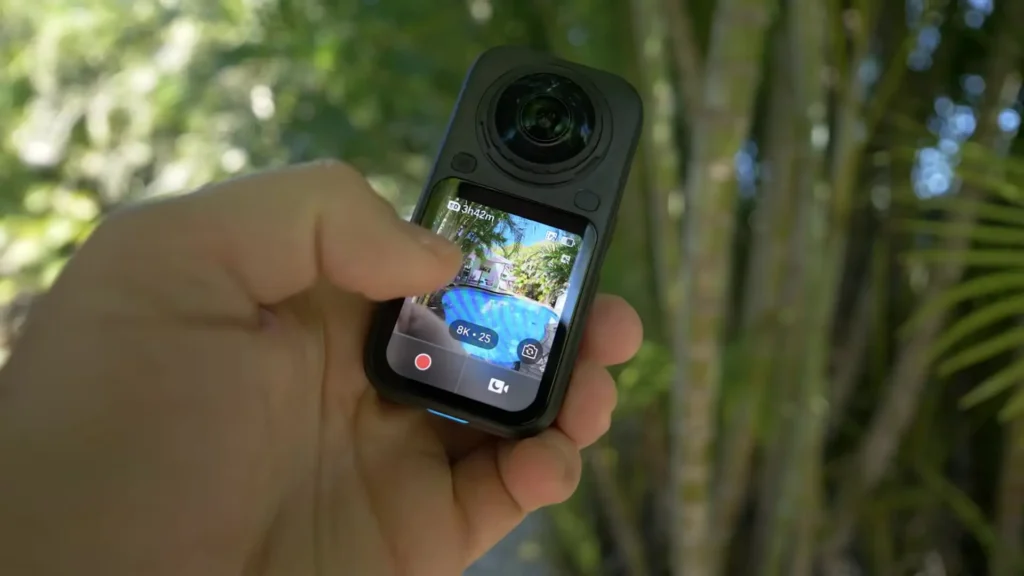
The screen itself is a 2.32-inch full-size OLED display. It is buttery smooth, extremely responsive to every input, and there is no stuttering or delay whatsoever. For a flagship camera system, you would expect it to be flawless, and it really is. The ultra-low power consumption of the OLED panel also contributes to noticeably better battery life, which we will get into shortly.
Custom Sony Sensors and Imaging Quality
One of the most exciting hardware upgrades in the Insta360 X6 is the move to dual custom Sony sensors. These are 1/1.1-inch sensors, which gives the X6 a 1-inch equivalent 360 camera experience. That is a massive leap forward in terms of imaging capability, and it shows in the results.
The color science coming out of these sensors is beautiful. Every clip, every photo, and every mode tested delivered impressive detail, dynamic range, and color accuracy.
Low-light performance has been drastically improved, and you can see that throughout the footage captured at a real-world album launch party, where the camera recorded an hour straight in Dolby Vision 8K at 25 frames per second without stuttering, stopping, or even getting warm to the touch.
That kind of reliability in a demanding low-light environment speaks volumes about the hardware improvements Insta360 has made.
Dolby Vision and 10-Bit Color
The Insta360 X6 is the first native Dolby Vision solution in any 360 camera. This is a genuinely impressive milestone. Combined with 10-bit color depth and the ILog mode, the X6 gives creators far more control and flexibility during the editing process. Whether you are color grading professionally or simply want richer, more detailed footage, the 10-bit upgrade over the X5 is a welcome and meaningful improvement.
Testing at a later event in Sydney also highlighted the pure video mode, which is specifically designed for low-light recording. The results were even more impressive than expected, performing exceptionally well in challenging lighting conditions and producing clean, detailed footage where many cameras would struggle.
Triple AI Chip System
Under the hood, the X6 also features a triple AI chip system embedded directly into the unit. This hardware upgrade enables better overall performance and powers many of the intelligent AI features built into the camera and its companion app, which will be covered in more detail below.
Three Shooting Modes in One Camera
One of the standout aspects of the Insta360 X6 is the way Insta360 has approached shooting versatility. They have created three distinctly different modes of shooting, and each one works exceptionally well.
360 Mode
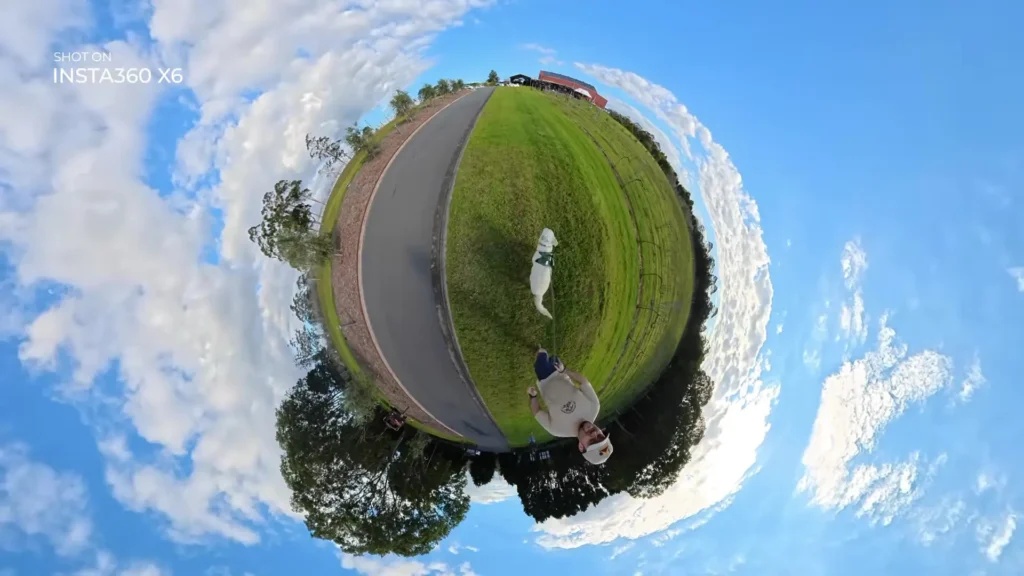
The first is the traditional 360 mode, which shoots at 8K at 50 frames per second and also supports 120-megapixel 360 photos. This is the full 360 experience where you can reframe, move the perspective around, create tiny planet shots, track subjects, and do everything you would expect from a high-end 360 camera. It gives you complete creative control over the footage in post.
InstaFrame 2.0
The second mode is InstaFrame 2.0, which essentially turns the X6 into a gimbal inside a 360 camera body. You can enable active tracking on a person, an animal, or any subject, and the camera will follow them regardless of where you are holding or pointing the device. Because it is a 360 camera, it can keep tracking the subject no matter how the camera moves.
The output here is a flat video that goes up to 4K at 30 frames per second, ready to be shared directly on social media without any additional editing through a 360 editor.
As a bonus, it simultaneously captures an 8K 360 video as a backup file, so you still have the full 360 footage if you want to work with it later. This mode alone makes the X6 a powerful tool for content creators who want shareable footage quickly without complex post-production workflows.
Single Lens Flat Mode
The third mode is a single lens flat mode that turns the X6 into something close to an action camera. In this mode, it supports 5K at 60 frames per second with a 170-degree ultra-wide angle view, 5K at 30 frames per second, and even 4K at 120 frames per second for slow-motion shots. Switching between all three modes is seamless, with no delays or issues, and each mode delivers great results in real-world use.
Zero Edit Features and AI-Powered Editing
One of the most common frustrations with 360 cameras has always been the editing process. You need to bring footage into a 360 editor, reframe everything, and then potentially take it into another program for further editing.
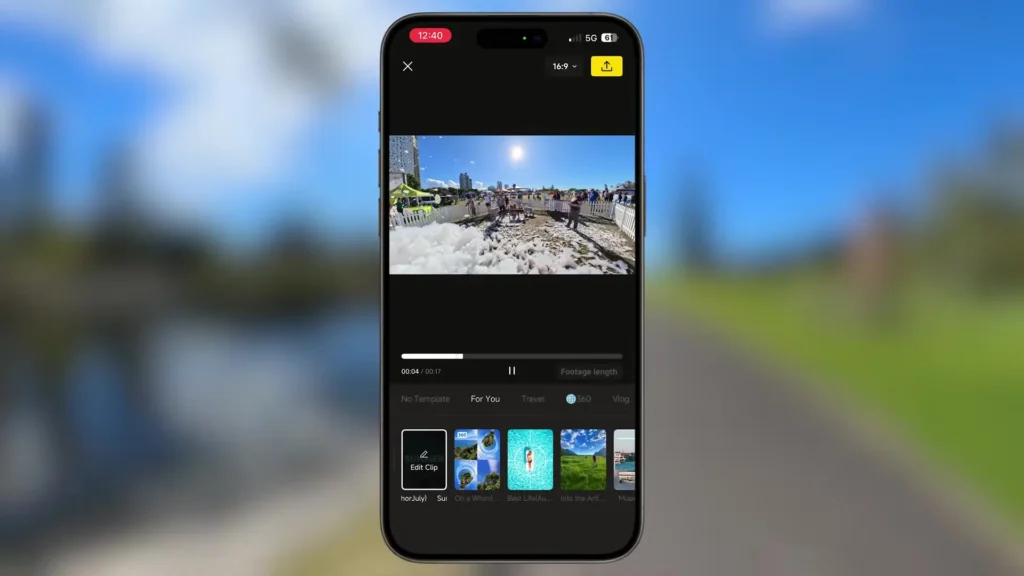
It is time-consuming and can be a barrier for many people who just want to capture and share content quickly. Insta360 has clearly taken this pain point seriously with the X6.
AI Director
The AI Director is arguably the most exciting software feature on the X6, and notably, it is also coming to the X5 as a free update, which shows that Insta360 genuinely cares about supporting previous customers. Once enabled on the camera, the AI Director works entirely locally, meaning it does not need an internet connection or any external service.
When you plug the camera in to charge overnight, it automatically edits clips together from your previous day of shooting. You will receive a notification on your phone, and when you tap it, a finished edit is waiting for you complete with transitions, effects, templates, and music.
You still have full control to adjust, reframe, and further edit the result, but the heavy lifting is done for you. For anyone who has felt intimidated by the 360 editing workflow, this feature alone makes the X6 significantly more accessible and enjoyable to use.
Auto Edit 2.0
The app also features Auto Edit 2.0, where you can select a handful of clips and the system automatically identifies and synchronizes the best moments, creating a finished video without any manual work.
This feature covers 30 different shooting scenarios including travel, daily recording, skiing, motorcycling, diving, cycling, and more. The breadth of scenarios supported shows how much thought Insta360 has put into making this feature genuinely useful across a wide range of users and activities.
Battery Life
Battery life has seen a significant upgrade with the Insta360 X6. The new 2600mAh extreme battery supports up to 140 minutes of continuous 8K at 30 frames per second recording. Insta360 claims this is a 51% improvement over the X5, and from real-world testing, that improvement is very noticeable.
During full-day shoots, including the album launch event and testing in Sydney, there was never a need to swap out the battery mid-shoot. Charging was only needed at the end of the day, which is exactly what you want from a camera you are using throughout an active day.
Microphone System
The microphone system has also been redesigned. The X6 now features a 360-degree windproof microphone system that captures full directional audio while actively filtering wind noise. For anyone shooting outdoors in variable conditions, this is a practical and welcome improvement over previous generations.
Build Quality and Replaceable Lenses
Build quality across the board is excellent. The unit feels premium and well-constructed, and there are no concerns about the overall durability or finish of the camera.
The replaceable lenses have also been updated to what Insta360 is calling Replaceable Lenses 2.0. The design has been refined to make swapping lenses easier and quicker on the fly, and in testing it was a simple and smooth process.
The editing workflow, both through the desktop editor and the mobile app, was equally flawless. No stuttering, no bugs, no crashes, and everything worked straight out of the box from day one.
Specifications Table
| Feature | Details |
|---|---|
| Camera Name | Insta360 X6 |
| Sensors | Dual Custom Sony 1/1.1-inch Sensors |
| Sensor Equivalent | 1-Inch Equivalent 360 Camera |
| Max Video Resolution | 8K at 50fps (360 Mode) |
| Single Lens Mode | 5K at 60fps, 4K at 120fps |
| InstaFrame 2.0 Output | 4K at 30fps Flat Video |
| Photo Resolution | 120 Megapixels (360 Photo) |
| Color Depth | 10-Bit with ILog Mode |
| Dolby Vision | Yes, First Native Dolby Vision 360 Camera |
| AI Chip | Triple AI Chip System |
| Display | 2.32-Inch Full-Size OLED |
| Input Method | Pressure Sensitivity Touch Screen |
| Battery Capacity | 2600mAh Extreme Battery |
| Battery Life | Up to 140 Minutes at 8K 30fps |
| Battery Improvement | 51% Increase Over X5 |
| Microphone | 360-Degree Windproof Microphone System |
| Lenses | Replaceable Lenses 2.0 |
| AI Features | AI Director, Auto Edit 2.0 |
| Auto Edit Scenarios | 30 Shooting Scenarios Supported |
| Editing Compatibility | Desktop Editor and Mobile App |
Final Thoughts on the Insta360 X6
The Insta360 X6 is a genuinely impressive flagship 360 camera that addresses real-world problems that users have faced with previous generations. The move to custom Sony sensors, the introduction of native Dolby Vision, 10-bit color, the triple AI chip system, and the three-in-one shooting modes all combine to create a camera that is more capable, more versatile, and more user-friendly than anything Insta360 has released before.
Read More: GoPro Mission 1 Pro Best Video Settings