
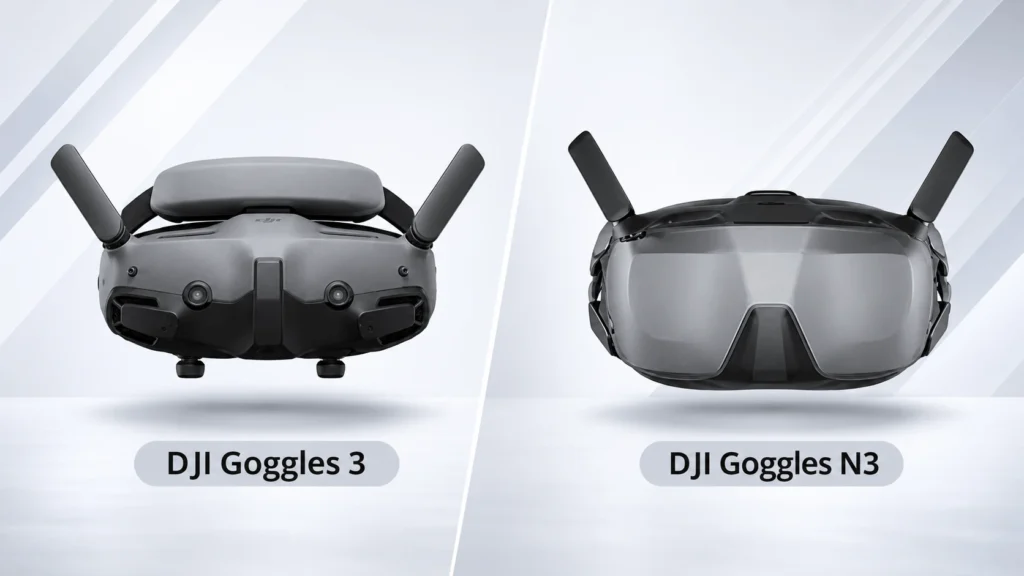
DJI’s FPV goggles lineup currently splits into two models that look similar at a glance but are built for genuinely different pilots and budgets. The DJI Goggles 3 is the premium, flagship headset, while the DJI Goggles N3 is the more affordable, accessible option. Searching DJI Goggles 3 vs DJI Goggles N3 turns up a lot of surface-level spec sheets, but the real differences go deeper than screen count: they affect which drones you can actually fly, how comfortable the fit is if you wear glasses, and how much latency you’ll notice in fast, technical flying.
This guide breaks down every meaningful difference between the two, including one compatibility detail that trips up a lot of buyers, so you can figure out which one actually fits your setup before spending the money.
Table of Contents
Quick Answer
The DJI Goggles 3 is the higher-end option: dual micro-OLED screens, a 100Hz refresh rate, adjustable diopters and IPD, Real View picture-in-picture, wireless live-feed sharing, and broader drone compatibility that includes the O3 Air Unit, DJI Air 3, and DJI Mini 4 Pro.
The DJI Goggles N3 is the budget-friendly alternative: a single 1080p LCD screen at 60Hz, a roomier box-style design that fits comfortably over glasses, and support limited to DJI’s newer O4-based drones. In the DJI Goggles 3 vs DJI Goggles N3 decision, the N3 is the better fit if you’re flying only O4-equipped drones like the Avata 2 or Neo and want to save a meaningful amount of money; the Goggles 3 is the better fit if you already own or plan to fly O3 Air Unit builds, the DJI Air 3, or the Mini 4 Pro, since the N3 simply won’t connect to those systems.

DJI Goggles 3 vs DJI Goggles N3: Specification Comparison
| Specification | DJI Goggles 3 | DJI Goggles N3 |
| Display | Dual 0.49-inch micro-OLED | Single 1080p LCD (box-style, mirror-reflected) |
| Resolution | 1920×1080 per eye | 1920×1080 single screen |
| Refresh rate | Up to 100Hz | Up to 60Hz |
| Field of view | 44 degrees | 54 degrees |
| Minimum latency (with Avata 2) | Around 24ms | Around 31ms |
| Vision adjustment | Adjustable IPD (56-72mm) and diopters (-6.0D to +2.0D) | No IPD or diopter adjustment; designed to fit over glasses |
| Approximate weight | Around 470g | Around 536g |
| Battery life | Approximately 3 hours | Approximately 2.7 hours |
| Real View picture-in-picture | Yes | Not supported |
| Live feed sharing | Wi-Fi wireless or USB-C wired | USB-C wired only |
| Defogging | Standard | One-tap defogging with internal fan |
| Video transmission | DJI O4, up to 60Mbps with Avata 2 | DJI O4, up to 60Mbps with Avata 2 |
| O3 Air Unit support | Yes, after a firmware update | No |
| Approximate price | $499 | $230 |
Display and Visual Experience
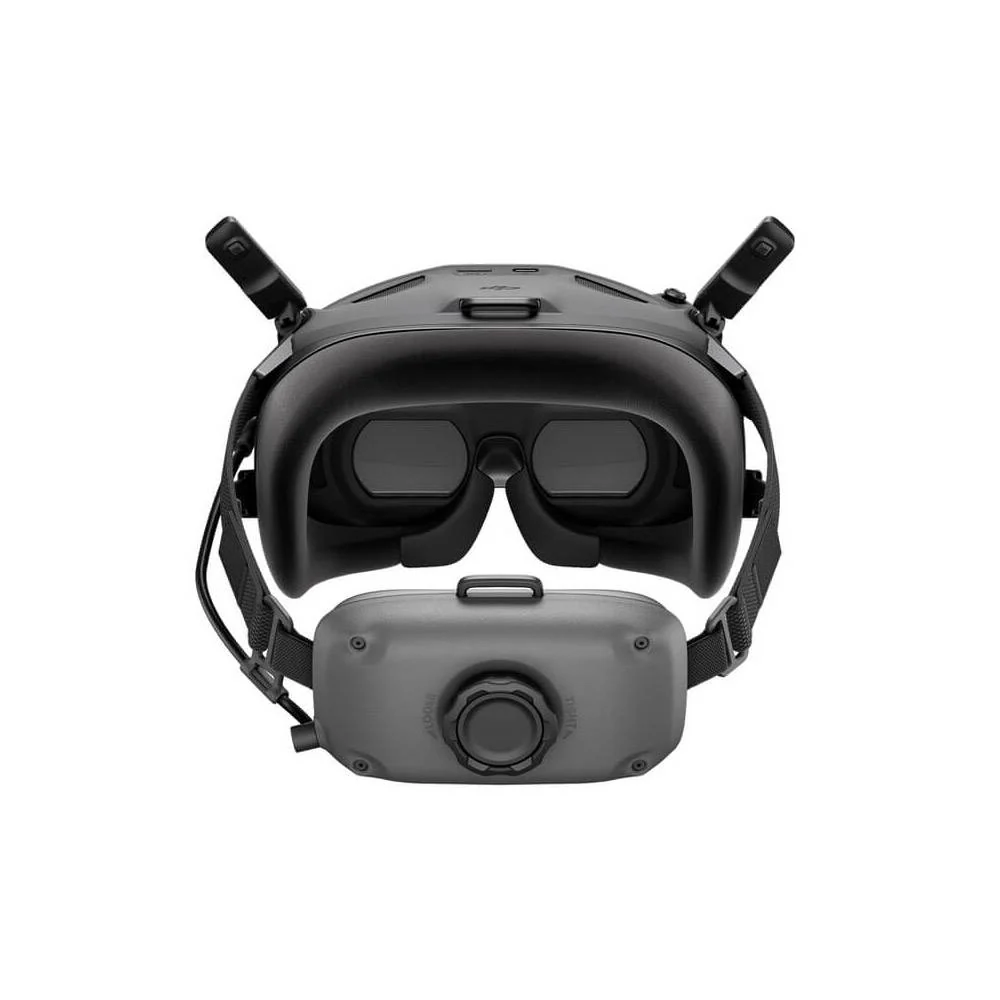
This is where the DJI Goggles 3 vs DJI Goggles N3 difference is most immediately obvious. The Goggles 3 uses dual micro-OLED panels, one per eye, running at up to 100Hz with a 44-degree field of view. The result is a sharper, higher-contrast image with noticeably lower latency, which matters most to pilots doing technical or competitive flying where every millisecond of lag counts.
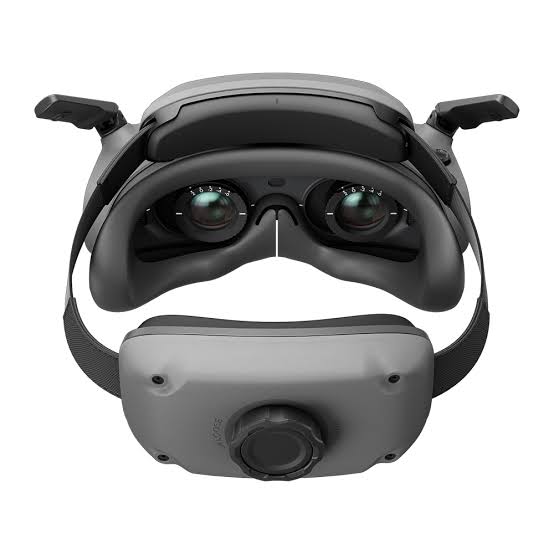
The Goggles N3 takes a different approach entirely: a single 1080p LCD screen mounted on the roof of the goggles, reflected to your eyes through a mirror in front, similar in concept to older box-style FPV headsets. This gives the N3 a wider 54-degree field of view and a viewing experience some pilots find more natural since the image appears to sit further away, reducing eye strain during long sessions. The trade-off is a lower 60Hz refresh rate and a image that doesn’t match the Goggles 3’s OLED sharpness and contrast.

Comfort and Fit
The DJI Goggles N3’s box-style design has one clear advantage: it’s built to be worn comfortably over prescription glasses, with no IPD or diopter adjustment needed because the larger single-screen layout accommodates glasses naturally. The DJI Goggles 3, by contrast, offers adjustable IPD (56mm to 72mm) and diopter correction from -6.0D to +2.0D, letting glasses-wearers dial in their exact prescription directly into the goggles instead of wearing glasses underneath.
Interestingly, despite having a simpler single-screen layout, the N3 is reported to be slightly heavier than the Goggles 3, around 536g compared to roughly 470g, largely due to its larger box-style shell and headband-integrated battery. If all-day comfort over glasses is your priority, the N3’s design works well for that specific use case. If you don’t wear glasses or prefer a more compact fit with precise optical adjustment, the Goggles 3’s diopter system is the more tailored solution.
Compatibility: The Difference That Actually Matters Most
This is the single most important factor in the DJI Goggles 3 vs DJI Goggles N3 decision, and it’s where a lot of buyers get tripped up by assuming the N3 is simply a cheaper version of the same headset. It isn’t quite that simple.
Both goggles support DJI’s O4 video transmission system and work with the DJI Avata 2, DJI Neo (and Neo 2, when fitted with its optional Digital Transceiver), and O4 Air Units in general. Where they diverge is everything built around DJI’s older O3 system and certain camera drones: the DJI Goggles 3 supports the O3 Air Unit (after a firmware update), the DJI Air 3, and the DJI Mini 4 Pro. The DJI Goggles N3 supports none of these.
If you’re flying an O3-based FPV build, or you own an Air 3 or Mini 4 Pro and want to use goggles with it, the N3 simply will not connect, no firmware update changes that, since it’s a hardware-level limitation tied to which transmission systems the N3 was designed to decode.
Neither headset works with analog, Walksnail, HDZero, or OpenIPC video systems; those require goggles built specifically for those formats. It’s also worth separating video from control in your head: if you’re flying a custom FPV build, your ELRS receiver and radio still handle flight control independently of which DJI goggles you choose for video, DJI’s RC Motion 3 or FPV Remote Controller 3 are alternative control options, not a requirement for receiving the video feed itself.
Features: Real View, Live Sharing, and Defogging
The DJI Goggles 3 includes Real View picture-in-picture, letting you see a small live camera feed of your real surroundings overlaid in the corner of your FPV view, useful for keeping track of nearby obstacles or people without fully breaking immersion. The Goggles N3 doesn’t offer this feature.
For sharing your flight live with others, the Goggles 3 supports wireless Wi-Fi sharing in addition to a wired USB-C connection, while the N3 is limited to USB-C wired sharing only.
The N3 does have one practical feature the Goggles 3 doesn’t specifically highlight: one-tap defogging powered by an internal fan, handy for pilots flying in cold or humid conditions where lens fogging is a recurring annoyance.
Price: The Real Deciding Factor for Many Buyers
The price gap between these two is substantial. The DJI Goggles N3 comes in at roughly $230, while the DJI Goggles 3 sits at approximately $539, more than double. For pilots who only fly O4-equipped drones like the Avata 2 or Neo and don’t need the sharper display or broader compatibility, that’s a meaningful amount of money saved for a very similar core flying experience.
The Goggles 3’s higher price buys you a sharper display, lower latency, broader drone compatibility, and glasses-free optical adjustment, features that matter a lot to some pilots and not at all to others.
Which Should You Choose?
- Choose the DJI Goggles N3 if you fly only O4-equipped drones (Avata 2, Neo, Neo 2 with Digital Transceiver, or a custom O4 Air Unit build), want to save a meaningful amount of money, and either wear glasses or prefer a roomier, more relaxed fit.
- Choose the DJI Goggles 3 if you fly or plan to fly an O3 Air Unit build, a DJI Air 3, or a DJI Mini 4 Pro, since the N3 cannot connect to any of these. Also choose the Goggles 3 if you want the sharpest image, lowest latency, and precise optical adjustment without relying on external glasses.
FAQ
Can the DJI Goggles N3 connect to an O3 Air Unit?
No. Current DJI compatibility does not include O3 support for the Goggles N3. The DJI Goggles 3 supports both O3 (after a firmware update) and O4.
Which has lower latency, DJI Goggles 3 or Goggles N3?
The DJI Goggles 3 has lower latency, around 24ms minimum with the Avata 2, compared to roughly 31ms minimum on the Goggles N3.
Is the DJI Goggles N3 compatible with the DJI Air 3 or Mini 4 Pro?
No. Only the DJI Goggles 3 supports the DJI Air 3 and DJI Mini 4 Pro. The Goggles N3 is limited to O4-based drones like the Avata 2 and Neo.
Can I wear glasses with the DJI Goggles 3 or Goggles N3?
Both can accommodate glasses, but differently. The Goggles N3’s roomier box-style design is built to fit comfortably over glasses. The Goggles 3 instead offers adjustable diopters (-6.0D to +2.0D) so many users can skip wearing glasses altogether.
Is the DJI Goggles N3 worth it compared to the Goggles 3?
If you only fly O4-equipped drones and want to save over $250, the Goggles N3 offers a genuinely capable, more affordable experience. If you need broader compatibility, lower latency, or the sharpest possible image, the Goggles 3 is worth the higher price.
Final Verdict
The DJI Goggles 3 vs DJI Goggles N3 comparison isn’t really about one goggle being objectively better than the other, it’s about matching the headset to your actual drone lineup and flying priorities. The Goggles 3 is the more capable, more future-proof option with broader compatibility and a noticeably sharper, lower-latency display, justifying its higher price for pilots who need that flexibility or performance.
The Goggles N3 is a genuinely compelling budget option for anyone whose flying is limited to DJI’s newer O4 ecosystem, delivering a comfortable, glasses-friendly experience at less than half the price. Check exactly which drones and video systems you plan to fly before deciding, since compatibility, not features, is where this choice usually gets made.
Read More: What Drones Work With the DJI Smart Controller? Full Compatibility Guide