
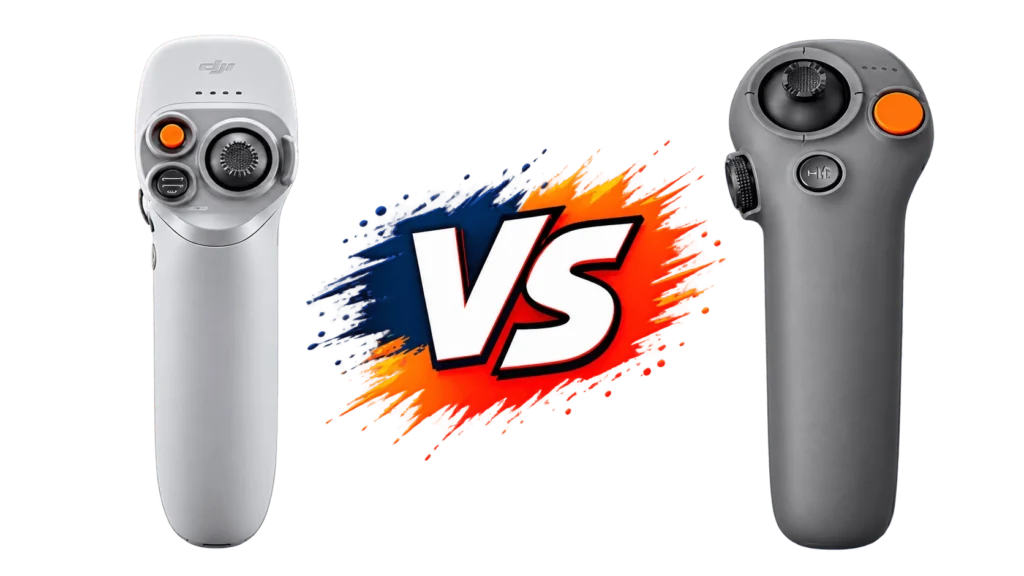
Motion controllers are DJI’s answer to flying an FPV drone without mastering traditional dual-stick controls, you simply point and tilt the controller in your hand, and the drone follows. Two generations of this idea currently exist: the RC Motion 2, bundled with the original DJI Avata, and the RC Motion 3, bundled with the DJI Avata 2. On the surface they look like simple refinements of the same gadget, but the DJI RC Motion 3 vs RC Motion 2 comparison actually involves real differences in size, control features, and which drones each one can even connect to.
This guide breaks down exactly what changed between generations, what each controller can and can’t do, and which one makes sense depending on which DJI drone you own or plan to buy.
Quick Answer
The DJI RC Motion 2 is the original motion controller, bundled with the DJI Avata and compatible only with that drone and its matching goggles setup. The RC Motion 3 is its successor, bundled with the DJI Avata 2, and brings a smaller, lighter form factor, a new Easy Acro mode for performing tricks, and the ability to navigate your goggles’ on-screen menus directly through the controller itself, something the RC Motion 2 cannot do.
The DJI RC Motion 3 vs RC Motion 2 decision mostly comes down to which drone you own: each controller is locked to its own generation of hardware, so the real choice isn’t about picking a better controller in isolation, it’s about which drone ecosystem you’re already in.

DJI RC Motion 3 vs RC Motion 2: Specification Comparison
| Specification | RC Motion 2 | RC Motion 3 |
| Color | White | Grey |
| Weight | 170g | 118g |
| Dimensions | 180 x 100 x 70mm | Smaller and more compact (exact figures not published) |
| Compatible drones | DJI Avata only | DJI Avata 2; DJI Air 3 and DJI Mini 4 Pro (with DJI Goggles 3); DJI Neo (with DJI Goggles 3 or Goggles N3) |
| Battery | Rechargeable Li-ion | Rechargeable, 2.6Ah, 5V |
| Release date | March 2023 | April 2024 |
| Box contents | Includes lanyard | Includes lanyard |
| Goggles menu navigation | No, requires the goggles’ own touchpad | Yes, via an AR cursor controlled by the controller |
| Easy Acro mode | No | Yes |
| Waypoint mission support | No | No |
| DJI Virtual Flight simulator support | Officially not supported, confirmed by DJI | Not confirmed as supported in official DJI documentation |
Design and Ergonomics
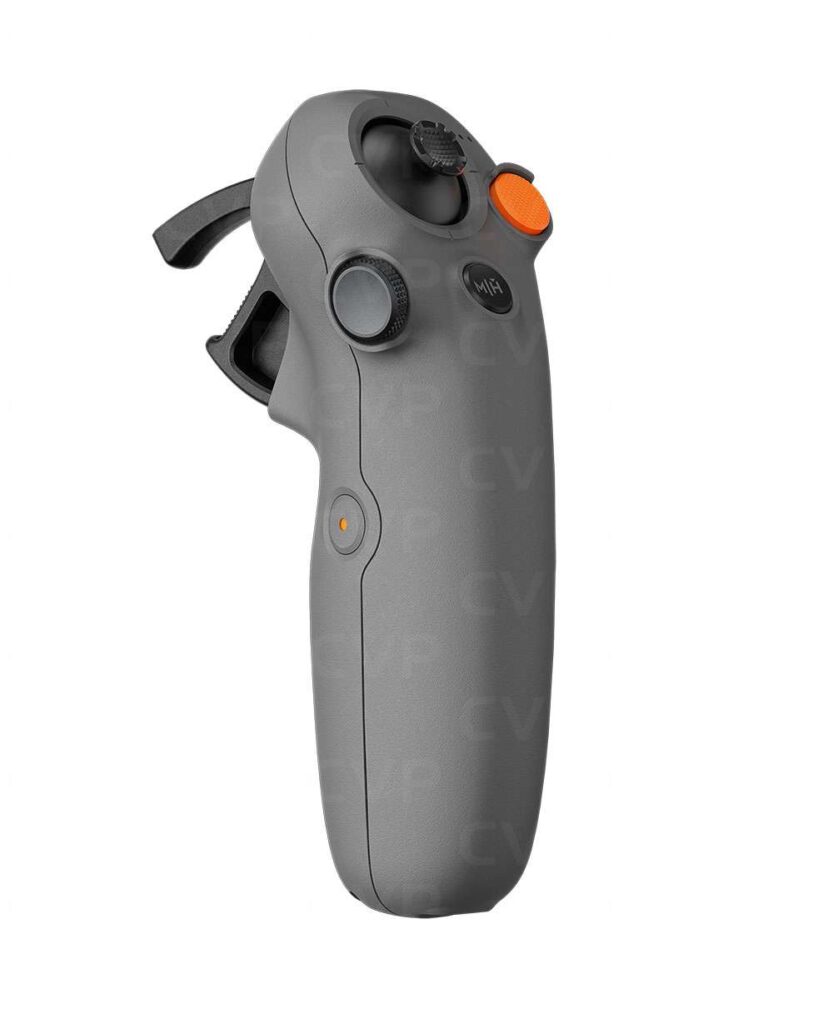
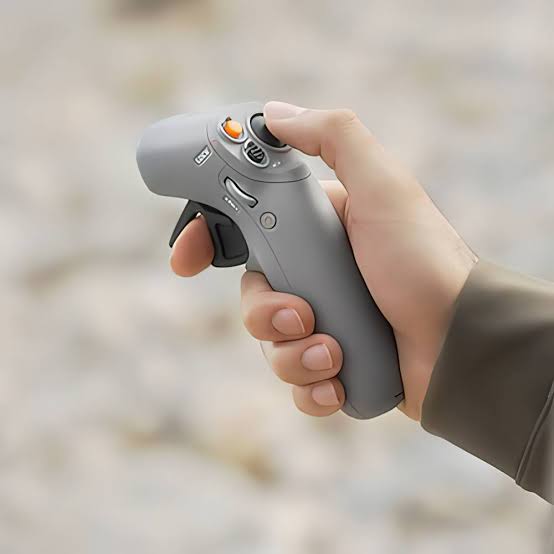
Both controllers work on the same basic principle: a trigger on the front controls acceleration and deceleration, a joystick-style button on top controls altitude (push up to climb, pull down to descend), and the whole unit relies on gyroscopic motion sensing, tilting the controller left or right banks the drone in that direction, tilting it down points the camera downward, and so on. You hold it roughly like a game controller, keeping it at a consistent angle so the gyro calibrates correctly relative to your hand position.
Where the two generations genuinely diverge is size and button layout. The RC Motion 2 weighs 170g and carries a more traditional button arrangement: a mode/return-to-home button, a separate brake button, a pressable FN wheel on the side for adjusting camera settings on the fly, and a dedicated record button. The RC Motion 3 drops to 118g, a meaningful weight reduction that makes it noticeably easier to hold for extended flights, and reorganizes the button layout around its smaller frame while keeping the same core brake, mode, and return-to-home functions.
What’s Actually New in the RC Motion 3
Beyond the smaller, lighter build, two features genuinely separate the RC Motion 3 vs RC Motion 2 experience.
Easy Acro mode lets pilots perform tricks and more dynamic aerial maneuvers directly through the motion controller, a capability the RC Motion 2 simply doesn’t offer. This is aimed at pilots who want more expressive, dynamic footage without switching to a full manual FPV stick setup.
Direct goggles menu navigation is arguably the more practical upgrade. With the RC Motion 2, adjusting settings on your goggles required reaching for the goggles’ own touchpad. The RC Motion 3 adds an AR cursor system: you can point the controller at on-screen menu items in your goggles and select them directly, before takeoff or while hovering, meaning you can adjust camera settings, check connection status, and navigate menus without ever touching the goggles. For anyone who’s fumbled with a touchpad mid-flight, this is a genuine quality-of-life improvement.
Compatibility: Locked to Your Drone Generation
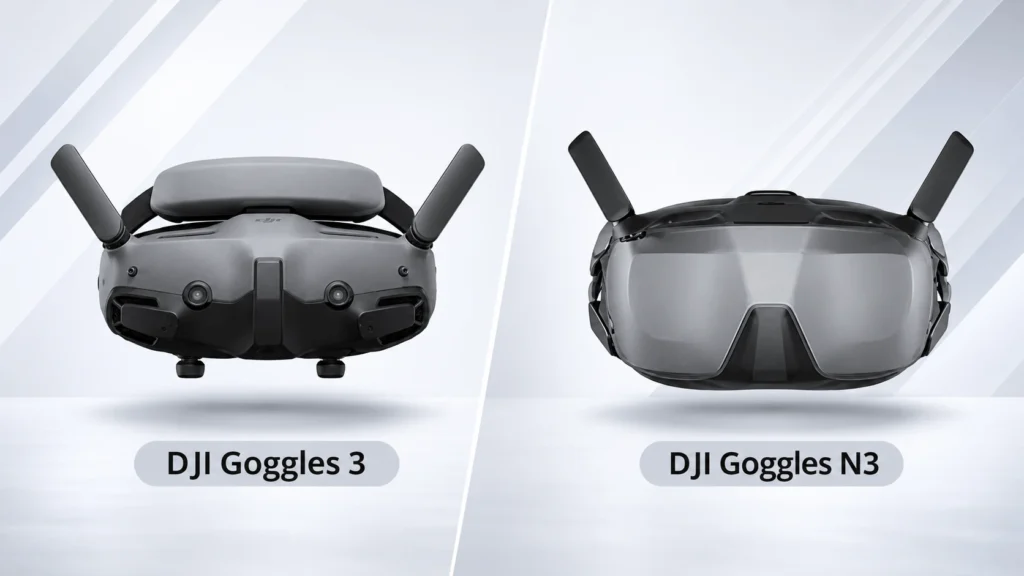
This is the single most important thing to understand in the DJI RC Motion 3 vs RC Motion 2 comparison, and it trips up a lot of buyers. Each motion controller only works with the drone generation it was designed alongside. The RC Motion 2 works exclusively with the original DJI Avata. The RC Motion 3 works with the DJI Avata 2 directly, and with the DJI Air 3, DJI Mini 4 Pro, and DJI Neo when paired with compatible goggles (DJI Goggles 3 for the Air 3 and Mini 4 Pro, or either Goggles 3 or Goggles N3 for the Neo). It will not connect to an original Avata at all, regardless of firmware updates.
In other words, you can’t buy whichever motion controller looks better and expect it to work with any DJI drone you happen to own. The controller is tied to the drone ecosystem it launched with, so your existing hardware effectively makes this decision for you in most cases.

What Neither Controller Can Do
It’s worth setting realistic expectations here, because both generations share the same core limitations. Neither the RC Motion 2 nor the RC Motion 3 supports Waypoint missions, DJI has confirmed directly through its own support channels that this feature simply isn’t available when flying with a motion controller, regardless of which drone you’re using. If programmed flight paths and automated missions matter to you, you’ll need a traditional stick-based controller like the RC 2 or RC-N2 instead.
DJI’s own documentation confirms the RC Motion 2 does not support the DJI Virtual Flight simulator app. The RC Motion 3’s simulator compatibility isn’t clearly confirmed in official DJI documentation either, and hands-on reports from pilots suggest it isn’t supported at this time, so it’s worth checking DJI’s current app compatibility list before assuming otherwise.
Either way, this is a genuine drawback for beginners, since motion control has a real learning curve, pilots commonly report needing several flights before feeling confident with the gyro-based steering, and there’s currently no clearly confirmed way to practice it risk-free indoors first.
Price and Value
The RC Motion 2 has been on the market longer and is now generally the more affordable of the two, frequently found discounted compared to its original launch price. The RC Motion 3 ships bundled directly with the DJI Avata 2, so for anyone buying that drone new, the cost of the controller is effectively built into the package rather than a separate purchase. If you already own an original Avata and are simply deciding whether to pick up an RC Motion 2, buying one on sale remains a reasonably priced way to add motion control to that setup.
Which Should You Choose?
In practice, the DJI RC Motion 3 vs RC Motion 2 decision resolves itself based on which drone you own or plan to buy, rather than a pure head-to-head feature comparison:
- If you own the original DJI Avata, the RC Motion 2 is your only motion-control option, and it remains a perfectly capable way to fly that drone.
- If you own or are buying a DJI Avata 2, Air 3, or Mini 4 Pro with Goggles 3, the RC Motion 3 is the only motion controller that will work, and it comes bundled with the Avata 2 specifically.
- If you’re choosing a new drone and want the best motion-control experience available, the RC Motion 3’s lighter weight, Easy Acro mode, and direct goggles menu navigation make it the clear upgrade, and it’s bundled free with the Avata 2 rather than needing a separate purchase.
FAQ
Can the RC Motion 3 be used with the original DJI Avata?
No. The RC Motion 3 works with the DJI Avata 2 directly, and with the DJI Air 3, DJI Mini 4 Pro, and DJI Neo when paired with compatible goggles (DJI Goggles 3, or Goggles N3 in the case of the Neo). It is not compatible with the original Avata.
Is the RC Motion 3 lighter than the RC Motion 2?
Yes. The RC Motion 3 weighs 118g compared to the RC Motion 2’s 170g, a noticeable reduction that makes it more comfortable to hold during longer flights.
Do either the RC Motion 2 or RC Motion 3 support Waypoint missions?
No. DJI has confirmed that Waypoint missions are not supported on either motion controller. Pilots who need programmed flight paths should use a traditional stick-based controller like the RC 2 or RC-N2 instead.
What’s new in the RC Motion 3 that the RC Motion 2 doesn’t have?
The RC Motion 3 adds Easy Acro mode for performing aerial tricks and the ability to navigate your goggles’ on-screen menus directly through the controller, rather than needing the goggles’ own touchpad.
Can I practice with the RC Motion 2 or RC Motion 3 in a flight simulator?
DJI has officially confirmed the RC Motion 2 does not support its Virtual Flight simulator app. The RC Motion 3 isn’t clearly listed as supported in official DJI documentation either, so most pilots end up building confidence through real flights rather than simulated practice. Check DJI’s current app compatibility page before assuming either way.
Final Verdict
The RC Motion 3 is a genuine, meaningful upgrade over the RC Motion 2: lighter, more refined, and capable of things the earlier generation simply can’t do, like Easy Acro tricks and direct goggles menu control. But because each controller only works with its own generation of DJI drones, this isn’t really a comparison most people get to act on freely. If you already own an Avata, you’re using the RC Motion 2.
If you’re buying into the newer Avata 2, Air 3, or Mini 4 Pro ecosystem, the RC Motion 3 comes along for the ride. The more useful question for most buyers isn’t RC Motion 3 vs RC Motion 2 in isolation, it’s whether motion control fits how you want to fly at all, given that both generations still lack Waypoint support and simulator practice.
Read More: DJI Goggles 3 vs DJI Goggles N3: What Is Different?