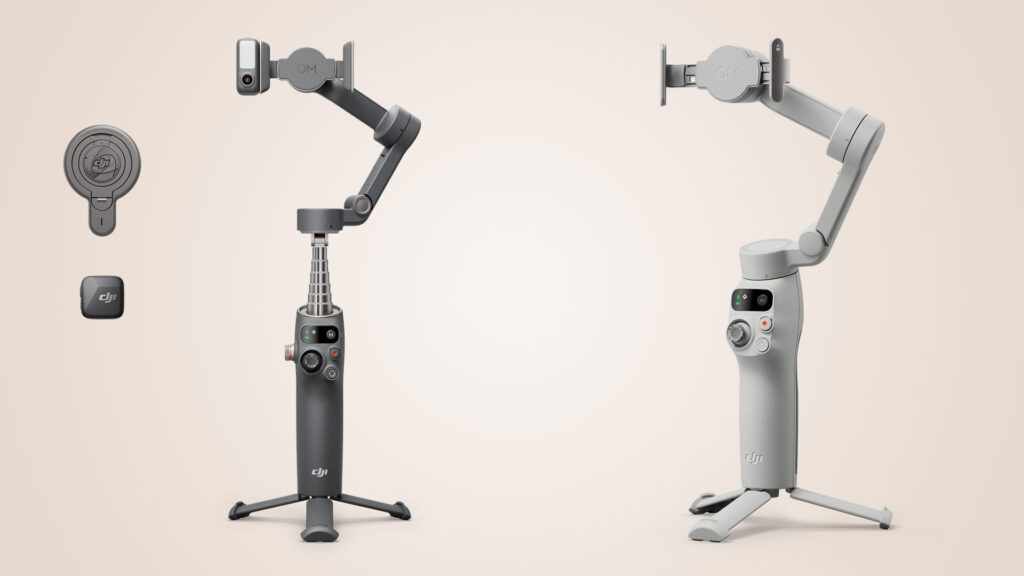

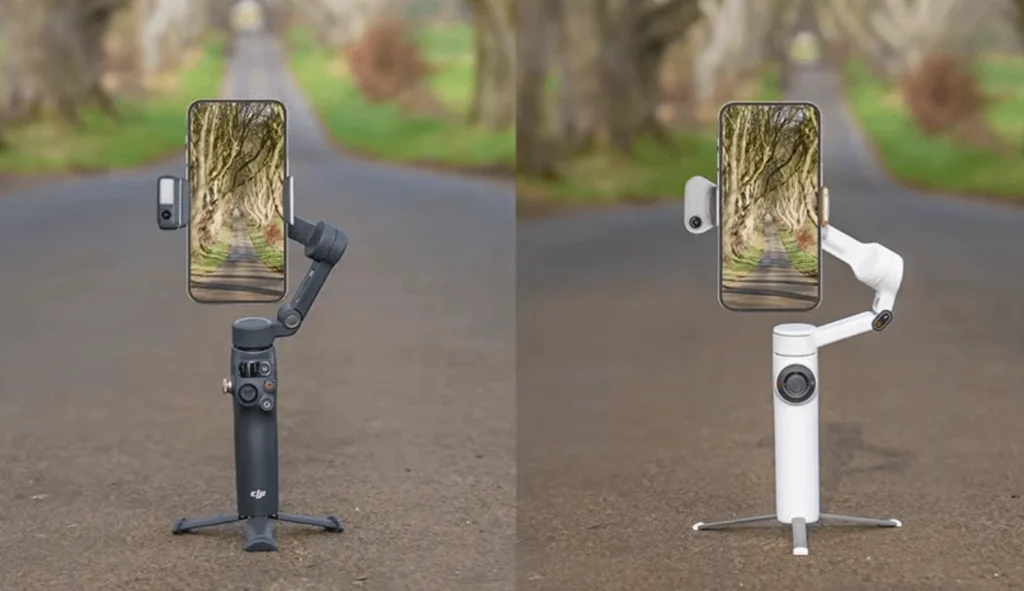
The DJI Osmo Mobile 7P and the Insta360 Flow 2 Pro are two of the best smartphone gimbals you can buy. Both now have a detachable AI tracker module that lets you track yourself in any app, so the choice comes down to details. This comparison covers design, controls, stabilization, battery life, range of motion, tracking in the companion apps, the tracker modules, Apple DockKit and price, so you can decide which one suits you.
Key Points: Osmo Mobile 7P vs Flow 2 Pro
| Feature | DJI Osmo Mobile 7P | Insta360 Flow 2 Pro |
|---|---|---|
| Tripod | Shorter legs | Longer legs, more stable |
| Handle comfort | More ergonomic | Less so |
| Pan range | About 90° right, 180° left | Unlimited rotation |
| Free tilt mode | No | Yes |
| Tracking methods | 2 | 3 (adds Apple DockKit) |
| Tracker module | Included | Extra cost in cheapest combo |
| Selfie mirror | No | Yes |
| Battery life | About 10 hours | About 10 hours |
| Stabilization | Top class | Top class |
| Price | Lower | Higher |
Design and Build Quality
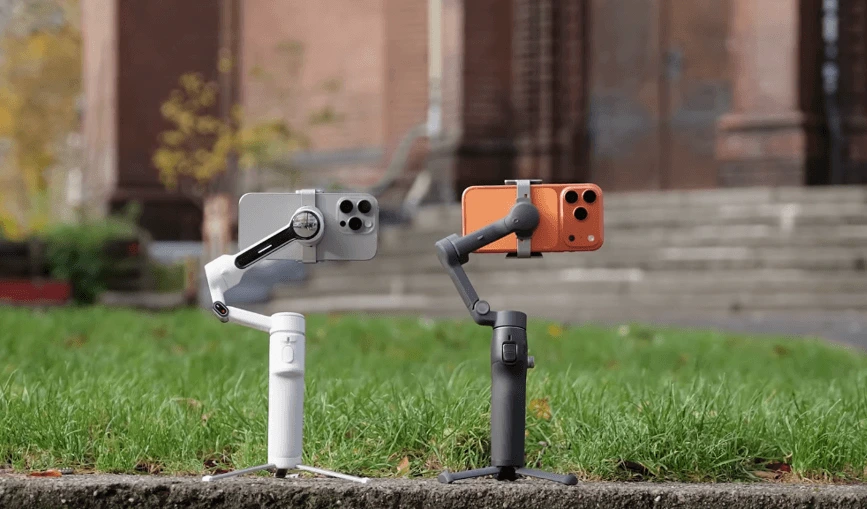
Size and portability. Folded, the two gimbals are almost the same size, and both slip easily into a coat pocket. Both use one-step rapid deployment: unfold the arm, attach the phone and start shooting. Unfolded, the Osmo Mobile 7P is a fraction taller, though the difference is tiny. Both have an extendable selfie stick with a tiltable head that rotates up to 90°.
Tripods. Each gimbal has a built-in tripod that pulls out from the bottom and expands, which is very handy when you want to set the gimbal down and let it track you. The Flow 2 Pro has longer legs, and the wider span gives it more stability. Because the phone acts like a sail in wind, both can rock a little, but the 7P’s shorter legs make it more likely to be blown over. Both also have a 1/4-inch mounting point on the bottom for attaching to a full-size tripod.

Weight and grip. On paper the Flow 2 Pro is slightly heavier, but you can hardly tell in the hand, since the handles are almost the same size. The reviewer finds the Osmo Mobile 7P more comfortable because the groove at the back has a softer angle that fits the hand better.
Clamps and Mounts
Both gimbals offer the same two ways to attach a phone. The first is a clamp that expands over the phone and attaches magnetically to the gimbal head. The two work the same way, but the 7P’s clamp has chunky rubber grips that hold the phone more securely. The Osmo 7P clamp also has one big drawback compared with Insta360’s version, covered in the tracker section below.
Both gimbals support phones up to 300 g. For reference, the iPhone 15 Pro Max used in the test weighs about 220 g, which leaves margin for accessories such as lens filters.

The second option is a MagSafe mount, sold separately, which snaps magnetically onto a MagSafe-compatible phone or case. The reviewer finds it much more convenient than the clamp. Unlike the older Osmo Mobile 6, both gimbals can also be folded down with the clamp still attached, so it is harder to lose.
Controls and Modes
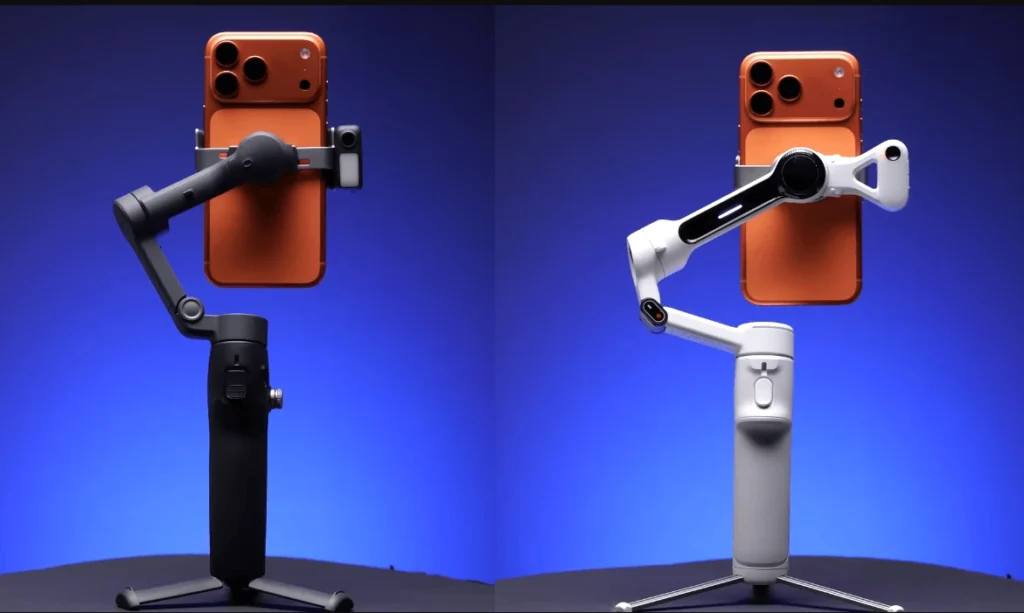
Visually the Flow 2 Pro is more minimalist, but in practice the controls work in much the same way.
- Scroll wheel (zoom): Both have one. The reviewer dislikes the 7P’s placement because the thumb keeps bumping it and triggering an accidental zoom.
- Joystick: The 7P has a more prominent, better-gripping joystick that is easier to move smoothly. The Flow 2 Pro’s feels a little notchy.
- Shutter and switch buttons: Both have a shutter button and a button to switch between horizontal and vertical orientation.
- Rear trigger: On both, it re-enters lock mode or switches the phone between forward and backward facing.
Gimbal modes. Both offer four modes that lock or unlock different axes:
- Follow: The tilt and pan axes follow your movement.
- Pan follow: Only the pan axis moves, so the horizon stays level.
- FPV: The pan, tilt and roll axes follow, giving a look similar to FPV drone footage.
- SpinShot: The phone rotates for a spinning effect. On the 7P it is a separate mode controlled with the joystick. On the Flow 2 Pro it works within FPV mode, using the scroll wheel.
The Flow 2 Pro also has an automatic mode that picks the movement to follow, which suits beginners who don’t want to choose modes.
Unique Design Features
The Flow 2 Pro has a selfie mirror on the gimbal head to help frame shots when using the phone’s rear cameras. Its arm has an indicator light that changes from solid to slowly flashing while recording, and a green tracking light around the top of the handle shows when tracking is active. The Osmo 7P’s only unique design feature is a small red recording light on the arm.
Stabilization
Both use 3-axis mechanical stabilization. In walking and running clips there is barely any difference, and both stabilize footage very well. A comparison against handheld footage while walking and zoomed in shows how much more stable a gimbal makes the footage, even though phones now have strong built-in stabilization.
Battery Life
Battery life is identical, at about 10 hours, and both can charge your phone when it runs low. The reviewer first expected not to use this feature, but found that filming with an iPhone drains its battery quickly, and often tops it up from the gimbal.
There is one practical difference. On the Flow 2 Pro, the USB-C output is on the gimbal head, so it rotates with the phone and moves freely. On the 7P, the main USB-C port is on the body, which does not move with the phone and can cause cable tangles. To avoid this, use the USB-C port on the tracking module, which moves with the phone.
Range of Motion
This is the biggest difference between the two, and the Flow 2 Pro wins in almost every way.
- Roll axis: The Flow 2 Pro can roll substantially further.
- Pan axis: The Flow 2 Pro has unlimited rotation. You can circle it continuously while it tracks you and it never hits a limit. The Osmo 7P can pan only a little over 90° to the right and about 180° to the left. The reviewer has often found after getting home that the 7P lost track of him because it reached its rotation limit.
- Tilt axis: In the default setup the Flow 2 Pro tilts slightly further, but the range is limited on both. Once the limit is reached, the gimbal stops holding the horizon and follows the gimbal’s movement, which causes a visible bump in the footage, a problem for crane shots.
Free Tilt Mode. Insta360 solved the tilt problem with Free Tilt Mode. Pull out the selfie stick, tilt the head upward and rotate it 90° to the left. The Flow 2 Pro then gives unlimited tilt rotation, so you can shoot crane shots smoothly without hitting a limit.
Tracking in the Companion Apps
The first way to track is through each gimbal’s app: DJI Mimo for the 7P and the Insta360 app for the Flow 2 Pro. Both perform very well and share these strengths:
- Reliable lock-on and quick re-acquisition after you pass behind an obstacle.
- Good tracking of fast subjects, such as a person running, and at long distances.
- Framing adjustment with the joystick if you don’t want to be centered.
- Tracking of objects, vehicles, animals and pets, not just people.
- Staying on the correct person in a scene with several people, even if they briefly pass behind someone else.
Unique tracking features
The Insta360 app has several extras:
- Pro Framing Grid: Set a specific position for your subject on a grid, and the subject is kept there while tracked.
- Tracking Plus: For the Flow 2 Pro on a tripod. It widens the field of view by switching off internal stabilization, which improves tracking performance.
- Higher zoom while tracking: With an iPhone 15 Pro Max, up to 15x, while Mimo caps zoom at a lower level.
- Auto zoom: As you move away from the camera, it zooms in automatically.
- Group tracking: In a group selfie shot, it keeps everyone centered so nobody is cut out.
The Mimo app has one unique feature: quick switching between people. A green box shows who is being tracked, and tapping the white box over someone else switches tracking to them. The reviewer thinks Insta360’s auto zoom and group tracking are much more useful in real use.
The Insta360 app also lets you switch between front and rear cameras while recording and adds Apple ProRes, a teleprompter mode and a 360° panorama mode. These are not available in DJI Mimo.
Android users: Not every Android phone gets access to every feature with either gimbal and its app, so expect some compatibility issues.
Tracker Modules (Any App)
If you want tracking in your favorite video app or in an app like Instagram, both gimbals have a detachable tracking module that works with any app. Tracking starts with one press of the trigger. Both can be installed facing forward or rear, and both support gesture control, such as showing your palm to start tracking.
Differences:
- Mounting: The 7P tracker works only with the clamp. The Flow 2 Pro tracker attaches directly to the gimbal, so you can use either the clamp or the MagSafe mount.
- Performance: Both work well at close range. At longer distances the reviewer found the Insta360 tracker more reliable. The DJI tracker struggled, sometimes lost him at random, and did not always pick him up again after he came out from behind an obstacle. The Insta360 tracker had no such problems in the same situations.
- Reframing: The 7P supports a double-L gesture to reframe the composition while tracking. The Flow 2 Pro does not.
Fill light
Both modules double as a fill light with several brightness and color temperature levels. The Osmo 7P is easier to use: you switch the light on and adjust it with the scroll wheel, one-handed, without disturbing the footage. On the Flow 2 Pro, the buttons are on the side of the light, so you need your other hand, and adjusting it shakes the footage.
Microphone receiver
The 7P tracker is also an integrated receiver for the DJI Mic Mini. Connect it to your phone with the included cable, and you can record the transmitter’s audio without a separate receiver.
Apple DockKit (Flow 2 Pro Only)
The Flow 2 Pro has a third tracking method, Apple DockKit, which is Apple’s integrated tracking technology. It was introduced on the older Flow Pro and continues on the Flow 2 Pro. It is not available on the 7P.
Setup is simple. Hold your iPhone near the NFC logo on top of the gimbal, tap the prompt that appears, and the phone pairs wirelessly. Start tracking by tapping the trigger. It works in more than 200 compatible iOS apps, essentially any app that uses the iPhone camera, including Instagram, TikTok and the Blackmagic camera app, and you don’t need the tracking module installed.
It is the most limited of the three methods. It works only with iPhones, responds more slowly, and struggles if you move fast or stand far from the phone.
Price
The 7P comes with the tracking module as standard. The Flow 2 Pro’s cheapest combo does not include the tracker. It costs slightly more than the 7P without the tracker, and the AI tracker bundle costs a little more again. So the Flow 2 Pro is the more expensive option. Check current prices before buying, since they change.
Osmo Mobile 7P
Flow 2 Pro
Final Verdict
Both gimbals are very good, and you are unlikely to be unhappy with either. The DJI Osmo Mobile 7P is a good gimbal for a slightly lower price, with the tracker included, a more ergonomic handle and easier fill light control. The Insta360 Flow 2 Pro offers a wider range of features: Apple DockKit, a more capable app, a better range of motion and a more reliable tracker at long distance.
The reviewer recommends the Flow 2 Pro, saying the unlimited pan rotation alone is worth the extra cost. Choose the 7P if you want to spend less and value handling, one-handed light control and the built-in mic receiver. Choose the Flow 2 Pro if you want to track yourself without limits, shoot crane shots, or use tracking in many iOS apps.
Read More: DJI Osmo Mobile 7P vs Osmo Mobile 6: A Details Comparison