
If you are looking for a budget-friendly camera that works both as an action camera and a 360-degree camera, the AKASO 360 Action Camera might be exactly what you need. With a sleek design, intuitive touchscreen, and a dual-lens system, this camera is built with beginners in mind. After a couple of weeks of hands-on testing, here is an honest breakdown of everything this camera has to offer.
Table of Contents
What Is the AKASO 360 Action Camera?
The AKASO 360 Action Camera is a dual-purpose camera that combines the functionality of a 360-degree camera and a traditional action camera into one compact unit.
It features a dual-lens system, a responsive front touchscreen, app-based editing, and a desktop studio editor. Whether you want to capture immersive 360-degree footage or simply record action-packed moments using a single lens, this camera gives you the flexibility to do both.
It is designed specifically as your first 360-degree camera, making the price point very appealing without sacrificing the kind of features that make it genuinely worth your time.
Design and Build Quality
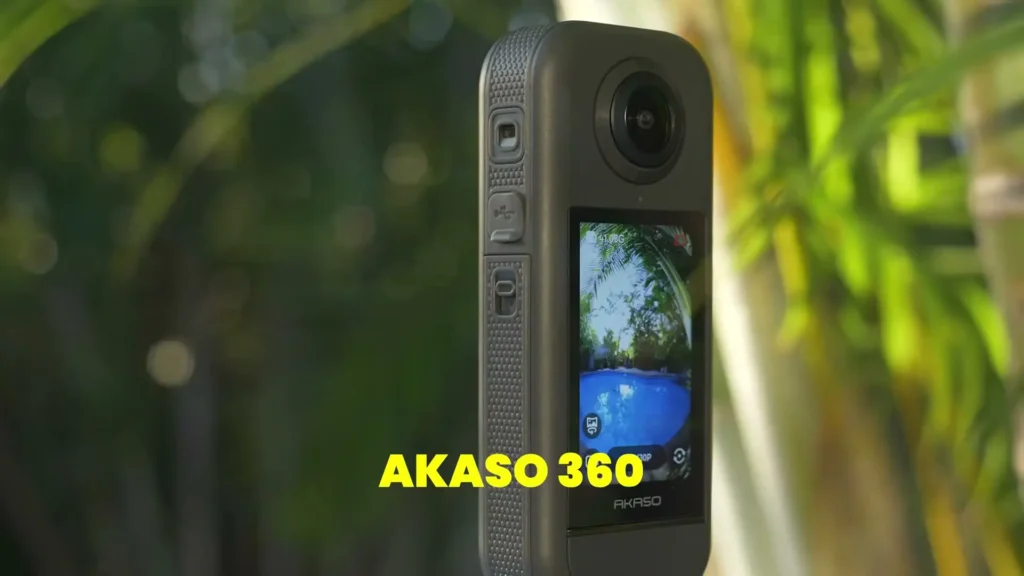
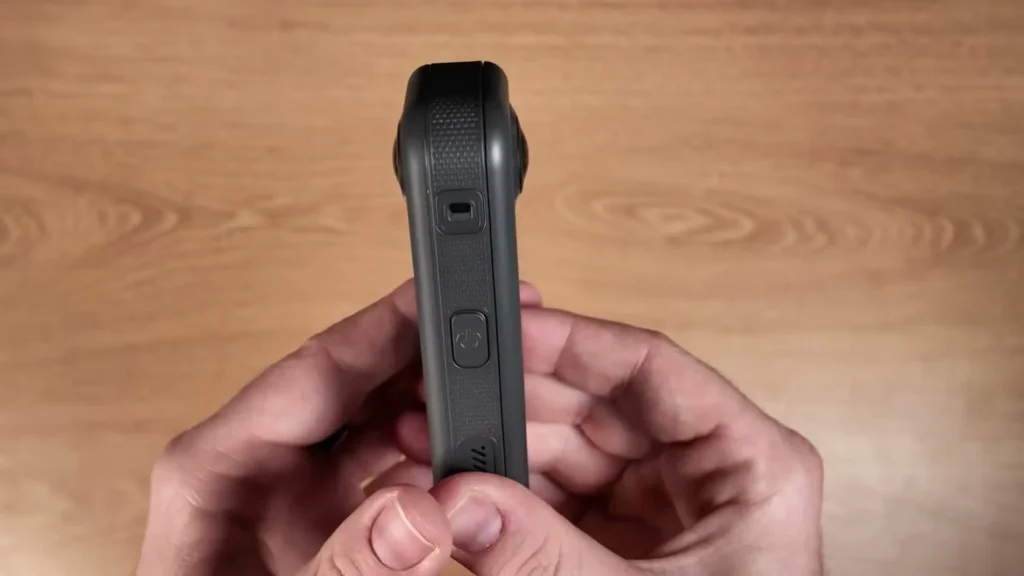
Right out of the box, the AKASO 360 impresses with its build quality. It features a rectangular design that feels sleek and subtle in hand. The grippy sides make it comfortable to hold, and the overall weight feels solid without being too heavy.
The color finish is understated, nothing too flashy or in-your-face, which actually makes it easier to carry around discreetly and capture natural moments.
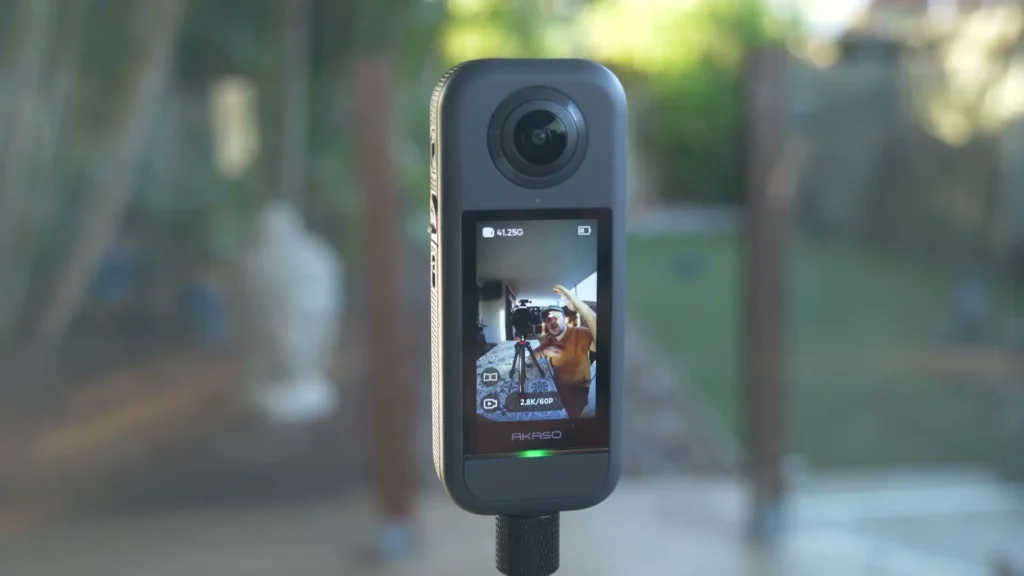
The unit comes with USB-C for charging, small vents for the built-in speakers and microphones, and a quarter-inch screw mount on the base. That quarter-inch mount is a handy addition because it means you can attach the camera to standard tripods, bike mounts, helmets, and all sorts of other accessories without needing any additional adapters.
One of the standout accessories included with the AKASO 360 is the selfie pole and tripod system. The tripod base is wide and incredibly stable. It was tested in sand and dirt, and it held up without any wobble.
The selfie pole extends to a good length, giving you the reach needed to get creative with angles and positions. The build on the entire kit feels premium for a budget-friendly product. The camera also comes with a protective sock, an SD card, and two batteries, which is a generous package out of the box.
No layout selected.Simplicity and Ease of Use
One of the first things you notice about the AKASO 360 is just how simple it is to operate. There are literally only two buttons on the entire unit. One is the power button, and the other is a small, subtle record button that sits just beneath the AKASO branding. It is so subtle that it might take a moment to find at first, but once you know where it is, using the camera becomes second nature.
The camera boots up very quickly, which is important when you do not want to miss a moment. The 2.29-inch touchscreen on the front is responsive and easy to navigate, even in direct sunlight. The interface is clean and straightforward, allowing you to switch between modes without any confusion.
In terms of shooting modes, the AKASO 360 offers video, time-lapse, loop recording, photo, time fusion, and interval recording. You can also choose to shoot in full 360-degree mode or switch to either the front or rear lens individually, effectively turning it into a standard action camera whenever you need it.
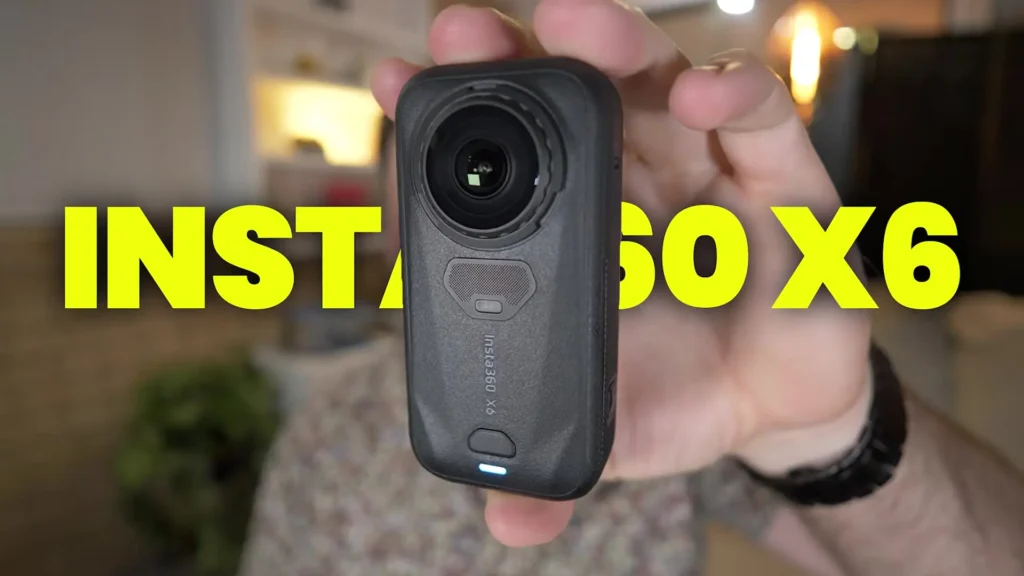
Also Read: Insta360 X6 Full Review
360-Degree Video and the Invisible Selfie Stick
The 360-degree functionality is where the AKASO 360 really shows what it can do. The camera captures 5.7K 360-degree video using its dual-lens system, and the footage quality is genuinely impressive for a budget-friendly camera.
The stitching between the two lenses was consistent throughout testing, with no noticeable issues or misalignments in any of the footage.
One of the most enjoyable features is the invisible selfie stick effect. Because of the way the two lenses are positioned and how the stitching works, the selfie pole is automatically removed from the footage.
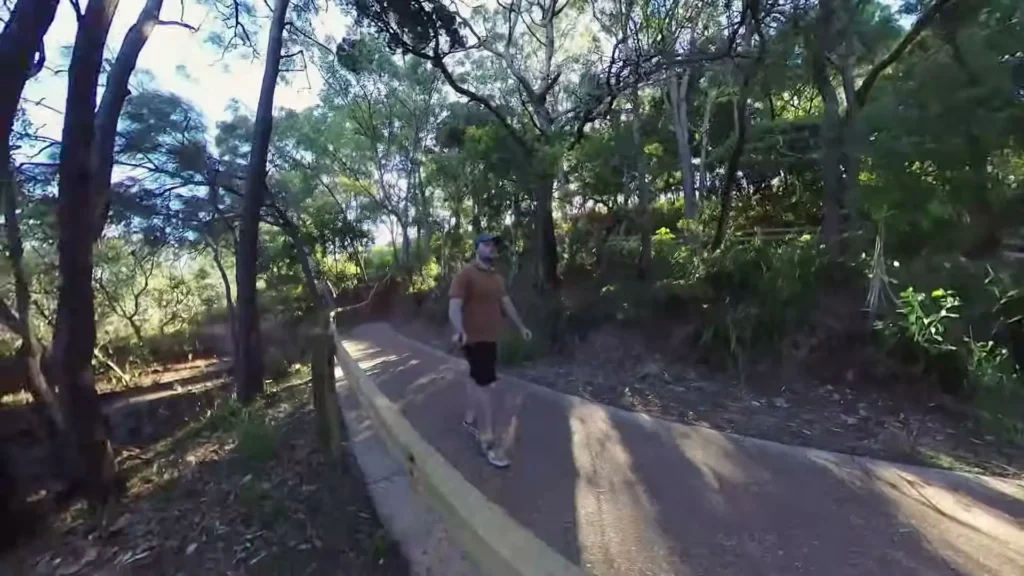
This means you can hold the camera directly above you and the resulting shot looks like it was taken from a drone. It is a simple but incredibly effective feature that adds a lot of creative value to your shots.
The camera also features 360-degree Horizon Steady stabilization. During testing, the stabilization performed well during walking shots, and even when the camera was thrown into the air, the footage remained reasonably stable. There was minimal jello effect or bouncing, which is impressive for a camera in this price range.
Dual Sensors and Photo Quality
The AKASO 360 is equipped with dual 1/2-inch sensors at 48 megapixels each. When shooting in full 360-degree mode, the two camera systems stitch together to produce 72-megapixel 360-degree photos.
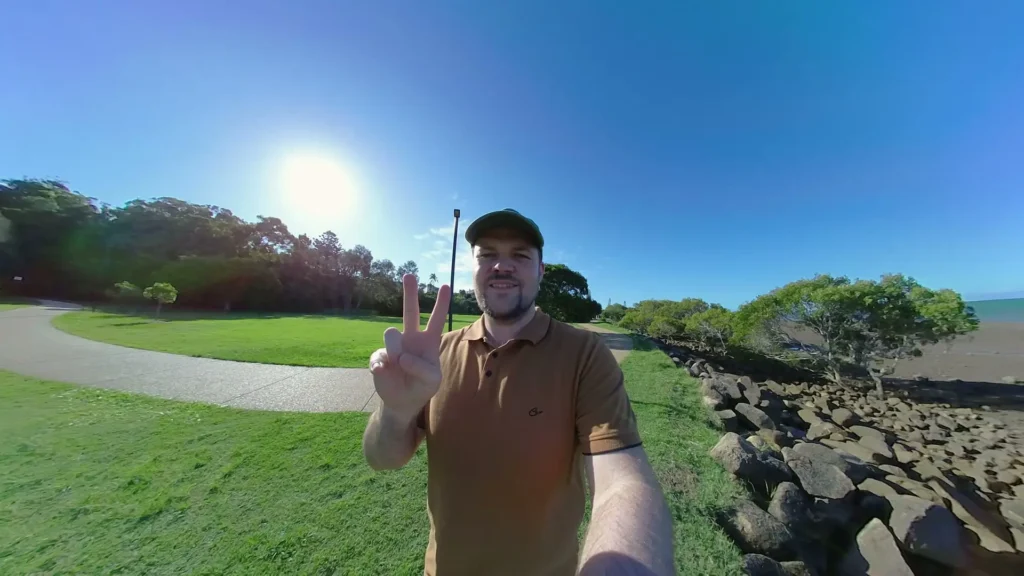
The image quality across both photos and videos was strong throughout testing, with no issues around overexposure, awkward color shifts, or stitching errors.
The touchscreen allows you to quickly flip between the front and rear lenses, which is useful for selfie-style shots and forward-facing shots. While you cannot freely swipe around within the 360-degree view directly on the screen, the core functionality of switching perspectives is handled smoothly.
App and Desktop Editor
For a 360-degree camera to truly work well, it needs solid software to back it up, and the AKASO 360 delivers on that front. There are two editing options available: a mobile app and a desktop studio editor, and both work reliably and intuitively.
The mobile app is feature-rich for something you would expect on a smartphone. It includes AI tracking, which lets you draw a box around a subject and have the camera automatically track them throughout the footage.
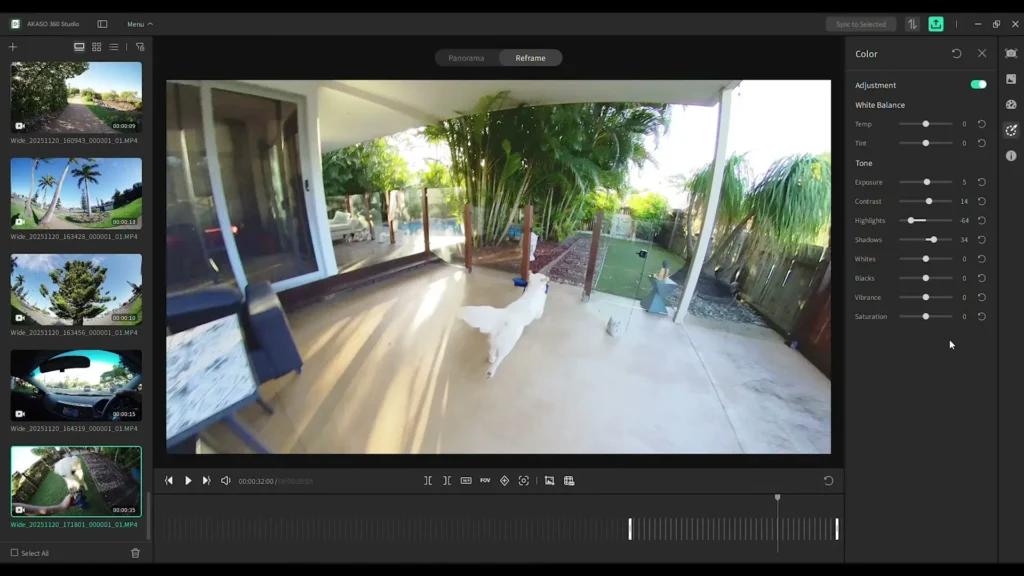
There are color customization tools, filters, keyframe options, and a full reframing suite that lets you choose exactly what part of the 360-degree footage ends up in your final video. The reframing experience within the app was smooth, with no noticeable lag when zooming in, zooming out, or panning around.
The desktop studio editor mirrors much of the app experience and runs well on a standard system. It offers the same reframing controls, color grading tools, and filter options. Both platforms feel consistent and polished, which makes it easy to move between them depending on your workflow.
Downloading footage from the camera to the phone was also seamless, with no connection issues or delays. For content creators who prefer to edit on the go, the mobile-first workflow makes the AKASO 360 a genuinely practical tool.
Battery Life and Practical Use
Battery life during testing was solid for a camera of this size and capability. For a full day of casual shooting, which included recording in bursts rather than continuous capture, the included batteries handled the workload without any major complaints. If you plan to record continuously for extended periods, carrying the second battery that comes in the box is a smart move.
The overall workflow that the AKASO 360 encourages is actually one of its biggest strengths. You go out, you mount the camera or hold it, you press record, and you do not have to think about framing or composition in the moment. Everything around you is being captured.
You come back later, open the app or the desktop editor, and then you decide what the final shot looks like. For cyclists, motorcyclists, hikers, or anyone doing activity-based content creation, this approach is incredibly freeing.
Who Is the AKASO 360 Action Camera For?
The AKASO 360 Action Camera is built for anyone stepping into the world of 360-degree cameras for the first time. If you have been curious about 360-degree content but have been held back by the complexity or the price of higher-end options, this camera removes both of those barriers. It is easy to set up, simple to use, and the editing software makes the post-production process approachable even for complete beginners.
At the same time, it does not feel like a camera that cuts too many corners. The dual 48-megapixel sensors, 5.7K video resolution, AI tracking, horizon stabilization, and the invisible selfie stick all bring genuine value that you would typically expect from more expensive 360-degree cameras. The fact that it doubles as an action camera with a single-lens mode only adds to its overall versatility.
Specifications Table
| Feature | Details |
|---|---|
| Camera Type | 360-Degree Action Camera |
| Video Resolution | 5.7K 360-Degree Video |
| Sensor Size | Dual 1/2-Inch Sensors |
| Photo Resolution | 48MP per lens / 72MP combined 360 photo |
| Touchscreen Size | 2.29 Inches |
| Stabilization | 360-Degree Horizon Steady |
| Shooting Modes | Video, Time-Lapse, Loop Recording, Photo, Time Fusion, Interval Recording |
| Lens System | Dual Lens (Front and Rear, usable individually) |
| AI Tracking | Yes, available in app |
| Selfie Stick | Invisible Selfie Stick compatible |
| Tripod Mount | Quarter-Inch Screw Mount |
| Charging Port | USB-C |
| Editing Software | Mobile App and Desktop Studio Editor |
| Included Accessories | Selfie Pole, Tripod, SD Card, Two Batteries, Protective Sock |
| Ideal For | Beginners, First-Time 360 Camera Users, Content Creators |
Final Verdict
After several weeks of testing, the AKASO 360 Action Camera holds up as a strong contender in the budget-friendly 360-degree camera space. The build quality is solid, the touchscreen is responsive, the footage quality is impressive, and the software ecosystem is reliable and easy to use. It boots up fast, requires minimal setup, and encourages a shoot-now-edit-later workflow that suits a wide range of content creators.
Read More: Insta360 GO Ultra vs iPhone 14 Comparison