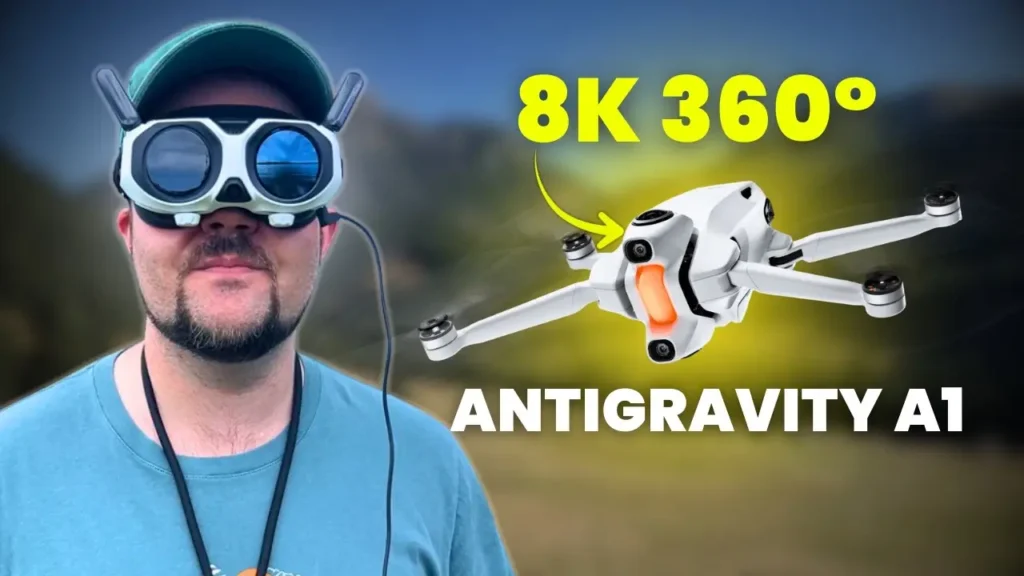
This is the most immersive flight experience that I’ve had to date, and it is the Antigravity A1. What’s going on, guys? My name is Dan Davis, and today I’ve got my first impressions on the newly released Antigravity A1. Now, this is an 8K 360° drone with motion controls, obstacle avoidance, and it weighs under 250g for the drone.
There’s a lot to talk about with this drone, and I can’t cover all of it in one article. I wanted this to be my Antigravity A1 Early Review, then I’ll have a more extensive review, and I also want to cover some of the other cool features that this drone has to offer.
My First Experience with a True 360° Drone
This is my first time flying a true 360° drone, and I’m hooked. It’s really hard to know where to start with this drone. We’ve got the drone itself, we’ve got the goggles, and we’ve also got a motion controller, and all of them work phenomenally well together. It’s a great unit, a great experience. But let’s dive into the drone. Let’s talk about what the drone has to offer and what you’re getting when you’re flying this drone.
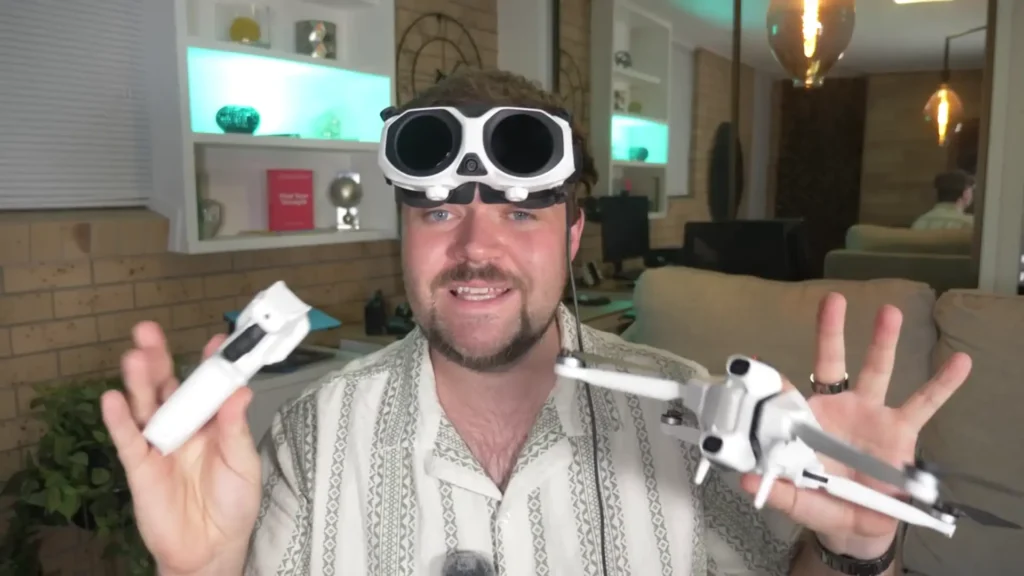
The Drone: Build Quality and Design
Let’s start off by talking about the drone itself, the main piece of the unit. You need all three to work: the motion controls, the goggles, and the drone. But I want to dive straight into the drone.
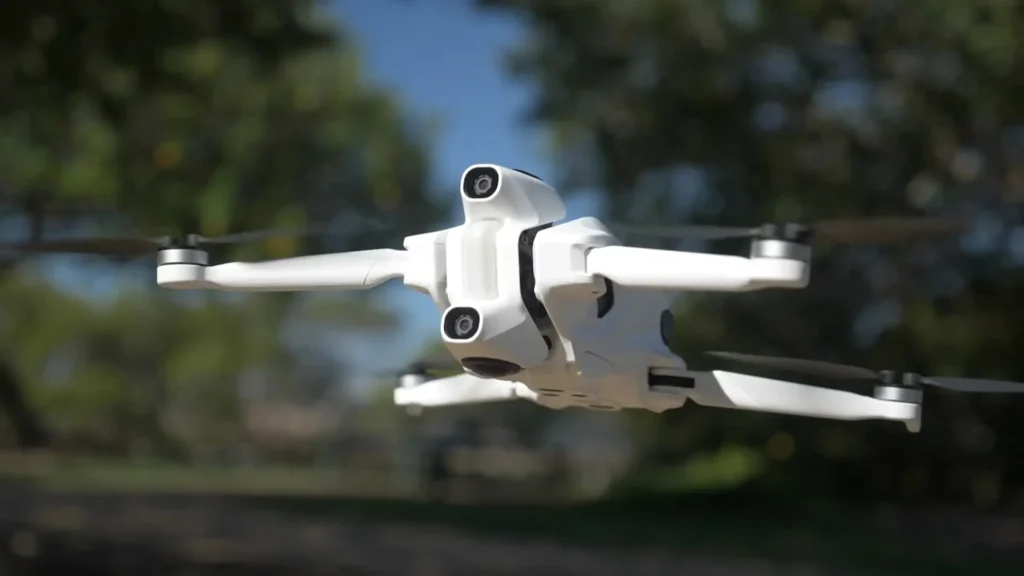
This Antigravity weighs under 250g, amazingly enough. It’s got a noise rating of 75 decibels. It’s an 8K drone with obstacle avoidance, and it’s also got some really cool landing legs that deploy and retract depending on whether you’re launching or landing.
Build quality of this Antigravity A1 is absolutely premium. Everything down to the folding mechanisms, the landing legs, just the feel of everything is very premium here. As you eject the battery, that feels really natural. And one thing I really love is the little display here. You actually just tap on the battery at the top and it’ll bring up the battery display. So, it’ll let you know we’ve got one bar left with this battery unit.
The Landing Legs
One of the things I was a little concerned about when I originally saw this announced was the landing legs. I absolutely love the design, but I was worried that this mechanism over time would wear out. Now, I’ve flown this many times, and that mechanism is solid. I’m confident that it’s going to last for a very long time, and it just feels very natural. You can also just manually move it into place if you need to for that takeoff position, but I find that it retracts naturally and then also deploys as it gets to its low point as it’s ready to land. All of that feels very premium.
The Camera System
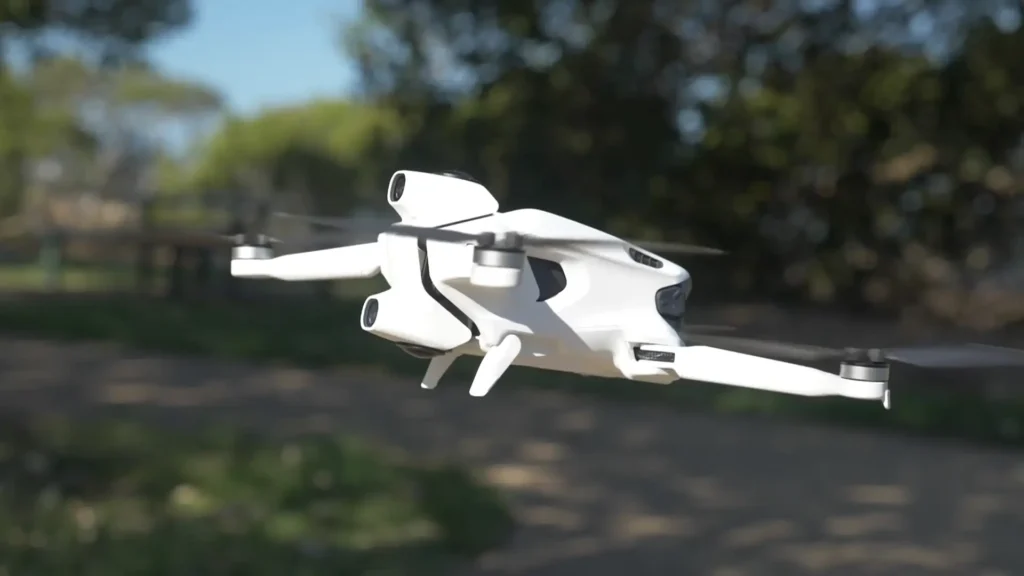
This camera system at the front here is different to anything you would have seen on any other drone before. It captures a lot of different elements within this one unit. So, it’s the 360° camera system. You’ve got two lenses, one on the bottom, one on top. You’ve also got some obstacle avoidance sensors and you’ve got this huge light on the front as well, which just lets you know what’s happening from the drone’s perspective.
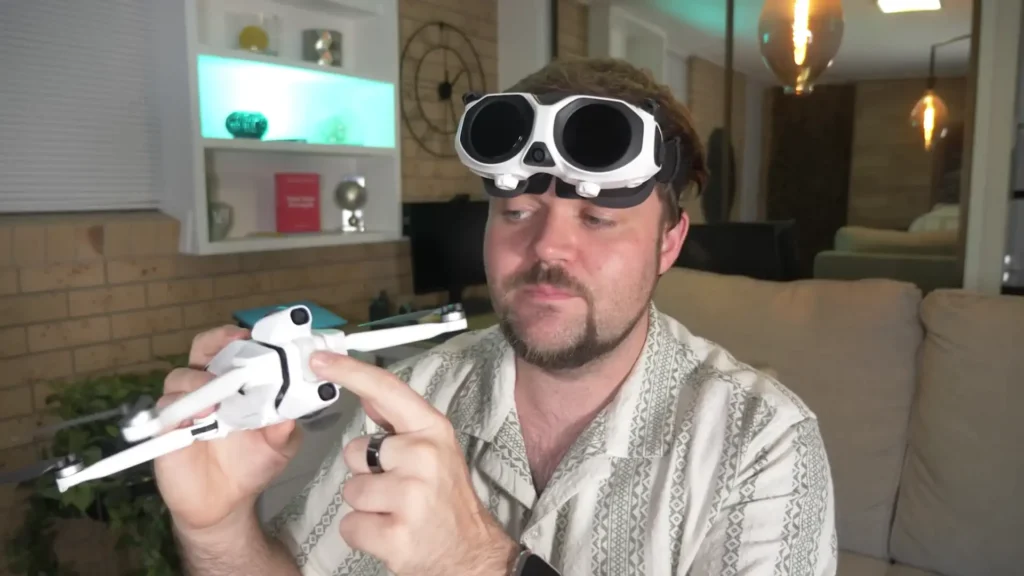
So, this unit here feels really sturdy. It’s not like a conventional gimbal that you would have seen, but it has a little bit of dampening and it definitely absorbs any of that movement as the drone’s flying. And in any sort of crazy wind conditions, I found that this was able to handle it when I literally launched it in like 35km winds. No issues at all. It was able to handle it with absolute ease. So, that unit there feels very natural.
And what happens is the landing legs retract and that then creates the true 360° perspective. When the legs are down, you can see that the legs are in the shot. So, you can see that when you’re looking, when the drone’s just on the ground, if I look down, I can see the landing legs. But straight when it retracts after launch, it becomes a true 360° experience.

Flight Performance
In terms of the wind performance, I was flying in like 25-30 kilometer winds, no issues at all. It could handle it with ease and I could get it back to me with ease without any sort of worries.
Now, the flight performance of the Antigravity A1 is very impressive. Like I said, it can handle wind conditions, but it also feels very natural to fly. So, you have different modes. You can go in like a cine mode, a normal mode, or a sports mode. And I found the sports mode was very natural to fly. Everything looks extremely stable. But just kind of wrapping up my thoughts on the build quality of the drone, it feels very premium. This feels like such a high-grade drone. And for their first entry into the drone world, I think they’ve really nailed it here.
Video Quality and Editing
I’m also really impressed with that 8K video quality and the slow motion video quality. They’re the main two that I really played around with, but there are some other modes and other settings that you can play with, but the 8K from this Antigravity A1 looks phenomenal. That slow motion 4K looks amazing as well. And once you put it into the editing program, it just works flawlessly.
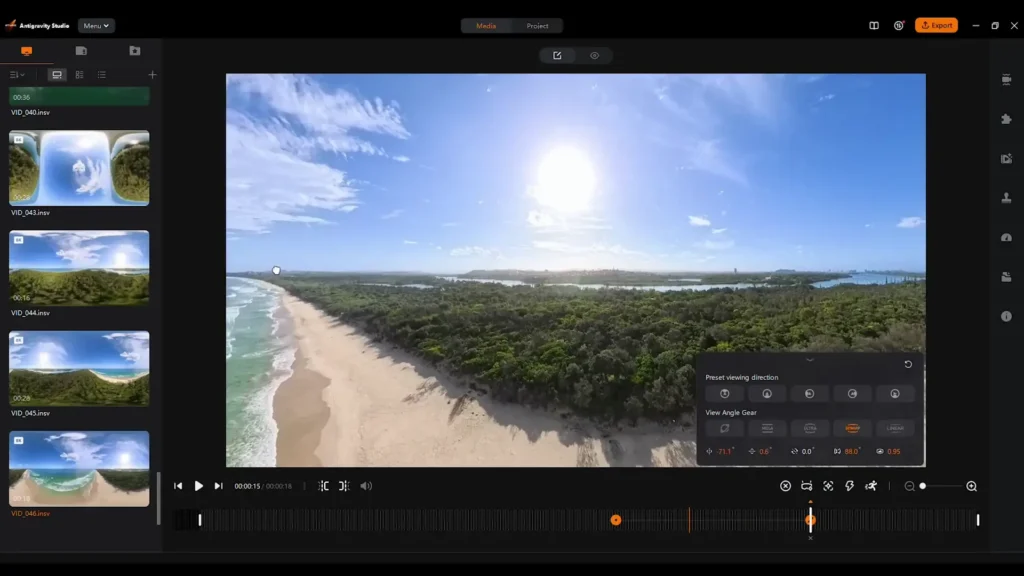
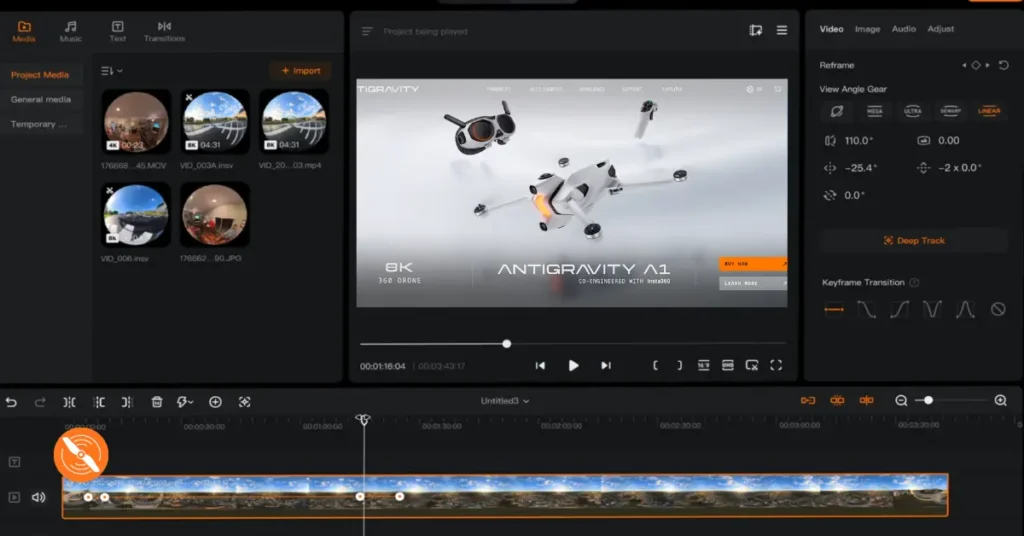
There’s a lot of tracking options in the editing program. And that whole experience of capturing the footage and getting everything in the frame and then framing it up later just works seamlessly from the Antigravity A1 to the editing bay. You can also heavily customize the image, which is something you would hope for in a high-end drone like this. But you got full control over how the image comes out later. Really happy with that as well. And all the key framing options just work seamlessly. So, the editor itself was clean, really easy to use and matches up beautifully with the actual footage and the experience of flying the drone.
The Motion Controls and Goggles
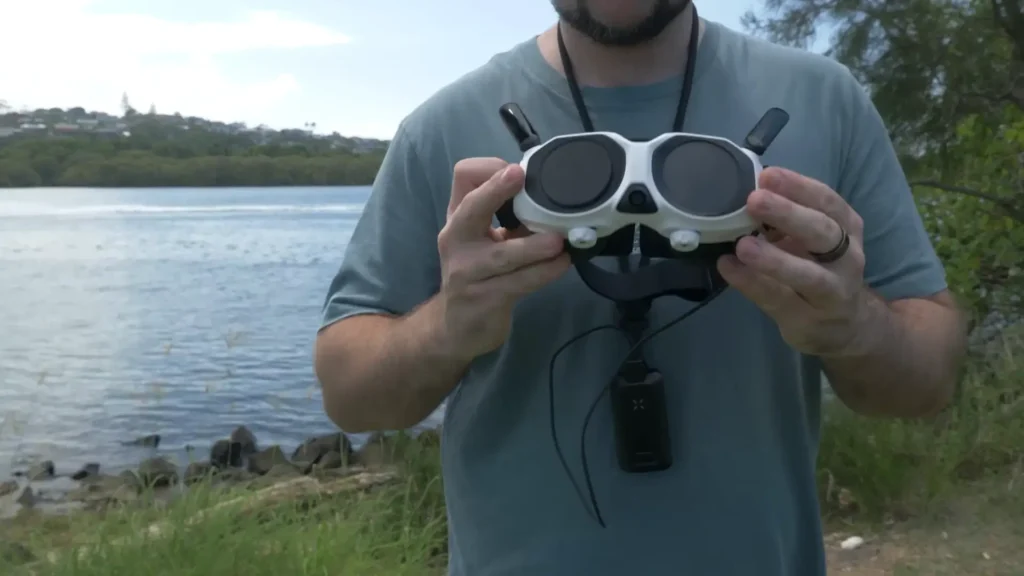
So, now we’ve got the motion controls and the goggles. With the goggles, you do have this battery pack that goes around your neck and then plugs into the goggles that is pretty comfortable. I’m happy with the lanyard. It’s got a nice build quality to it. Not a huge amount of weight to the battery, so it’s not like pulling you down. And you get decent battery life out of the main battery unit for the goggles. Really happy with that across the board.
The Motion Controller
And then the motion controller feels really premium. Great battery life on it. And honestly, more buttons than I thought we were going to get. Like there’s just so many different buttons that I can access on here and they work for all sorts of features within the Antigravity A1.
The motion controller feels seamless and natural. It’s really easy just to navigate whichever way you want to fly just with like a twist of your wrist or pulling it back or angling it in certain ways. It just feels really natural as you’re flying the drone.
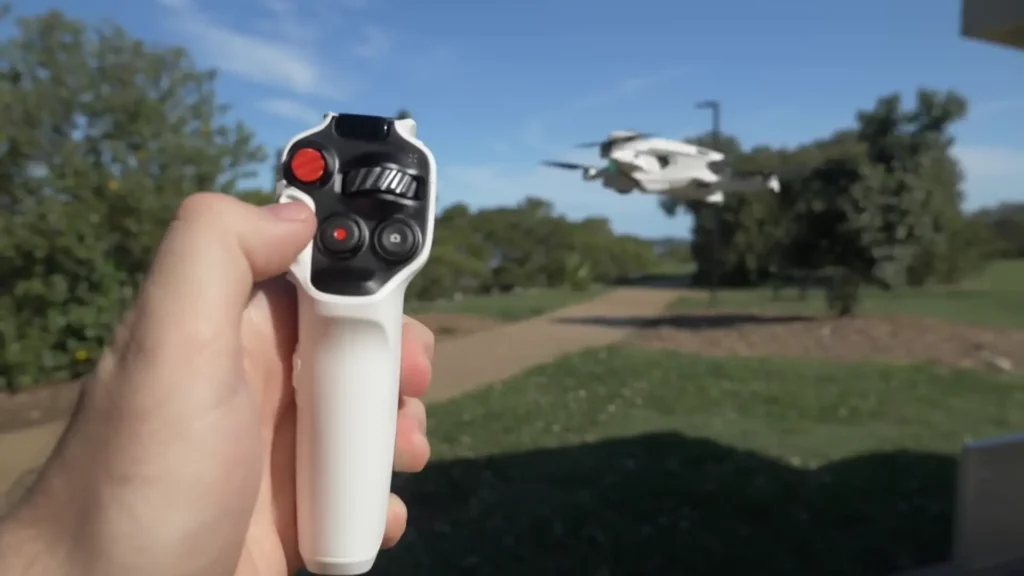
One of my favorite things that they’ve done here, which just adds another level of control, is some of the other buttons that we’ve got on here. So, we’ve got this kind of scrolling wheel here, and that’s how you move the drone. So, instead of physically moving the controller to try to kind of swipe the drone around, you can just use this. You can just literally move the drone wherever you want it to be moved to. And it’s as simple as doing that. That’s all you have to do. That also works as a button which then re-enters the laser pointer, I’ll just call it the laser pointer, like the direction that you’re actually aiming in.
Free Motion Control
One of the features they’re talking about a lot is the free motion control. So what this does is basically as you’re controlling the drone, so let’s say I’m flying in this direction, I can then look at any point however I want to look, up, down, left, right, and the Antigravity A1 going to continue on that flight path, but give me as the pilot the opportunity to see what’s going on around me.
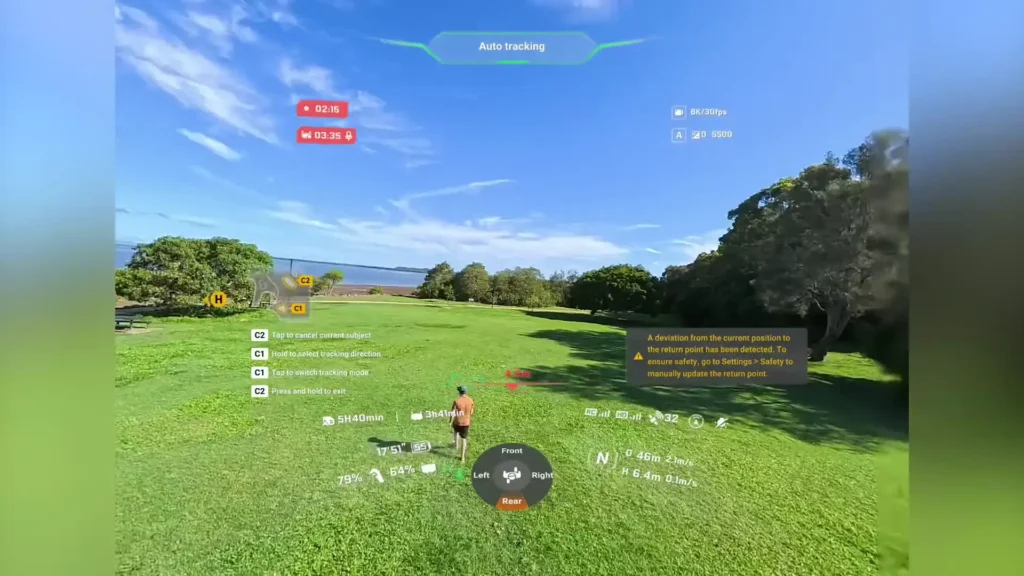
That just gives you a creative layer as a pilot. So, you know that, okay, I’m capturing this perspective as I’m flying forward, but I can see what’s going on around me and figure out how I want to frame up the shot later on when I get into the editing program. So, that free motion mode worked really well and it’s quite a weird experience getting used to it. Something I’ve never experienced before, but there’s a very simple little indicator that lets you know the path of the drone as well as the direction of the headset.
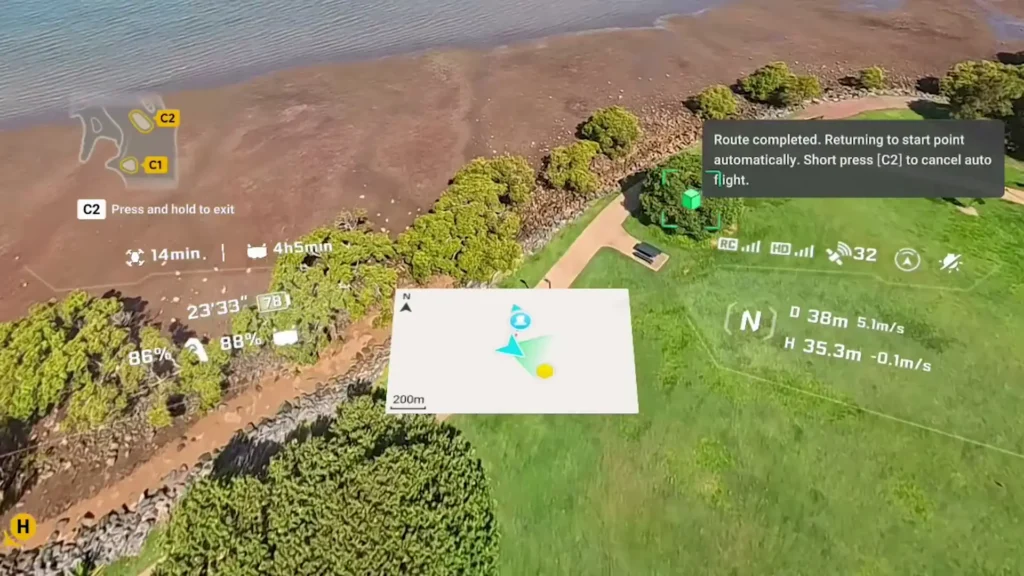
At any point, you can then just let go of the trigger and the drone’s just going to hover. You can press that center point and it will center you back to the perspective of where the drone’s facing. So, really easy to do that. There’s an emergency brake button as well that works well. There’s return to home as well. So again, all sorts of safety and peace of mind options here, which I was extremely impressed with.
On top of that, you have the more advanced FPV mode, which gives you more control for those banking unique kind of perspectives. So, I really enjoyed both of those flight modes. Both experiences were really fun.
The Goggles: User Interface and Features
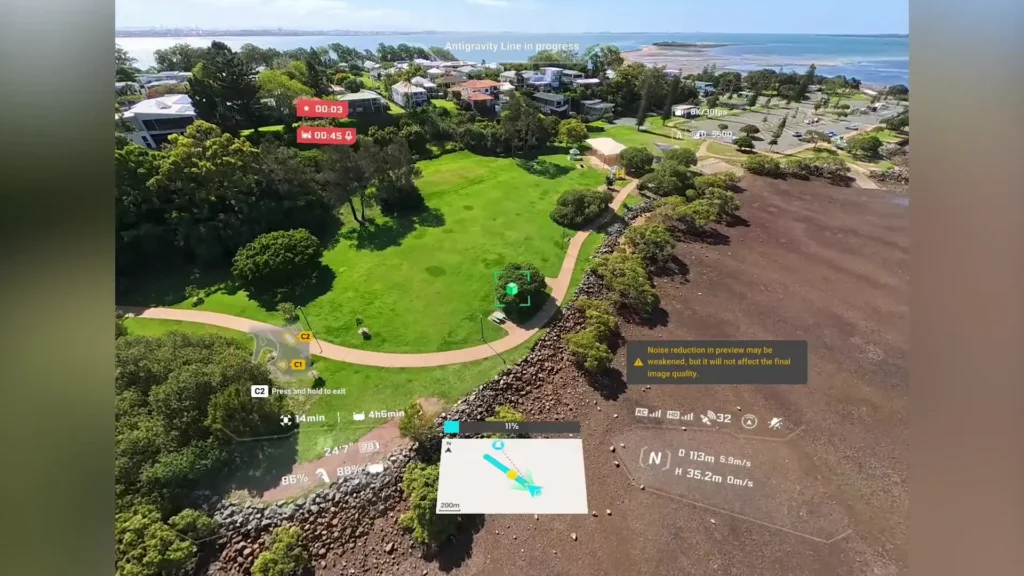
Some of the other key things that stood out to me was just the whole experience with the goggles. So, the first thing I noticed immediately is that user interface that we get. It’s so clean. It literally gives you like a 3D world, so you see everything that the drone sees. You can look around and then it brings up this overlay and it looks so clean. It gives you the option to go between all the menus.
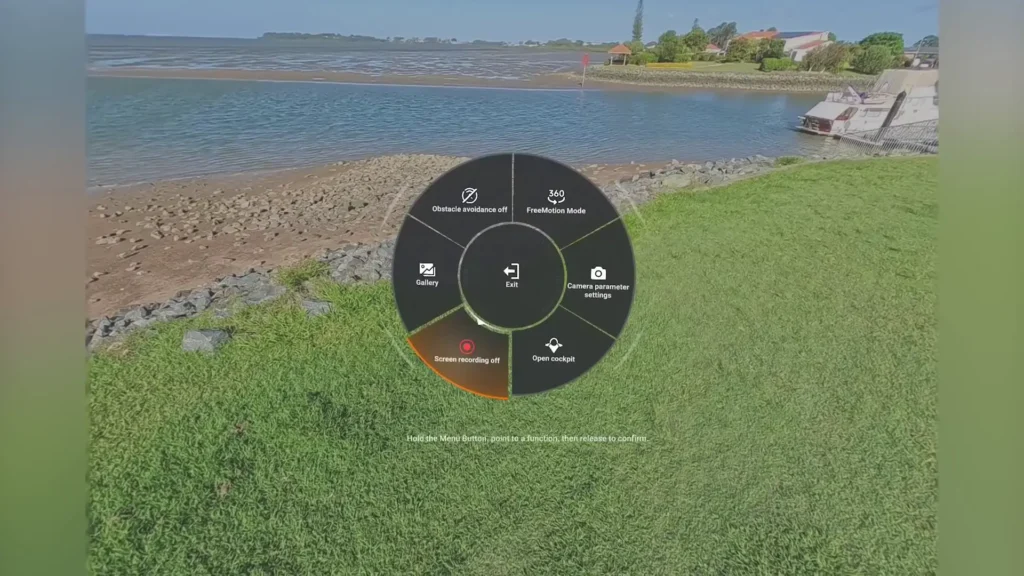
I’ve also got like another quick menu that I can press and hold to bring up like a wheel option so I can disable obstacle avoidance. I can put it in free motion or FPV mode. I can then go into like camera parameters for example. There’s a bunch of really easy quick access options. And then you’ve also got the main menu which you just press and it will bring up this huge interface. It will show you all the different modes. I can customize literally all the settings, view all my footage back and do literally anything I need to through that interface. Really love that.
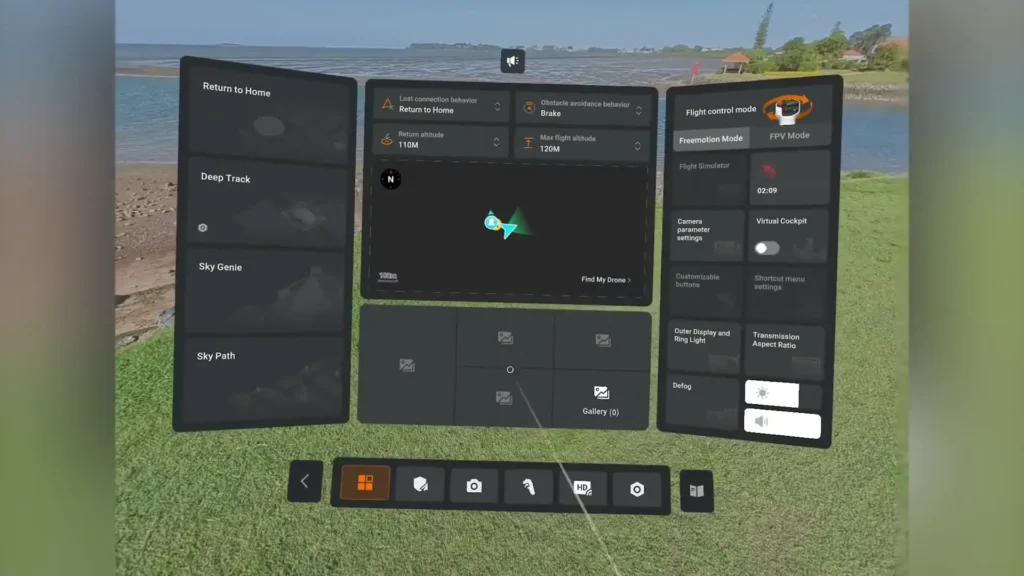
And so even when you’re playing back footage, you can look around and watch everything as you’re watching the footage back. You can have it in that full immersive mode or you can have like a visual background and then you can just see it in widescreen. So you’ve got like a windowed video and I can still look around with that windowed video but I’ve got the whole environment around me. Really cool stuff. Honestly, it’s such a fun experience and they’ve done a great job with that user interface.
The Camera Feed Feature
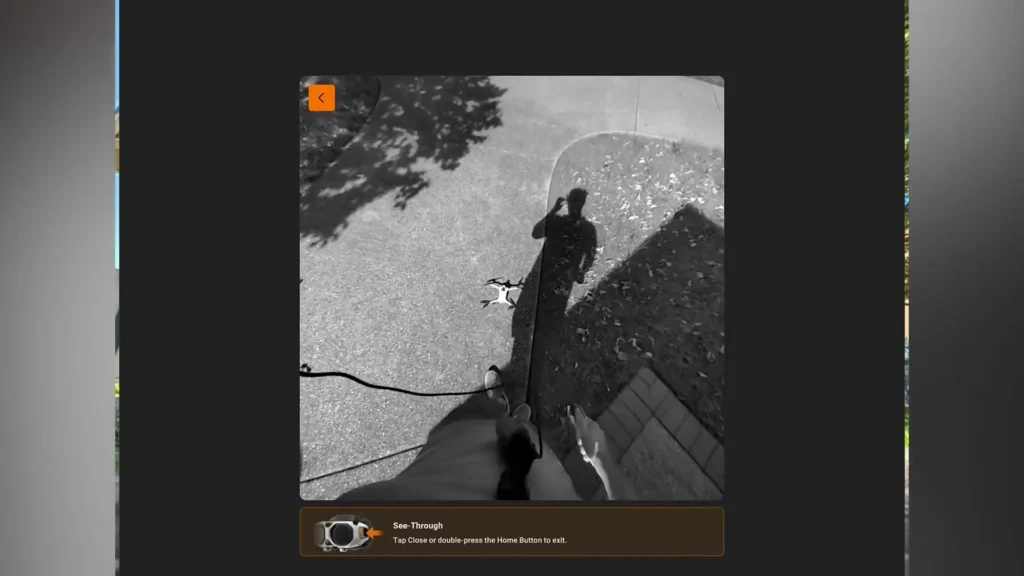
The other thing I really liked about the goggles was the little camera feed that you get here. So at any point I can just double tap the button on the side of the headset. Believe it’s on this side. Yep. Double tap that button and it will go straight to the camera feed here. So then I can see what’s going on in real time. So if I’m landing the drone, I don’t have to take the headset off. I can literally enable that, look to where the drone is, control it, and land. Or if someone’s trying to talk to me, I can tap that.
The Outer Display
One of the most unique things about the goggles is the outer display. So, you literally get a video feed on the outside of the goggles. So, if you’re with a friend and they want to see what’s going on, they can just literally look at the goggles and it will give you a direct video feed of what you’re seeing. So, depending on where I’m looking, what orientation I’m in, that will relay in real time to the outer display to show you exactly what’s happening. So, if a stranger comes up, they can see what’s happening. Or if you’re with a friend, you can also show them what’s going on.
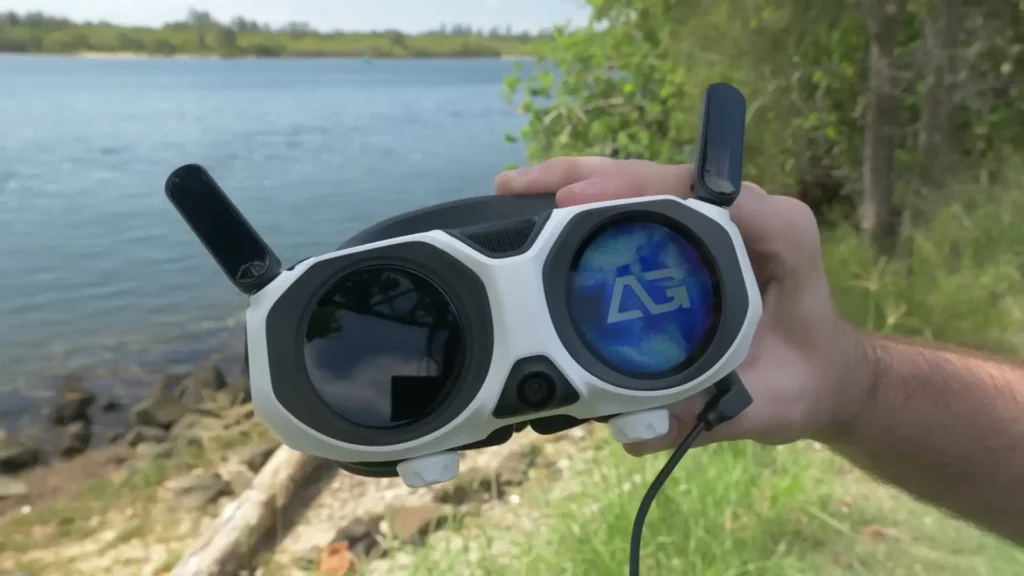
It’s just such a unique experience and it’s something I’ve never seen before. Such a fun thing and I know a lot of people were intrigued when they saw that initial announcement. And so my first impressions with it have been that it’s worked flawlessly. I’ve noticed that it’s like bang on. There’s no latency with it. The display is accurate every time. It’s so fun to be able to show people in real time what I’m seeing.
And on top of that, you’ve also got some fun animations that you can enable. So you can go into the settings and if the drone’s not connected, I can then go in and have like a little pixelated cat or I can have this eye animation. So again, really fun, immersive experience. It really does feel like a future proof drone. It feels like we’re living in the future. It really does like when you’re experiencing everything together, it just honestly feels like something out of this world.
Obstacle Avoidance
We do get obstacle avoidance with this Antigravity A1, and it doesn’t have any sort of bypass feature, but it does have a brake feature. So again, really clean interface to let you know where the obstacles are in relation to the drone and really easy to just navigate away from the obstacle. So it just lets you know, hey, there’s something here and it just shows you with an indicator of what direction it’s in. So you can either just turn them off or you can have it in a break mode. So it’s just going to break when it sees an obstacle.
Advanced Features
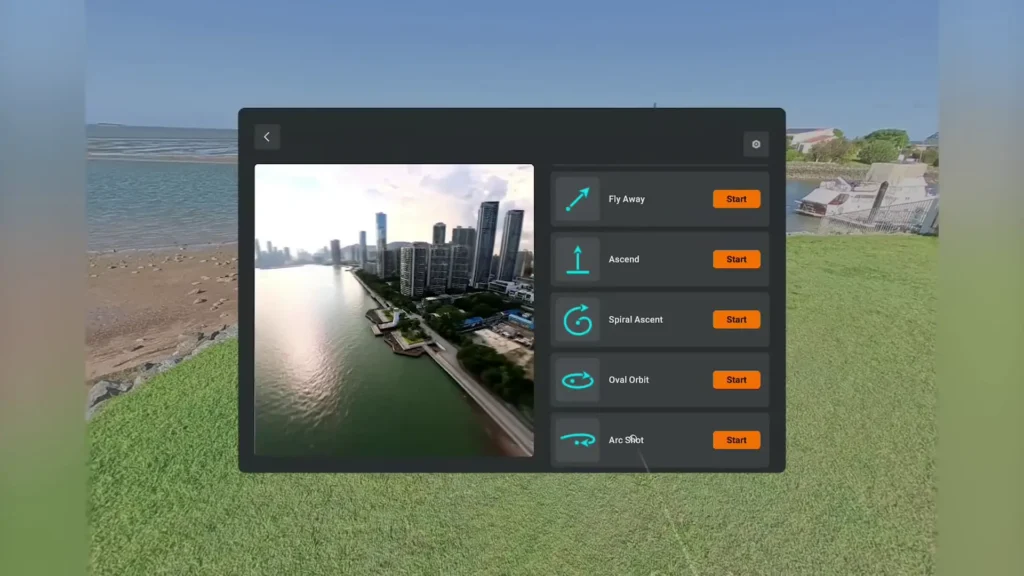
Some of the more advanced features that I really want to dive into more thoroughly in future videos, but we’ve got the Sky Genie feature. So that’s like all of the different modes that are pre-programmed. So, there’s a bunch of really fun ones in there. You’ve got arc shot, you got spiral ascend, we’ve got oval orbit. There’s a bunch of really cool ones in here. They all work seamlessly, and it’s so easy to just choose with the controller where you want that point to be, what you want to focus on, and then it just does the maneuver and comes back to its starting point. Works great, looks great, and so easy to use.
Deep Track
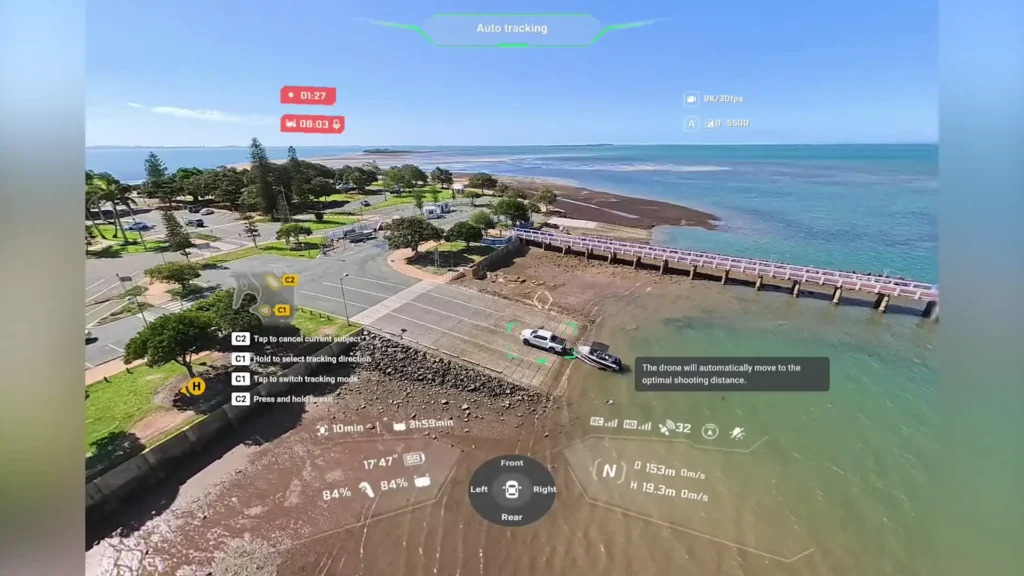
There’s also a tracking mode, which they call deep track, and I found that this worked well. I wasn’t able to thoroughly test it. I tracked it, I think it was on a boat that I was tracking or a car maybe. I can’t think. One of the two. And that worked really well. I didn’t get a chance to fully track it with that maneuver. But then I put it onto myself and I found that that was seamless. It was just moving around things and it was just able to keep up with me on that steady path. And again, this is something I want to test more thoroughly.
Sky Path
And then on top of that, we get waypoints, which they call sky path. This is again another thing I really want to test and do a whole standalone video on. But great to see that they’ve got all of these different advanced modes, and they work really well from the test that I’ve put them through.
Battery Life
The Antigravity A1 does offer two different battery options. So, we do get a standard battery, which gives you up to 24 minutes of flight time, and then there’s also a high capacity battery, which can last for up to 39 minutes. It’s cool that they do give us a few different battery options with the Antigravity A1.
And in practice, it actually works really well. I didn’t know whether I was going to be as impressed with that battery life when I kind of saw it on paper, but in practice, it’s actually great. I’ve been happy with that battery life. You find that when you’re in the moment flying the Antigravity A1, you’re just getting so much. You’re capturing so many perspectives, so many moments that you don’t need to reshoot the same area.
Sometimes, like with other standardized drones, you might capture something this way, then you film this way, then you change directions a lot, right? But with this, because it’s capturing everything, I found that I was able to get a perspective and then move to the next spot. Get that perspective, move to the next spot. So, I actually found that I was a bit more efficient with the flight experience because of the fact that everything was captured. I didn’t have to worry about, you know, what I’m missing because I haven’t filmed this way. I just know that everything is captured with this drone.
Virtual Cockpit: A Novel Feature
So another really fun feature which is a little bit of a novel feature. It’s something that doesn’t have huge application, but it’s just such a novel fun experience. They call it the virtual cockpit. And what it does is it actually gives you a chance to ride on a dragon. As weird as that sounds, it’s so fun to be able to look behind you and see the tail. You can look this way and see the wing. Look that way, see the other wing, and then you got the head of the dragon in front of you.
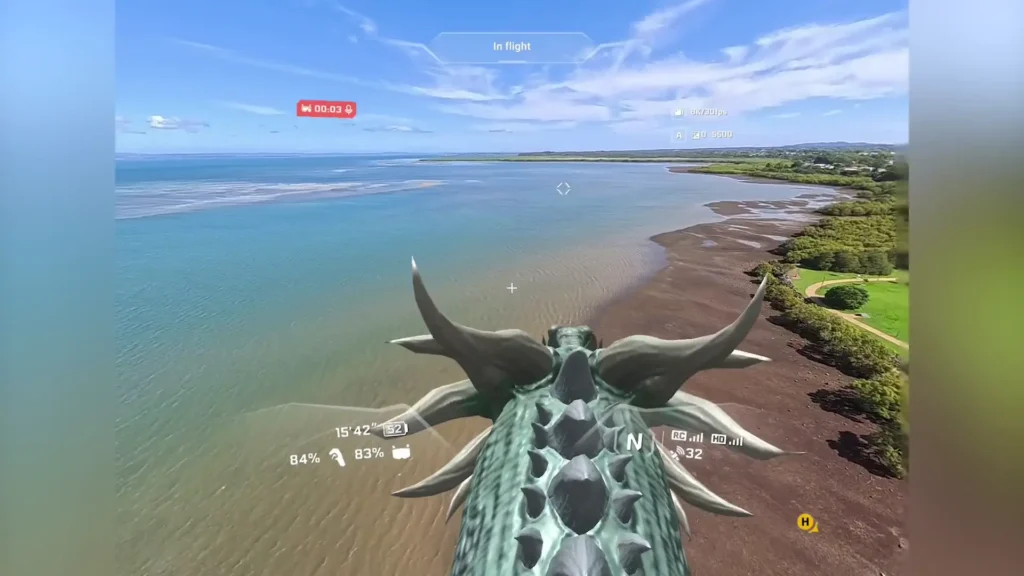
It’s just such a weird, surreal experience, but honestly, so much fun. Like, if you were to give this to someone and go, “Hey, have a go at this.” And you put that on for them, they would be like, “Wait, wait, what is happening? I’m flying on a dragon. This is bizarre to me.” So, really fun. And there’s potential for them to add even more adventures into that cockpit experience. It could open up a lot of different options. You could fly on different birds or a broomstick or something random, right? Like a flying car or something. They could just open up so many options.
Table of Contents
Article Summary
My first impressions of the Antigravity A1 are well above what I was expecting. Like, I had expectations of what this drone might feel like, what the experience might be, but this has definitely exceeded all of those expectations. Considering this is Anti-Gravity’s first entry into the drone world, they’ve nailed it. Like, I can’t even sugarcoat it. They have really nailed the whole experience of flying an immersive drone, a 360° 8K drone. It’s just something out of this world that you’ve never experienced before. So, honestly, goggles off to Antigravity for what they’ve done here.
Read More: Antigravity A1 Range Test