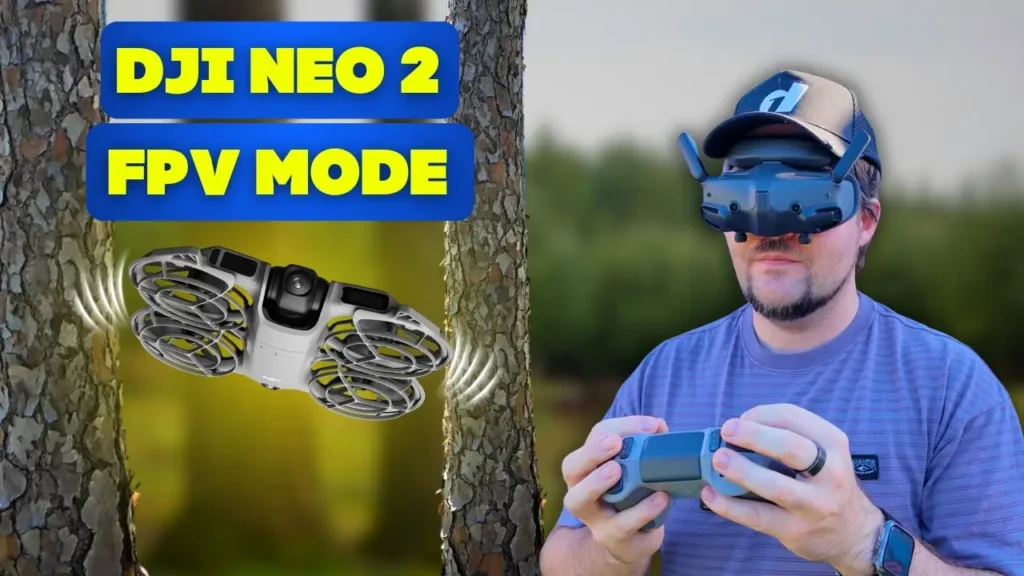
The DJI Neo 2 has a true manual FPV mode, which means that with the right controller, you can fly in true manual FPV. You can flip, roll, and pull off all sorts of wacky maneuvers in true FPV mode with the Neo 2. This was something you could also do with the original Neo, though that drone was affected quite a bit by the wind. So naturally, there was a lot of curiosity around how the Neo 2 would perform in comparison and whether there were any meaningful differences.
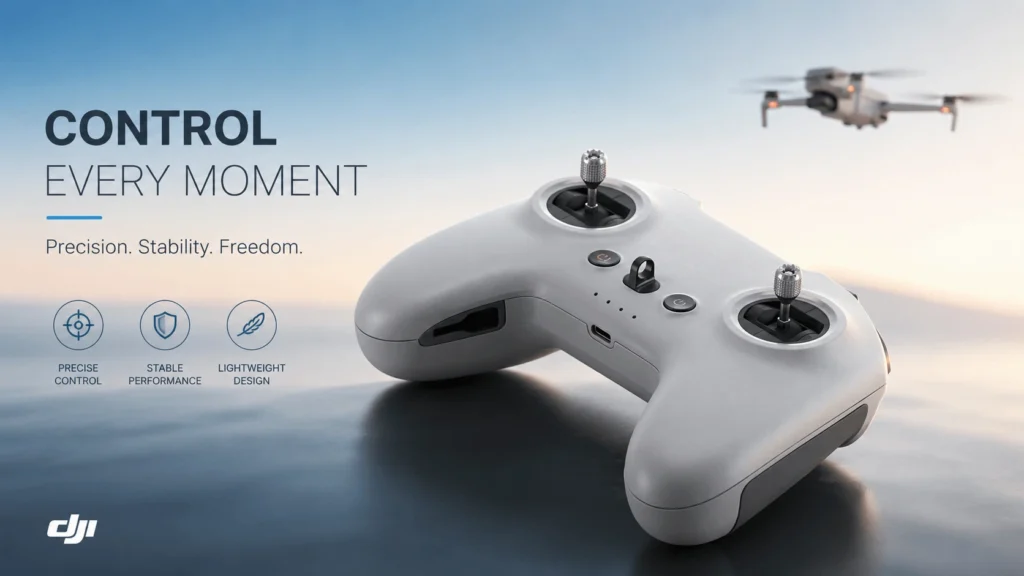
For this session, the setup being used is the FPV Remote Controller 3 and the Goggles 3 paired with the Neo 2. If you are interested in a deeper dive on the original Neo’s FPV mode, there is an entire video dedicated to that experience. All the thoughts and findings from that flight session are covered there in full, so it is well worth checking out if you want to compare the two generations side by side.
Setting Up DJI Neo 2 for True Manual FPV Mode
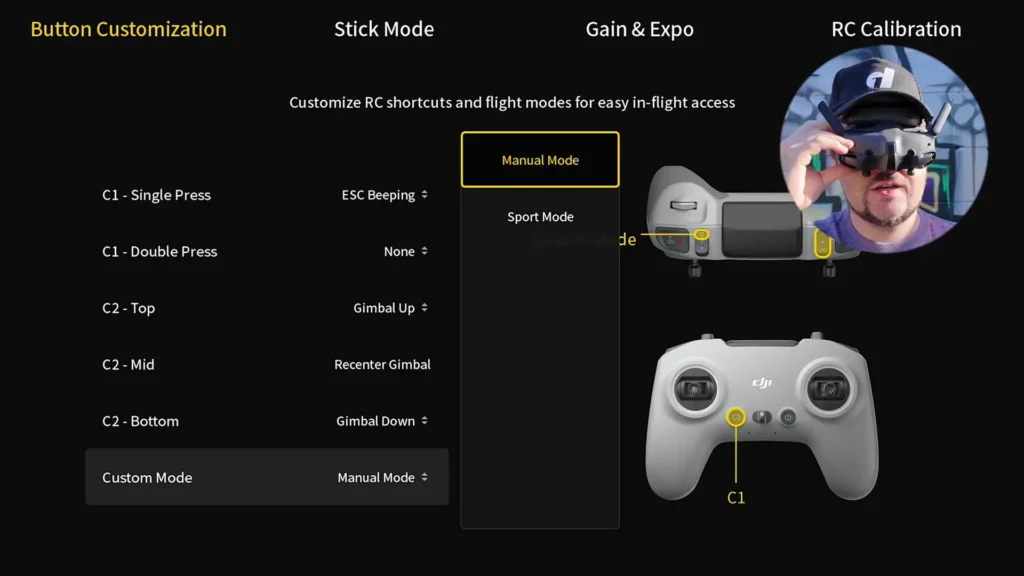
Before you can fly in true manual FPV mode, there are a few important settings you need to configure. Once you have everything connected, head into the settings menu and navigate to Control, then select Remote Controller. From there, scroll all the way down to Custom Mode. By default, this will be set to Sports Mode, so you need to change it to Manual Mode for the Custom Mode option.
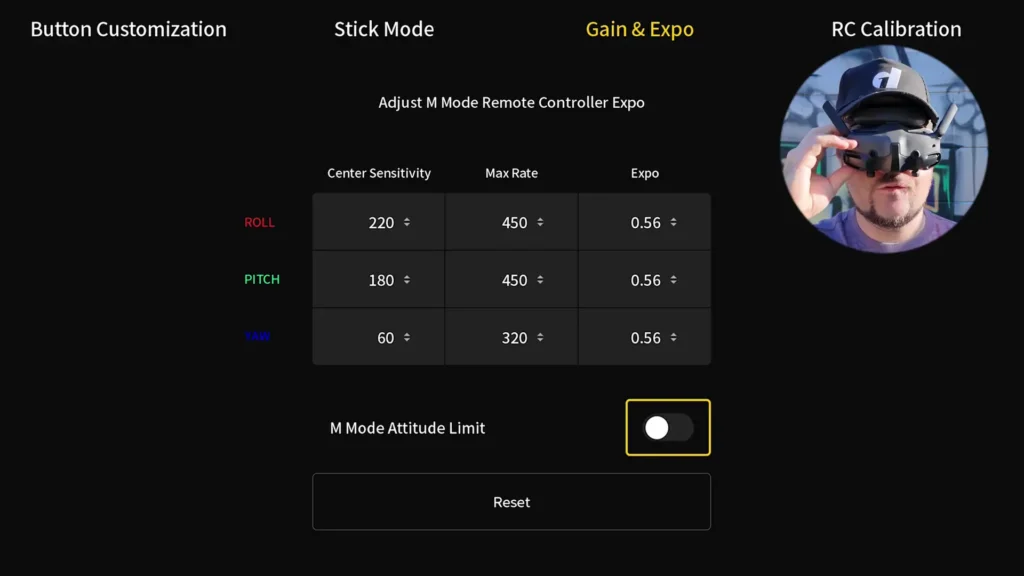
The second adjustment is just as important. At the top of the same settings area, go across to Gain and Expo, and make sure you turn off the M Mode Attitude Limit. Disabling this setting gives you full FPV manual mode control without any artificial restrictions on your movement. Once both of these changes are made, you are ready to fly in true DJI Neo 2 FPV manual mode.
The One Major Limitation
One thing that is worth knowing upfront before you head out for your first manual FPV session with the Neo 2 is that there is no turtle mode. For those unfamiliar, turtle mode is a recovery feature that allows you to flip the drone back over remotely if it crashes and lands upside down. On the Neo 2, this feature simply does not exist.
To confirm this, if you go into settings and navigate to the Control section, there is nothing there for turtle mode. You can also go into the Remote Controller settings and check the custom buttons such as C1 or C2. Whether you check C1 double press or C2 top, there is no turtle mode option available anywhere in the menus.
This is likely due to the design of the drone itself. The Neo 2 has protruding antennas and a fixed form factor that would make the turtle mode flip maneuver physically difficult or impractical. Regardless of the reason, the consequence is the same — if the drone crashes and flips over, you have to physically walk over to it and flip it back yourself. There is no remote recovery option whatsoever.
This is not a deal breaker by any means, but it is something that significantly shapes how and where you should fly in manual mode, especially early on when you are still building confidence.
The Importance of Using a Simulator Before Flying
If you are new to FPV flying and you are thinking about jumping straight into manual mode with the Neo 2, it is strongly recommended that you practice in a simulator first. There are a number of FPV simulators available, and one particularly useful option is the Uncrashed simulator.
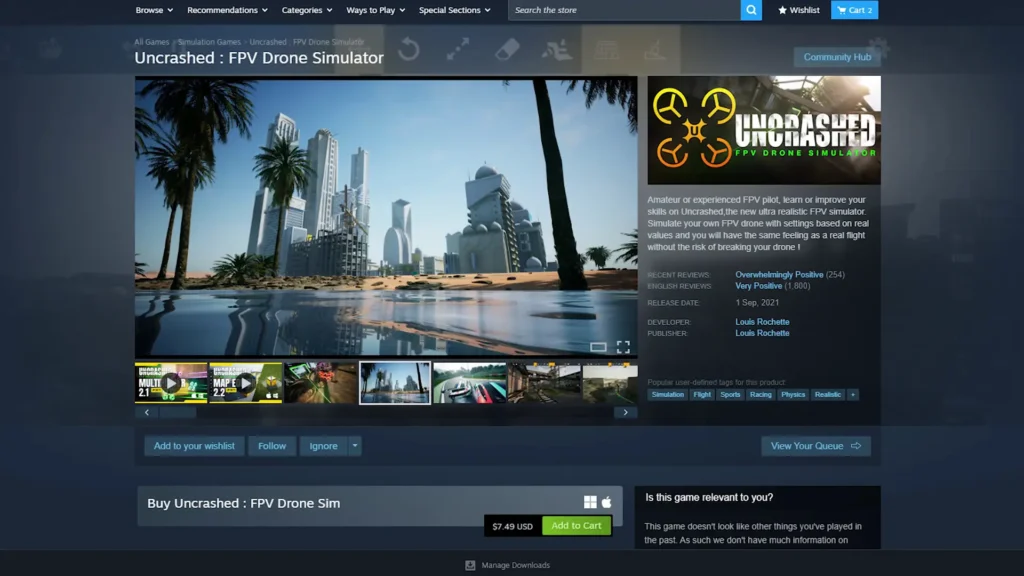
The FPV Remote Controller 3 can be plugged directly into your computer, allowing you to fly FPV in the simulator using the exact same controller you will use with the Neo 2. This means you are not just practicing the movements in an abstract sense — you are actually training your muscle memory with the real hardware.
The benefit of this approach is obvious. You get to make all of your beginner mistakes, crash repeatedly, and develop a feel for the sticks without putting the actual drone at any risk. FPV flying in manual mode is genuinely difficult, and the learning curve is steep.
Even after spending hours on the simulator, the first time out in the field will still feel challenging. Going in without any simulator practice at all would make for a very frustrating and potentially expensive experience.
Building Confidence in Sports Mode First
When you first head out with the Neo 2 in a FPV setup, it is a smart idea to start in Sports Mode rather than jumping straight into manual mode. In sports mode, you still get the FPV experience through the goggles, which in itself is a new and disorienting experience if you have never done it before.
The difference is that when you let go of the sticks, the drone automatically hovers and holds its position. The obstacle avoidance system also remains active in sports mode, which gives you useful feedback about what is around you.
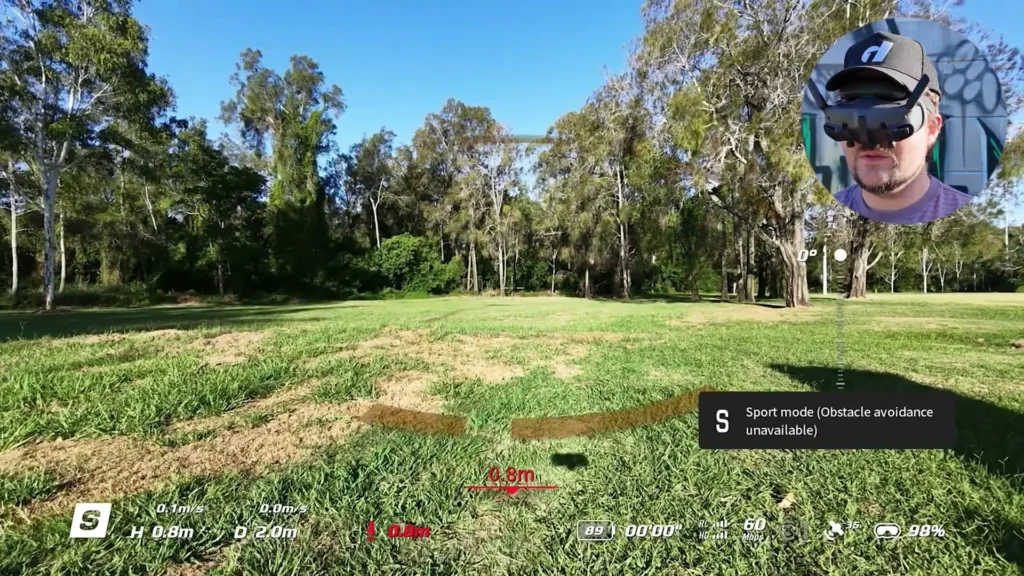
This combination makes Sports Mode a fantastic starting point. You get to experience the sensation of flying FPV through the goggles, practice making intentional movements, and get used to the feel of the controller — all without the constant risk of crashing. Normal mode works similarly but is a bit slower, which can also be a useful stepping stone.
Once you are feeling comfortable in sports mode and you understand what the FPV experience feels like through the goggles, you are in a much better mental space to switch into manual mode for the first time.

Flying in True Manual Mode
When you switch into true manual mode on the Neo 2, everything changes. The drone no longer hovers automatically when you let go of the sticks. You are in full control of every movement, every moment. If you stop giving input, the drone does not self-correct — it just does whatever physics dictates based on its current orientation and momentum.
This is exhilarating, but it demands a completely different skill set. Even with hours of simulator practice, those first moments in manual mode feel fiddly and unpredictable. The movements will not look smooth. The drone will drift, particularly in the wind, and you will find yourself constantly making small corrections just to maintain a stable hover or a straight flight path.
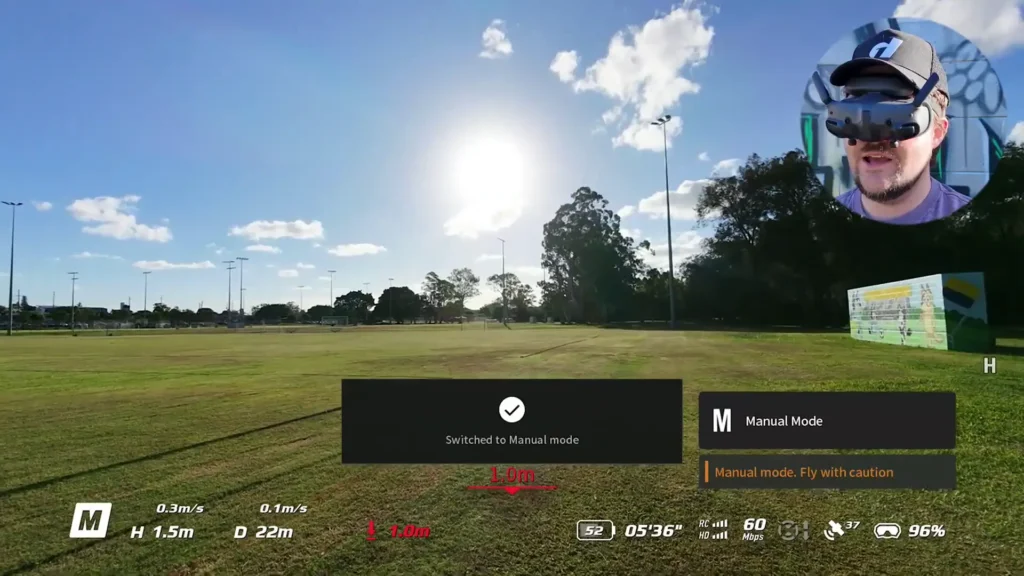
One thing that becomes clear quickly is that the Neo 2 is noticeably affected by wind in manual mode. In calm conditions, it handles reasonably well and gives you a genuine sense of control. But as soon as the wind picks up, you need to angle the drone aggressively forward just to make progress in the direction you want to go.
Flying into the wind in manual mode requires you to pin the nose down and push hard to generate the forward speed needed to overcome the gusts. It is manageable, but it is something you need to be aware of and prepared for.
The Emergency Trick
One of the most useful techniques to know when flying the Neo 2 in manual mode is the ability to flip it back into sports mode at any moment using the mode toggle on the controller. This is genuinely a lifesaver when you are learning.
If you are flying in manual mode and you start to lose control — maybe the drone is drifting toward a tree, or you have overcorrected and the flight path is looking dangerous — you can instantly switch back to sports mode with a simple toggle. The drone will immediately stop doing whatever chaotic thing it was doing and return to a stable hover, holding its position as if nothing happened.
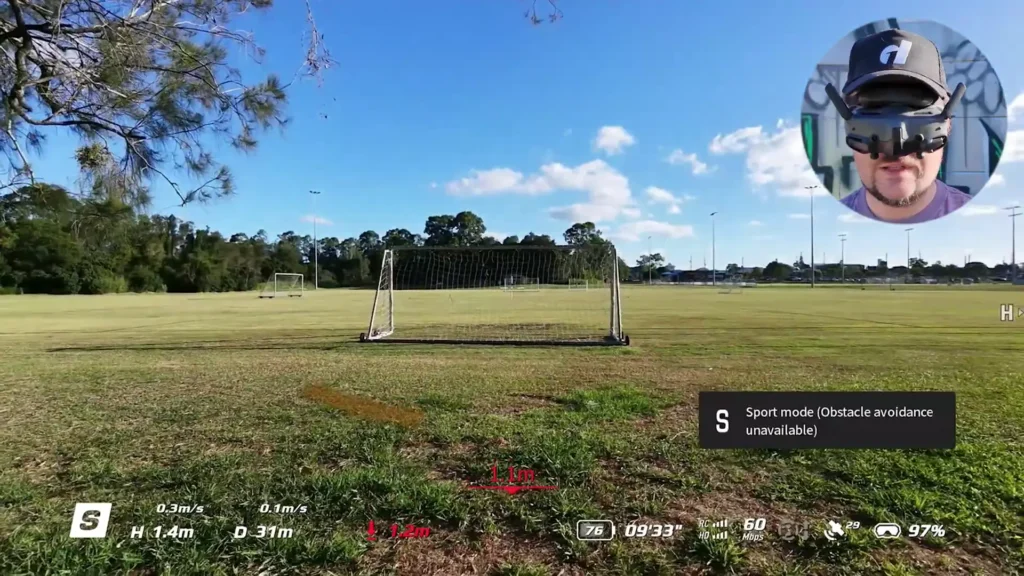
This safety net changes the entire dynamic of learning manual FPV with the Neo 2. It means you can take calculated risks, push your comfort zone, and experiment with the limits of your control without it always resulting in a crash. The moment things look like they are going sideways, you flip the mode switch, the drone hovers, and you compose yourself before going back in.
Flipping Back into Sports Mode
It is worth noting that the pause button on the back of the controller, which functions as an emergency brake in normal and sports modes, does not work in manual mode. When tested in manual flight, pressing the pause button had no effect.
In manual mode, you are truly the one calling all the shots. The only safety net available is that sports mode toggle, so it is important to know exactly where that switch is and be comfortable using it instinctively.
Handling Wind in Manual Mode
Wind is one of the biggest challenges when flying the Neo 2 in manual mode, and it is something that directly impacts the quality of the experience. In calm conditions, flying feels controlled and manageable. The drone responds predictably, and you can practice those gentle, precise maneuvers that define good FPV flying.
But when the wind picks up, things get noticeably harder. The drone gets pushed around by gusts, and maintaining a consistent flight path requires much more aggressive inputs. To build speed and fly against the wind, you need to pin the drone nose-down and angle aggressively forward.
This is not unique to the Neo 2 — it is a challenge with any lightweight FPV drone — but the Neo 2’s small size and light weight make it more susceptible than larger, heavier platforms.
The ideal scenario for practicing manual FPV with the Neo 2 is a secluded area with minimal wind. If you can find a spot like that, the experience becomes genuinely enjoyable and the learning curve flattens considerably. Flying between trees, making banking turns, and threading tight gaps all become much more achievable when you are not constantly fighting the wind at the same time.

Practicing the Core FPV Skills
One of the best ways to build real FPV skills with the Neo 2 in manual mode is to focus on a specific set of practical maneuvers rather than immediately attempting flips and rolls. The bread-and-butter skills of FPV flying — flying through tight gaps, making smooth banking turns around obstacles, and controlling altitude precisely near the ground — are what actually make for impressive and confident FPV footage.
Flying between trees is a particularly effective practice drill. It forces you to make precise lateral adjustments, judge gaps accurately, and maintain consistent forward speed while managing your altitude. These are exactly the kinds of skills that carry over into the more advanced maneuvers later on. The feeling of threading a tight gap cleanly, even at low speed, is genuinely satisfying and gives you a real sense of progress.
Banking shots are another staple of FPV flying that are very achievable for beginners on the Neo 2. As you fly around a tree or an obstacle, tilting into a smooth banking turn creates that signature FPV look that makes drone footage feel dynamic and cinematic. Getting those banking turns to feel natural takes practice, but the Neo 2 gives you the control you need to make it happen once you have some hours behind you.
The key mindset for this stage of learning is patience and incremental progression. Master the basics of controlled flight first — straight lines, gentle turns, controlled altitude — before even thinking about flips and rolls. The foundation you build at this stage will make everything else easier.
Attempting Rolls and Flips
Once you have built a solid foundation of basic manual flight, the temptation to try flips and rolls becomes irresistible. The Neo 2 is fully capable of executing both, but landing them cleanly takes practice, and there are a few important tips that make a real difference.
The single most important factor for successfully completing a flip or a roll is height. The more altitude you have above the ground when you initiate the maneuver, the more time you have to complete the rotation and recover your orientation before the drone hits the ground.
Many failed attempts at rolls and flips come down to not having enough height going in. When you add sufficient altitude to your approach, the margin for error expands dramatically and the drone has room to come out of the rotation and stabilize before anything bad happens.

Tips For Success
For a roll, the technique involves executing the lateral rotation input and then immediately accelerating to help the drone recover its orientation and maintain forward momentum through the maneuver. It sounds straightforward, but in practice it takes many repetitions to get the timing right. The first few attempts will likely result in crashes or barely controlled recoveries, and that is completely normal.
Flips follow a similar principle. Initiate with enough height, commit to the input, and focus on recovering clean forward flight as quickly as possible after the rotation completes. The timing between the flip input and the recovery stick input is the critical variable, and it takes genuine repetition to internalize.
The more attempts you make, the more you start to understand the rhythm of these maneuvers. You begin to feel instinctively when to pull back, when to push forward, and how to read the drone’s orientation through the goggles during the rotation. Progress is noticeable with each battery cycle, and the confidence that builds from landing a clean roll or flip for the first time is incredibly motivating.
Durability of the DJI Neo 2
One of the genuinely impressive things about the Neo 2 in the context of FPV manual mode flying is just how durable it is. Crashes are an inevitable part of learning FPV, especially in manual mode, and the Neo 2 handles them remarkably well.
The protruding arms of the drone take the majority of the impact in most crashes, which keeps the camera and the main body largely protected. Bumping into trees, landing hard on the ground, and rolling through grass all seem to leave the Neo 2 essentially unscathed.
Built to Take Hits
Even after multiple crashes into trees and various hard landings, the drone continues to perform flawlessly. The camera keeps recording through impacts, and the propellers and motors continue to function without issue.
The antennas are also surprisingly resilient. Because they are flexible rather than rigid, they tend to bend rather than snap when the drone lands upside down. Instead of breaking, they simply dig into the ground slightly and absorb the impact without damage.
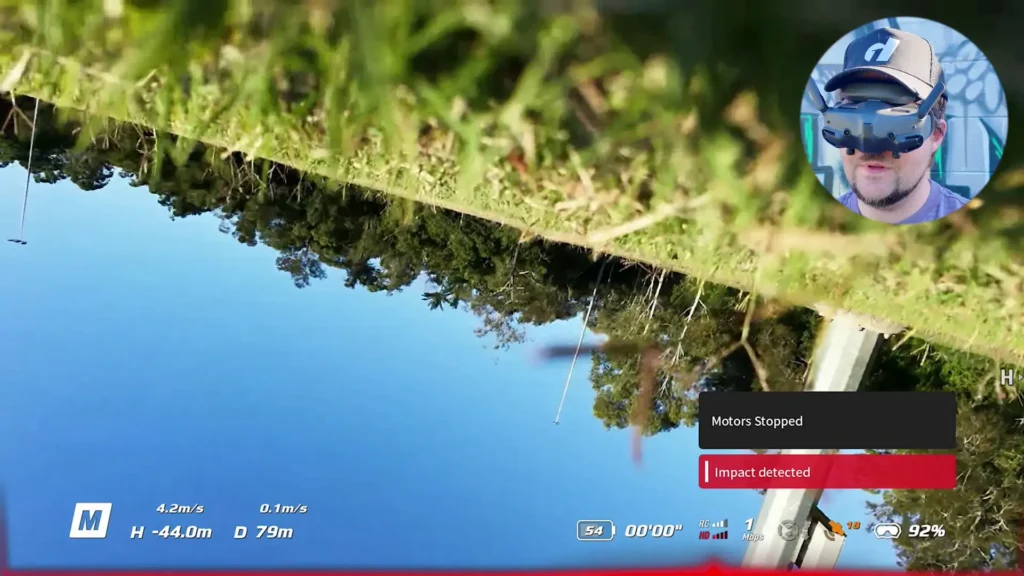
The one scenario to be aware of is if a stick or sharp object happens to land at a particularly unlucky angle directly on the camera. Most of the time this does not happen because the protruding arms catch the impact first, but it is worth being mindful of when you are flying in heavily wooded areas.
The durability of the Neo 2 is not just a nice bonus — it is practically a requirement for FPV manual mode flying at the beginner level. If the drone were fragile, the learning process would be exponentially more frustrating and expensive. The fact that it can absorb hits and keep going removes a significant psychological barrier and lets you push your skills more aggressively.
One Practical Tip After a Crash
After the drone crashes and flips over, the motors often continue to run as the drone attempts to correct itself and fly again. Left running, this can cause the drone to skitter across the ground or thrash around awkwardly. To stop this from happening, you need to double tap the start/stop button on the controller, which will disengage the motors immediately.
This is a small but important thing to know. The first time it happens, it can be a bit startling to see the drone sitting upside down with the motors still spinning. But once you know to double tap the button, it becomes second nature and you can deal with crashes cleanly and efficiently every time.
Battery Life Considerations for Manual FPV Flying
Battery life is one of the practical realities you need to plan around when flying the Neo 2 in manual mode. The Neo 2 does not have an exceptional battery life to begin with, and manual mode flying — with its aggressive throttle inputs, flips, rolls, and high-speed runs — drains the battery faster than calm, controlled flying in normal or sports mode.
Because of this, it is important to keep the drone relatively close to you during manual mode sessions, particularly when you are practicing flips and rolls. Remember, there is no turtle mode on the Neo 2. If the drone crashes and flips over several hundred meters away from you, you have to physically walk out and retrieve it. Keeping the flight envelope tight gives you the ability to quickly recover the drone after a crash without it becoming a major expedition.
The Neo 2 gives clear warnings when the battery is running low. The drone becomes very vocal with loud beeping, and a bright red light illuminates on the front of the aircraft. These warnings are audible from a significant distance, so you will not miss them. When the low battery warning kicks in, it is time to start bringing the drone back and plan for a battery swap.
With multiple batteries, you can extend your session considerably. It is worth investing in a few spare batteries if you plan to do serious manual FPV practice, as the time spent actually flying goes quickly and you will want to maximize your time in the air.
The Controller Feel and Overall FPV Experience
The FPV Remote Controller 3 pairs extremely well with the Neo 2 for manual mode flying. The toggles for switching between Normal, Sports, and Manual mode feel tactile and satisfying to use — there is a clear, physical click when you change modes, and everything is intuitively positioned so that you can find each switch by feel without taking your attention away from the goggles view.
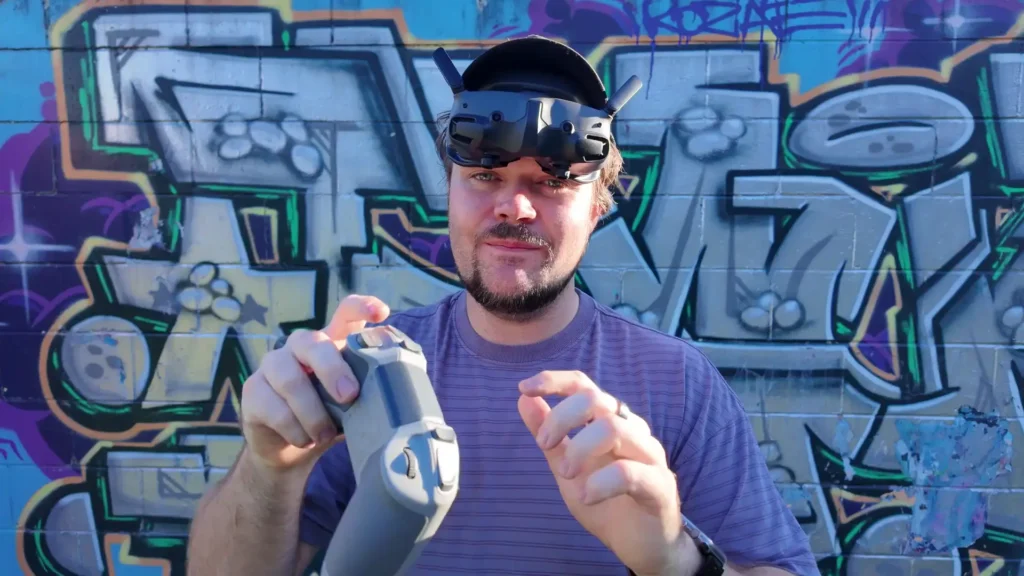
The scroll wheel for adjusting the camera angle, the recording buttons, and the emergency stop are all within easy reach and logically laid out. The overall ergonomics of the controller make it feel like a cohesive, well-designed piece of kit rather than an afterthought.
When paired with the Goggles 3, the full FPV experience on the Neo 2 is genuinely impressive for a drone at this price point. The combination of first-person view through quality goggles, responsive manual mode controls, and the ability to execute real FPV maneuvers puts the Neo 2 in a unique position in the market. There is simply not much else at this price that gives you a true FPV manual mode experience with this level of build quality and reliability.
Portability and Form Factor
While the DJI Neo 2 excels in almost every other area, its portability is a genuine limitation worth acknowledging. Unlike many modern DJI drones, the Neo 2 does not have a folding body. This means it takes up considerably more space when you are transporting it, and you need to be more careful about how you pack it.
The original packaging that the drone comes in works as a carrying solution, though it is not ideal for repeated use or for taking out in the field regularly. There are third-party cases available that are designed specifically for the Neo 2, and investing in one of those is worthwhile if you plan to take the drone out frequently.
The fixed form factor is a trade-off for the drone’s robust build quality and durability, but it is a trade-off worth being aware of before you buy.

Is the DJI Neo 2 Worth It for FPV Manual Mode?
After a full session of manual FPV flying with the DJI Neo 2 — including multiple crashes, a handful of successful rolls and flips, and plenty of tree-weaving practice runs — the verdict is overwhelmingly positive. For a budget-friendly drone, the Neo 2 delivers a genuinely capable and exciting true FPV manual mode experience that is hard to find at this price point.
The ability to flip into sports mode at any moment as a safety net makes the learning process far less stressful than it would be on a dedicated FPV drone. The durability means you can crash repeatedly without worrying about destroying your equipment. And the intuitive controller layout makes the whole experience feel polished and considered rather than cobbled together.
The absence of turtle mode is a genuine inconvenience, particularly when you are practicing in areas where retrieving a flipped drone means a long walk. The susceptibility to wind in manual mode is also a real factor that limits where and when you can get the best experience. But neither of these issues is a deal breaker. They are simply constraints that shape how and where you fly.
For anyone who has been curious about FPV but has been put off by the cost and complexity of a traditional FPV setup, the DJI Neo 2 is an extraordinary entry point. With some simulator practice, a willingness to crash and learn, and the patience to build your skills incrementally, there is a huge amount of fun and genuine FPV capability waiting for you in this little drone.
The fact that a complete beginner can get to the point of successfully executing rolls and flips in a single session says everything about what the Neo 2 makes possible.
Table of Contents
Read More: Control DJI Neo 2 with Your Apple Watch