
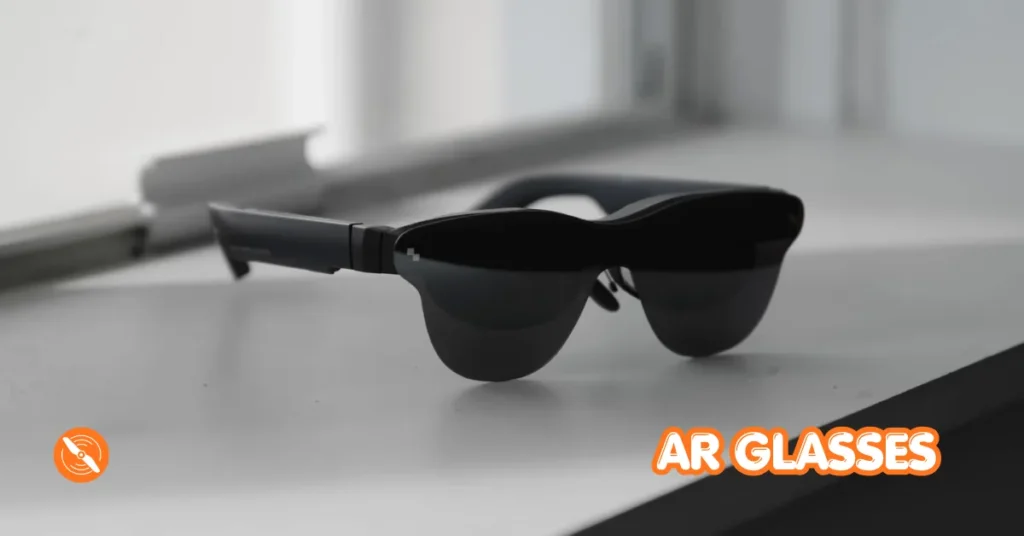
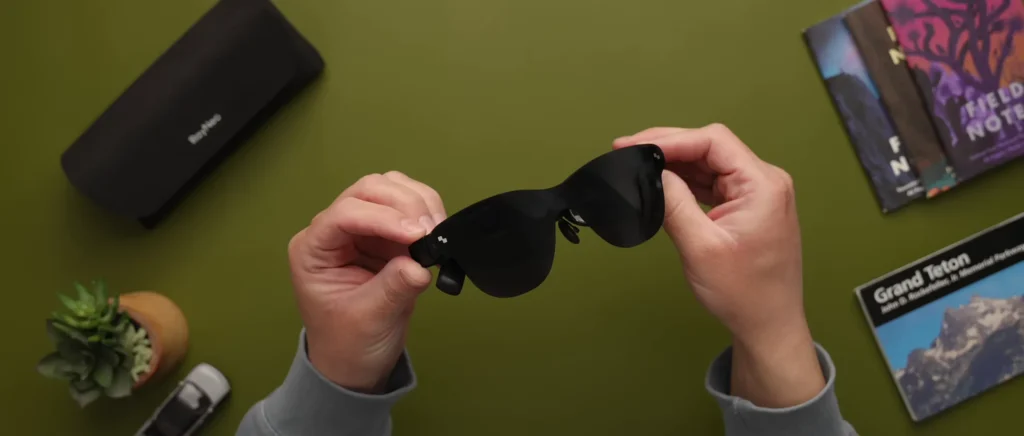
These are the Rayneo Air 4 Pro AR Glasses. These things are basically just like glasses but with a built-in 201-inch display. So it got me thinking: can I use these as a supplement or replacement for FPV goggles? I wanted to test out if I could use these things for drones like the Avata 2, anything with an O4 Air unit in it, or even the Mini 5 Pro.
One of the biggest complaints people have about the Mini 5 Pro is that it does not work with FPV goggles. And little spoiler here, these things totally work.
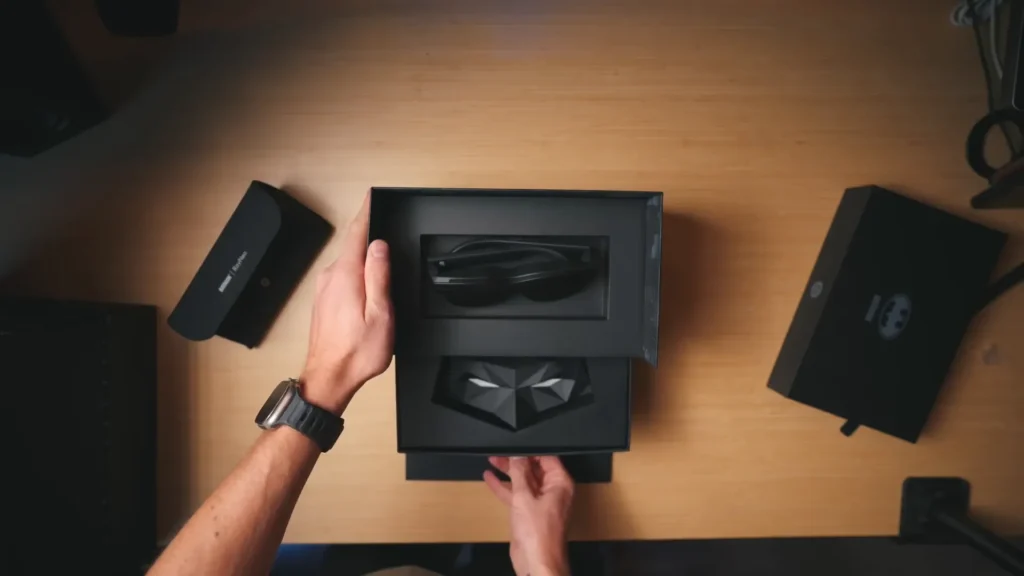
The Batman and Joker Collector’s Edition
For this edition, Rayneo partnered with Batman to make a really cool collector’s edition. I got both the Batman version as well as the Joker version, which is similar to the base version but comes with a couple of really cool collector’s items. This includes the Bat Shade, the Joker Shade, the lens shade stand, and sound tune.
How Do the Rayneo Air 4 Pro AR Glasses Compare to FPV Goggles?
The usual goggles I fly FPV with are the DJI Goggles 3. These things are amazing but cost $600. You could always pick up the DJI Goggles N3 for $300 as well, but you still have this huge thing on your face. The Rayneo Air 4 Pro AR Glasses cost $249 for the base version and $269 for the Batman version. They weigh just 76 grams and can fit in your pocket.
These do not have a battery. They simply have a USB-C cord that plugs directly into whatever you want them to mirror. Think laptops, phones, Steam Deck, and in this case, drones. So let’s go out and hook these things up to a couple of different drones and see if it’s a viable option.
Read More: DJI Avata 360 First Look & Honest Thoughts
Testing with the DJI Mini 5 Pro
The first drone I want to test with is the Mini 5 Pro because it’s definitely the simplest setup, and again, one of the main complaints people have about the Mini 5 Pro is that it’s not compatible with FPV goggles.
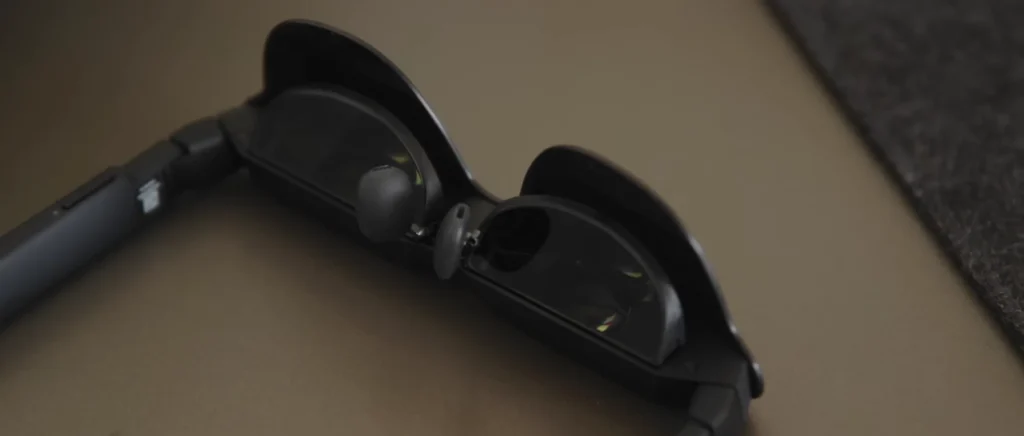
So I got the drone all powered up, set it outside, and the remote controller is powering up. Getting the Rayneo Air 4 Pro glasses out, essentially all you need to do is incredibly simple. There’s a little USB-C port at the back of the glasses. You just plug the cable in there and then plug the other side into the USB-C at the bottom of your controller. Right away, the screen comes up and it’s actually super bright.

On the front of the glasses, there’s a little cover. If you don’t have that cover on, the glasses are a little more transparent, so when you’re flying drones I would recommend keeping it on just so the environment is as dark as possible. On one side of the glasses you have brightness buttons, both plus and minus, which is handy for darker environments where you don’t need full brightness.
For flying, it’s nice to keep it on full brightness. On the other side, you have a volume button and a menu button. The little ports on the side are speakers, and the audio was co-tuned with Bang and Olufsen, and it sounds so good.
Throwing these on, yeah, this is actually super bright. Another big benefit is that you can actually see the controller underneath the glasses, so you can change the controls whenever you want to. Taking off with these on, honestly, the screens look amazing.
I am so impressed. It’s pretty bright out right now and it’s still just so bright. I’m going to try to show kind of what I see visually, and honestly, I like these more than goggles just because they’re so light.

Display Technology Behind the Rayneo Air 4 Pro
Rayneo worked with Pixelworks for an HDR10 display, which basically means you get 10-bit colors, so brighter highlights, darker shadows, and just more colors overall, 10.7 billion to be exact. Most competitor AR glasses only have 16.7 million colors.
So there is a huge difference there, and honestly without getting too into the weeds here, these just look amazing. It’s also so nice because I can fully see the controller below the glasses, making it super easy to change settings and controls on the fly.
Getting the Rayneo Air 4 Pro to Work with the Avata 2 and O4 Air Unit Drones
Next up, let’s talk about how to get these to work with drones like the Avata 2 or any quads with the O4 Air unit. I think it also works with the O3. To get this working, you still do need goggles, so as far as use cases go, this would mainly be for people who either don’t like having the full weight of goggles on their face or want to let friends spectate their flights, which is actually something that is super cool.
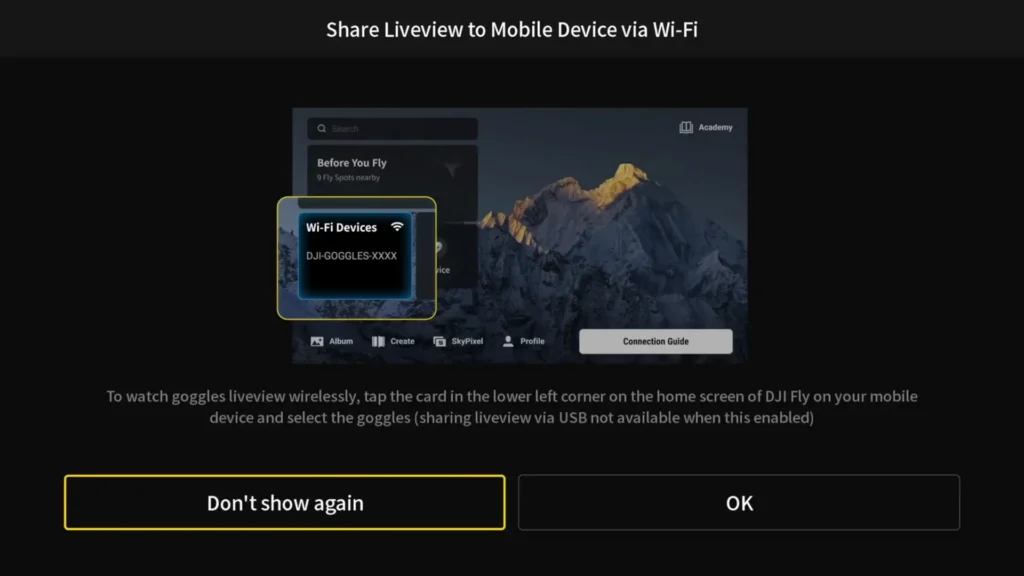
All you have to do is start up just how you normally would. Get your goggles going, get your controller on, as well as the drone. Once everything is up and running, the next step is to enable live view. You come down in the menu and hit “Share live view to mobile device via Wi-Fi.” You do need your phone for this step. You basically want to mirror what’s in your goggles to your phone, and then you take it from your phone to the glasses.
Hit OK to put it into pairing mode, then open up the DJI Fly app. In the little box that appears, you’ll get an option to connect to the goggles. Hit the goggles option, then hit “Join Wi-Fi” and then hit “Go Fly.” Now your goggles feed is mirrored to your phone.
All you have to do is take the cord going to the glasses, plug it into your phone, and you are fully mirrored right on the Rayneo Air 4 Pro. Throw the glasses on and boom, you’re locked in for FPV.
Read More: DJI Neo 2 FPV Manual Mode Complete Beginner Guide
The FPV Flying Experience with the Rayneo Air 4 Pro
We are good to go. I’m going to rip in manual mode here. It’s actually such an interesting experience. I’m just really not used to flying FPV without really heavy goggles on.
There is a little bit of lag here and it’s a little bit jumpy every now and again, but for the most part it’s a very smooth feed. Yeah, I’m pretty stoked that this works. And again, I’m in a super bright environment and just because the screens are so nice, it still shows up really bright.
All the light leaking into your face doesn’t really make a big difference because the screens are really bright and really nice. You can fly pretty far away from yourself too.
The range doesn’t matter here because all you’re doing is mirroring your goggles, so you can do proper long-range stuff and it really doesn’t matter. This is just such a cool experience, and being able to look down at your controller while flying is a huge plus.
Other Use Cases for the Rayneo Air 4 Pro
Flying drones with these things is an amazing use case, but there are so many ways you can use the Rayneo Air 4 Pro AR Glasses. For example, if you wanted to edit the footage you just shot on your drone, instead of editing on your laptop screen, you can throw these on and now you have a 201-inch screen to edit from.
Another thing I’m definitely going to be using these for is watching movies on planes. When you’re on a plane and looking down at your phone for hours on end, it’s just really uncomfortable. With these, you can just throw them on, absolutely post up in your seat, and watch a movie on a huge screen.
As I mentioned, you can hook these up to pretty much anything with a display port, including phones, laptops, drones, Steam Deck, and the Nintendo Switch 2 for people who play that. So it’s one product that works for so many different use cases. They also have a 2D to 3D AI model, so you can turn 2D content into 3D directly in the glasses. And right now, you can pick these up for $50 off with early bird pricing.
Specification Table
| Spec | Details |
|---|---|
| Product Name | Rayneo Air 4 Pro AR Glasses |
| Base Price | $249 |
| Batman Collector’s Edition Price | $269 |
| Weight | 76 grams |
| Display Size | 201-inch (virtual screen) |
| Display Type | HDR10 |
| Color Depth | 10.7 billion colors (10-bit) |
| Competitor Color Depth | 16.7 million colors |
| Display Partner | Pixelworks |
| Audio | Built-in speakers, co-tuned with Bang and Olufsen |
| Power Source | No battery, powered via USB-C |
| Connection Type | USB-C |
| Compatible Devices | Phones, Laptops, Steam Deck, Nintendo Switch 2, DJI Drones |
| Compatible Drones | DJI Mini 5 Pro, Avata 2, O4 Air Unit, O3 Air Unit |
| FPV Goggle Requirement | Required for O4/O3 Air Unit drones |
| 3D Feature | 2D to 3D AI Conversion |
| Early Bird Discount | $50 off |
| Special Editions | Batman Edition, Joker Edition |
| Collector’s Items | Bat Shade, Joker Shade, Lens Shade Stand, Sound Tune |
Final Thoughts
Thank you to Rayneo for reaching out. Honestly, I was super impressed with the Rayneo Air 4 Pro AR Glasses and I think a lot of people are going to get a ton of use out of these in the drone world. They’re lightweight, affordable compared to traditional FPV goggles, and they work with a surprisingly wide range of devices and drones. If you have any questions, leave them in the comments down below. Thank you so much for watching and I’ll see you on the next one.
Table of Contents
Read More: How to Color Grade DJI Mini 5 Pro Footage in DaVinci Resolve