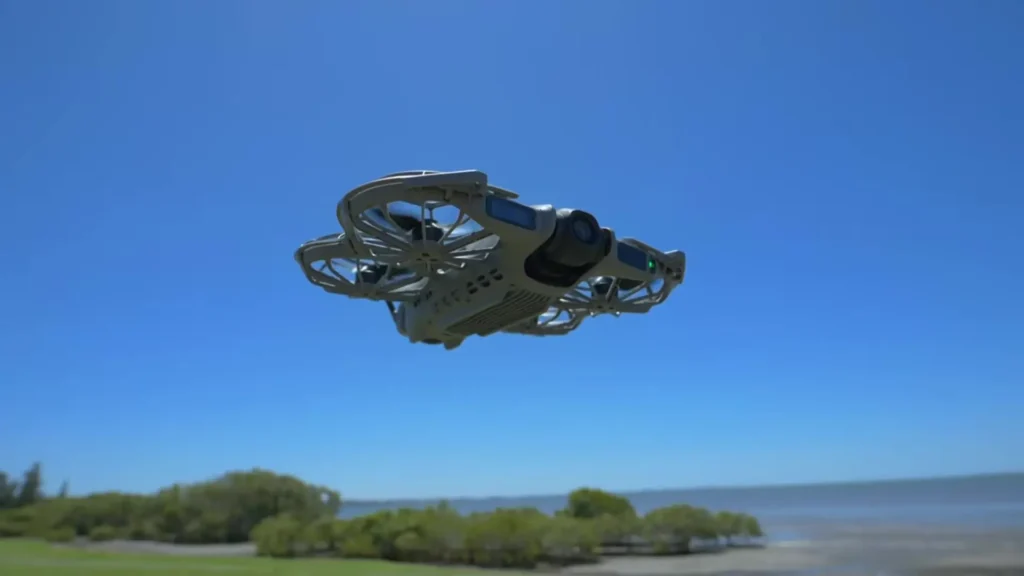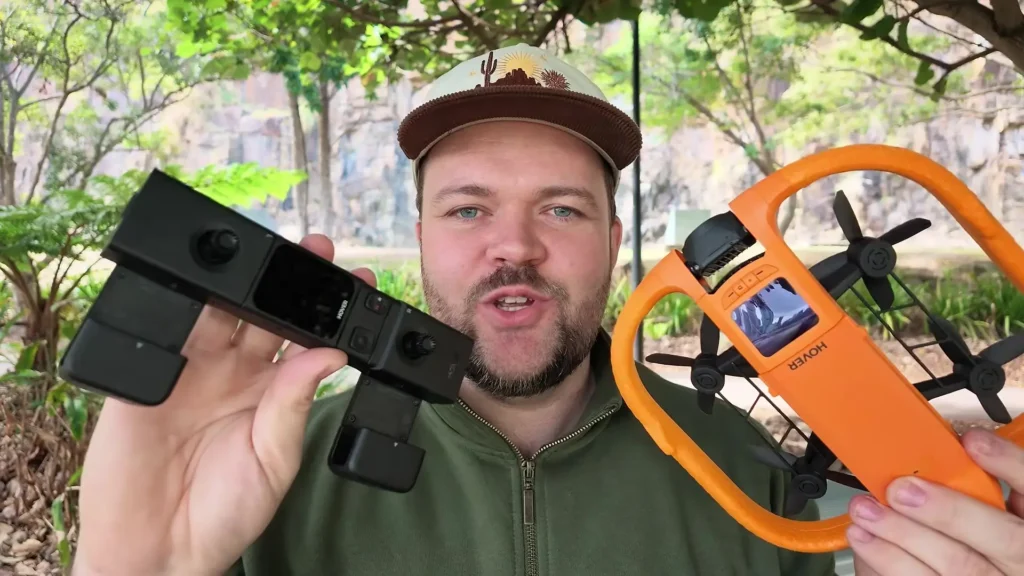
If you have visited the channel recently, you will know that I am obsessed with the HOVERAir AQUA. This piece of technology is easily one of my favorite tech gadgets of 2026, and in this article, I am taking a much closer look at it.
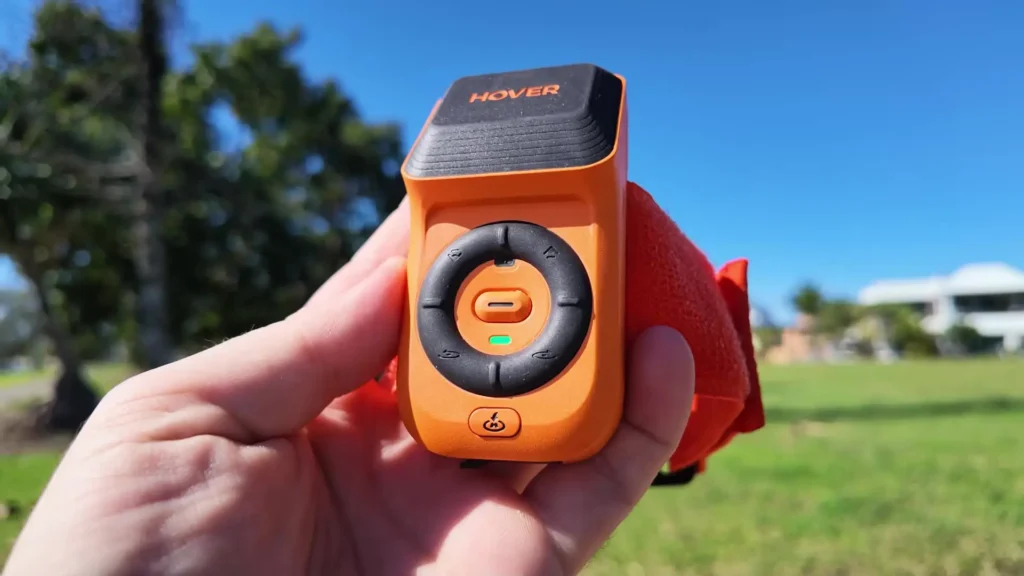
I will also be learning more as I go about the Lighthouse Controller, which is a floating wristband controller that attaches directly to your arm. You strap it on, and it gives you a wide range of functions to move the drone while it is in flight.
Table of Contents
What Is the Lighthouse Controller?
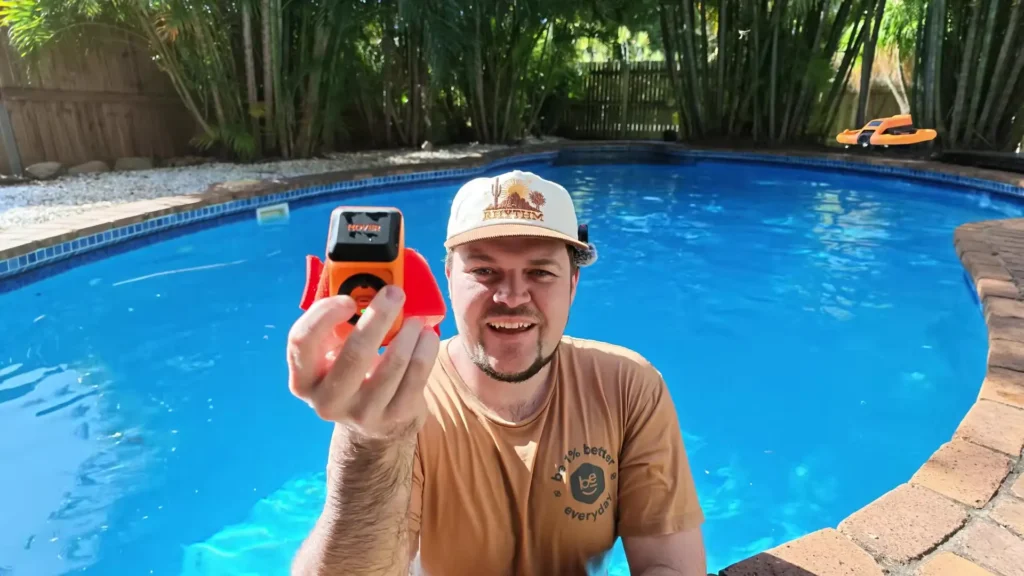
The Lighthouse Controller is a wearable, arm-mounted controller designed specifically for use with the HOVERAir AQUA. It carries an IPX7 waterproof rating, which means it can withstand submersion in water up to one meter deep for up to 30 minutes.
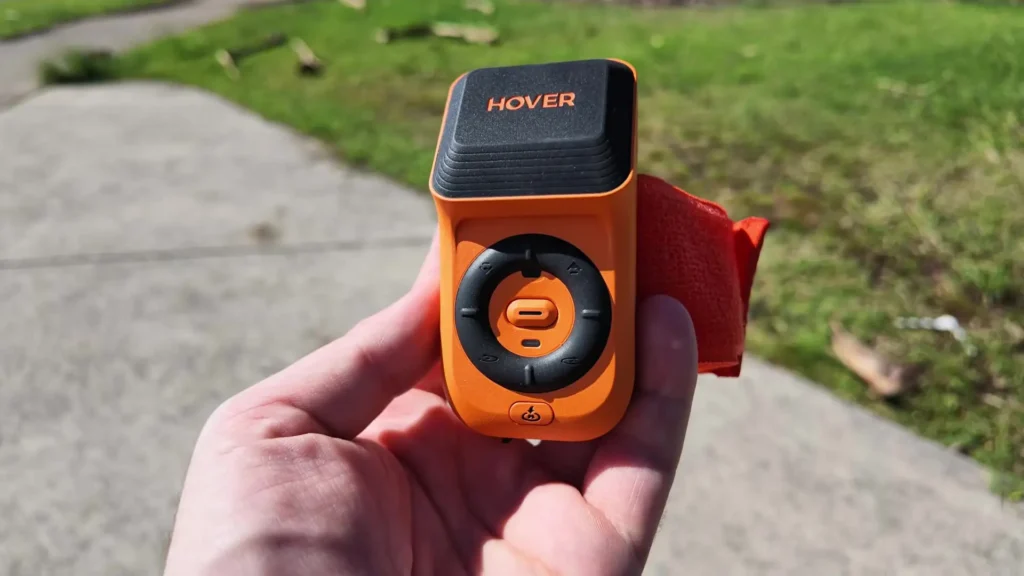
That is an important detail to keep in mind. You do not want to dive too deep with it, but it is waterproof enough to wear on your arm while you are in the ocean or in a swimming pool, which you will see in action very shortly.
The controller itself is straightforward in terms of its physical design. There is a power button on the side to turn it on, a Home button, a set of directional buttons, and a central button that brings the drone back to you if it has flown too far away. Simple, effective, and purpose-built for aquatic adventures.
Setup and Connection
To wear the Lighthouse correctly, you need to make sure it is positioned straight on your arm so that it can achieve accurate positional tracking, especially when you are in the water. Once everything is powered on, the drone connects quickly and you get a notification on screen confirming that the Omni-terrain system is active and that RTK, which stands for Real-Time Kinematic precision positioning, is also enabled.
It is important to wait for everything to connect properly before you start flying. Once the Lighthouse tracking signal is restored and confirmed, you are ready to go. Pressing the central button on the controller initiates the launch sequence, recording starts automatically on the drone, and a short countdown gives you just enough time to prepare before it rises to the right altitude and locks into follow mode.

Core Functions Explained
Out in an open field, the HOVERAir AQUA with the Lighthouse Controller already starts showing off what makes it genuinely different from other selfie drones on the market. In standard follow mode, the drone tracks you automatically. But what the Lighthouse adds is the ability to change a whole range of different inputs on the fly.
You can make the drone orbit around you in a full circle. You can push it backward to increase distance. You can raise or lower the altitude with simple button presses, and once you set a height, the drone locks it in so you do not have to keep adjusting it manually.
When you walk toward the drone, it recognizes the movement and adjusts to maintain the same distance. When you walk away, it follows from behind. The range reportedly extends up to 100 meters, which is impressive considering this is primarily designed as a close-range selfie drone.
One of the standout features is the Return to Home function. Because the system uses highly accurate positioning, pressing the Return button sends the drone flying in smoothly and precisely. It hovers nearby, and you can either grab it and flip it to shut it down, or simply wait for it to land on its own. You can also interrupt the return at any point, and the drone will resume tracking immediately after.
Also Read: HOVERAir AQUA Controller: Full Drone Control
Where the HOVERAir AQUA Truly Shines
This is where things get really exciting. The HOVERAir AQUA is built for water, and seeing it in action confirms exactly why it has generated so much attention.
Starting from the water is simple. You press the button, and the drone performs what is called the Turtle Flip maneuver, launching itself directly out of the water. It identifies your position via the Lighthouse signal, locks into the correct facing direction, and begins tracking.
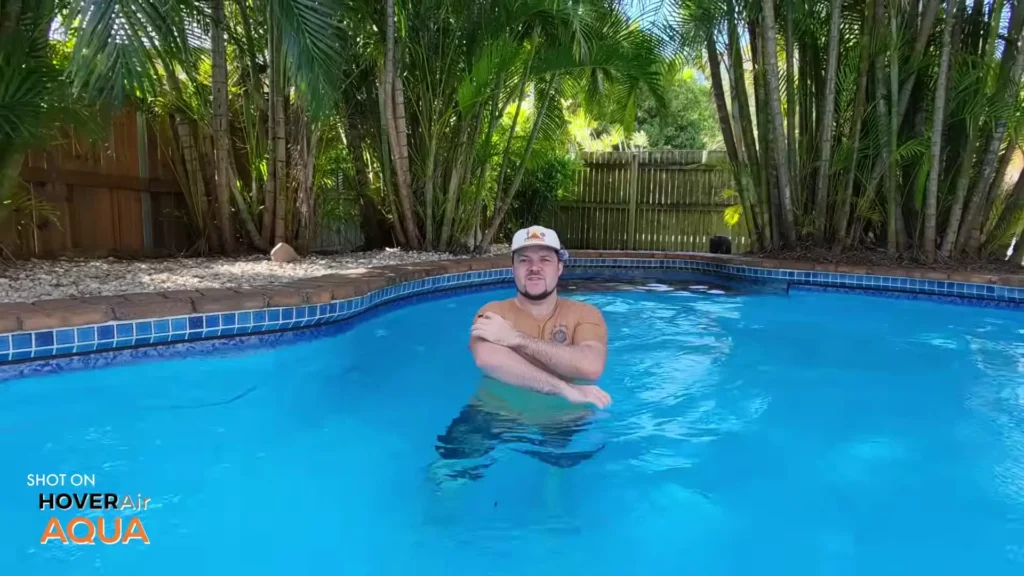
When it is time to land, you press Return to Home, and the drone comes in and sets itself down right behind you in the water. Clean, precise, and genuinely impressive.
Because both the drone and the Lighthouse Controller are waterproof, you do not need to worry about wet hands, splashing, or brief submersion. Even while in the pool or ocean with the controller completely wet, you still have full control over the drone. You can bring it toward you, push it in any direction, change its altitude, and switch between different tracking modes, all without leaving the water.
The controller also floats. If it slips off your arm for any reason, it will sit on the surface rather than sinking, which is a thoughtful design detail that adds real peace of mind when you are out on the water.
Exploring the Different Tracking Modes
One of the most impressive aspects of the HOVERAir AQUA and Lighthouse combination is the variety of tracking modes available. Each one offers a distinct perspective, and switching between them is quick and easy.
Follow Mode
This is the default mode. The drone prioritizes tracking you from behind. It maintains a set distance and altitude, and it follows you wherever you go. If you walk toward it, it moves away to keep the gap consistent.
If you change direction, it adjusts automatically. It is the most intuitive mode to start with, and it works reliably even in tighter spaces with some trees and obstacles nearby.
Dolly Track Mode
In Dolly Track mode, the drone shifts its priority to tracking you from the front. As you walk toward the camera, the drone moves away. As you walk away from it, it follows.
This gives you a completely different cinematic feel compared to standard follow mode. It is particularly effective when you want that front-facing perspective where you are walking directly toward the lens.
Angle Track Mode
Angle Track mode has the drone following you from the side. It maintains a side-on perspective even as you turn and change direction, which makes it ideal for capturing action from a lateral viewpoint.
You can swap sides if you want the drone tracking from the opposite angle, and it responds quickly to that input. You can also adjust the exact angle slightly by pushing the drone backward or forward, giving you a diagonal side view if that is what the shot calls for.
Orbit Mode
Orbit mode is genuinely fun to use. In this mode, the drone continuously circles around you while also following your movement. As you walk, it keeps orbiting. When you crouch down, the drone lowers its altitude to match. When you stand back up, it rises with you. Getting close to the ground and watching the drone circle at low altitude while keeping you in frame is a unique and cinematic perspective that is hard to replicate with any other setup.
Hover Mode
In Hover mode, the drone simply holds its position regardless of where you move. It does not follow you. It stays exactly where it is. As you turn, it rotates to face you, but it will not chase after you.
This is the mode where the Lighthouse Controller’s manual functions really shine, because you have full manual control over where the drone sits in the frame. You can push it left or right, closer or further away, raise or lower the altitude, and tilt its facing direction, all while the drone holds its spot precisely.
What the Lighthouse Controller Actually Gives You
Across all of these modes, the Lighthouse adds a consistent layer of manual control that you simply do not have with a standard selfie drone. Here is what you can do with it at any given moment during a flight.
You can orbit the drone around yourself with a dedicated control. You can increase or decrease altitude. You can push the drone further away or bring it closer in. You can shift it left or right to change the angle. You can slightly pan or tilt the drone to refine the framing.
You can return the drone to you instantly at any time with a single button press. And throughout all of this, the drone remains highly responsive, stopping immediately when you release the controls without any noticeable drift or delay.
That immediate stop response is particularly important. When you are near obstacles or in a confined space like a swimming pool, you need to know that releasing the joystick or button means the drone stops right then and there. And it does. Every single time.
The audio alerts that come from the Lighthouse are also genuinely useful. Rather than having to stare at a phone screen or app, you hear what the drone is doing. It tells you when tracking is restored, when it is too close to the controller for safe takeoff, when it is returning home, and when it is about to land. That audio feedback keeps you informed without pulling your attention away from what you are doing.
Battery Swaps and Real-World Usability
One small but worthwhile observation is how quickly and easily you can swap batteries and reconnect the drone to the Lighthouse. In testing, everything was back online and ready to fly in around 30 seconds.
For a device designed to be used in active, fast-paced environments like open water or adventure sports, that kind of quick restart capability matters more than people might initially expect.
Final Thoughts
The HOVERAir AQUA paired with the Lighthouse Controller is a genuinely unique combination in the selfie drone market. There is no other selfie drone available right now that pairs this kind of waterproof performance with a floating, wrist-worn controller that gives you real-time manual override across multiple intelligent tracking modes.
If you are into water sports, beach adventures, pool content, ocean kayaking, paddleboarding, or any kind of active outdoor lifestyle, this setup is hard to argue with. You get five distinct tracking modes, full manual control through the Lighthouse, audio feedback so you always know what the drone is doing, IPX7 water resistance on both the drone and the controller, and a floating controller design that ensures you never lose it overboard.
Read More: Droneer X701 Review