DJI has entered the 360-degree drone space for the very first time in the form of the Avata 360. we’ve got a new drone from DJI. This drone space is getting very exciting. The 360-degree drone world is where it’s at, and I cannot wait to talk through what the Avata 360 offers.
For full transparency, the Avata 360 was sent out to me by DJI directly, and this video has been sponsored by the D1 Store. But keep in mind, all of my thoughts expressed throughout this DJI Avata 360 Review are my own, and no one has influenced what I’m saying.
Design and Build Quality
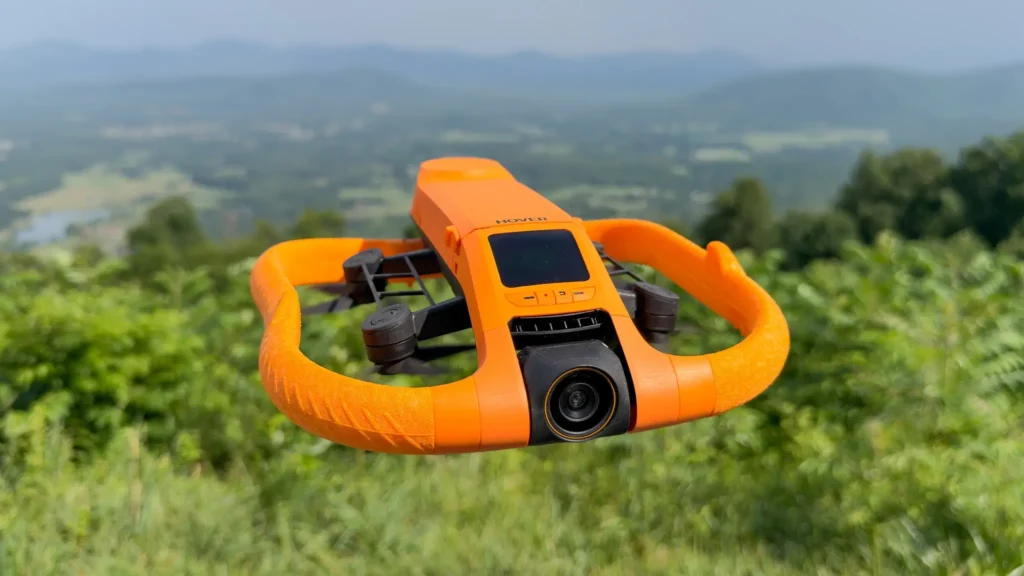
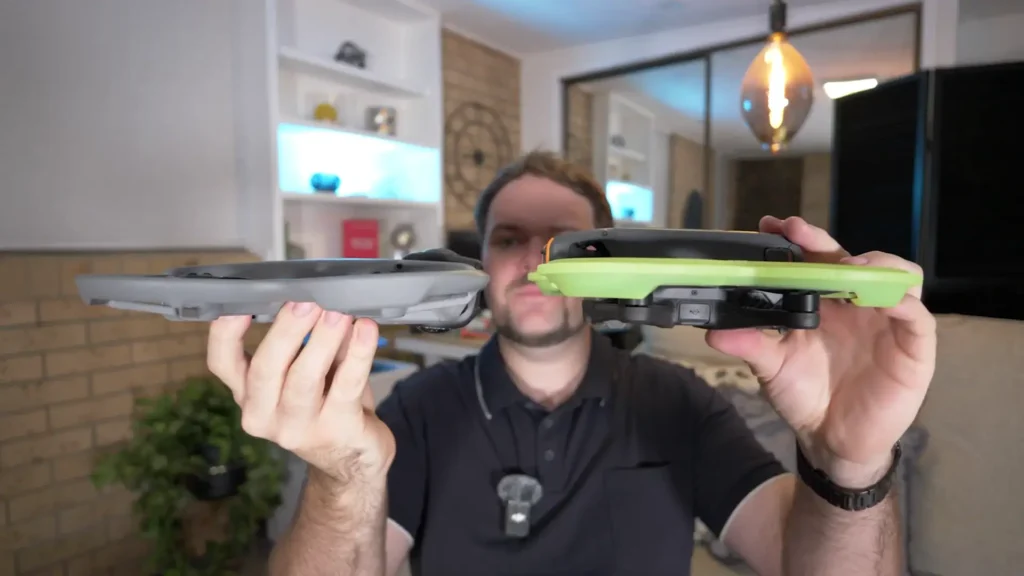
Just for comparison’s sake, here’s the Avata 2 and here’s the Avata 360. They have a very similar footprint and design, but what’s interesting is that the Avata 360 has been redesigned to be even thinner. So when it’s in that true 360 mode, this drone is just so unbelievably thin, even thinner than the Avata 2, which at its time was already such a small, thin drone. You can definitely see the blueprint of the Avata 2 carrying across into the Avata 360.
The first thing I noticed is just how thin it is. It’s quite lightweight, and it’s got such a unique design to it. It’s got that fixed design with built-in propeller guards. It’s obviously got the 360 camera at the front. What’s actually really cool is that the camera itself rotates, giving you the option to go with a 360-degree lens or a single lens. So depending on what you’re looking for, you have that control. It also flips to reveal the little feet at the bottom of the camera unit, and that’s how it lands.
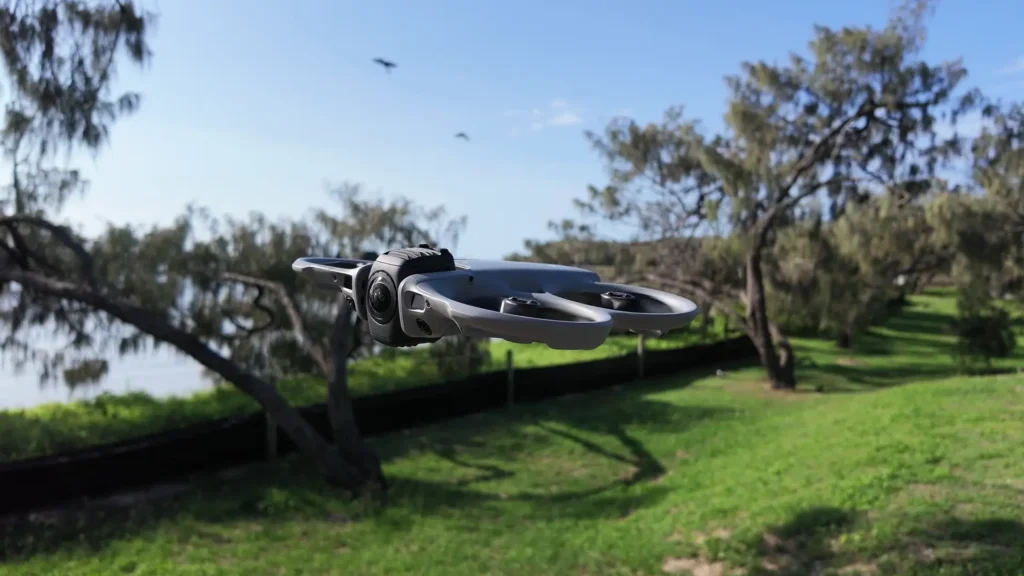
They did include a landing pad in the FlyMore kit, and it is necessary in a lot of scenarios purely because of how thin and low this drone sits to the ground. Even tall grass is going to poke up through the body and potentially cause issues with takeoff and landing. So the landing pad is a necessity most of the time with the Avata 360.
Control Options
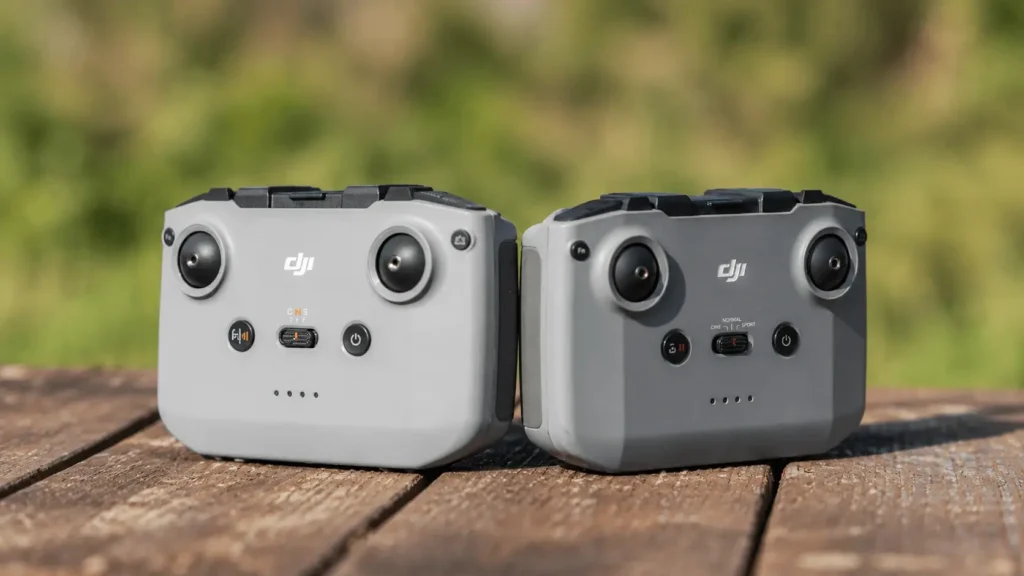
There is a lot to talk about with the Avata 360, and I do have my first impressions video on the channel. I’ve also got a full video where I showcase some of the other ways you can control this drone. You’ve got the Goggles 3, the RC Motion 3, and the Remote Controller 3. I’ve got a whole video dedicated to that experience, but I’ll definitely dive into it a little bit here in this review as well.

Camera System
The big question is just how good is this camera system? It is a one-inch camera system and it can capture 8K video up to 60 frames per second in HDR. On paper, that sounds amazing, right? It sounds really, really exciting. But how does that translate into the final product?
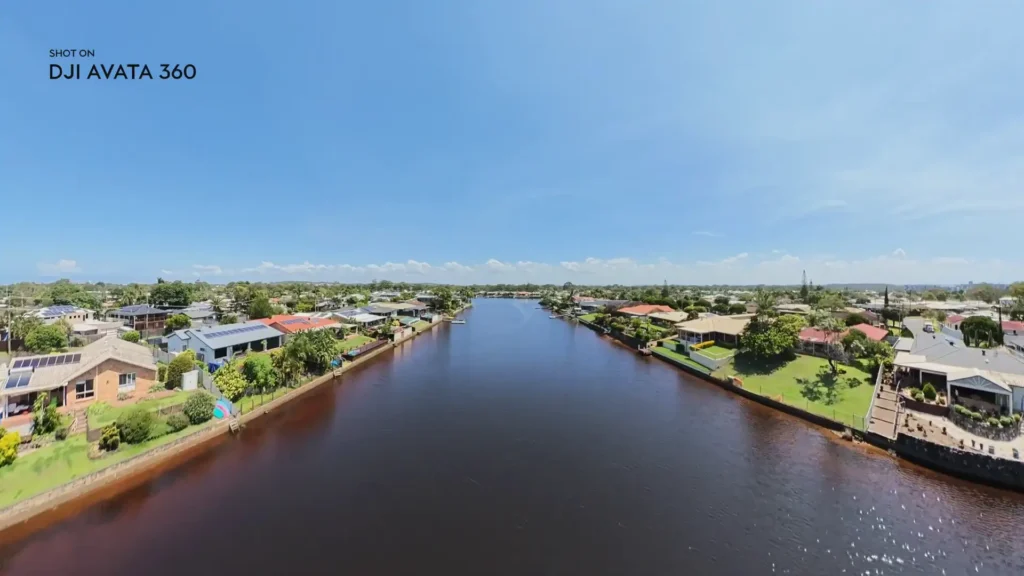
Throughout this review, you’ll see a lot of footage from the drone, and from my experiences, I’ve been really happy with it. I find it’s quite hard when it comes to 360 drones and cameras for them to be able to capture direct sunlight. If the sun is over here, you’ll get way too much lens flare and it will kind of blow out the image too much.
I found the Avata 360 handled it really well when there was direct sun. That was the first thing I noticed, just how well it handled that when I compare it to other drones and cameras that have struggled in those same conditions.
The 8K video looks really crispy. I’ve been impressed with what it can capture. I love how much control you have in post-production. When you dump the footage into DJI Studio, you just have so much control to crop it, create different effects, move the camera, and reframe everything. It’s extremely freeing being able to have that kind of control, knowing that I can just fly the drone in any direction and everything is going to be in the shot. I can move the camera at any point, I can track anything at any point, and it’s that simple.
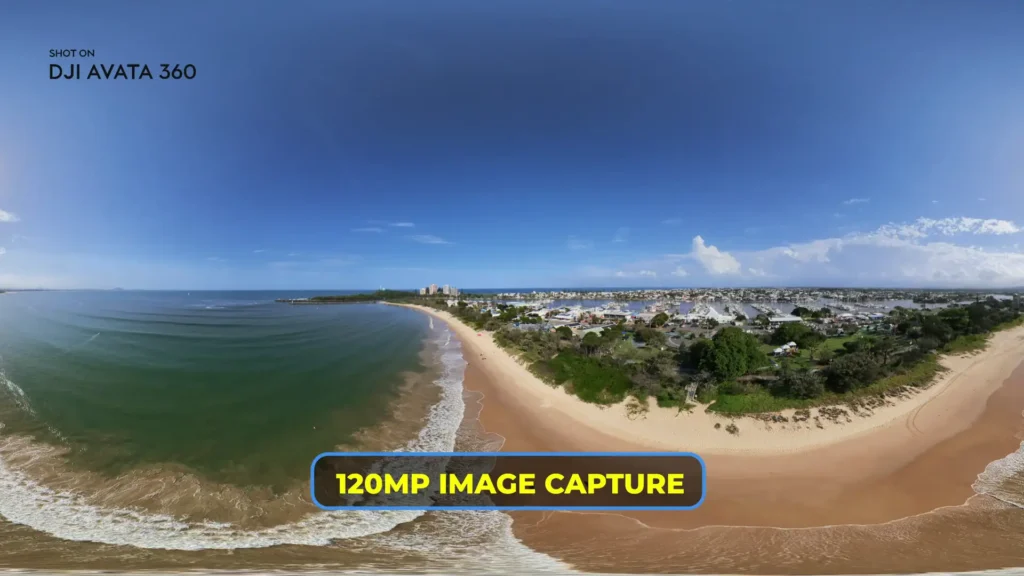
The camera system can also capture 120-megapixel panoramic photos, so you get that full 360-degree effect at 120 megapixels. The photo quality from this system is great. I actually found myself zooming into some surfers thinking that it was going to look low quality because I was flying so far away from them. But you’re able to zoom in and still retain a lot of that quality, which is impressive. That’s always the challenge I find with a 360-degree system.
There’s just so much data, and it’s essentially two camera systems working together, so it’s hard to get that quality a lot of the time. It’s hard to remove the stitching between the two cameras. But the stitching in this drone is amazing. Even when I was flying really fast, I could very rarely see any sort of jello or wobbling.
Occasionally I noticed it, but you can’t even tell the stitch point, which is really, really impressive. The quality from both the photo and the video is remarkable. The fact that I can zoom in so much and the quality is still retained is so exciting.
Single Lens Mode
The part where it falls down a little is when you go into single lens mode. I haven’t even touched on obstacle avoidance yet, but when you go into single lens mode, it actually disables a lot of the obstacle avoidance. It seems to be using the camera system on the 360 side of things when it’s doing that obstacle avoidance. So when you go into that single lens mode, it’s only forward-facing obstacle avoidance, which limits its safety in those kinds of situations.
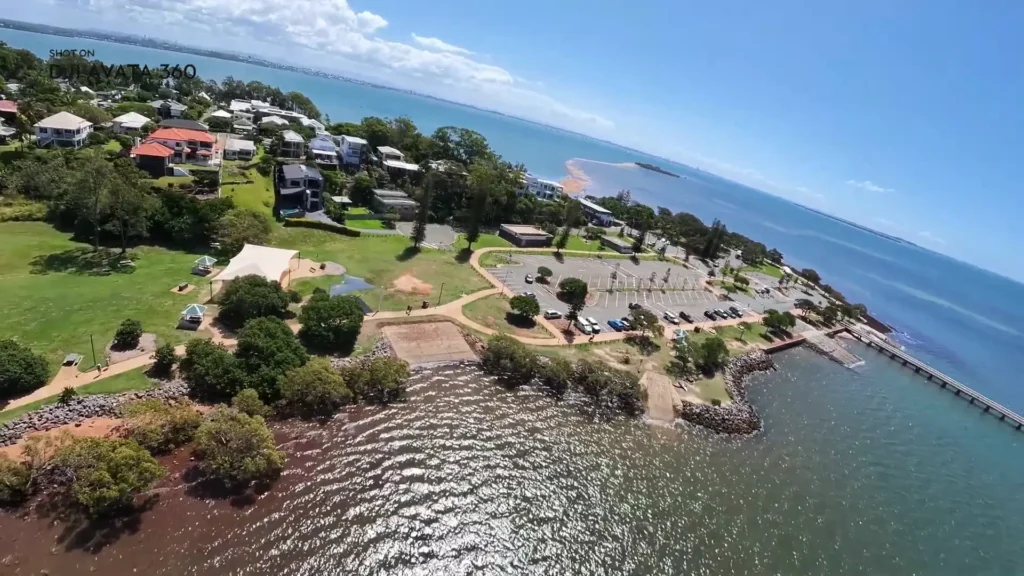
Because it’s a single lens and this is not a gimbal system, it’s just kind of fixed in place. If the drone is flying at an angle, the footage will look like that in single lens mode. So there were a few times I was flying in single lens mode just kind of thinking, is it meant to look this way? Should it be a bit more static? Should it be a bit more horizon-steady or rock-steady? I think that’s just the limitation of it. It’s cool to have as a feature, but I don’t see myself using it too much. The 360 mode is what I’m going to use the majority of the time for photo and video.
That said, it is kind of handy to have that single lens mode available. The way I saw myself using it was to actually create a little bit of an FPV perspective, because when you’re flying an FPV drone, you get those banking effects and those really unique movements.
I was able to replicate that to some extent with the single lens, purely because the drone is flying with the wind at different angles. So if you’re able to navigate it in a certain way, you can get some pretty unique shots with that single lens. But again, it limits the obstacle avoidance and it doesn’t create the most stable shot in terms of the horizon.
OcuSync 4 Plus and Range
The Avata 360 features OcuSync 4 Plus, which gives you full HD video transmission at 1080p 60 frames per second. It just looks amazing. You have no latency, no issue at all with frames dropping, or any sort of stuttering. It works flawlessly. They quote it at 20 km of range, and that’s the FCC rating. Keep in mind, you have to keep the drone in line of sight, and 20 km is obviously well above what you should ever actually do. It should always be relatively close to you.
Built-In Propeller Guards
One of the big things about the Avata range is that built-in propeller guard system. Both in the Avata 2 and the Avata 360, you can see it’s a fixed design, so it doesn’t fold, but it does have that built-in propeller guard surrounding the propellers and protecting pretty much everything, including the camera system and the actual motors and propellers. That’s a big calling card here.
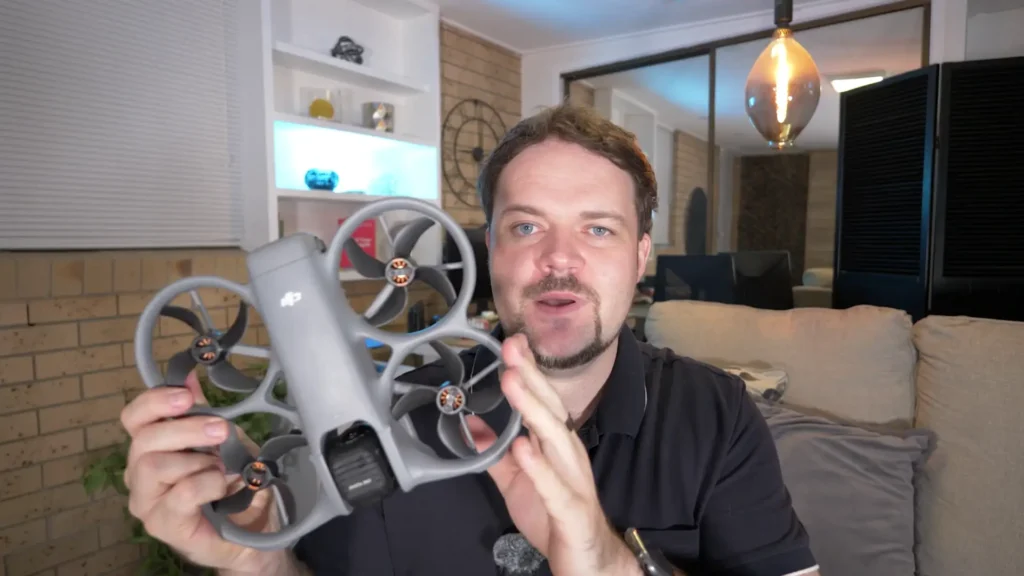
If you want something where you can fly it through tight gaps and maybe you’re in real estate, or you’re doing some sort of production on a construction site or something like that, something like this is very handy because it can knock things and still continue to fly. It doesn’t completely ground the aircraft. The peace of mind is huge here with the propeller guards, as well as the obstacle avoidance system, which I’ll get into now.
Obstacle Avoidance
There is omnidirectional obstacle avoidance here, and that’s only fully available in the 360 mode. Like I said, the single lens mode disables a lot of those sensors. There is forward LiDAR sensing, which allows you to return to home in really, really dark environments. If it’s the end of the day and the sun starts going down really quickly, it can still return to home adequately even with very low light.
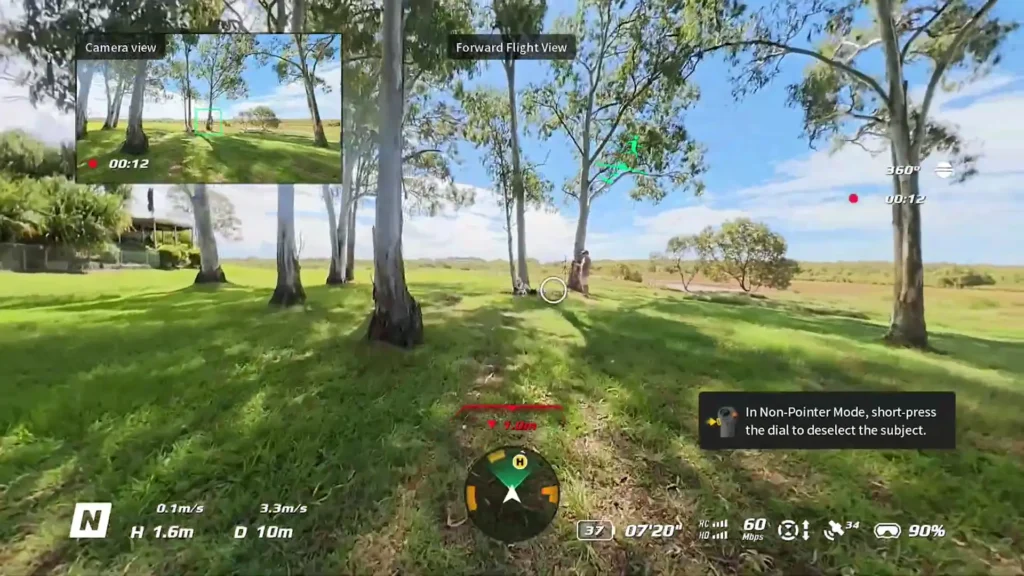
There is also an advanced omnidirectional obstacle avoidance system here, which is really nice. I’ve noticed that DJI has been adding that to all of their most recent drones, so that’s clearly their next step forward, and we’re getting that here again. It’s great in its bypassing mode, so you can still avoid obstacles and continue flying.
All of that works great. And then you have the propeller guards on top of that. The obstacle avoidance and the propeller guards definitely add a huge layer of peace of mind and safety when you’re flying this drone.
Remote Controller 3 vs RC Motion 3
Let’s dive a little bit more into the functionality of the Avata 360. The first thing I want to address is that it does not have true manual mode, at least at the time of me doing this review on the release date of the product. I cannot fly in manual mode, which means I can’t go into true FPV mode, flipping and rolling and doing all sorts of acro maneuvers with the Remote Controller 3.
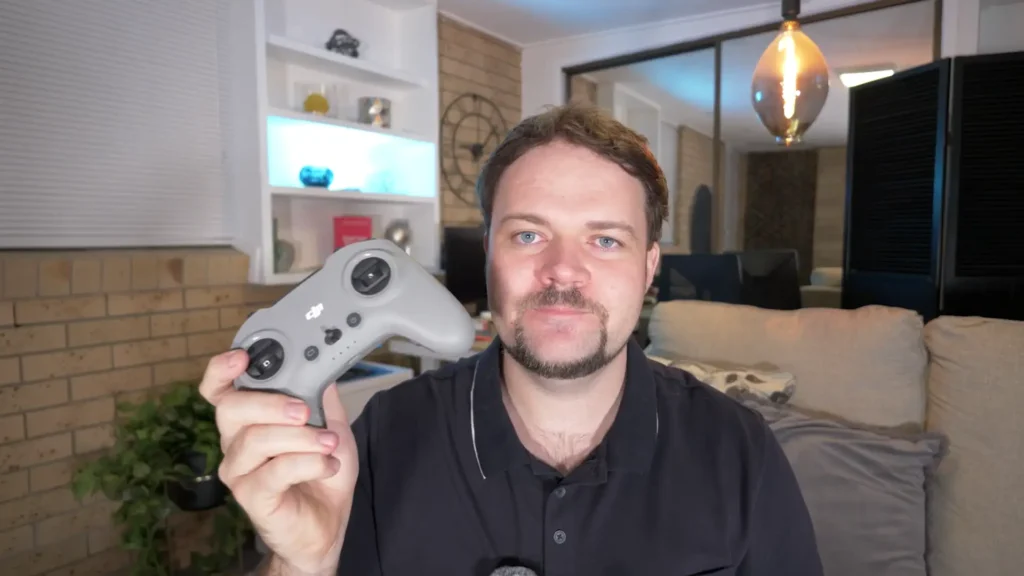
The other thing I noticed when I was using this controller is that the features were a little bit lackluster. Through the Goggles, I couldn’t use head tracking with this controller. I couldn’t use Focus Track. There were quite a few limitations with it. Even the easy acro modes just weren’t available with this controller. Again, maybe this will be updated, but at the time of me doing this review, this controller was a little bit basic. I would love to see manual controls added, though. That would change the game entirely.

Where it really stood out was with the RC Motion 3. If you’ve never used a motion controller from DJI, you’re missing out. This combo right here, the Goggles 3 paired with the RC Motion 3, just takes it to the next level. This is where you actually unlock a lot of those features I mentioned that aren’t available on the Remote Controller 3.
With the RC Motion 3, you get true head tracking. That means I can enable head tracking and be flying in one direction while looking around entirely freely. I can just keep the control steady and enjoy the view, look everywhere, look down. That is just such a surreal experience if you’ve never had it before. You can literally look around and see in real time what you could potentially reframe later when editing, and it just creates such a unique and fun experience.
Focus Tracking
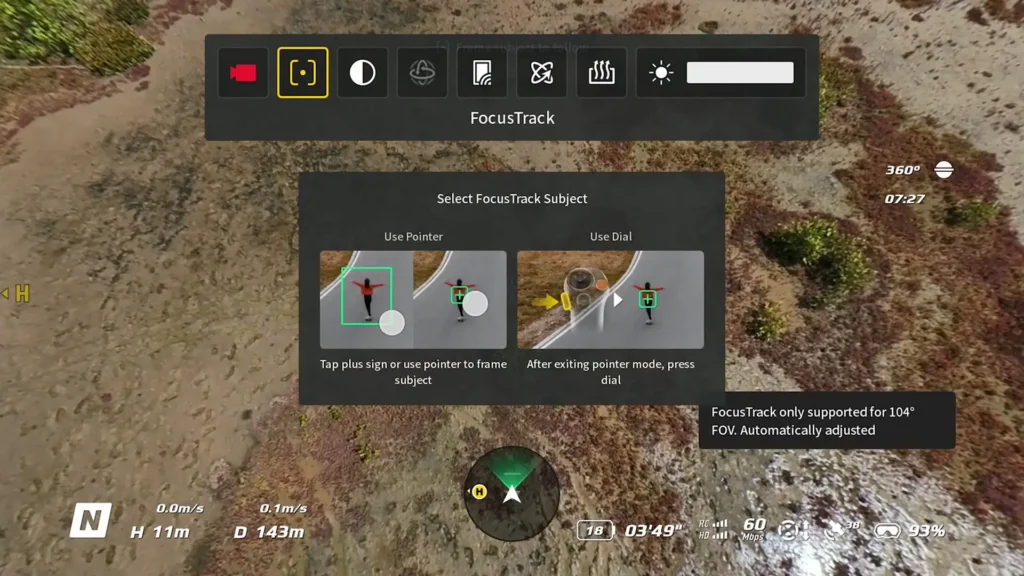
Focus tracking also worked really well, which I wasn’t expecting. You literally enable focus tracking, and it gives you targets on things it can start tracking. You press a button on the side once you’re happy and it will start tracking that subject. You then have full control to move wherever you want while it handles the tracking, and it gives you a little video feed of what the active track is actually capturing. Really creative, unique stuff. I loved using that. I could focus purely on the flight and then just glance up to see what focus track was focusing on.
Acro-Type options
The other features I played around with were the easy acro-type options. I was able to try out the drift mode, the flipping option, and what’s called the Juicy Flick, which I initially thought was called the Flip but it’s actually called the Flick. The Juicy Flick was so cool. It gives such a unique perspective as it’s flipping and flicking around. Really, really cool.
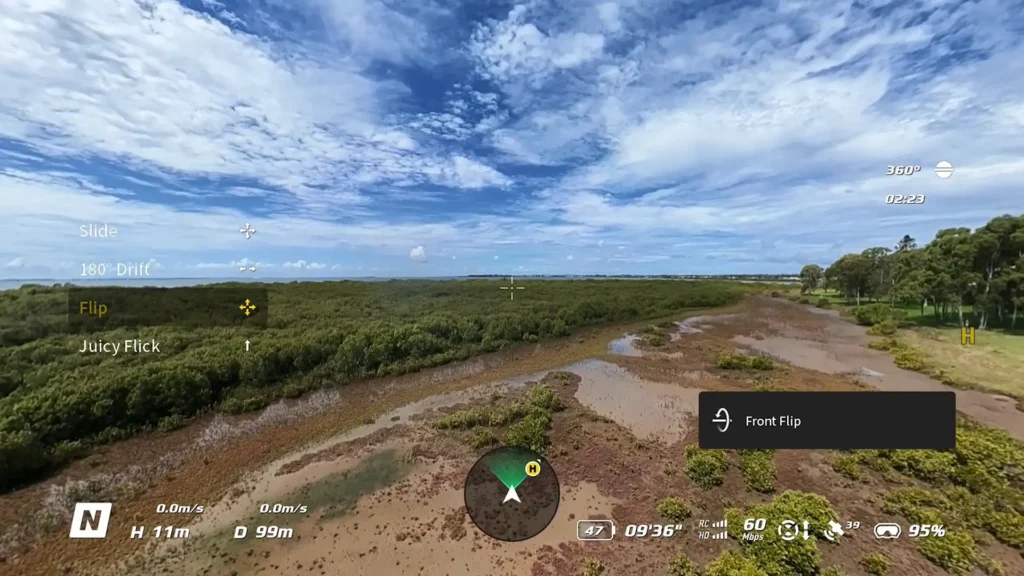
Same with the Flip mode actually. But what’s really interesting is that the drone itself doesn’t move much. In previous versions like on the Avata 2, the drone fully flips and does all sorts of crazy maneuvers. But this new drone just literally does a slight turn or movement because it’s the camera system that’s doing all those rolling and flipping effects.
Since everything is in frame and everything is in video, it just creates the visual effect and then slowly moves the drone. Really impressive stuff. I didn’t notice any of the stitching or any issues with it. It worked flawlessly immediately when I started testing it.
Flying with the Standard RC2
Going back to the core flight experience with the standard RC2, this was actually very unique for me because other 360 drones force you into that true goggles FPV experience. Having just the basic, standard drone experience like you’re used to with any other DJI drone, but with a 360 drone, was actually revolutionary for me.

I just picked it up instantly and I was like, this just feels like a DJI drone. It doesn’t feel any different. That peace of mind was remarkable. The fact that I had so much familiarity with the experience was really, really enjoyable.
Having just the standard controller but knowing that everything is in frame, knowing that you can reframe it later and do whatever you want, was really nice. I really love some of the changes they made to the user interface as well. Even when you’re in the 360 mode, you can switch between different perspectives.
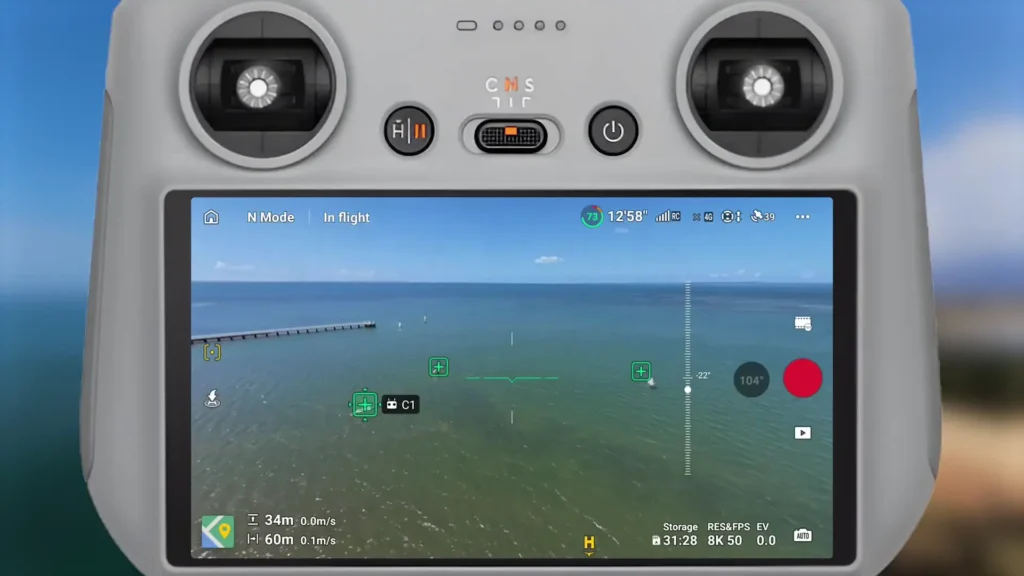
You can go with that more zoomed-out effect to see more of the horizon and surroundings, or you can just go with that standard drone perspective where it pretty much just focuses in on what’s in front of you like any other drone. You can do that while knowing that everything is still in frame. You can also go into that wider perspective to see what’s going on. I really love that they did that.
You’re not able to move around on the screen to see different perspectives, which would have been nice, but you can put it into that wider field of view to see what’s going on. And again, it feels so familiar. It feels just like any other DJI drone, which is great peace of mind considering you’re flying something that’s so different in terms of the camera perspective.
Flight Modes and Quick Shots
In terms of the modes and features that are available, there’s nothing hugely different here. You get all the same quick shot modes that we’ve seen before. There is the Rotate mode, which we saw with the Mavic 4 Pro and the Mini 5 Pro, giving you that ability to rotate the camera.
Because it’s a 360 camera, the drone’s camera doesn’t physically move. It’s just literally doing it all for you digitally. Really, really unique stuff, and I love that. It worked flawlessly. You have manual control if you want to do the rotating yourself, or you can go into the standalone quick shot mode called Rotate.
You’ve also got the Focus Tracking options including Active Track, Point of Interest, and Spotlight. All of that works the same as you’re used to. There’s nothing hugely different when it comes to that core experience, which is actually oddly comforting because it’s such a unique drone with so much more creativity and freedom, but having that same flight experience as all the other previous drones feels really nice.
Another thing I really liked with the user interface is when you go into Focus Track mode. You have a few different options, but I really love the free mode where it allows you to just fly freely. It pops up with some little icons to let you know where the subject is and also gives you a little video feed of what’s going on. I really love that user interface. It just allows you as the creator to focus on the flight, and you get to see what’s happening in real time while keeping your focus purely on flying.
Read More: DJI Avata 360 First Firmware Update Is Here
Sound and Battery Life
A few comments I really wanted to make are to do with the battery life, the flight performance, and the sound this drone produces. When it comes to the sound, it is quite a loud drone. If you compare it to a mini drone, this drone stands out. It’s a lot louder. You are going to be turning heads, and even when it’s in the sky punching through the wind, it sounds like a rocket. It’s quite impressive, but you’ve got to keep that in mind. It makes a fair bit of sound. So if you want it to be quieter, put it on a lower mode and fly in more secluded areas.
Battery life wasn’t as impressive as I was hoping for. You still get a decent amount of battery life out of it, but definitely something to get used to. If you’re comparing it to the Mini range, the Mavic 4, the Air 3S, or whatever it may be, you might be a little bit shocked that the battery depletes a little quicker here. Keep in mind that a lot of the time I was in sports mode and just zooming around doing all sorts of things, so that battery can drain.
That said, what I found is that because it’s a 360 drone, you’re not in the same location for as long as you need to be. With other drones, I might film in one direction, then turn and film in another, maybe do different moving effects and so on. But with the Avata 360, I can capture a couple of perspectives and a couple of shots and then reframe everything later anyway.
So I’m finding that I’m not capturing as much in the field, and that kind of offsets the battery life concern. I found that it didn’t bother me in most scenarios. Sometimes I’d go, wow, that was quick, I’ve got to return and land and swap the battery. But at that point, I was actually happy with what I’d already captured. I was like, all right, let’s go to the next location. So it’s a trade-off in some way. And I think that the fact that it’s so creative and freeing just makes the battery life less of a problem than you might initially expect.

Wind Performance and Flight Handling
In terms of flight performance and how it handled the wind, going back to the sound, it definitely makes a lot of noise, especially if there’s a lot of interference and resistance from the wind. You’re going to hear this drone just punch through it. But it handles the wind impressively well.
I flew on very windy days with no issues at all. I was able to move around with freedom and never had any sort of jello effect, stitching, or any issues with the 360 camera system at high speeds. That was a real peace of mind for me, knowing I could fly really fast and everything was still going to look clean.
That’s actually why I’m thinking that the manual mode might be possible with this drone at some point. Like, I really hope so. To be able to have a drone that you can flip and roll and do all sorts of maneuvers manually while still having a 360-degree perspective would be incredible. I don’t know whether it would affect the stitching of the camera or whether you’d get more of that jello or wobbling effect, but fingers crossed. I would absolutely love to see that.
Editing Workflow
In terms of the editing workflow, that’s something that can be really challenging to nail with a 360 camera. But we’ve got the DJI Mimo app and the DJI Studio desktop app. DJI Studio works on both Windows and Mac, and the Mimo app works on both Android and iOS. They all work really nicely.
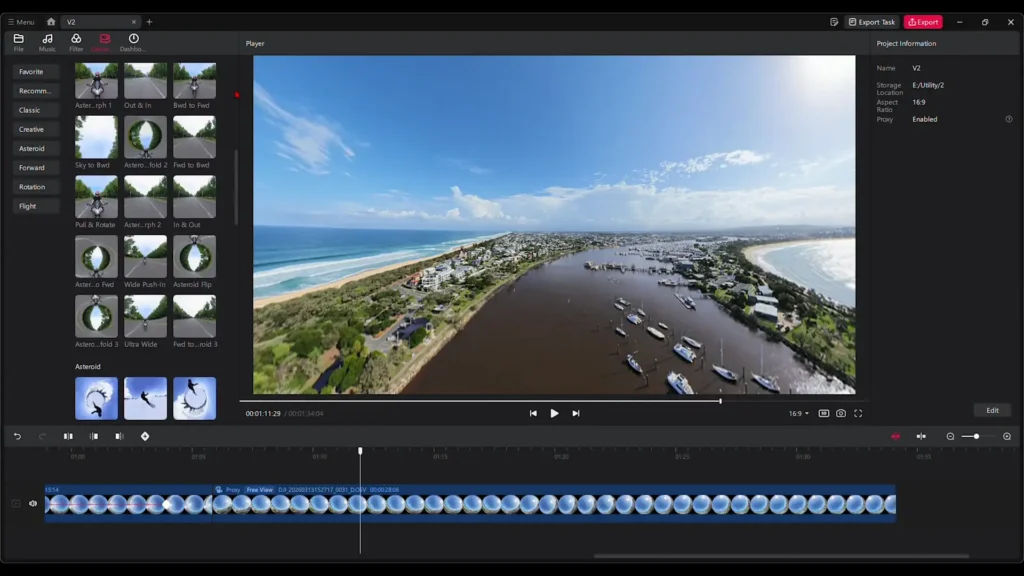
DJI Studio is the main desktop version, which is the one you would want to use if you want to get the most out of the drone. It’s very intuitive, responsive, and easy to use. It’s definitely been updated from my initial experience with it, which had a few limitations on Windows.
It seems to be a lot more stable and reliable now. You can get some very unique tracking perspectives and do all sorts of transitions, animation movements, and random creative things that really create a unique perspective that is only possible with a 360 drone. The editor itself at its core works nicely and is easy to get your head around and learn. I’ve been really happy with it and I think it’s a great system overall. I haven’t had a chance to use the Mimo app too much, but that also looks like it’s got a bunch of functionality as well.
Specification
| Spec | Details |
|---|---|
| Drone Name | DJI Avata 360 |
| Camera System | 1-inch Camera System |
| Video Resolution | 8K up to 60fps in HDR |
| Photo Resolution | 120 Megapixel Panoramic Photos |
| Lens Modes | 360-Degree Lens / Single Lens (Rotatable) |
| Video Transmission | OcuSync 4 Plus |
| Transmission Quality | 1080p 60fps Full HD |
| Transmission Range | 20 km (FCC) |
| Obstacle Avoidance | Omnidirectional (360 Mode) / Forward-Facing Only (Single Lens Mode) |
| LiDAR Sensing | Forward LiDAR (Low Light Return to Home) |
| Propeller Guards | Built-In Fixed Propeller Guards |
| Design | Fixed, Non-Folding, Ultra-Thin Body |
| Landing System | Flip-Out Feet on Camera Unit |
| Landing Pad | Included in FlyMore Kit |
| Compatible Controllers | Remote Controller 3, RC Motion 3 |
| Compatible Goggles | Goggles 3 |
| Head Tracking | Available with RC Motion 3 + Goggles 3 |
| Focus Tracking | Active Track, Spotlight, Point of Interest |
| Flight Modes | Sports Mode, Bypass Mode, Rotate, Quick Shots, Drift, Flip, Juicy Flick |
| Easy Acro Modes | Drift, Flip, Juicy Flick (RC Motion 3 Only) |
| Manual/Acro Mode | Not Available at Launch |
| Editing Software | DJI Studio (Windows & Mac), DJI Mimo App (Android & iOS) |
Should You Buy the DJI Avata 360?
Anyway, that is a lot to digest and a lot to put out there for you guys. Hopefully this has helped. I’ve highlighted some of the limitations and maybe some of the challenges with their first entry into the 360-degree drone world. I think they’ve nailed a lot of it. That core experience of flying with just the standard controller but getting 360-degree footage is really fun. The RC Motion 3 paired with all those fun modes just takes it to the next level. I think they’ve nailed a lot of it here.
There are obviously those things I mentioned that could be improved on in future versions, but separate from those limitations, I think you can focus on what they’ve done really well here. This is well worth getting, honestly. It’s such a fun drone to fly. You’re in the DJI ecosystem, so it’s just reliable every single time. It’s a stable experience. I’ve loved flying it. It’s so easy to fly.
And sometimes it was a little bit odd just flying with the standard controller and forgetting that I had a 360 drone. That was the weirdest thing for me. It’s just so familiar flying with this controller because I’m so used to it from other drones. Then I’d think, oh wait, everything is in shot here. I can see everything. I don’t have to worry about turning and getting that perfect perspective. I really love that.
Table of Contents
Read More: How to Edit DJI Drone Photos Using Luminar Neo