
There are many apps and websites tailored for drone users on the market, including free ones and paid ones. Today’s article is a rundown of one that I have been using for the last 6 months. And it is not just a weather app, but a website based system that helps drone flyers tailor their own unique settings, all in one place.
Table of Contents
What Is Drone Companion?
So, what app are we talking about? Drone Companion. As mentioned earlier, I have been using this app for around six months now, and I must say it has some pretty nice features.
This site is accessible on all platforms, whether it be PC, MacBook, tablet, or even on your mobile phone whilst out in the field, so long as you have got an internet connection. The website app is available worldwide and is also available in different languages.
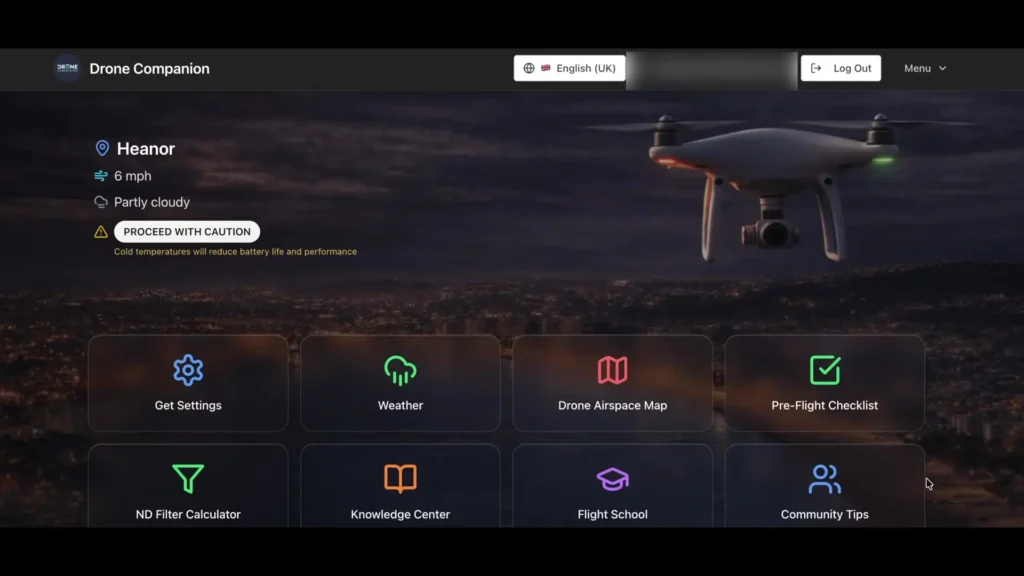
Not only does Drone Companion have a great weather forecast feature, but it also includes a pre-flight check, a knowledge based center, a drone airspace map integrated with Altitude Angels which means you do not have to switch to different apps, an ND filter calculator, along with a comprehensive flight school in-house training program.
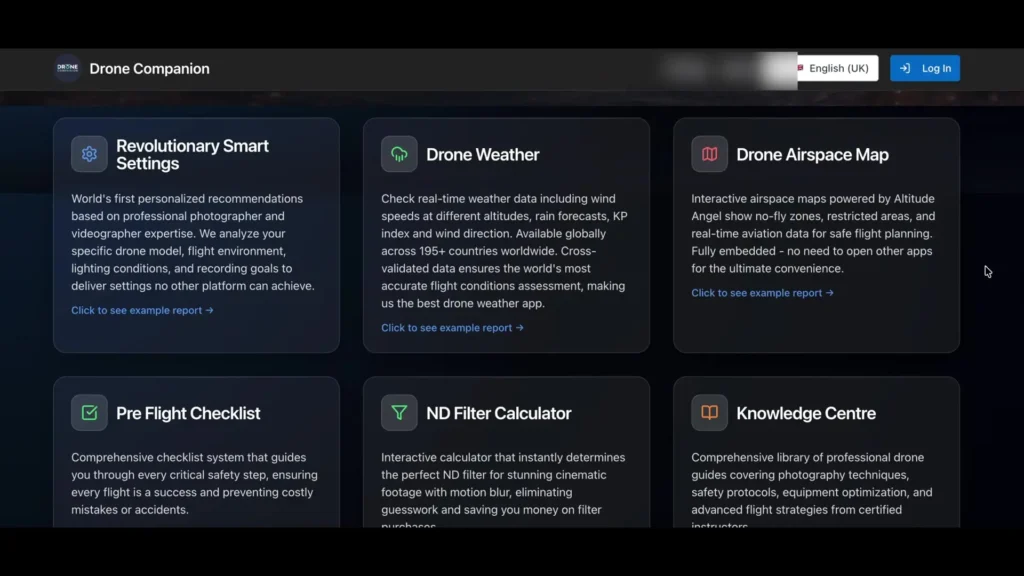
The training program features 45 modules across eight categories covering everything from basic safety to advanced cinematography techniques. A particularly nice touch is the world’s first personalized recommendations based on professional photographer and videographer expertise.
The system can analyze your specific drone model, flight environment, lighting conditions, and recording goals to deliver settings no other platform can achieve.
Read More: 15 Useful Apps for Drone Beginners
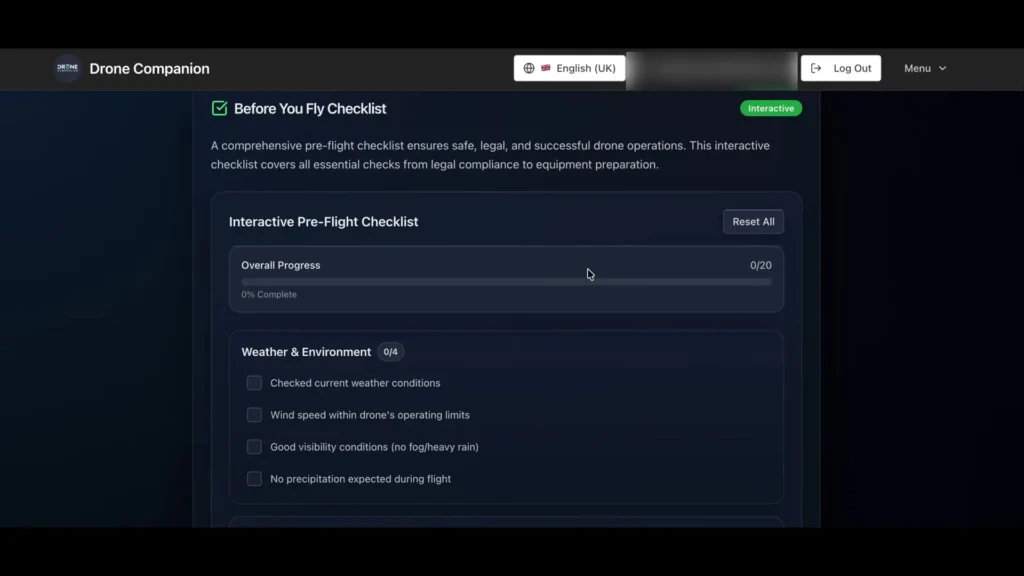
Pre-Flight Checklist
This feature is ideal for all drone users, from beginners to pros. It gives you peace of mind to have a checklist to make sure you have literally covered everything. It is so easy to forget something, especially when you want to get in the air and get the shot. It is a simple tick list that guides you through things you may easily overlook. It is almost like having a quick risk assessment put in place before every flight.
Personalized Drone Profiles
This is a handy feature that lets you customize settings for your specific drone, and you can save the data and recall it later. You can have multiple profiles already set up and recall them at any time. If you go into your selected drone, taking the Mini 2 as an example, Drone Companion will ask you a series of questions.
You can specify what level of flyer you are, where you are flying, what you want to capture, what lighting conditions you will be flying in, and the subject you will be filming. It will then produce a set of results. From there, you can add it to your profile should you wish to, and then recall it at a later date if the conditions match. This way, you can build up profiles for all your drones and recall them at any time.
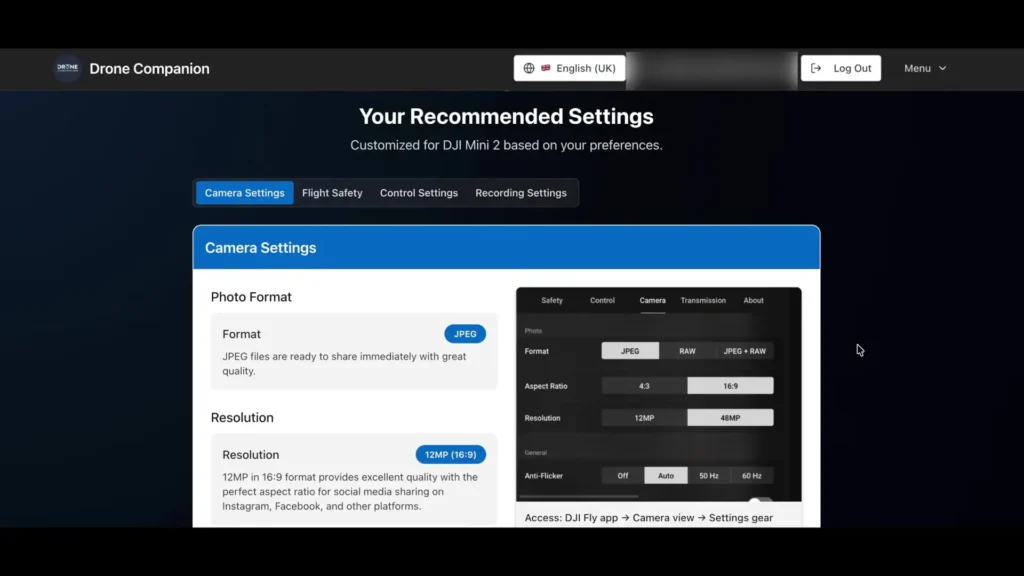
This is a really useful feature. Sometimes you might say to yourself, “What settings did I use last time I was flying here?” Now you can store them all for the next time. One of the clever things they have thought of is that if you select to shoot indoors, the flight safety recommendation automatically suggests that you set your drone to hover and not return to home. That is quite a handy little detail.
Weather Forecasting
As you are probably aware, you can get a weather forecast from a lot of apps, with most of them being free to use. There are others that come with a charge, for example UAV Forecast, currently priced at $3.99 a month. However, the free version of that only gives you a 3-hour window.
The difference with Drone Companion is that weather is fully integrated within the whole package. They use different APIs and compare different results to bring you a more accurate forecast. It gives you an instant summary on the homepage without even having to access the weather section of the app itself, which is particularly handy if you are flying in your current location.
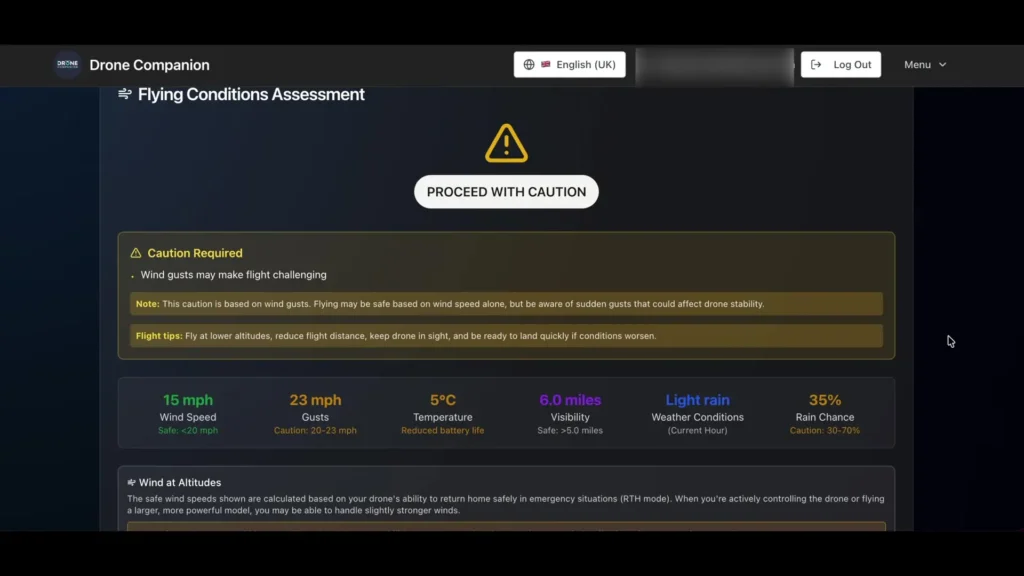
When you open the weather section, it automatically defaults to your location, provided you allow this setting when you first sign in, and it displays the current map for your area. You can also search for a location using a town, city, or even a postcode to view the weather in that particular area. So if you are planning a flight somewhere other than your usual location, this is a very handy tool for checking whether conditions are suitable for flying.
Below the map, Drone Companion gives you a flying condition assessment based on the wind and precipitation. They have carefully calculated wind data alongside the drone’s ability to make it home safely, factoring in the return to home speed of the drone as the worst case scenario.
Scrolling further down, it provides wind surface speed and, to the right, wind speeds at different altitudes. It also shows wind direction with an arrow, which is excellent for planning to fly out against the wind and return with the wind behind you. A KP index is also included along with the weather forecast for each day.

Airspace Map
This feature is linked with the ever popular Altitude Angels, commonly known as Drone Assist, and it works exactly like the app we are all used to. It is a still fully functional system. Clicking on the map opens it in full view, and you can use all the usual features contained within it.
ND Filter Calculator
This is part of the knowledge based center within Drone Companion. There are several tabs along the top that you can access. In the ND filters section, it asks what drone you are using and what the weather conditions are like, such as a bright sunny day or overcast. It then gives you a suggestion of which filter to select for that scenario.
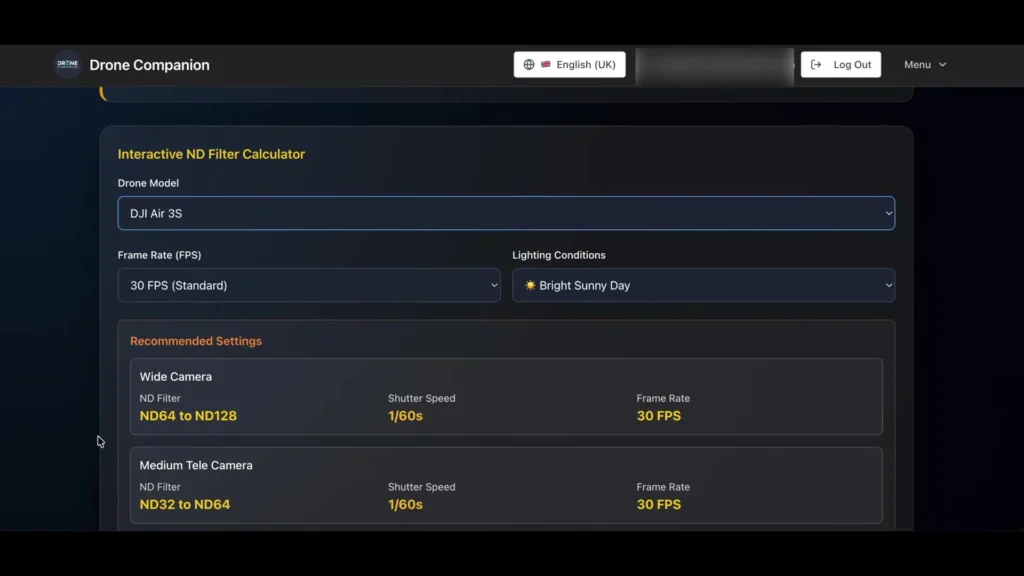
Below that are different guides providing answers to relevant information, including understanding ND filters, CPL filters, and more. It is quite a comprehensive guide that gives you detailed information and helps you understand how each filter works and what they are used for.
Knowledge Center
The knowledge center covers a huge range of topics, from IMU and compass calibration to return to home settings, wind speed limitations, safety guidelines, and much more. Clicking on these topics gives you a clear understanding of each theme. They are a good source of information and something well worth browsing through on a quiet day.
Flight School
The flight school section is a training program aimed primarily at beginners. There are several modules to undertake should you feel the need to improve your knowledge and skills. This section also offers comprehensive tips from the community.
There are sections you can filter by photography, safety, and technical topics, or you can browse through all the tips together in one section. Each section provides a dedicated guide for the subject you have selected.
Is Drone Companion Worth the Price?
There is a free 24-hour trial, which you can cancel at any time. I think it is moderately priced at $4.99 a month or a yearly subscription of £50, which is like getting two months free. When you consider that UAV Forecast costs $3.99 and other similar apps are priced around the same, for just a pound more you get everything in one place.
And that is not just the weather. You get settings based on your own drone, weather data, airspace information, an ND filter calculator, a knowledge center, a pre-flight checklist, and community tips from advanced flyers.
Read More: Best FPV Radio for Beginners