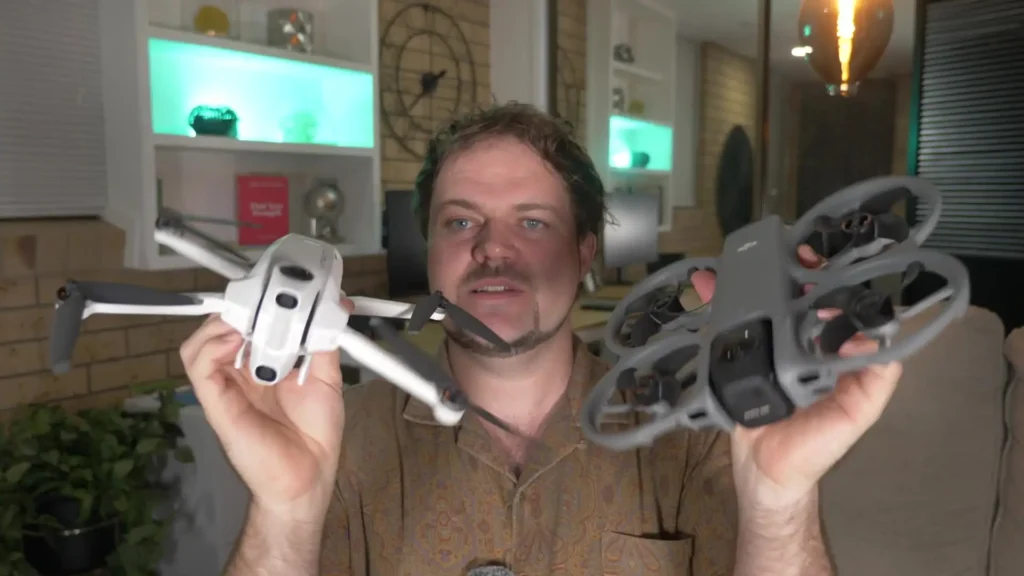
The true 360 drone showdown is here, and it is between the DJI Avata 360 and the Antigravity A1. Both are very unique 360 drones in their own right and both are completely different in terms of their form factor and a lot of their functionality as well.
This is a DJI Avata 360 vs Antigravity A1 comparison I have really wanted to share for quite some time now, as a lot of people have been asking how these two drones stack up against each other. So this is the true 360 degree drone battle between the two kings right now, the Antigravity A1 and the Avata 360.
I have dived into all of the details, thoroughly researched everything about both drones, and have been testing them for quite some time. So everything covered here is based on real-world tests and experiences.
Table of Contents
Design and Form Factor
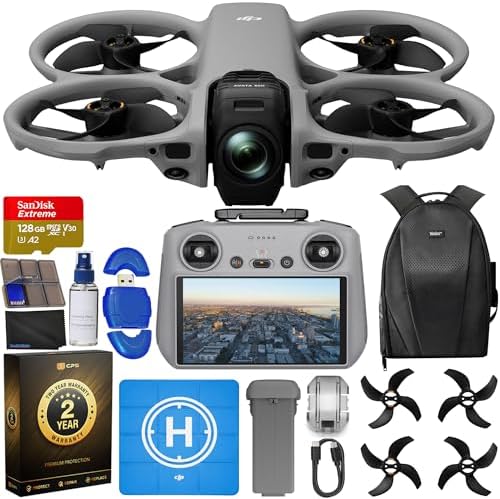
Starting with the form factor and the difference in terms of design, the Avata 360 has a flat, fixed design. You cannot fold it, but it does have the benefit of propeller guards built right in.
This gives you real peace of mind, and it is also a remarkably thin drone overall. You can clearly see the evolution when comparing it to the Avata 2. It is a very clear step forward, and having propeller guards on this drone is something worth appreciating.
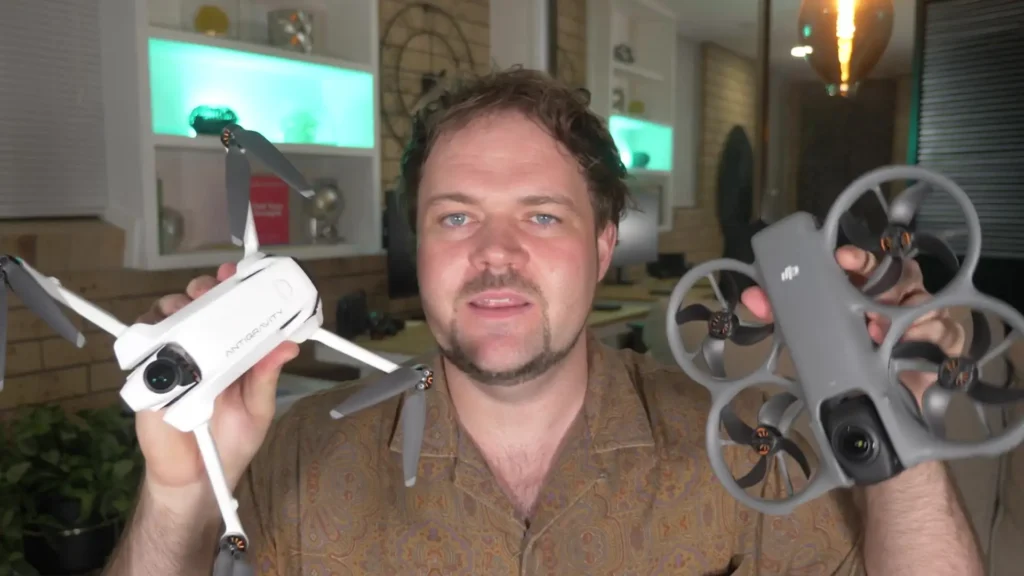
The Antigravity A1, on the other hand, is a folding mini drone. You get the benefit of the drone weighing under 250 grams depending on what battery you use. It is a folding system that tucks away into quite a small package.
In terms of size comparison, the footprint is quite similar when both drones are fully folded out, but they are completely different designs. The A1 does not have propeller guards, and it is also just a little bit thicker. They simply look completely different when placed side by side.
Weight Comparison
When it comes to weight, the Avata 360 comes in at 455 grams, while the Antigravity A1 is 249 grams when using the standard batteries, or 291 grams when using the high-capacity batteries that offer more flight time.
You can immediately see the difference here. You have a drone that can weigh under 250 grams with an option for a high-capacity battery, or you have a fixed design with built-in propeller guards and a very flat profile. Both approaches have their own clear advantages depending on what you are looking for.
Obstacle Avoidance
When talking about obstacle avoidance, the Avata 360 has omnidirectional obstacle avoidance, meaning it can avoid obstacles in every direction. It also has forward-facing lidar, which provides low-light obstacle avoidance as well.
It is worth keeping in mind that when the drone switches from 360 mode into single-lens mode, you do lose some obstacle avoidance. True omnidirectional obstacle avoidance is only active when it is operating in 360 mode.
At launch, the Antigravity A1 did not have omnidirectional obstacle avoidance, and it also did not have the bypass feature found on the Avata 360 and other DJI drones.
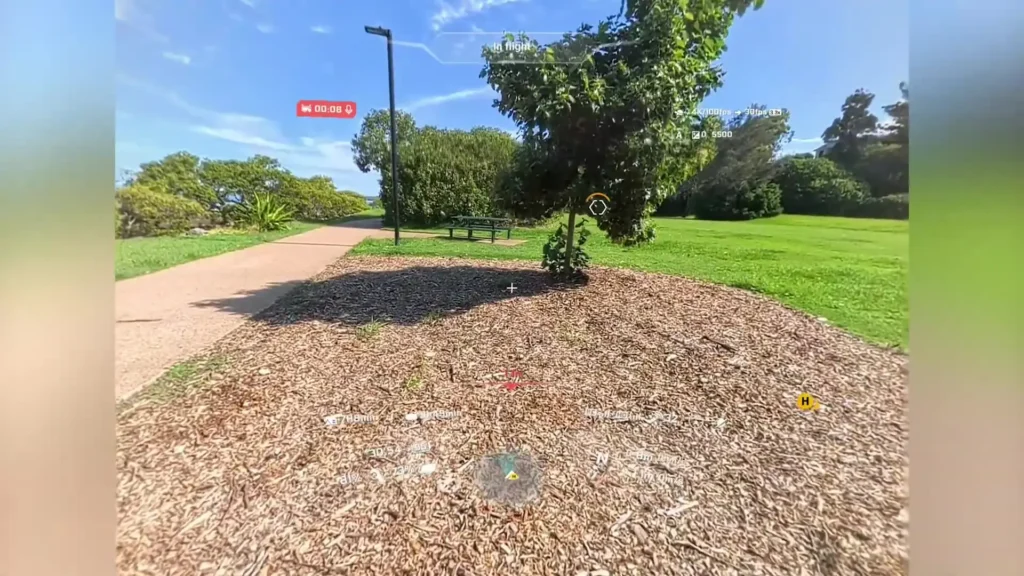
However, with the recent April update, both of those features have been added. It can now utilize the 360 degree vision from its camera system to enable omnidirectional obstacle avoidance, and it also has a bypass mode where it can navigate around obstacles.
The Avata 360 has a slight edge here thanks to its forward-facing lidar, which is specifically designed for low-light obstacle avoidance. On top of that, DJI has been refining their obstacle avoidance across many drone generations, which means their system launches in a very polished state.
The Antigravity A1 does a good job with obstacle avoidance and has clearly improved with recent updates, but the Avata 360 gets the nod here.
Camera System and Image Quality
This is a big one, because on a 360 degree drone, the cameras have to be exceptional. The Avata 360 is equipped with two cameras, each featuring a 1/1.1 inch square sensor. Seeing square sensors on a 360 drone is genuinely impressive. It can capture 8K video at up to 60 frames per second in 360 mode, and in single-lens mode it can shoot 4K at up to 60 frames per second.
It also has an aperture of F1.9. For photos, you can capture 30 megapixel stills or 120 megapixel stills, which works out to 16K 360 degree photos. It is a very impressive camera system from DJI, and the color science and overall video output, even in auto mode, is consistently excellent.
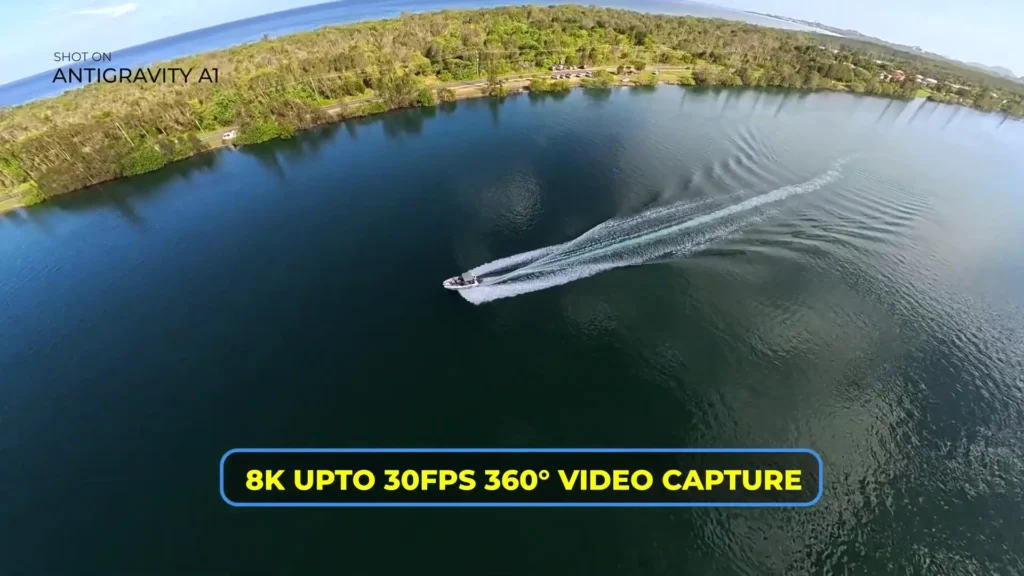
The Antigravity A1 also features two camera systems, but with 1/1.28 inch sensors and an aperture of F2.2. It can capture 8K video at up to 30 frames per second, which is still a nice result, but it does not match the Avata 360 in terms of frame rate flexibility or sensor size. For photos, the A1 offers 14 megapixel or 55 megapixel stills, which again falls behind the Avata 360 on paper.
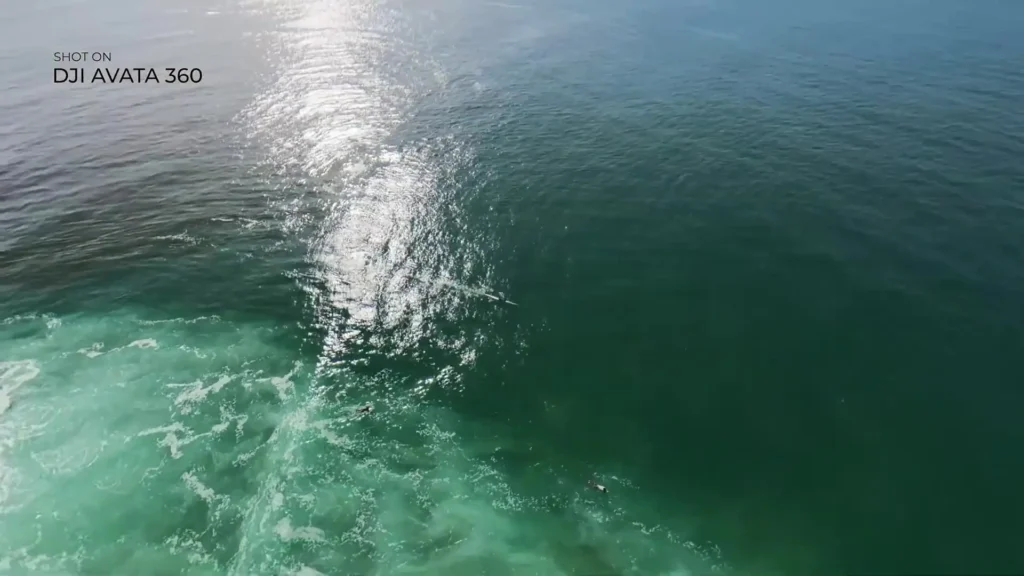
From all real-world testing, the Avata 360 produced better video and photos. It was not a dramatically massive leap forward, and the A1 is by no means a poor camera system. But the difference was noticeable enough across multiple tests that the Avata 360 consistently came out ahead in image quality.
Read More: DJI Mini 4K vs DJI Mini 3: Which Beginner Drone Is Worth Buying
Wind Resistance and Flight Performance
Both drones can handle up to Level 5 winds, which equates to 38.52 km/h. In testing, both handled those conditions really well with no issues. The Antigravity A1, despite being such a small folding drone, handled a tropical island environment with direct sea breeze perfectly.
The Avata 360 handled the same conditions with equal confidence. Both drones control nicely and feel very natural to fly. The overall flight experience from both is excellent, and it is genuinely hard to call one better than the other in this department.
Control Options
This is where the Avata 360 offers something quite distinct. The Antigravity A1 comes bundled with a motion controller, goggles, and the drone itself. It would be great to see a standard controller option released in the future, but right now, the goggles and motion controller are the only way to fly it. That means you always have to wear the goggles with the A1.
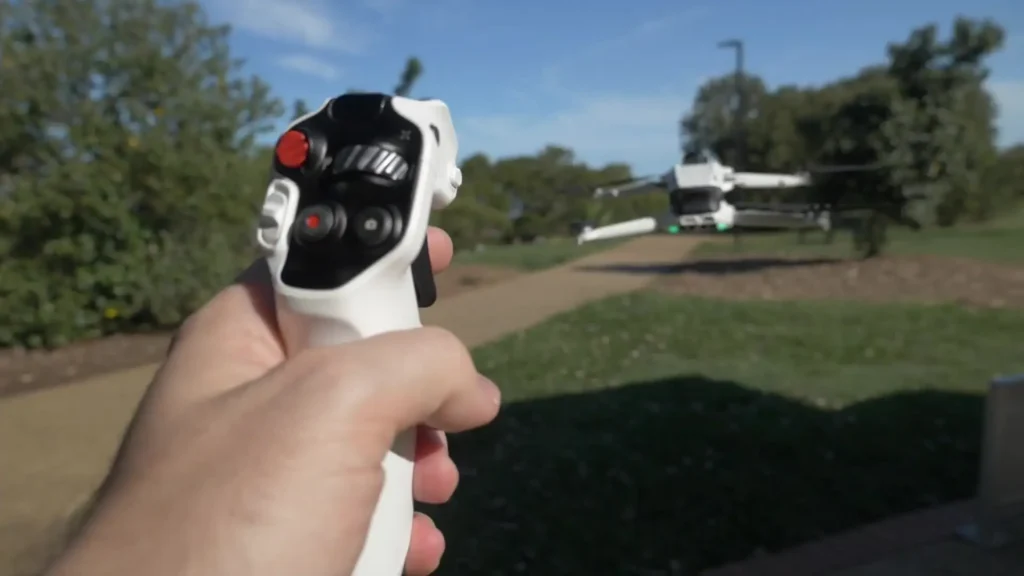
The Avata 360, on the other hand, offers multiple ways to control it. You can fly it with a standard controller like the RC 2, which makes it feel just like any other DJI drone. This is great for people who want to avoid the awkwardness of wearing goggles in public, and it also removes concerns around laws and regulations in certain countries where there are strict rules around field of view and wearing goggles while flying a drone.
Beyond the standard controller, you can also use the FPV controller, which is the Remote Controller 3, and then add goggles like the Goggles 3 or Goggles N3 with the RC Motion 3 for a full FPV experience. The Avata 360 gives you a lot of flexibility in how you choose to fly.

The Antigravity A1 is currently locked to its goggle and motion controller configuration at the time of writing in May 2026. That configuration is genuinely great to use, but you do not have the option of a standard controller. This may change by the time you read this, so it is worth checking for any updates.
Flying Experience
Where the Antigravity A1 really shines is the user interface experience. It feels novel and unique, almost like an augmented reality interface. You move the motion controller to navigate and select different options, and the whole thing feels very thoughtfully designed.
There is also a virtual cockpit feature that lets you fly from a third-person perspective, including riding a dragon or a plane, which is quirky and fun. It does not add anything to your footage, but it makes for a genuinely unique and enjoyable flight experience. The effort that went into designing that user interface from the ground up is clearly visible.
The Avata 360, by comparison, feels very similar to other DJI drones. For many people, that is completely fine, and it is actually a strength in many ways. If you have flown a DJI drone before, you will feel right at home with the Avata 360 almost immediately.
The 360 camera is where the creative possibilities open up, particularly in post-production. But the core flight experience, even with goggles and motion controller, is very familiar to the broader DJI ecosystem. That makes it very easy to pick up and very easy to learn for anyone coming from another DJI product.
Editing Workflow and Software
A 360 drone is nothing without solid software, and both drones come with fully functional editing programs available on desktop and mobile. When looking exclusively at the desktop experience, both platforms are feature-packed. There are plenty of options for tracking, color grading, different movements, and various AI features.
Both editing experiences feel natural, do not feel clunky, and perform well without slowing down. Getting into the workflow for either drone is not a difficult process.
Read More: Antigravity Studio Beginners Guide
Both platforms have their own unique quirks and ways of editing, but across the board they both feel capable and polished. Neither feels like it is lacking in features, and neither feels awkward to use. It is genuinely difficult to pick a clear winner when it comes to the editing software, because both are really solid in this area.
Storage, Battery Life and Flight Time
The Avata 360 comes with 42 GB of internal storage, while the Antigravity A1 offers 20 GB. When it comes to battery life, the standard battery on the A1 provides 24 minutes of flight time, and the high-capacity battery extends that to 39 minutes, though it does push the drone over the 250 gram mark. The Avata 360 currently has one battery option at 23 minutes of flight time.
When comparing the two standard batteries, it is essentially 23 minutes versus 24 minutes, so they are very close. But the A1’s high-capacity battery option at 39 minutes is a significant advantage if you do not mind the additional weight taking it over 250 grams.

Transmission Range and Signal Reliability
In terms of range, the Avata 360 offers up to 20 km of transmission range, while the Antigravity A1 offers up to 10 km. In practice, you will always be flying much closer than either of those figures, and line of sight rules apply depending on your country and setup. That said, the Avata 360 felt a little more reliable overall, thanks to its use of OccuSync 4 Plus.
There were a few moments with the A1 where the signal would cut out slightly or experience some interference, even in remote locations. It was not a major issue and most of the time both drones performed perfectly, but the Avata 360 never experienced that drop-out at all. It was also possible to push the Avata 360 just a little further in most situations.
Speed
The Avata 360 is slightly faster than the A1 when it comes to ascent speed, descent speed, and horizontal speed. It is not a dramatic difference, but it is a noticeable one.
Intelligent Flight Modes
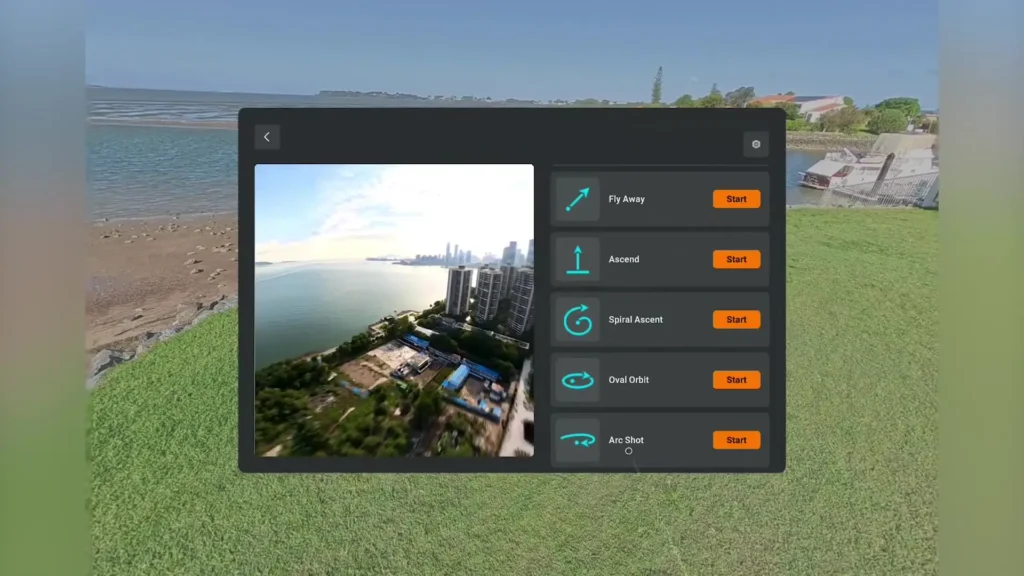
Both drones come with intelligent flight modes. The Avata 360 offers what you would expect from a DJI drone, including a rotate mode and some easy acro modes, which is a nice touch. The Antigravity A1 has its own named flight modes with some subtle differences, but they are largely comparable in what they offer.
Tracking Mode
Both drones feature tracking as well. The A1 recently received bypass mode with its update, so it can now navigate around obstacles while tracking a subject. The Avata 360 had this from the start and comes equipped with ActiveTrack 360, which is a well-established and trusted tracking feature that has been refined across many DJI drones.
The tracking experience on the Avata 360 is slightly more advanced and reliable simply because of the depth of research, development, and data that DJI has put into it over time.
One area where the Antigravity A1 stands out is Waypoints mode, which is a really useful feature. At the time of writing, the Avata 360 does not have Waypoints, so that is a unique advantage for the A1 right now.
Replaceable Lenses
Both drones feature replaceable lenses, which is a really welcome addition on both systems. If you damage a lens, the last thing you want is to have to replace the entire drone. Having that option on both the A1 and the Avata 360 is something worth appreciating, especially for anyone flying regularly or in challenging environments.
Stitching Quality
Since both drones use two cameras that stitch together and remove the drone from the frame, stitching quality is an important consideration. In testing, the stitching on both drones was almost flawless in the vast majority of scenarios. The only time any stitching issues became noticeable was when flying very close to a person, where you might see a slight misalignment around heads or bodies.
But this was only when flying extremely close and really looking for it. In any other scenario, stitching is not something you will notice, and in post-production you can simply shift the perspective, use a transition effect, or reframe the shot to avoid any of those edge cases entirely. Both drones perform at a very similar level when it comes to stitching quality.
Comparison Table: DJI Avata 360 vs Antigravity A1
| Feature | DJI Avata 360 | Antigravity A1 |
|---|---|---|
| Design | Fixed flat design with propeller guards | Foldable, compact mini drone |
| Weight | 455g | 249g (standard) / 291g (high-capacity) |
| Sensor Size | 1/1.1 inch square sensor (x2) | 1/1.28 inch sensor (x2) |
| Max Video Resolution | 8K at 60fps (360 mode) | 8K at 30fps |
| Single Lens Mode | 4K at 60fps | Not specified |
| Aperture | F1.9 | F2.2 |
| Photo Resolution | 30MP / 120MP (16K 360) | 14MP / 55MP |
| Obstacle Avoidance | Omnidirectional + Forward Lidar | Omnidirectional (post-update) |
| Bypass Mode | Yes (from launch) | Yes (added via April update) |
| Control Options | RC 2, RC Motion 3, Goggles 3, Goggles N3 | Motion controller + Goggles only |
| Standard Controller Support | Yes | No |
| Flight Time | 23 minutes | 24 min (standard) / 39 min (high-capacity) |
| Internal Storage | 42GB | 20GB |
| Transmission Range | Up to 20km (OccuSync 4 Plus) | Up to 10km |
| Wind Resistance | Level 5 (38.52 km/h) | Level 5 (38.52 km/h) |
| ActiveTrack / Tracking | ActiveTrack 360 | Available (post-update) |
| Waypoints | No | Yes |
| Replaceable Lenses | Yes | Yes |
| User Interface | Standard DJI experience | Augmented reality interface |
| Virtual Cockpit | No | Yes (fly on a dragon or plane) |
| Stitching Quality | Near flawless | Near flawless |
| Sub-250g Option | No | Yes (with standard battery) |
Final Verdict
Both the DJI Avata 360 and the Antigravity A1 are very unique 360 degree drones with their own distinct offerings. It is a genuinely difficult comparison to make because they are both so different, and you are going to enjoy whichever one you choose. As always, the right drone really comes down to your budget, your needs, and what you are looking for.
Overall, the Avata 360 edges ahead when it comes to the features that matter most for serious 360 degree content creation. But it is only a slight lead, and the Antigravity A1 brings enough unique character and creativity to the table that it absolutely deserves serious consideration. Both are great options, and the best choice comes down to what kind of flying experience and footage you are chasing.
Read More: DJI Avata 360 Review: The 360-Degree Drone That Changes Everything