
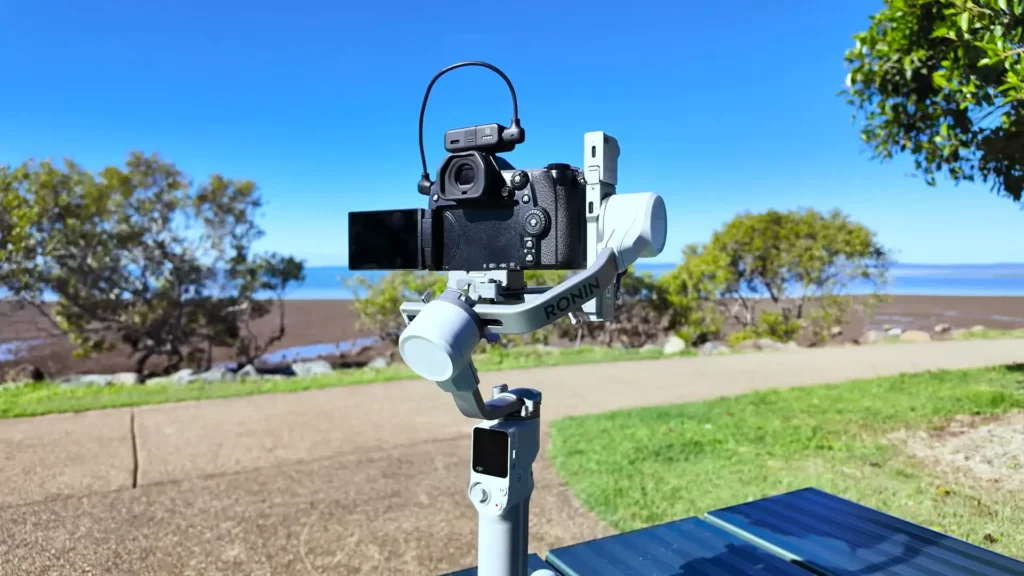
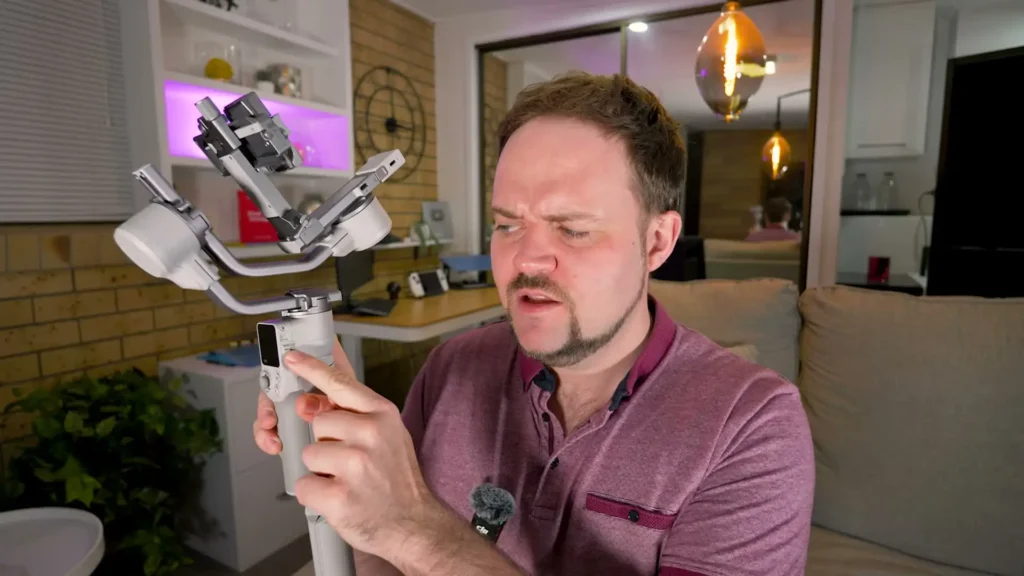
Gimbals are a staple of any filmmaker’s kit, but how well does the DJI RS 4 Mini hold up? Is this just another gimbal, or have they done something special here Today, I’ve got my full review of the DJI RS 4 Mini, their latest gimbal system. This is a fascinating system for me because of the setup I’ve got, but it might not be for everyone.
Table of Contents
Vertical Mode Switching Made Simple
One thing I really like about the DJI RS 4 Mini is how simple it is to swap into vertical mode. All you have to do is loosen one screw, push in the button, and the entire plate removes cleanly. You then adjust it into the right orientation, clip it back into place, tighten it, and it is ready to go for vertical shooting. It is really that simple to adjust the orientation you are looking for.
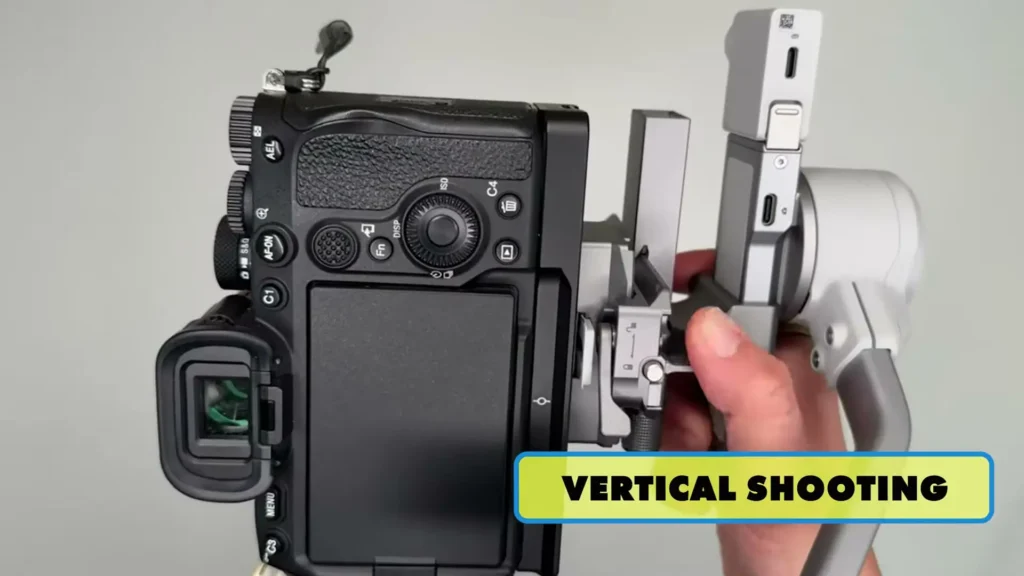
This unit also works with smartphones, and there is a smartphone mount included in the kit. I am sure you can make it work for action cameras and other camera systems as well. But what stands out most is just how clean and quick that vertical mode switch is.
You press the button to release, change it into the orientation you want, and it locks straight into place. Screw it in and it is nice and secure for either vertical or horizontal shooting. For solo content creators who are constantly switching between formats, this is a genuinely useful feature.
No layout selected.The Tracking Module
One of the more unique offerings here is the tracking module. I have seen tracking modules from other camera companies before, and DJI has done something quite similar with their smartphone range.
What this is, essentially, is a small camera system with a light on the front that lets you know what mode it is in. It connects via USB-C on the back and magnetically clips into place, and there is only one way it can clip. It has to face the user or the person in front, because you would typically be tracking someone while controlling the gimbal itself.
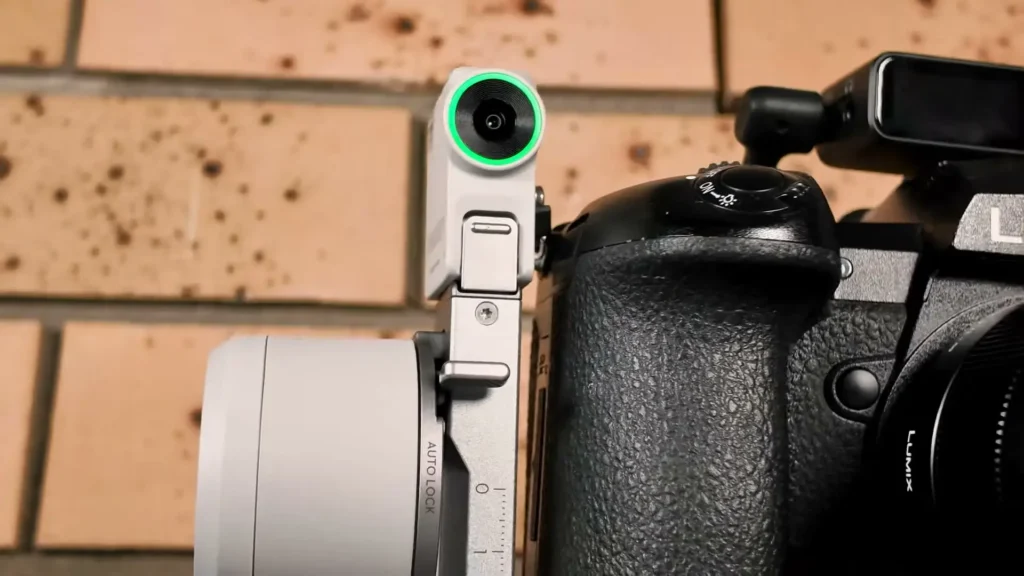
I found that this tracking module was really accurate and easy to use. The prompts are incredibly simple. All you do is put up your hand to start tracking, and put up your hand again to stop.
If you make two L shapes with your hands, it starts blinking, allowing you to change your framing. Do it again, and it will track you from that new frame. This means you can position yourself to the left side of the frame or come in really close, center yourself, and then start the tracking again.
It is simple to use, does a great job, and takes away a lot of the headache of trying to track a subject manually. It lets you as the operator focus on getting the shot because the module is already handling the tracking for you.
During testing, there were times I was running past the camera and it just kept up with me. There were moments where I walked really close and it was able to anticipate where I was going to be. It very rarely lost me unless I got extremely close or something was clearly in the way.
Outside of those kinds of edge case scenarios, it was extremely reliable. I walked around a table multiple times and it just kept going. I ran past it at the beach and it handled that too. Overall, the tracking module did a great job throughout every test I put it through.
Also Read: Hohem iSteady MT3 PRO KIT Review
Balancing Experience
One thing I really love about this unit is how simple it is to balance everything. DJI has gone with a Teflon design here, so it slides and glides with ease. There is no resistance, no scraping, no friction getting in the way.
It is so simple to balance all the different points, and that is something DJI has said was previously kept for their higher-end flagship designs but has now been brought across to the DJI RS 4 Mini.

It really does make a difference. With previous models, you would feel that resistance and it would almost sound like scraping as you moved it into the balance position. Now it just glides. It is smooth and I find it makes the world of difference when actually balancing a camera. This is probably one of the easiest balancing experiences I have had with a proper camera gimbal.
There is also a fine-tuning knob that you just twist to move the plate forward and back, making it even easier to find that perfect balance point. Between the Teflon interlayers for smooth rail adjustment and the fine-tuning knob for precision, the whole setup process becomes far less frustrating.
This matters especially when you are switching lenses or adding accessories like a microphone or light, which constantly require balance adjustments. With these quick and easy options available, it makes the whole process genuinely manageable.
Auto-Axis Locks
A really nice quality-of-life improvement on the DJI RS 4 Mini is the auto-axis locks. There are a few ways this works in practice. Press the power button once and you see the locks click into place. Press it again and it unlocks, showing a little animation on the screen as everything releases.
This means that when you are moving to a new location, even just walking 30 meters, you can press that lock button, carry the unit securely, arrive at your spot, and then unlock it. All the axis mechanisms unlock cleanly and you are ready to shoot.
What I also really liked is that when you power down the unit, it locks into its powered-down position at an angle. This means you can keep your camera mounted on the unit without having to remove it. That is exactly what I did when travelling between locations.
I powered down, it locked everything into place, I kept my camera on the unit, and when I arrived at the next spot, I powered it back on and it was immediately ready to go. Since I had already found the balance point before leaving, there was no need to set it all up again. That whole user experience is just a lot cleaner and more efficient.
Build Quality and Button Layout
In terms of how it feels in the hand, the DJI RS 4 Mini is a really high-quality, heavy-duty system that does not weigh too much. I used it for an extended period with my camera system on top, and while my arm got a little sore after a while, it was nothing unreasonable for a unit of this type. It is quite a lightweight design and genuinely easy to transport between locations.
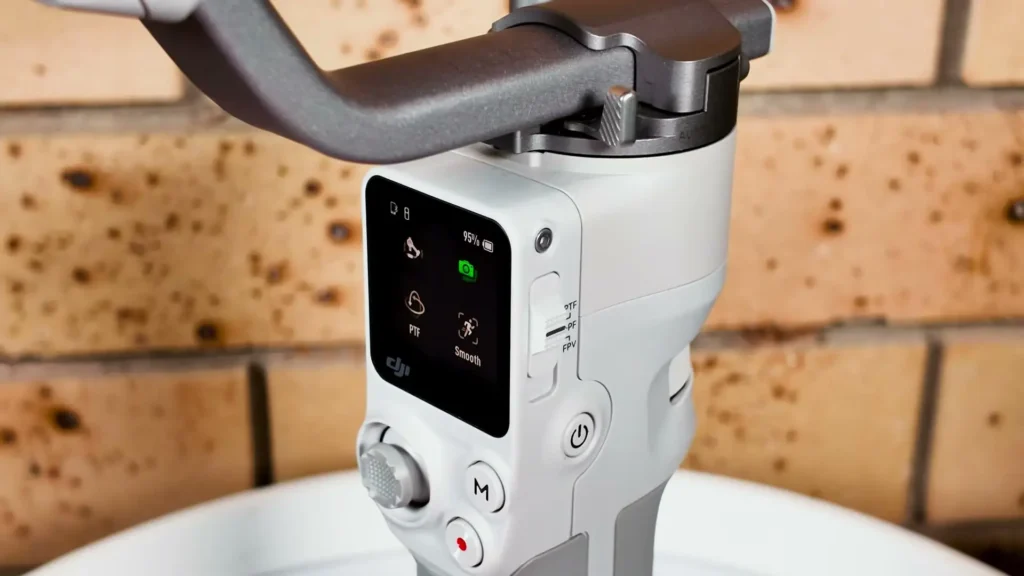
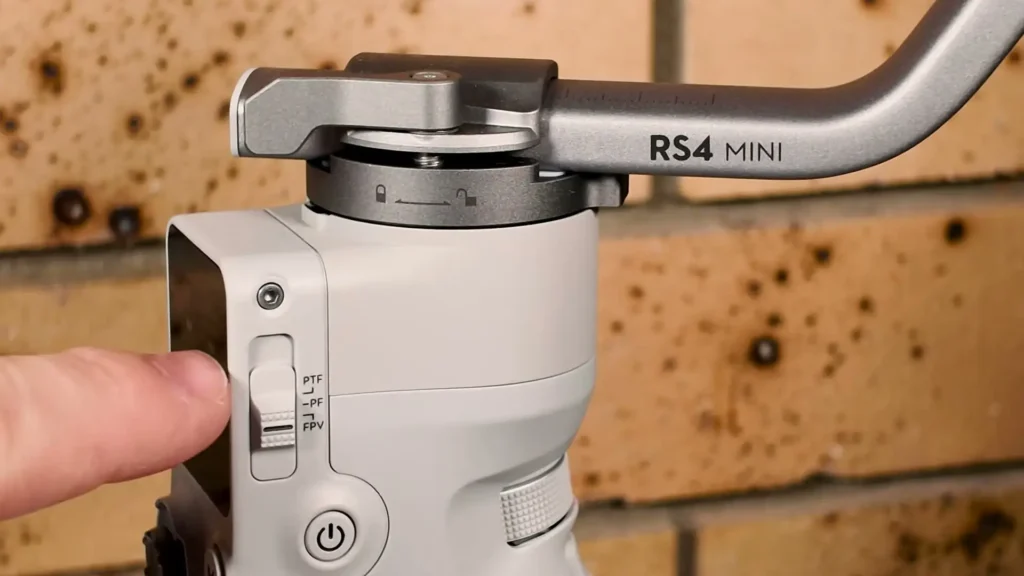
On the right-hand side, there is a physical toggle switch that lets you cycle between PTF, PF, and FPV modes, which is a straightforward and tactile way to switch. There is also a power button, a scroll wheel for various options, and a trigger on the back that protrudes nicely and feels great to use.
On the left-hand side, you have the USB-C port, zoom in and out controls, and full joystick control. The joystick itself has a really nice range of motion and protrudes out enough to feel comfortable even with a larger thumb. There is also a record button and a mode button on that side.
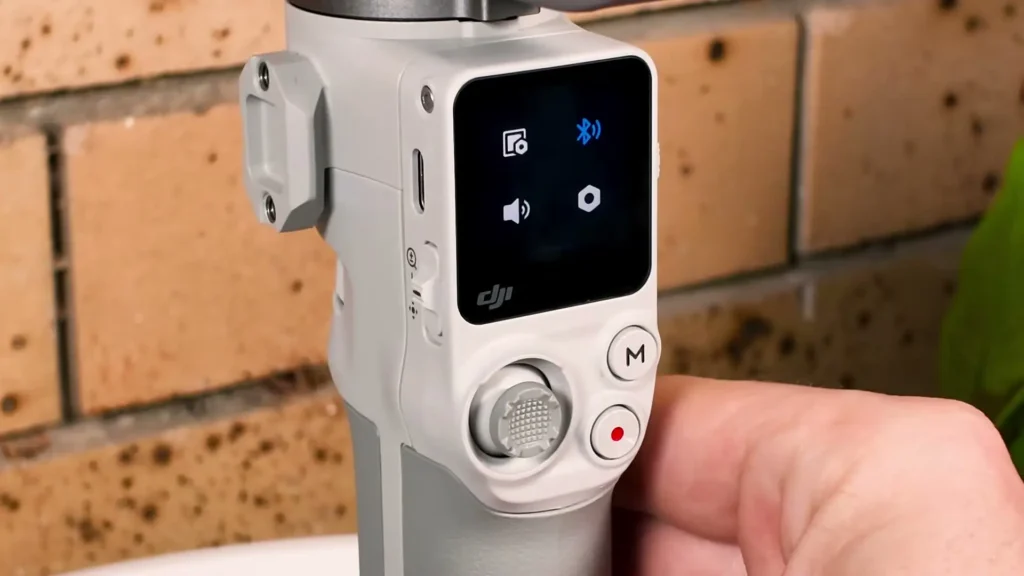
Comparing this to a smartphone gimbal, one noticeable difference is that the trigger here actually protrudes like a real trigger rather than sitting flat like a button. It just feels a lot more intentional and comfortable to use during extended shoots.
Screen and User Interface
The screen on the DJI RS 4 Mini has seen a meaningful improvement. There is an updated interface with a number of UI upgrades that make it a lot easier to navigate through different settings. At a glance, you can see what mode you are in and what the tracking setting is.
You can also adjust responsiveness on the fly, making movements more reactive or smoother depending on your needs, and you can calibrate and balance everything through the screen as well.
It is not an overly complicated interface, and that is actually a good thing. Once I had everything set up and updated through the app, I rarely needed to open the app again because I could handle everything directly through the unit.
If I wanted to change modes, I used the physical toggle switch on the side, which then updated the display accordingly. It is a fairly basic offering in terms of depth, but it covers what you need cleanly and without unnecessary complexity.
Battery Life and Charging
DJI claims a 30% improvement in battery life compared to the previous edition of the RS Mini. For my use as a more casual gimbal user, I did not personally push the battery to its limits. But for anyone working in real estate videography, short film production, or any kind of constant professional use, that improvement is going to be noticeable and appreciated.
What is particularly impressive is the fast charging capability. Within just 30 minutes of charging, you get 5 hours of operation. That is a very practical feature for shooting on location. You could plug it into your car, use a small power bank, and within half an hour have enough battery to cover a full afternoon of filming. For traveling and on-the-go setups, that flexibility is a real advantage.
Stabilization Performance
DJI describes this as featuring their fourth-generation RS stabilization, and stabilization is ultimately what this whole unit is about. From my experience, the hardest part of using any gimbal is getting the balance right.
If you do not have it balanced perfectly, the results suffer. I watched a few tutorials to make sure I had it dialed in correctly, making sure the camera did not drift when lifted or tilt when angled to one side.
Once I had the balance right, I was genuinely impressed with the footage. It was stable, it looked great, and there were no issues at all. The unit was responsive to all of my movements. It is a powerful little unit considering its size and weight, and it delivered smooth, reliable results for my use case as a casual gimbal user.
I am sure that with more refined technique, like using the ninja walk for slower, more cinematic movements, the results could be even better. But straight out of the box with proper balancing, the stabilization performance is impressive.
Who Is the DJI RS 4 Mini For?
I think DJI has done a great job with this gimbal. It is not groundbreaking and it is not the flagship model, but it takes a lot of the flagship features from previous higher-end versions and brings them down into a cheaper, more user-friendly package aimed at casual content creators, solo filmmakers, and anyone doing regular content work.
If you do paid professional work and are using a larger, heavier camera system, this may not be the right tool for you. The 2 kg payload limit is a genuine constraint for anyone working with full-frame bodies and heavy lenses. In that scenario, a larger and more premium gimbal would likely serve you better.
But for everyone else, the DJI RS 4 Mini covers a lot of ground. It is great for travel because it weighs just over 800 grams on its own, making it easy to pack and carry. It is great for on-the-go shooting because everything locks and unlocks quickly, it powers down and locks into position, and powers back up ready to go almost immediately.
It supports vertical shooting with a simple and fast switch. It works with smartphones and likely with action cameras too. The tracking module is reliable and genuinely useful for solo creators. The Teflon balancing system makes setup far less frustrating than before. And the overall build quality, button layout, and feel in the hand are all solid.
Specification Table
| Specification | Details |
|---|---|
| Product Name | DJI RS 4 Mini |
| Payload Capacity | Up to 2 kg |
| Unit Weight | Approximately 800 g |
| Battery Life | Up to 5 hours per charge |
| Fast Charge Time | 5 hours use from 30 minutes charge |
| Battery Improvement | 30% improvement over previous RS Mini |
| Stabilization | 4th Generation RS Stabilization |
| Shooting Modes | PTF, PF, FPV |
| Vertical Mode | Yes, quick-release plate system |
| Tracking Module | Yes, magnetic clip-on with gesture control |
| Connectivity | USB-C, Bluetooth |
| Smartphone Compatibility | Yes, smartphone mount included |
| Balancing System | Teflon interlayer with fine-tuning knob |
| Auto-Axis Locks | Yes, power button activated |
| Screen | Yes, improved UI display |
| App Integration | DJI App compatible |
| Zoom Control | Yes, via joystick for power zoom lenses |
| Remote Record Control | Yes, via Bluetooth connection |
| Best For | Solo creators, travel filmmakers, mirrorless camera users |
Final Thoughts
The DJI RS 4 Mini is not trying to reinvent the wheel, but it refines a lot of the frustrating elements that have historically made gimbals feel like more trouble than they are worth. The Teflon balancing system, the auto-axis locks, the fast charging, the improved stabilization, and the genuinely useful tracking module all come together to create a package that feels thoughtful and practical.
Read More: DJI Osmo Mobile 8 vs Insta360 Flow 2 Pro Full Comparison