
DJI are back again with a brand new camera system, and this time it comes in the form of the DJI Osmo Nano. We have seen something similar from DJI in the past with the Osmo Action 2, but this time it is a completely redesigned system. It is a really impressive camera system with a lot of cool features, great accessories, and the Osmo Audio ecosystem to go along with it.
Table of Contents
What Comes in the Box
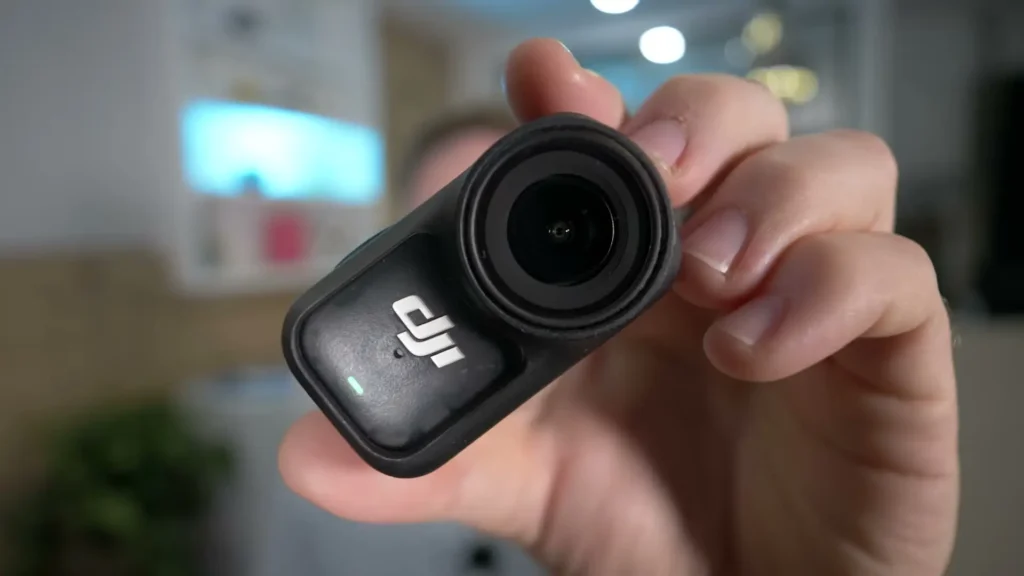
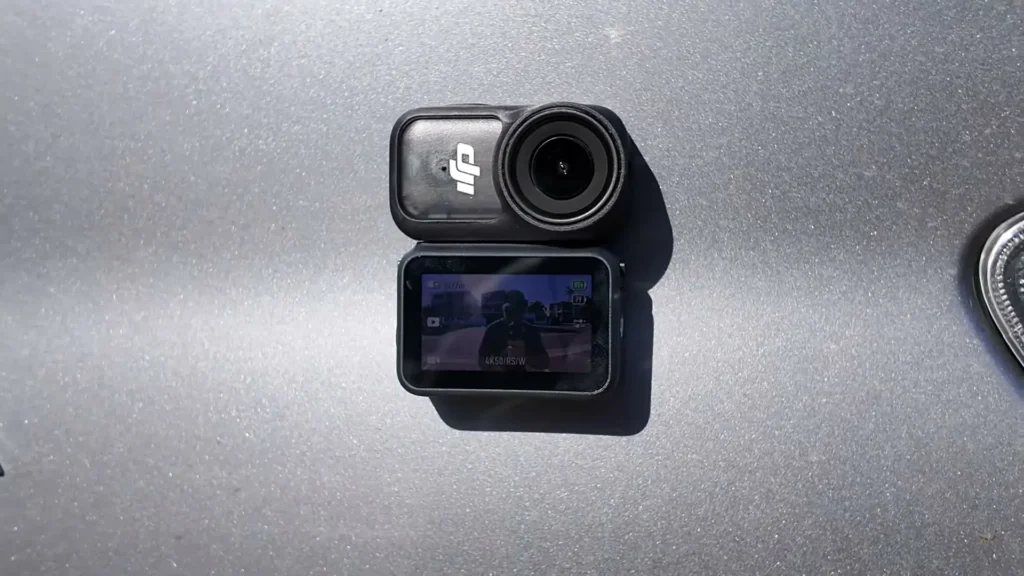
The DJI Osmo Nano comes as two pieces. You get the camera system, which has a little magnetic connection underneath with a small clipping system, and the body of the unit itself is also magnetic. This means you can simply clip it magnetically onto a wide range of surfaces to give you quite a unique perspective.
The second piece of the Nano system is the multi-functional vision dock. This piece actually functions as both a remote controller and a viewfinder. So you can set the camera up somewhere else entirely and use the dock to frame up the shot and press record whenever you need to. There is a record button on the side of the unit and another record button on top of the Nano camera itself.
This setup really opens up a lot of creative possibilities when it comes to how you mount the camera and how you use it in real-world scenarios. I found myself using the vision dock constantly across a variety of situations.
Having it on my hat, for example, meant I could always see the framing and slightly angle the camera down or reposition it in different ways without any hassle. I also used it while riding an electric scooter, and again it was very easy to adjust the angle on the fly to get a different perspective.
Even if you mount the camera onto a pole, you can still see exactly how it is framed through the dock. That is something you genuinely struggle with when using a traditional action camera. If you mount an action camera somewhere, you cannot see what it is capturing without connecting an app, and that entire process can be slow and frustrating.
The Nano solves this seamlessly and makes it a lot easier to capture unique perspectives with such a small camera system. There are a few examples in my footage where I put the camera inside a freezer, inside a fridge, and even in a dog food bowl, and in every case I could just look at the dock, confirm the framing looked good, and press record without ever touching the camera itself.

Design and Build Quality
Looking at the body, it is a very unique camera system. It features an interesting rectangular design with curved corners and is really easy to mount to almost any kind of surface or environment. You have plenty of magnetic options, a variety of mounting accessories, and the body itself is magnetic, which gives you a lot of flexibility in how and where you place it.
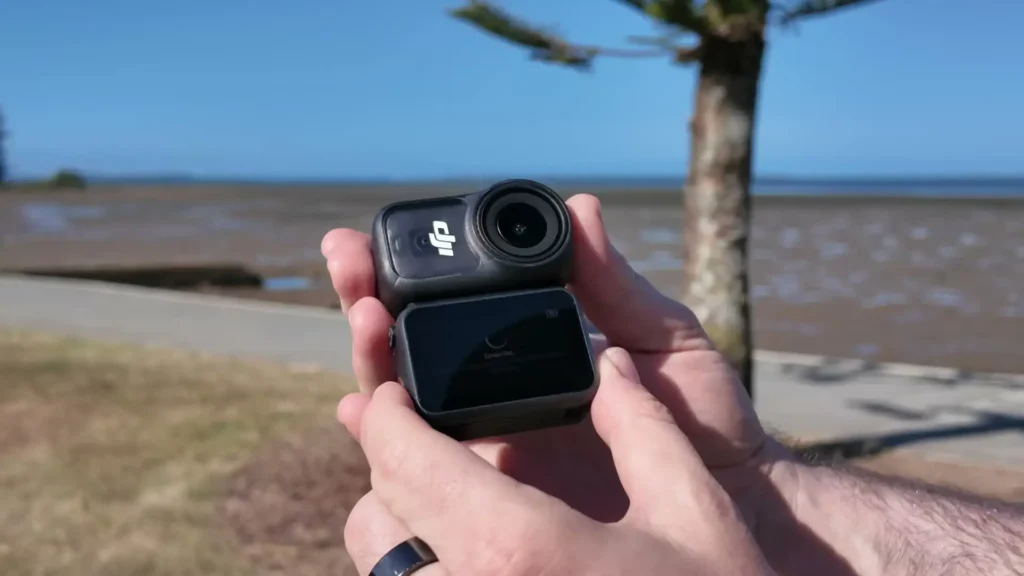
The Nano weighs just 52 grams, which is one of its biggest strengths. That lightweight design means you can attach it to things like a hat, a lanyard under your shirt, or even a dog collar, without the subject even noticing the added weight.
I actually mounted the Nano onto the collar of our puppy and tossed the ball for her, and she did not seem to notice it at all. If it had been a traditional action camera, she would have felt the weight pulling her down immediately. The perspectives you can get from a camera this small and this light are genuinely difficult to replicate with anything else on the market.
Camera Specs and Video Quality
The DJI Osmo Nano uses a camera system that DJI users will likely already know and love. It features a 1/1.3 inch CMOS sensor, the same sensor found in products like the DJI Mini 4 Pro. So if you are already shooting with a DJI drone, the footage from the Nano is going to complement your drone footage really nicely in terms of color science and image quality.

The field of view comes in at 143 degrees, which gives you a really wide and immersive perspective. The Nano supports 4K at 60 frames per second and also offers 4K slow motion at 120 frames per second. It delivers up to 13.5 stops of dynamic range and supports 10 bit color recording. You can also shoot in D-Log M for greater flexibility in color grading during post-production.
Rock Steady stabilization and horizon balancing work really well in standard 4K and 1080p modes. As always, the Rock Steady feature lives up to its name. The footage is solid and smooth, which is particularly impressive given how many unusual mounting positions this camera gets placed in.
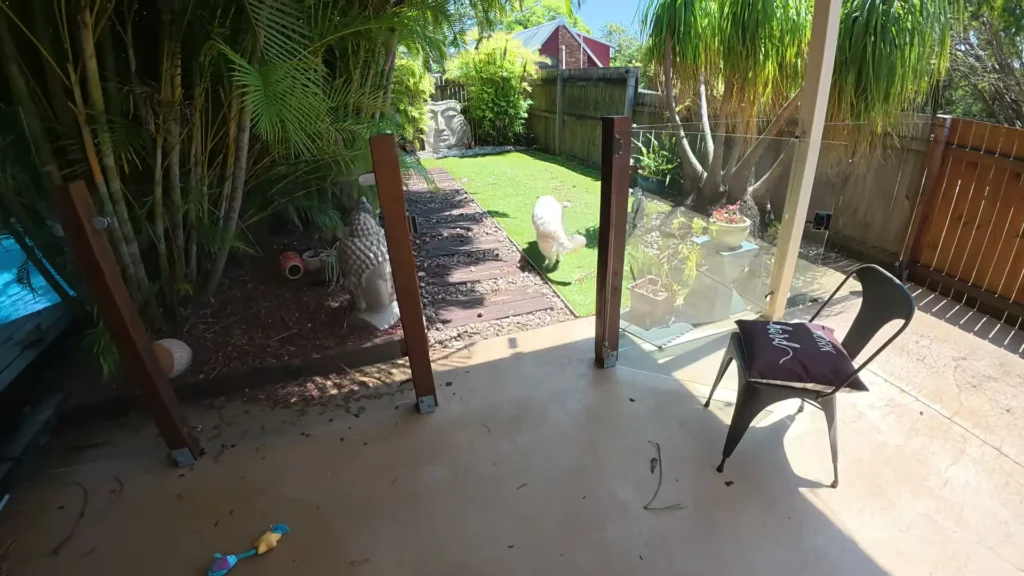
However, it is worth noting that in the 4K 120 frames per second slow motion mode, you do not get the Rock Steady or horizon balancing features. So if you are shooting slow motion, you will want to make sure the camera is in a stable, static position to avoid any unwanted shake or bounce.
Overall, the video quality and even the photo quality are really impressive across the board. The similarities between this sensor and the Mini 4 Pro sensor are clear, and that is a very good thing.
Audio Performance
A big area of focus for DJI recently has been their Osmo Audio lineup, which includes the Mic Mini, Mic 2, and Mic 3. In my testing, I compared the onboard microphone on the DJI Osmo Nano directly against the DJI Mic 3 connected wirelessly.
Since the Nano is designed as a vlogging and creator camera, you would hope that the onboard audio is at least decent, and it is. But when you connect the DJI Mic 3 wirelessly, the improvement is noticeable.
The Mic 3 is a professional grade wireless microphone system, and it pairs with the Nano in a really simple and seamless way. If you plan on using the Nano for any serious content creation, pairing it with a Mic Mini, Mic 2, or Mic 3 is definitely worth considering.
One thing to be aware of is that when you have a wireless microphone connected, disconnecting the dock module will pop up a prompt on screen. Also, you do not get the video feed through the dock when a wireless microphone system is connected wirelessly, so that is something to keep in mind depending on how you plan to set up your workflow.
Also Read: Insta360 X6 Full Review
Waterproofing
The DJI Osmo Nano camera itself is waterproof up to 10 meters, which is a great feature for outdoor and adventure use. The multi-functional vision dock, however, is only splashproof and is not designed to be submerged. So you need to be careful to keep the dock away from any environment where it might get wet.
When I put the camera underwater during testing, it immediately disconnected from the viewfinder on the dock, which means you cannot see the live feed from beneath the surface. That said, this is a pretty common limitation since water is dense and difficult to penetrate wirelessly.
Because the Nano has such a wide 143 degree field of view, as long as you are pointing the lens in your general direction and you can see it, you are almost certainly going to be in the shot.
Battery Life and File Transfer
In terms of run time, you are looking at around 90 minutes of footage at 1080p and approximately 60 minutes at 4K. The multi-functional vision dock also doubles as an extended battery, so as soon as you attach the camera to the dock, it begins charging the camera and extending your overall usage time.
You can also use the camera system completely independently of the dock, and even when the dock is in a separate room, both the dock and the camera will chime with audio prompts when you press record, which is a nice little touch.
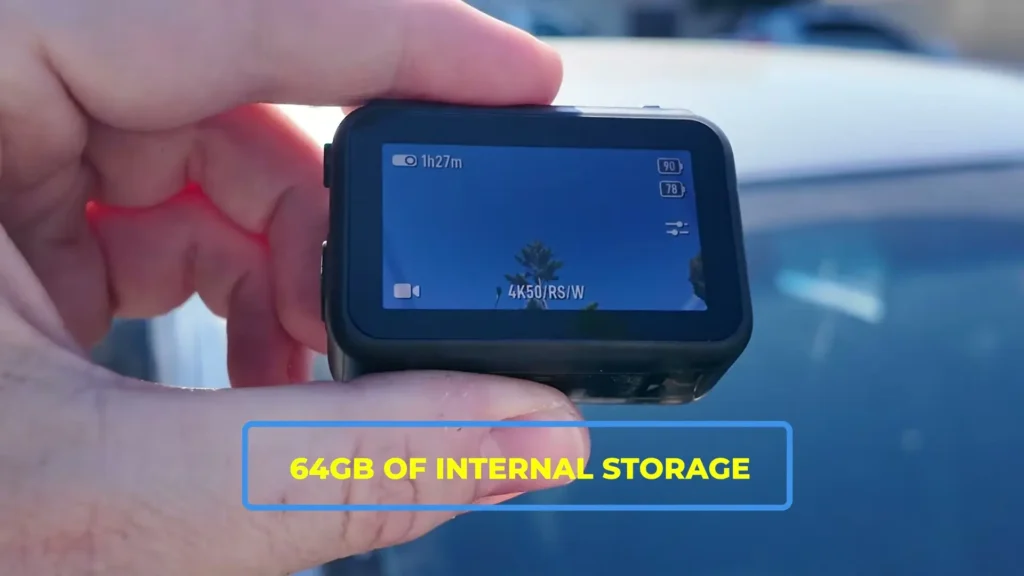
DJI claims file transfer speeds of up to 600 megabytes per second, which sounds incredible. The dock also includes a microSD card slot, and the unit itself comes with 64 GB of internal storage built in, which is great to see.
However, during my own testing, I did experience some disruption when transferring footage across to my computer. The transfer kept cancelling and I would have to start again multiple times. It is possible this was related to my specific computer setup, but it is worth mentioning as something to be aware of.
User Interface and the Mimo App
The user interface on the DJI Osmo Nano is really clean and familiar. DJI has done a great job of creating a consistent interface across their product lineup. Whether you are using the Action series, the Pocket series, or the Osmo 360, the experience feels very similar on the Nano.
Navigating settings, connecting a microphone, switching between modes, it all feels predictable and intuitive, which makes the learning curve much more manageable.
You can also connect the Nano to the DJI Mimo app for a bit of extra functionality and control beyond what the dock and camera buttons offer on their own.
Accessories and Mounting Options
I was genuinely impressed by the range of accessories available right at launch. With the standard combo, I received a hat mount, which works really nicely for first person style footage, and a lanyard that sits under your shirt and lets you connect the camera in either portrait or landscape orientation very easily.
There is also a suction cup mount and a range of other mounting options available online. I also recently ordered a head mount, which I thought looked like a fun option.
Because the Nano is so small and subtle, it opens up mounting possibilities that you simply would not attempt with a bulkier action camera. I thought about mounting it to the underside of my electric scooter.
If I had my action camera down there, I would be way too nervous about it scraping the ground. But with the Nano, it is small enough to tuck in without any concern. When it is on a hat, it is subtle and barely noticeable to anyone nearby. When it is clipped to a shirt, you genuinely cannot feel it at all. These are the kinds of perspectives that make this camera system so exciting for creative content creators.
Who Is the DJI Osmo Nano For?
This is a brand new product line for DJI. While the Action 2 had a similar compact and modular concept, the Osmo Nano is a redesigned system and a new direction for the brand. For a first entry into this modular micro camera world, DJI has done a really impressive job.
The Nano is going to appeal to a wide range of users. FPV drone pilots who loved the Action 2 for its compact size and easy mounting will likely find this to be an excellent upgrade or alternative.
Content creators who want unique low angle shots, magnetic car mounts, or creative first person perspectives will also find a lot to love here. And casual users who want something small, lightweight, and capable enough for everyday adventures will appreciate how easy and intuitive the whole system is to use.
Specification Table
| Feature | Details |
|---|---|
| Sensor | 1/1.3 inch CMOS |
| Dynamic Range | Up to 13.5 stops |
| Field of View | 143 degrees |
| Video Resolution | 4K at 60fps and 4K at 120fps |
| Color Depth | 10 bit |
| Color Profile | D-Log M |
| Stabilization | Rock Steady and Horizon Balancing (standard modes) |
| Weight | 52 grams |
| Waterproofing | Camera: up to 10 meters, Dock: splashproof only |
| Internal Storage | 64 GB |
| Battery Life | 90 minutes at 1080p / 60 minutes at 4K |
| File Transfer Speed | Up to 600 MB/s |
| Wireless Audio Support | DJI Mic Mini, Mic 2, Mic 3 |
| App Support | DJI Mimo |
| Connectivity | Magnetic mounting system, microSD card slot on dock |
Final Thoughts
The DJI Osmo Nano is a genuinely exciting camera system that does something different from anything else in DJI’s current lineup. The combination of a high quality 1/1.3 inch CMOS sensor, 4K 60 and 120 frames per second recording, 10 bit color, D-Log M, Rock Steady stabilization, 10 meter waterproofing, and a smart remote viewfinder dock makes this a seriously capable little camera.
The lightweight magnetic design and wide range of accessories push it even further as a creative tool for anyone who wants perspectives that traditional action cameras simply cannot deliver.
Read More: Insta360 GO Ultra vs iPhone 14 Comparison